FOIRCEADAL Orange [Need to Upgrade Wireless Controller
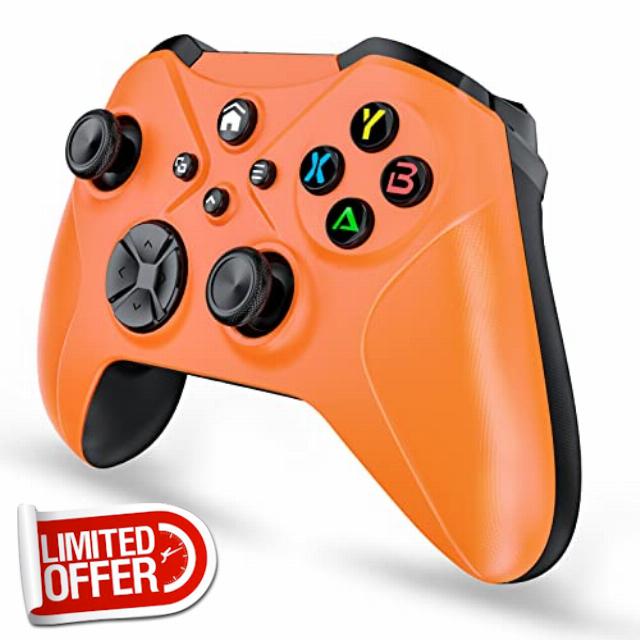
FOIRCEADAL Orange [Need to Upgrade Wireless Controller for X-One S/X XBOX PC with WiFi/Programming/Vibration/3.5 mm Audio/Turbo/6-Axis Gyroscope Compatible Xbox Series S/X/Android/iOS
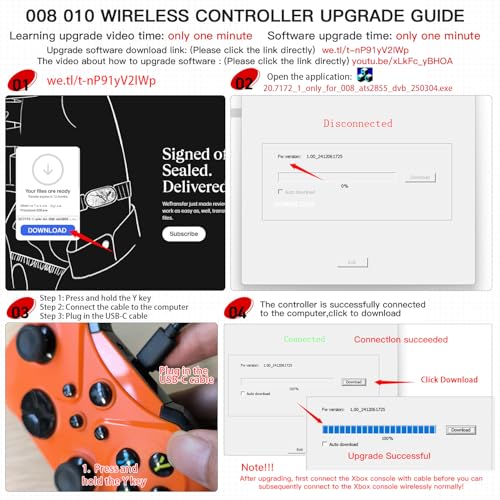
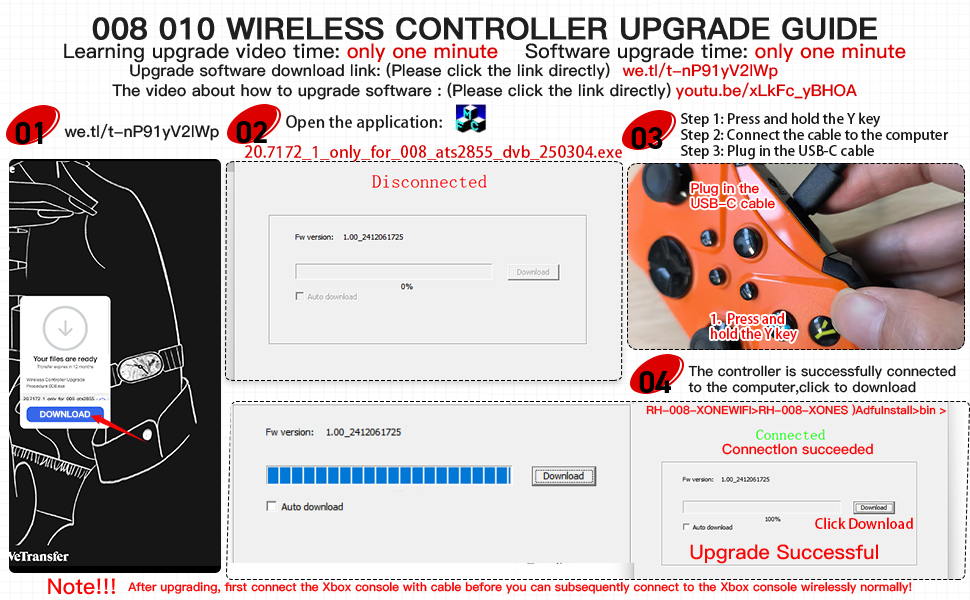
NOTE!! Due to XBOX licensing issues, the controller needs to be connected to your computer in order to upgrade.
Produktmerkmale
Vibration: Dual Vibration
Bewegungssensor: 6-Achsen-Bewegungssensor (3-Achsen-Gyroskop, 3-Achsen-Beschleunigungsmesser)
Trackpad: Anklickbares Multi-Touch-Trackpad
Verbindungsmethode: drahtloses Bluetooth/Wifi
Kopfhörerbuchse: 3,5-mm-Stereo-Audiobuchse
Benutzerdefinierte Programmiertaste: ja
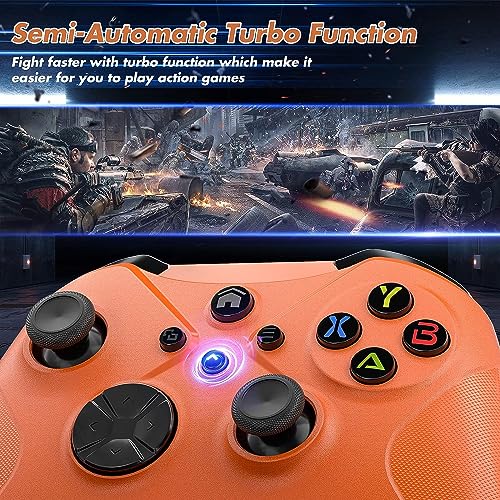
Turbo-Taste: ja
Ergonomie: ja
Material: hochwertiger ABS-Kunststoff
Lademethode: Type-cUSB-Datenkabel
Remote Bluetooth connection:
Bluetooth 4.2 provides a stable wireless connection without lag, delay, or dropouts.
One-button wake-up:
After the handle is successfully paired, briefly press the "Home" button on the handle for 1 second to wake up the host, perfectly replacing the original handle. It also supports the Turbo function and programming buttons, making gaming easier.
Built-in speaker and 3.5mm headphone jack:
This allows you to connect your headphones and fully immerse yourself in the game world.
For XBOX Wireless Connection
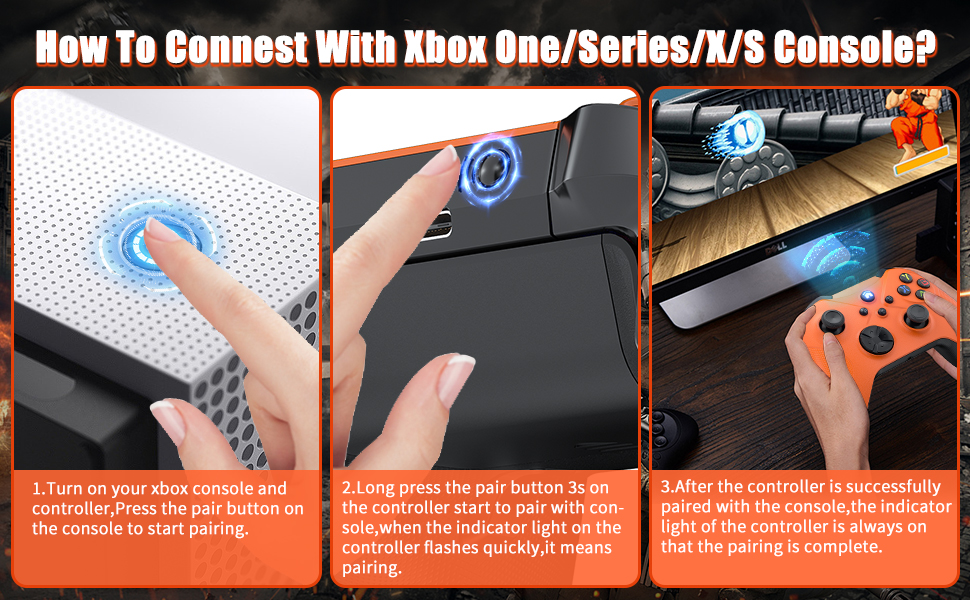
Press the power button on the console, then press and hold the 'HOME' button on the controller for 1 second to turn on the controller. The power indicator will flash slowly. Press and hold it again for 1 second to enter pairing mode. The indicator will flash quickly to indicate pairing is complete. The indicator will remain lit.
For Wired USB Connection
After turning on the console, use the Type-C cable to connect the console. The connection should be established automatically.
For Wireless PC Connection
The PC must have its own Bluetooth capability. Turn on the console, then enable the PC's Bluetooth capability to search for the console and connect.
For Android/iOS
Turn on Bluetooth mode on your phone, press and hold the controller for 1 second to turn it on, and then press and hold it again for 1 second to pair it with your phone via Bluetooth.
How to set the programming button
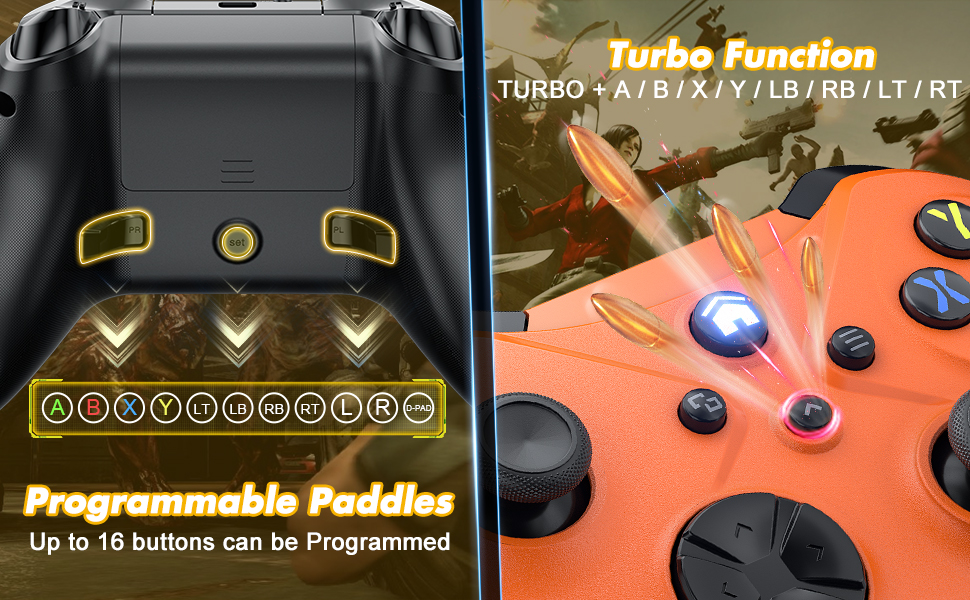
Programming buttons: (PL/PR/SET)
1. Press the SET button for 3 seconds. The channel light will flash slowly, indicating that the handle has entered programming mode, and the motor will vibrate to prompt you.
2. Press any action button you want to program (assign). The channel light will flash quickly when the button is pressed and flash slowly when released. Note the time the button was pressed and lifted. Press the PL/PR buttons on the back after each button has been pressed. The channel light will remain lit, and the motor will vibrate to indicate that the button programming was successful. At this point, the selected programming trigger key (PL/PR) is a macro key (macro programming can record up to 16 key values).
Clear macro programming function:
Press the STE setting key alone for 3 seconds, then press the PL/PR setting key alone for 3 seconds.
Charging Modes:
Can be charged via USB.
Ergonomic Grip:
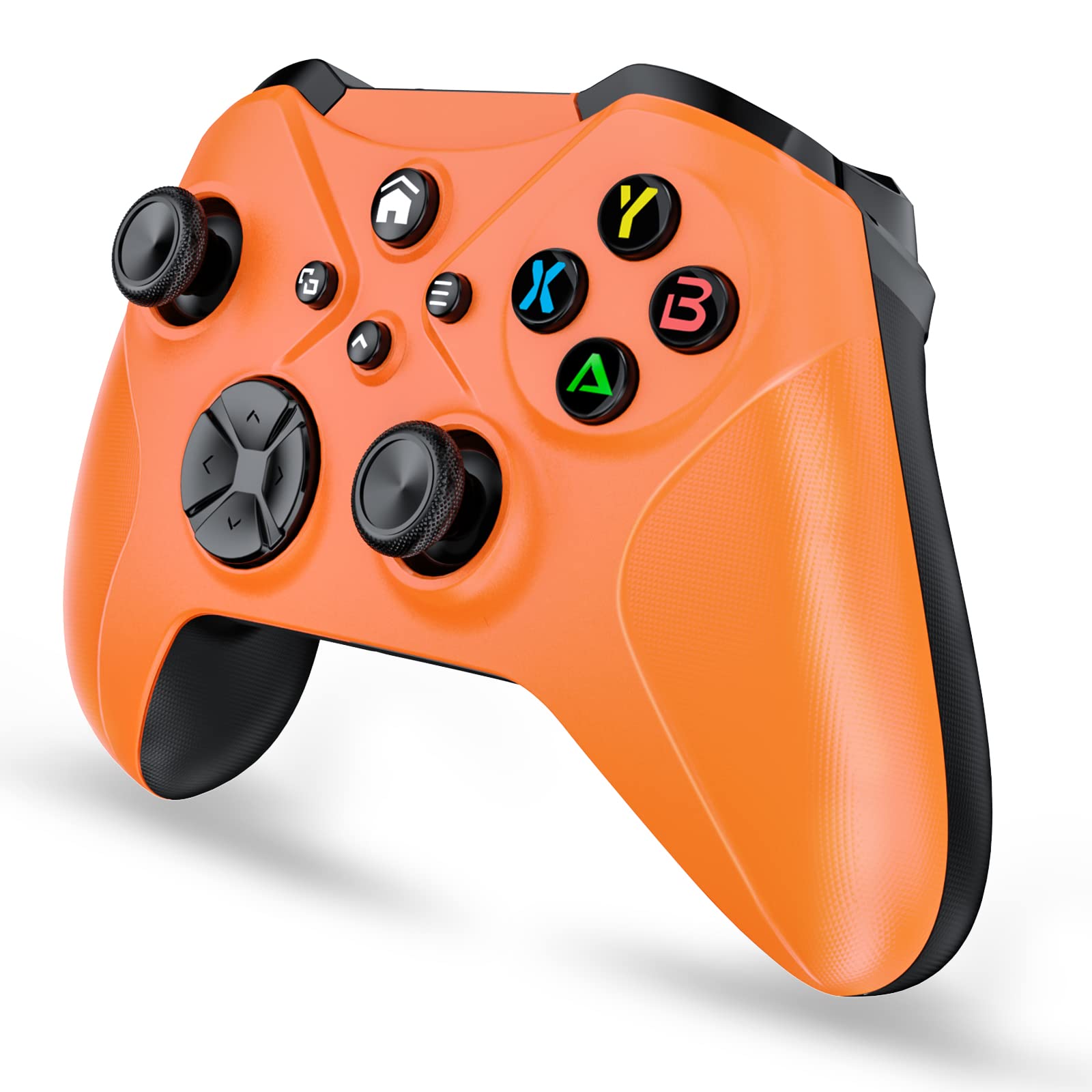
Adapts to the palm structure, ensuring fatigue-free use even during extended periods.
Refined Joystick:
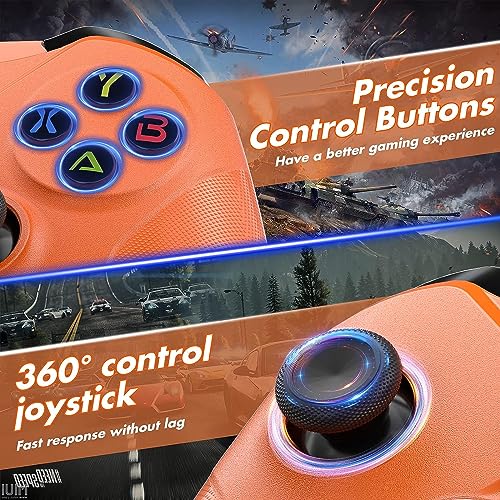
The excellent dual analog joystick design eliminates dead zones and drift.
Package includes:
1x Wireless Controller for Xbox One Elite s/x PC/iOS/Android
1x Micro USB Charging Cable
1x Product Manual
Note: Receiver not included! ! !
- ❗Note: If you are prompted for official authorization, you must connect to a computer for manual updating. Update path: we.tl/t-nP91yV2lWp. 1. Download and unzip the upgrade package: RH-008-XONES > bin > DemoSDK (Click). 2. Hold down the "Y" key and connect the cable to the computer. 3. If "Connected" is displayed in green, the connection is successful. Click "Download."
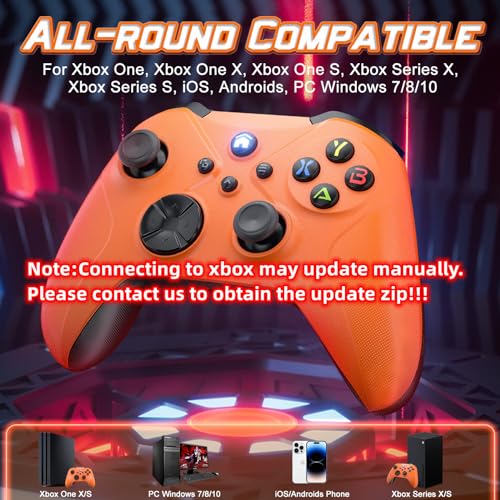
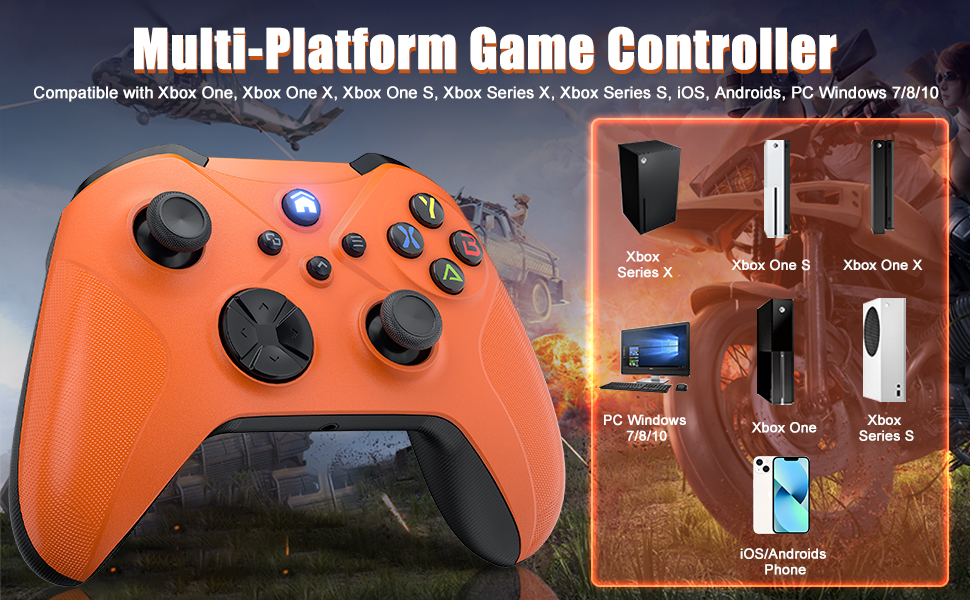
- [Wide Compatibility] The controller for PC is compatible with most platforms such as PC/Android/iOS (supports replacement original adapters of the 1st and 2nd generation), with Bluetooth/WIFI/Wired function, long receiving distances of about 390 inches (10 m), not easy to disconnect.
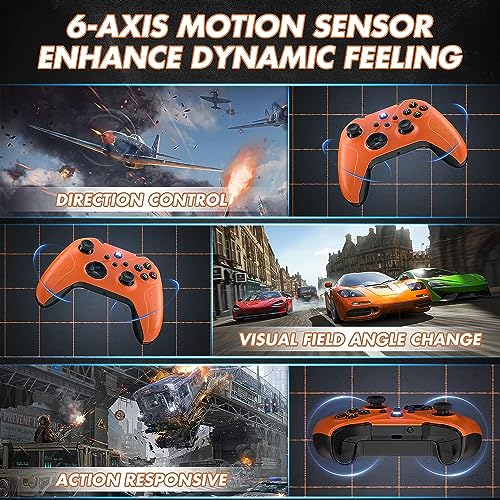
- [Realistic 3D Gaming Experience] The PC controller features a 3.5mm stereo audio jack, as well as built-in dual-motor vibration and a 6-axis gyroscope for multi-directional gameplay. (Note: If the trigger is stuck, you can press it firmly again.)
- [One-Click Wake-up and Turbo] After the controller pairing is successful, briefly press the controller's home button for 1 second to wake up your console, perfectly replacing the original controller. It also supports the turbo function and programming buttons, making your gaming experience easier.
- [High Sensitivity Joystick] The wireless controller for PC uses uniquely designed joysticks and buttons, and the built-in new high-performance chip, the joystick neither drifts nor lags, allows players to control the game more precisely while enjoying a new experience without lag.
- [Comfortable Grip] The wireless controller for PC is made of sweat-proof and slip-resistant materials, which is very ergonomically designed, and the contour curve completely fits the palm of your hand, making you feel like everything is under your control; Package contents: Controller * 1, Manual * 1, Type-C cable * 1, if you have any questions, please contact us.

| SKU: | B0F26DVLFM |
Product Description
NOTE!! Due to XBOX licensing issues, the controller needs to be connected to your computer in order to upgrade.
Package includes:
1x Wireless Controller for Xbox One Elite s/x PC/iOS/Android
1x Micro USB Charging Cable
1x Product Manual
Note: Receiver not included! ! !