ErGear Dual Monitor Arm, Full Adjustable Monitor Mount
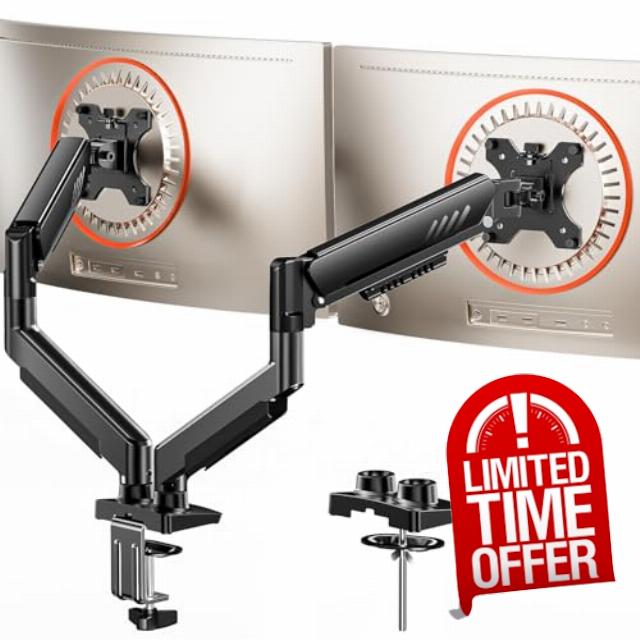
ErGear Dual Monitor Arm, Full Adjustable Monitor Mount for 13–32″ Screens, Fast Install Computer Monitor Stand with Tool-Free VESA Mount, Max Load 9kg Max VESA 100x100mm Gaming
ErGear Fast Install Dual Monitor Mount丨The Fastest Way to Elevate Your Workspace
Tension & Vesa Head Adjustment
The video showcases the product in use.The video guides you through product setup.The video compares multiple products.The video shows the product being unpacked.Tension & Vesa Head Adjustment
Merchant videoNote: Please attach your monitor to the mount and hold the arm in a horizontal position, then follow the video instructions to adjust the tension: Turn "+" If the monitor drops down. Turn"-"If the monitor rises up.
Desk Compatibility – Two Mounting Options
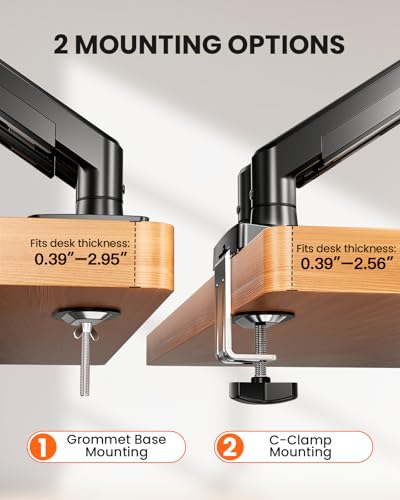
Please select the appropriate mounting method based on your desk thickness and follow the instruction manual for installation.
Desk Compatibility – Type, Material & Footprint
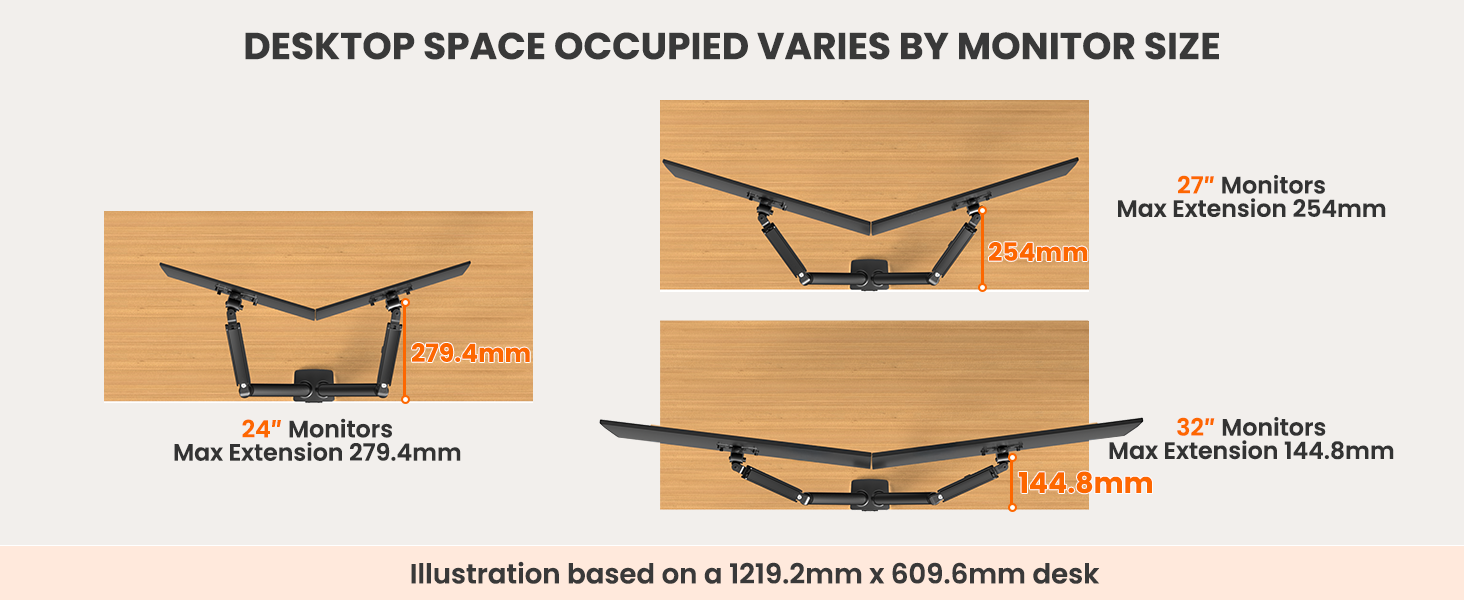
Under this section, you will find illustrated explanations regarding the types and materials of desks compatible with this monitor mount, as well as the desk space occupied with different monitor sizes. Please refer to them as needed.
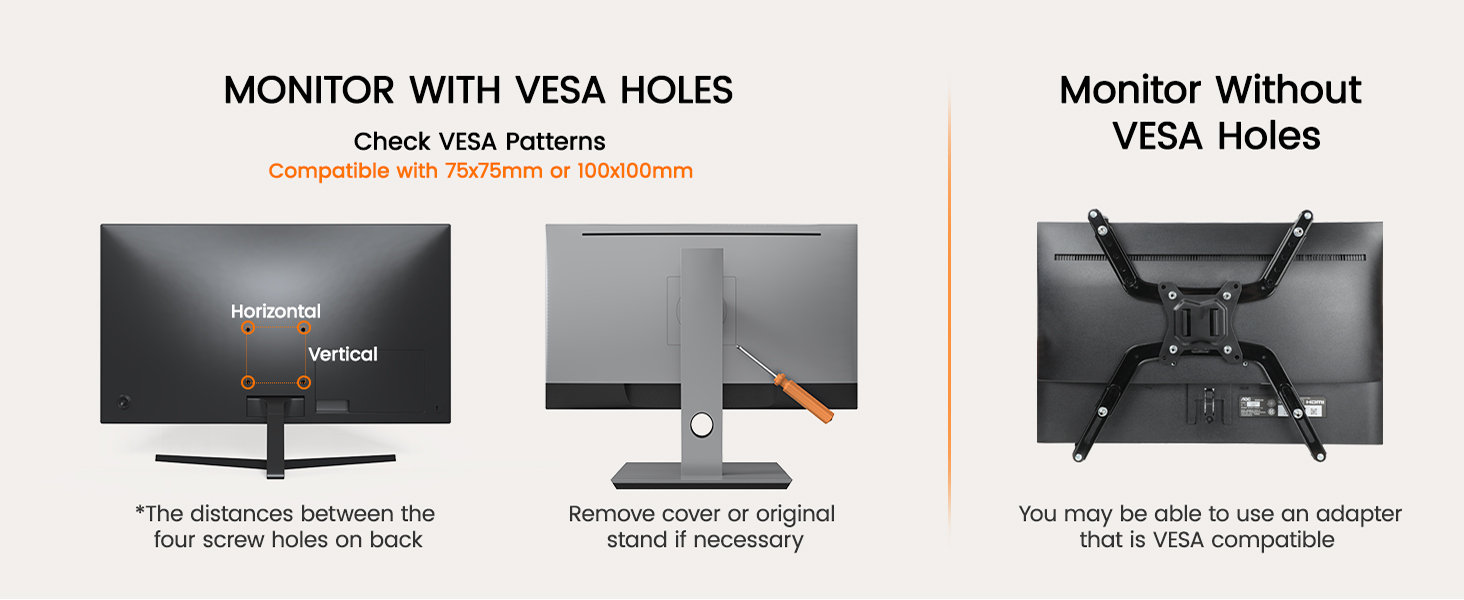
Monitor Arm Compatibility – Size, Weight & Vesa Patterns
Check Before Purchase
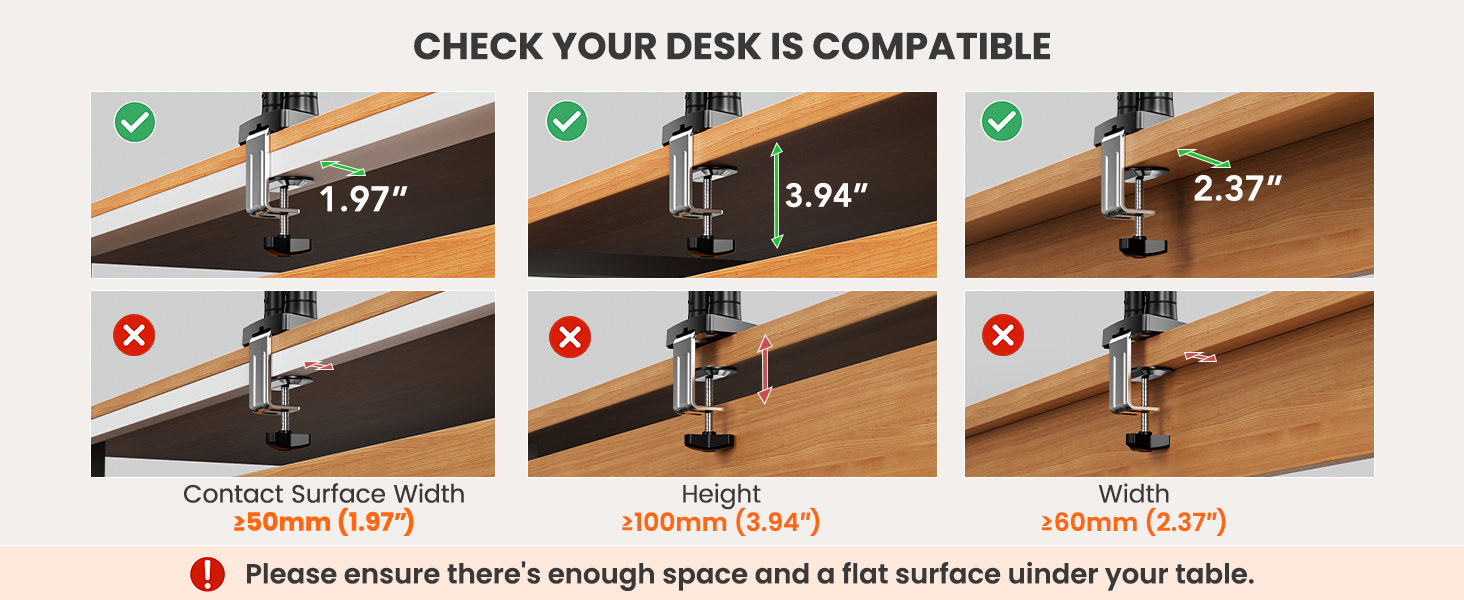
| Desk Thickness | Installed with a 'C' clamp, suitable for desktop thickness ranging from 10-65mm. Installed with grommet mount, suitable for desktop thickness ranging from 10-75mm. |
| Desk Type | It is recommended that the underside of your desk be clear of any obstructions. If clearance is limited, please refer to the clearance range diagram provided above. Alternatively, you may follow the instructions in the manual to add a wooden spacer as a solution. |
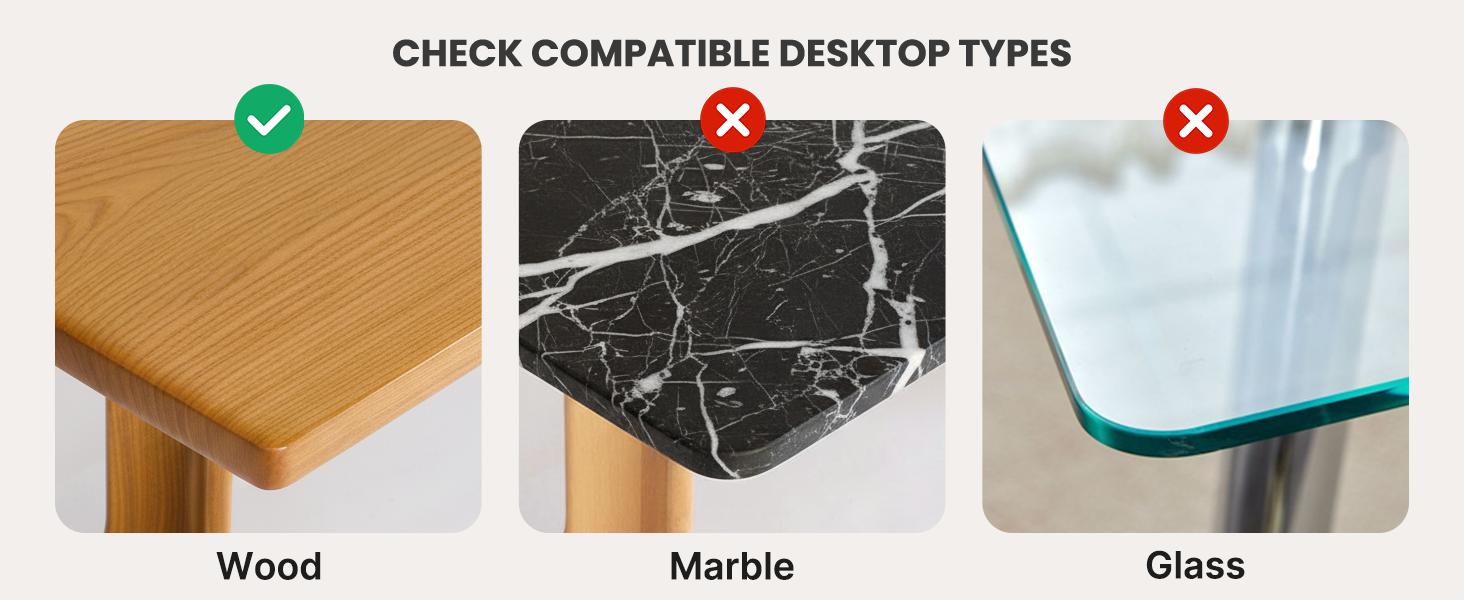
| Desk Material | We only recommend wooden desk, plastics, marble or glass surface aer not recommended. |
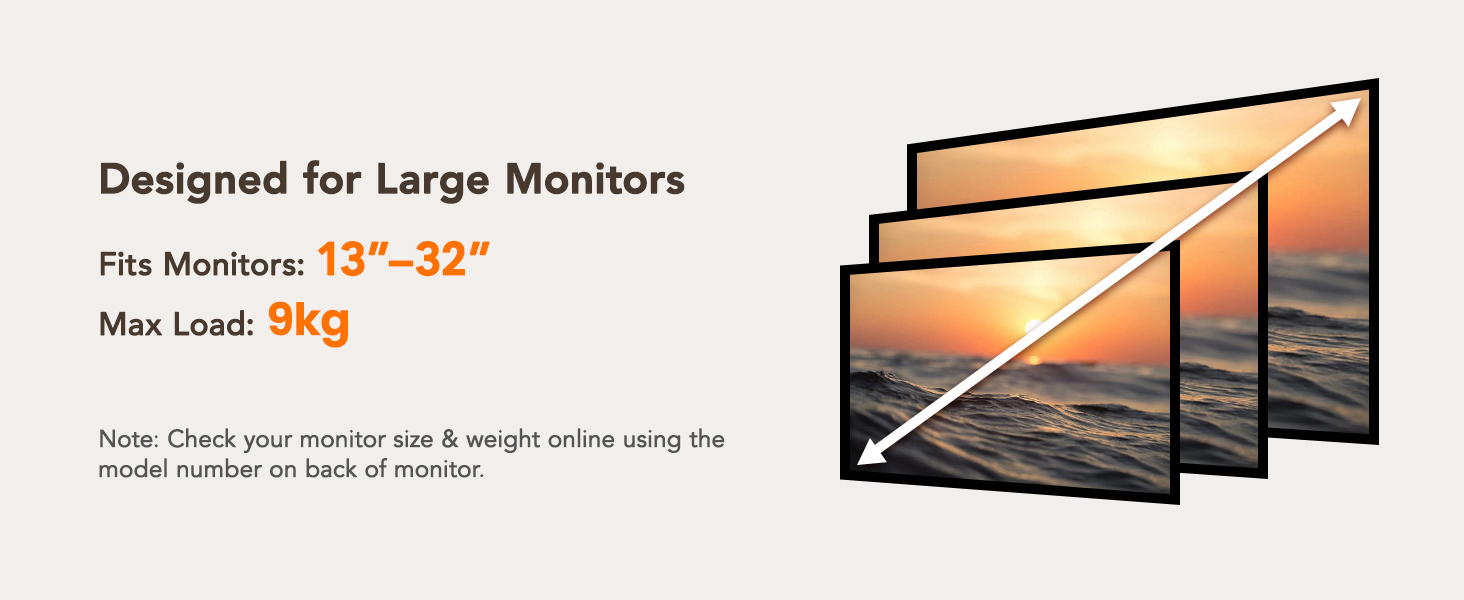
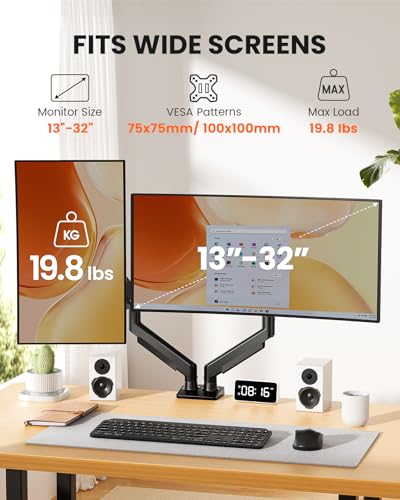
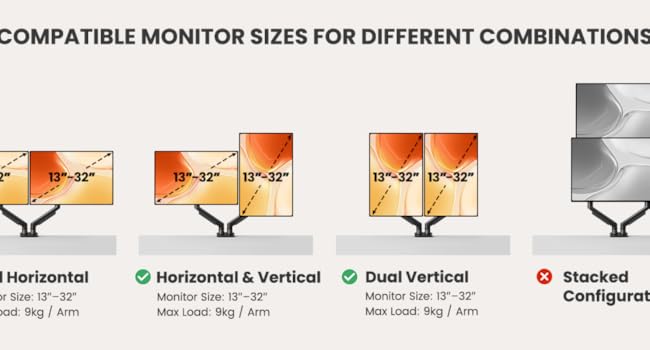
| Monitor Size | Each monitor arm can compatible with screens 13-32 inches, screens larger than 32 inches are not compatible. |
| Monitor Weight | The screen's weight must falls up to 22 pounds, weights beyond this range are not compatible. |
| Monitor Vesa Pattern | The monitor must have VESA mounting holes of either 75x75mm or 100x100mm. If your monitor does not have a visible vesa hole, you can first refer to your monitor manual to see if there are guidelines for removing the cover or stand to attach the VESA hole, or you can also choose to use a VESA adapter. |
Dynamic Adjustments
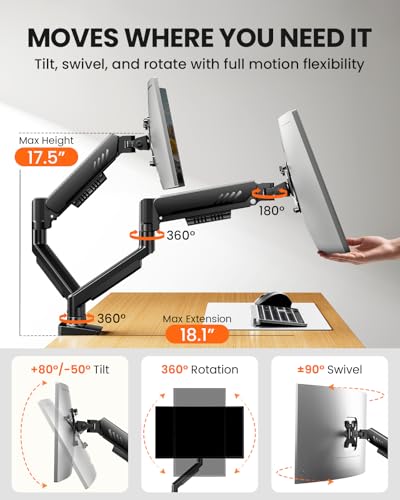
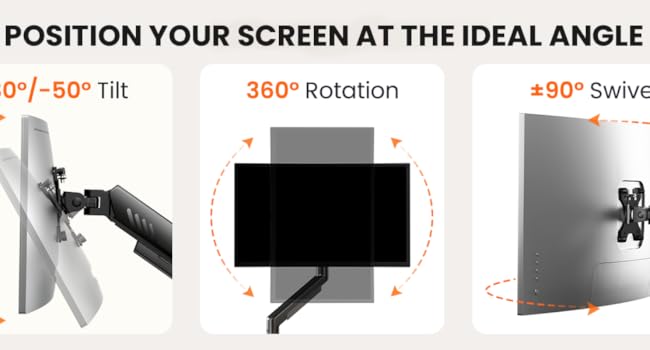
Easily adjust your screen to the perfect angle with +80°/-50° tilt, ±90° swivel, and 360° rotation, giving you complete freedom to find the best viewing position. Whether you're working or gaming, this computer mount helps reduce strain on your neck and eyes by keeping your monitor precisely.
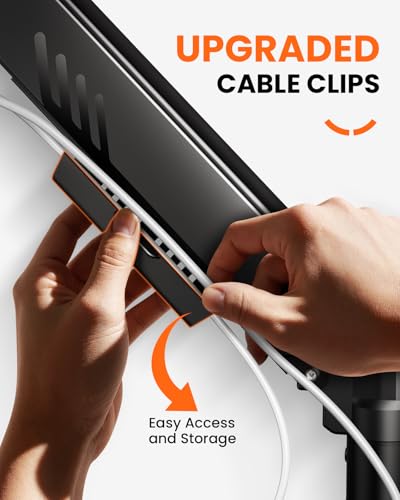
This monitor mount effortlessly organizes and conceals wires, maintaining a clutter-free appearance while preventing tangling as the arm adjusts. The dual monitor arm design allows you to customize your screen setup, creating the ideal home office environment tailored to your needs.
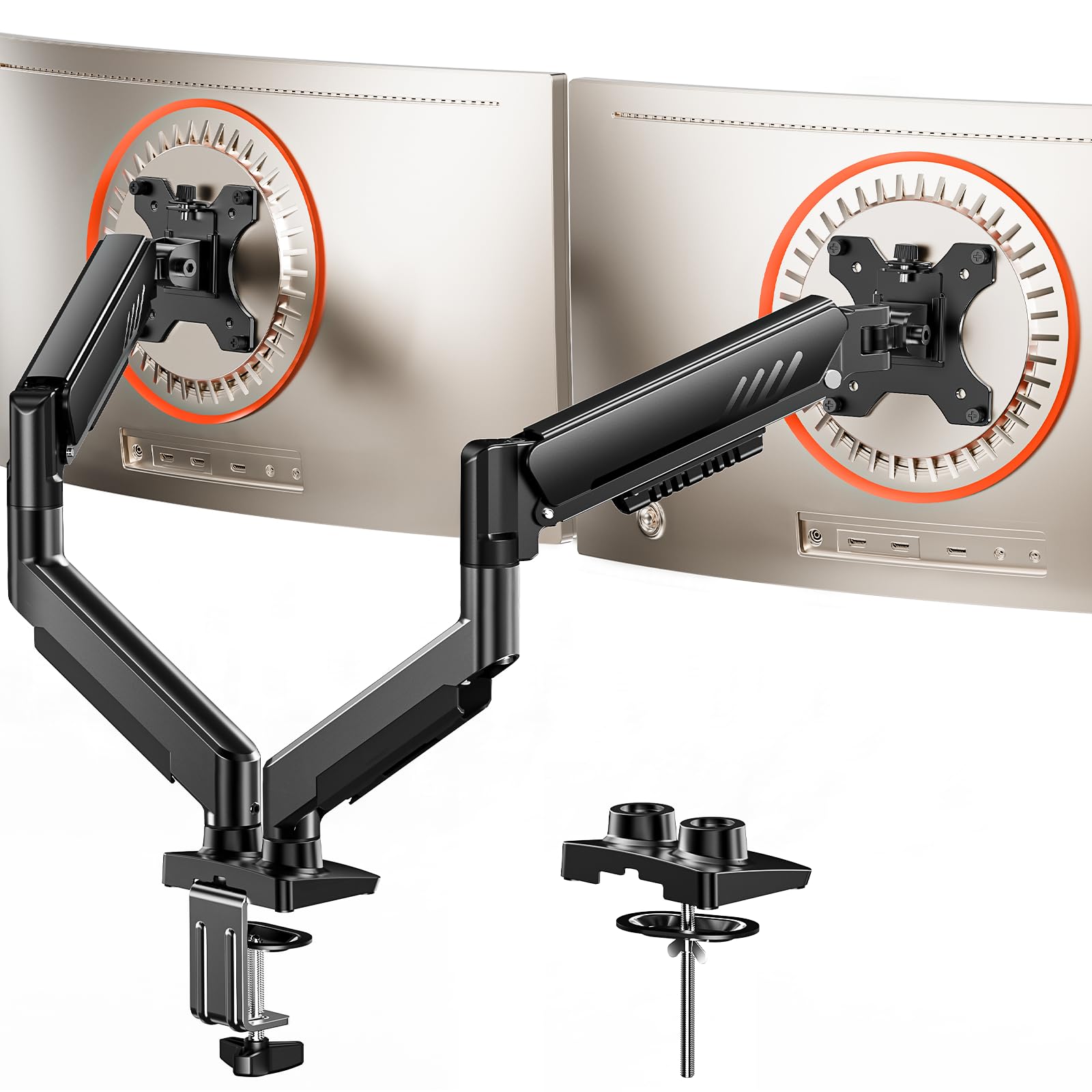
- Compatible with Wide Screens: The ErGear heavy-duty dual monitor arm is designed to fit most 13″–32″ flat or curved monitors, supporting up to 9kg, and it's compatible with VESA mounting patterns of 75x75mm or 100x100mm. Be sure to verify your monitor’s VESA pattern, size, and weight before purchasing to ensure a perfect fit.
- Tool-Free VESA Mounting: Set up in just three simple steps! The upgraded VESA plate on our computer monitor mount allows for quick, tool-free installation, saving you time and eliminating the need for complicated assembly. Mount this stand securely to your surface of choice using the one-piece C-clamp (for desks 20mm to 65mm thick) or the optional bolt-through grommet mount (for desks 20mm to 75mm thick).We only recommend installing it on a wooden desk, preferably with no crossbeam blocking the underside. For specific diagrams and instructions, please refer to the guidance in section A+ of the manual.
- Dynamic Angle Adjustments: Offering independent, customizable positioning for both monitors, this premium monitor desk mount allows precise height adjustments up to 445mm and extend up to 460mm. It features +80°/-50° tilt, ±90° swivel, and 360° rotation. Easily adjust your monitors to the perfect position for enhanced comfort and a workspace that works for you.
- Tidy Cable Management: The upgraded cable clips open easily with no tools required, making cable organization faster and more convenient. By elevating your monitor, this double monitor arm frees up valuable desk space and keeps your cables neatly arranged, creating a clean, organized workspace that helps you stay focused and productive.
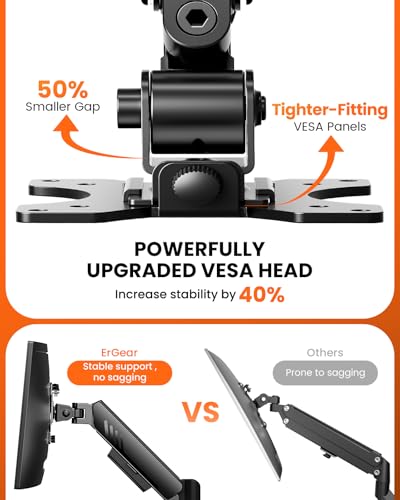
- Built to Last: This dual monitor stand is engineered for long-term stability with an upgraded VESA head with 50% smaller gap and tighter-fitting VESA panel. These enhancements provide added support, to make sure your monitor stays securely mounted. Tested for over 20,000 cycles, the premium core offers smooth and reliable movement, ensuring strong performance for years of use.

| SKU: | B0FPXFYG17 |
Product Description
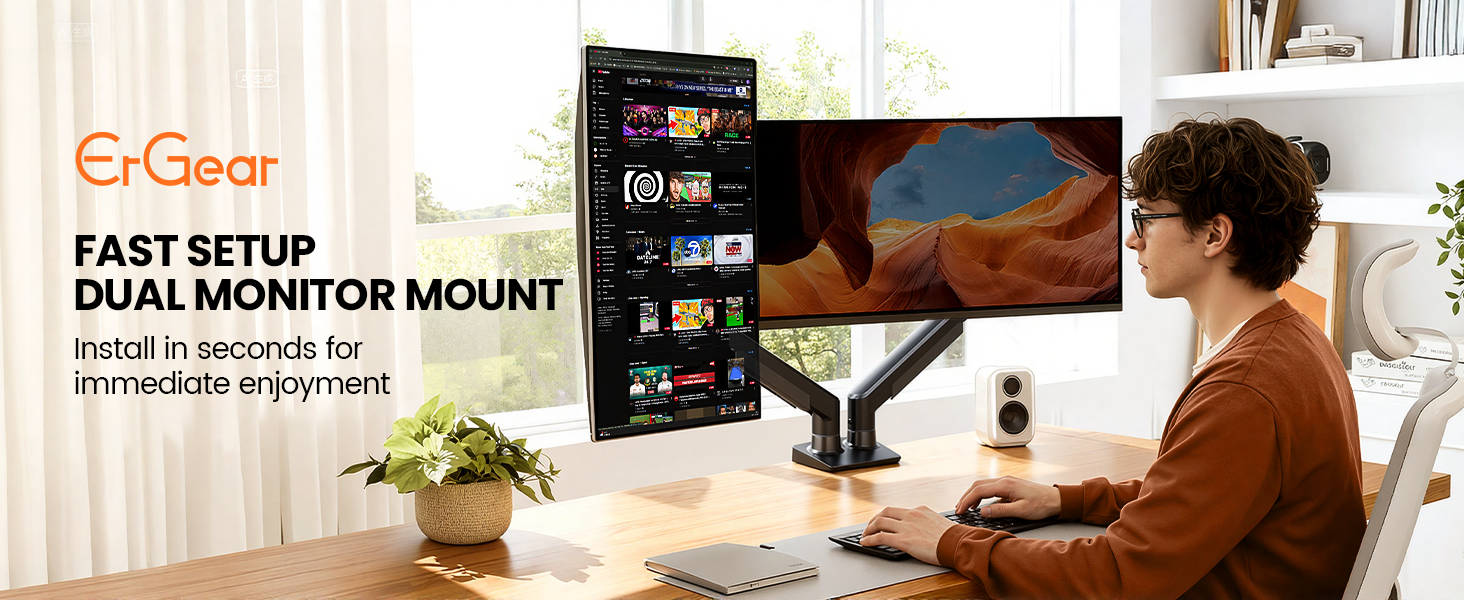
ErGear Fast Install Dual Monitor Mount丨The Fastest Way to Elevate Your Workspace
Tension & Vesa Head Adjustment
The video showcases the product in use.The video guides you through product setup.The video compares multiple products.The video shows the product being unpacked.Tension & Vesa Head Adjustment
Merchant videoNote: Please attach your monitor to the mount and hold the arm in a horizontal position, then follow the video instructions to adjust the tension: Turn “+” If the monitor drops down. Turn”-“If the monitor rises up.
Desk Compatibility – Two Mounting Options
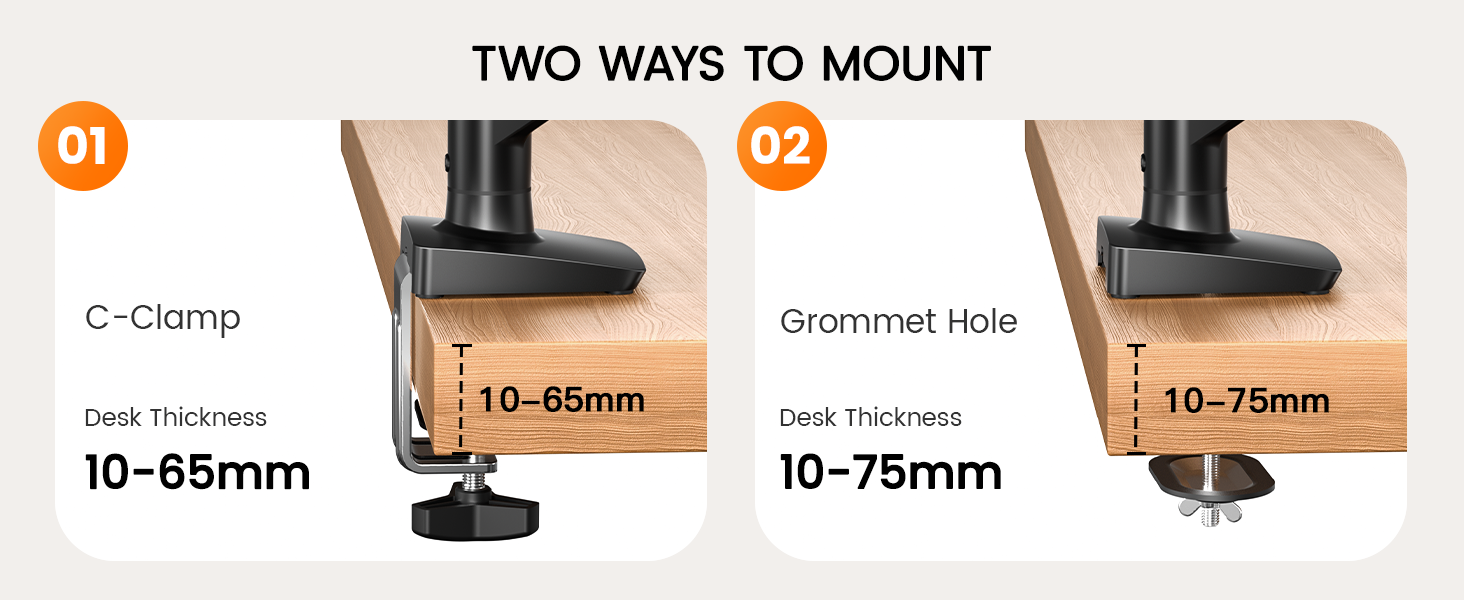
Please select the appropriate mounting method based on your desk thickness and follow the instruction manual for installation.
Desk Compatibility – Type, Material & Footprint
Check Before Purchase
| Desk Thickness | Installed with a 'C' clamp, suitable for desktop thickness ranging from 10-65mm. Installed with grommet mount, suitable for desktop thickness ranging from 10-75mm. |
| Desk Type | It is recommended that the underside of your desk be clear of any obstructions. If clearance is limited, please refer to the clearance range diagram provided above. Alternatively, you may follow the instructions in the manual to add a wooden spacer as a solution. |
| Desk Material | We only recommend wooden desk, plastics, marble or glass surface aer not recommended. |
| Monitor Size | Each monitor arm can compatible with screens 13-32 inches, screens larger than 32 inches are not compatible. |
| Monitor Weight | The screen's weight must falls up to 22 pounds, weights beyond this range are not compatible. |
| Monitor Vesa Pattern | The monitor must have VESA mounting holes of either 75x75mm or 100x100mm. If your monitor does not have a visible vesa hole, you can first refer to your monitor manual to see if there are guidelines for removing the cover or stand to attach the VESA hole, or you can also choose to use a VESA adapter. |
Dynamic Adjustments
This monitor mount effortlessly organizes and conceals wires, maintaining a clutter-free appearance while preventing tangling as the arm adjusts. The dual monitor arm design allows you to customize your screen setup, creating the ideal home office environment tailored to your needs.