34″ WQHD 3440×1440P Touchscreen Monitor 350cd/m², 3000:1
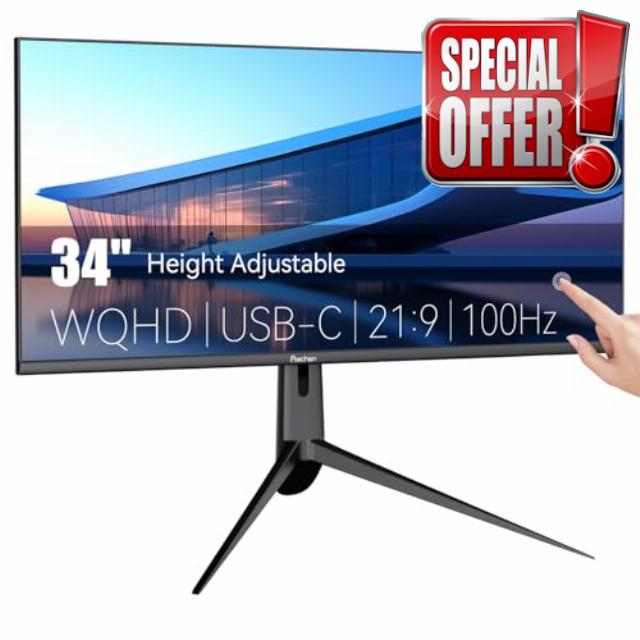
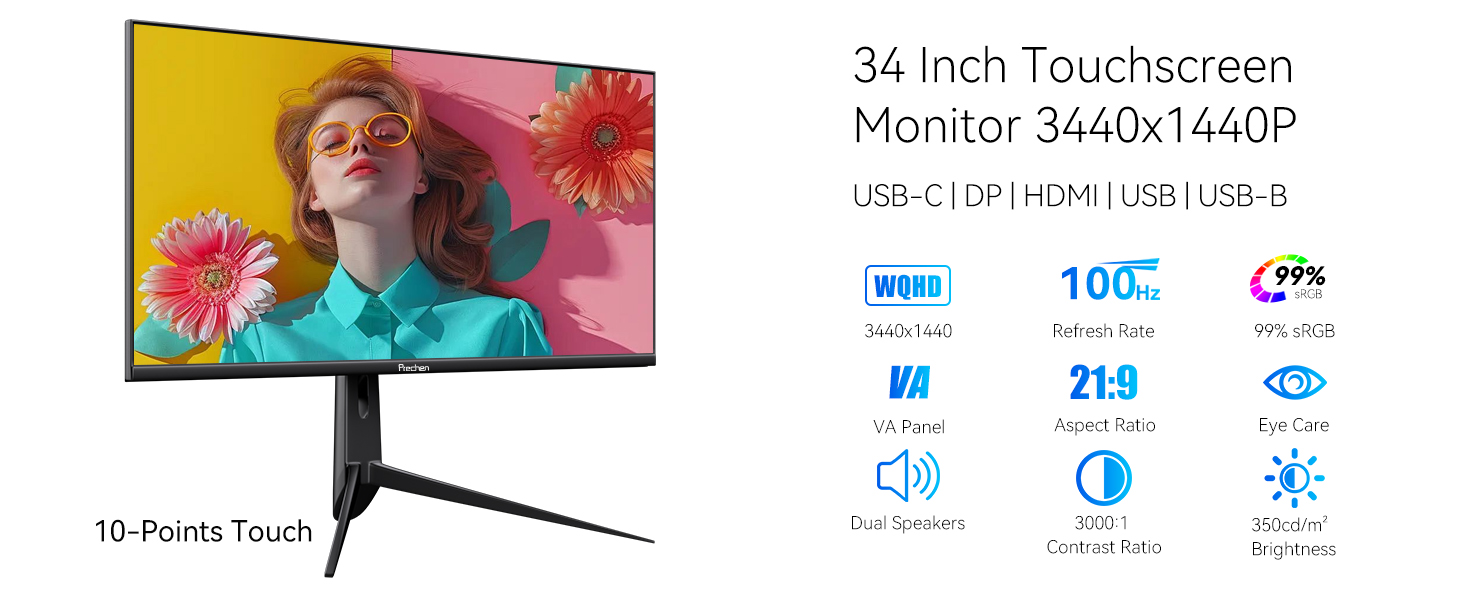
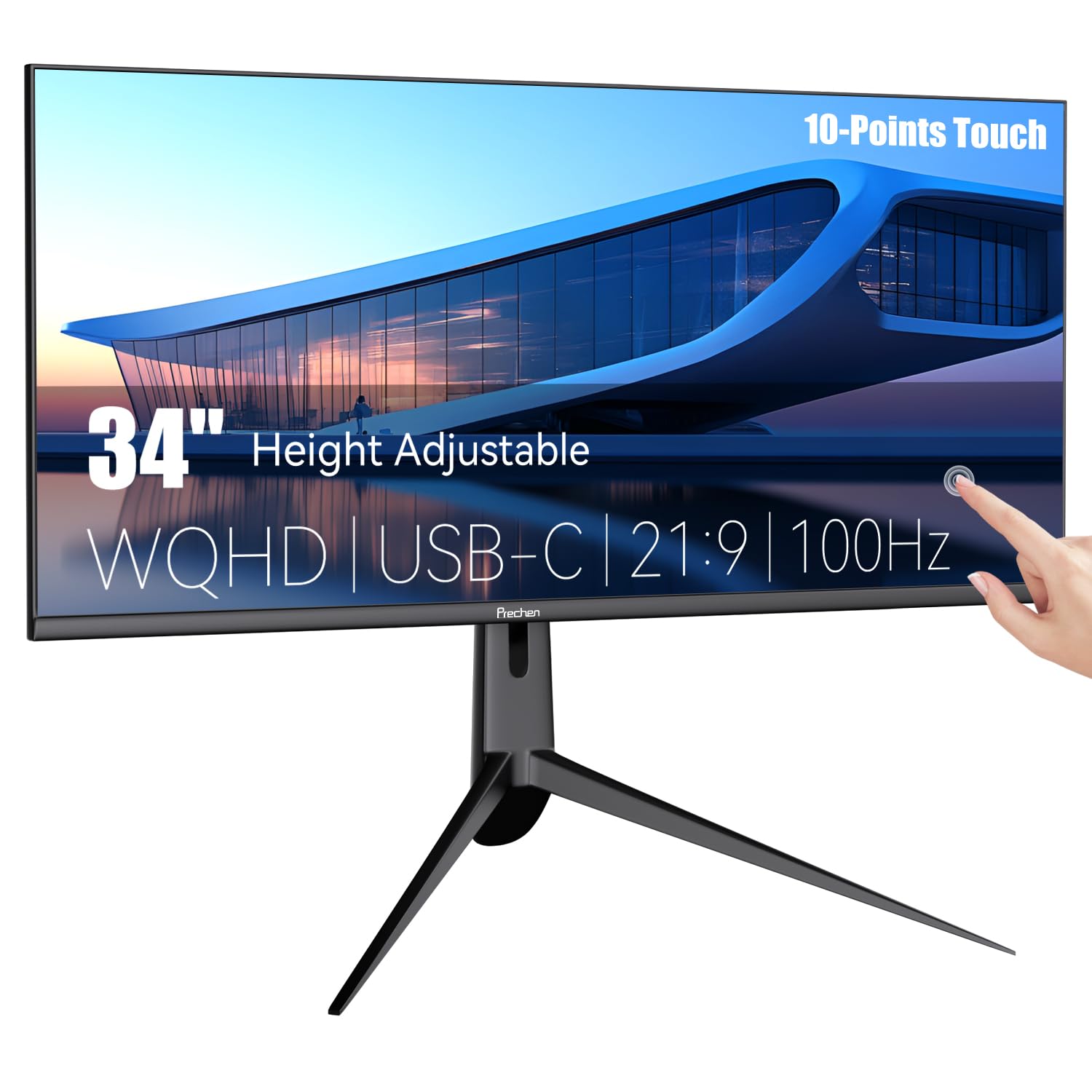
34″ WQHD 3440×1440P Touchscreen Monitor 350cd/m², 3000:1 Contrast, Narrow Bezel Large Computer Touch Display 100Hz, USB-C, USB-B, USB-A, DP, HDMI, Height/Swivel/Tilt Adjustable PC Touch Screen, Black
34 Inch WQHD 3440X1440P Touch Screen Monitor
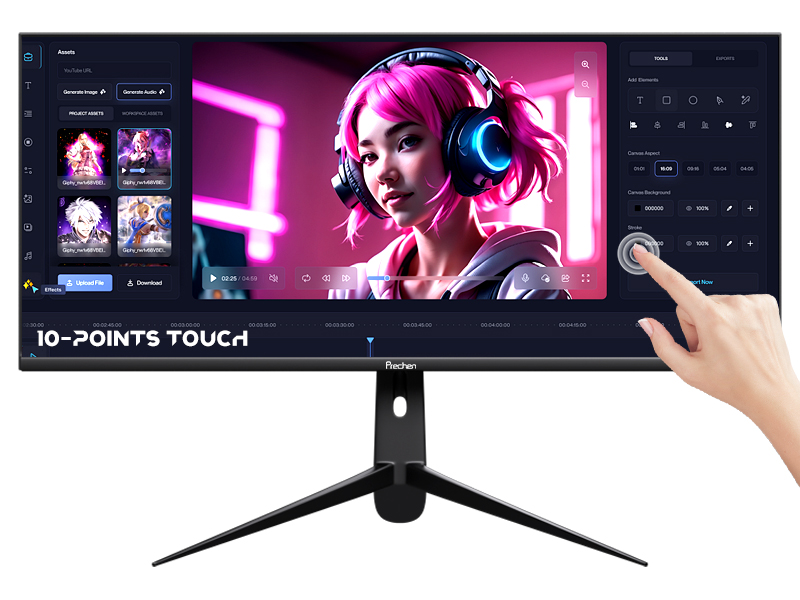
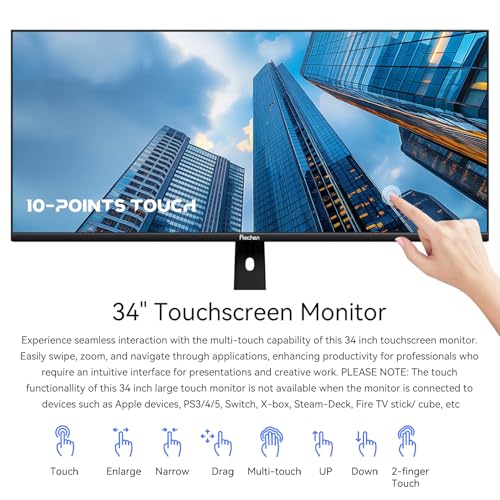
10-Points Touch Monitor
Experience seamless interaction with the multi-touch capability of this 34 inch touchscreen monitor. Easily swipe, zoom, and navigate through applications, enhancing productivity for professionals who require an intuitive interface for presentations and creative work. PLEASE NOTE: The touch functionallity of this 34 inch large touch monitor is not available when the monitor is connected to devices such as Apple devices, PS3/4/5, Switch, X-box, Steam-Deck, Fire TV stick/ cube, etc
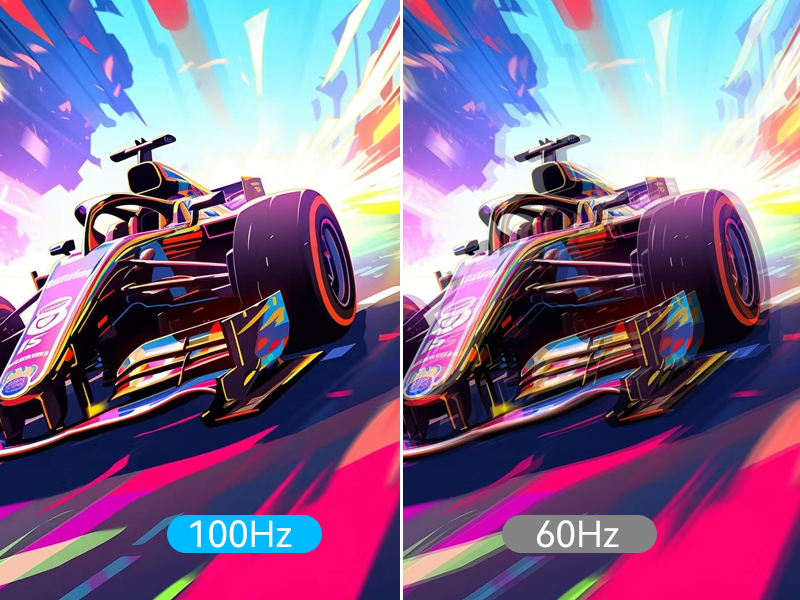
100Hz Refresh Rate
With 100hz refresh rate of this 34 inch WQHD touch screen, which effectively eliminate screen tearing and latency by the faster frame rendering.
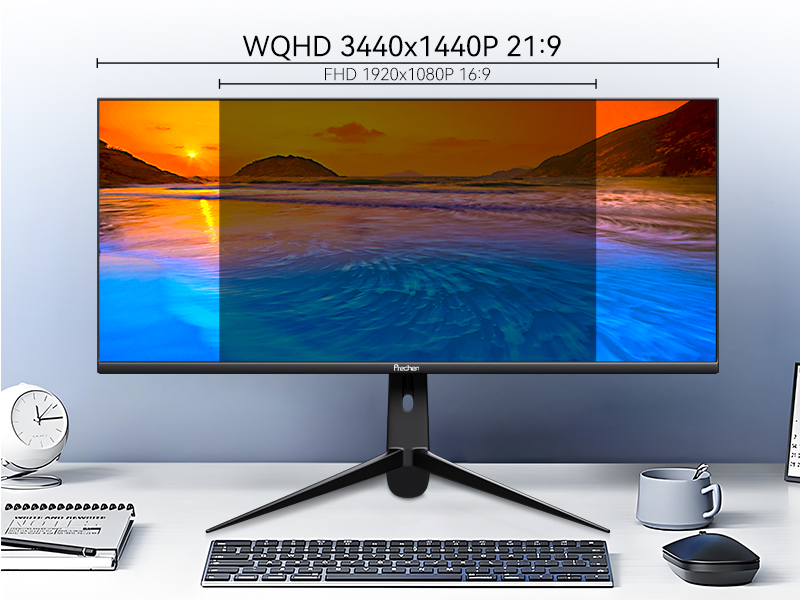
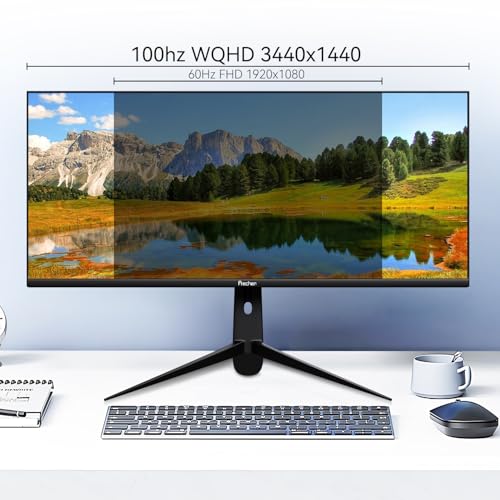
WQHD 3440x1440P
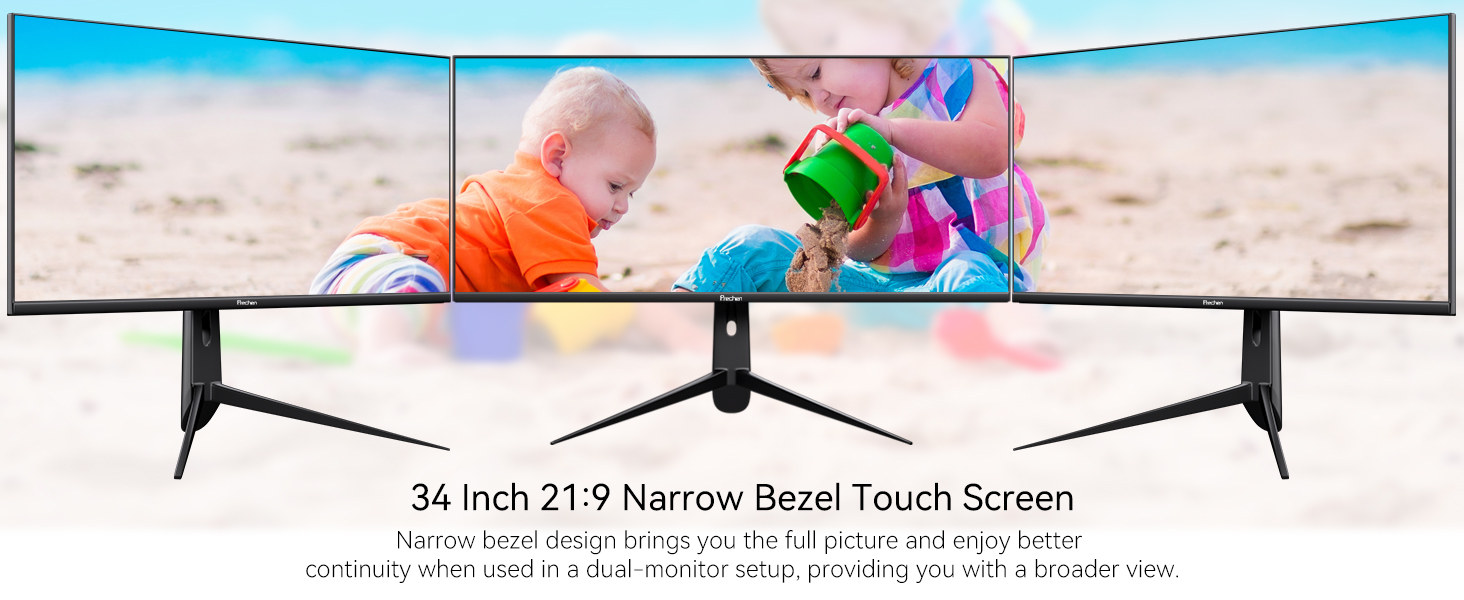
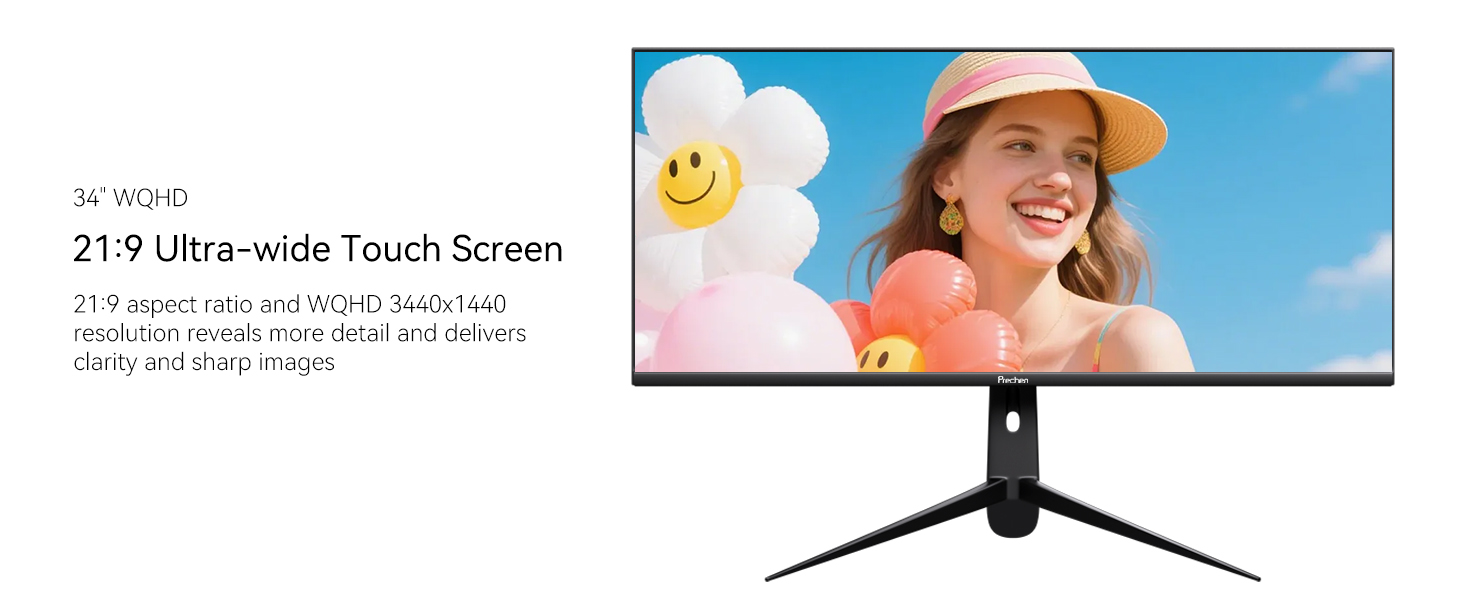
The large touch monitor with WQHD 3440×1440 high resolution for more details, which offers sharp, brillant and stunning images. With 21:9 aspect ratio and 3-sided frameless design of the 34 inch touchscreen monitor provides you with bigger screen space for expend your productivity.
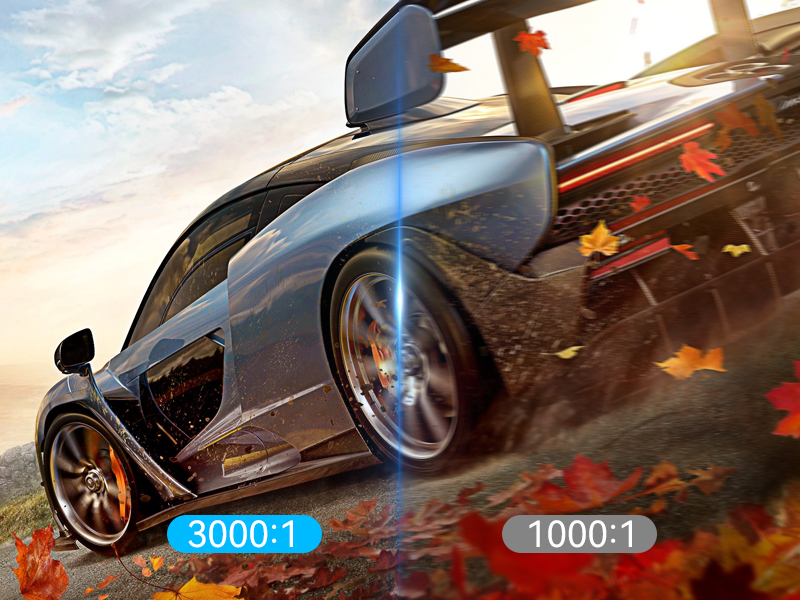
3000:1 Contrast
3000:1 contrast ratio of the WQHD touch display for outstanding stereoscopic pictures, which delivers more vivid and realistic viewing experience.
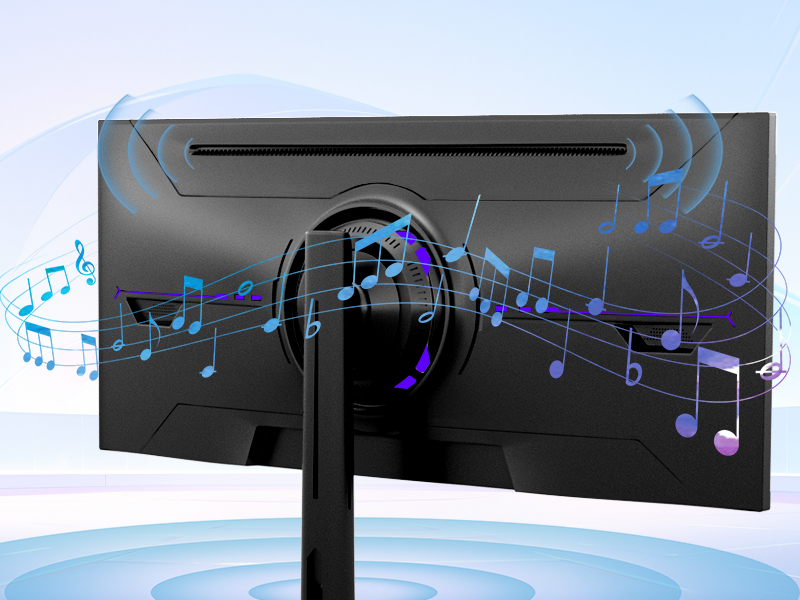
Dual Built-in Speakers
Enjoy clear audio with the 2x built-in speakers of this 34 inch touch screen, eliminating the need for external sound systems. Perfect for video calls and streaming movies without the hassle of additional equipment and saving desk space.
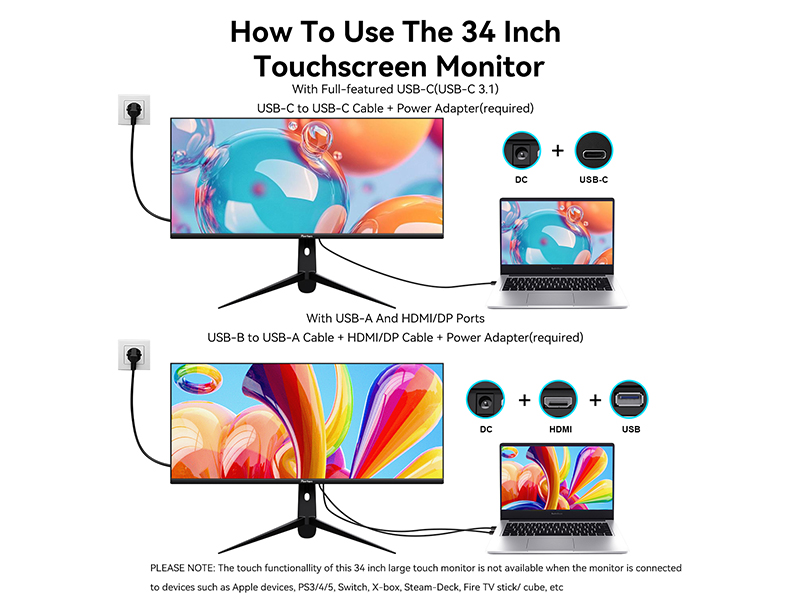
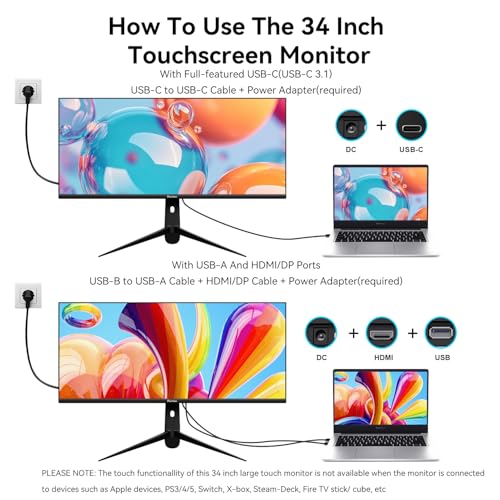
How To Use The 34 Inch Touchscreen Monitor
1. With Full-featured USB-C(USB-C 3.1) Port: USB-C to USB-C Cable + Power Adapter(required)
2. With USB-A And HDMI/DP Ports: USB-B to USB-A Cable + HDMI/DP Cable + Power Adapter(required)
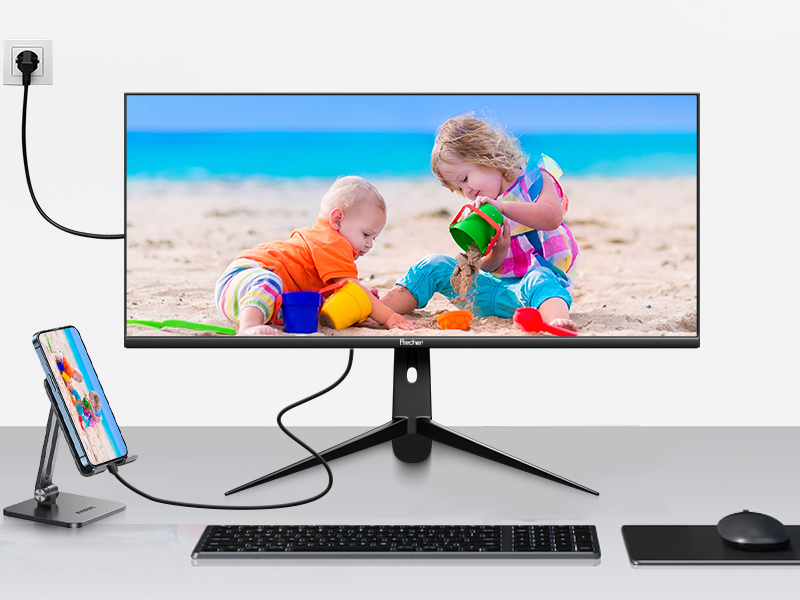
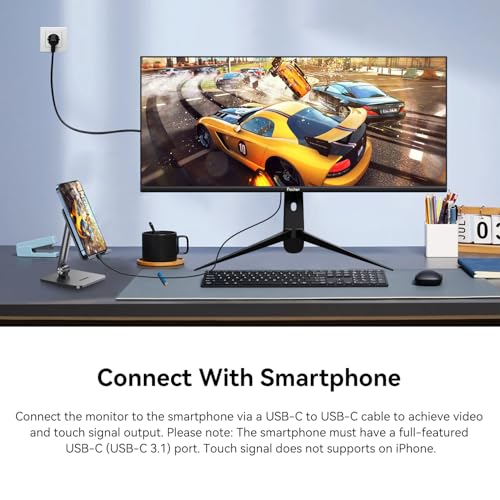
Connect With Smartphone
Connecting the monitor to the smartphone via a USB-C to USB-C cable to achieve video and touch signal output. Please note: The smartphone must have a full-featured USB-C (USB-C 3.1) port. Touch signal does not supports on iPhone.
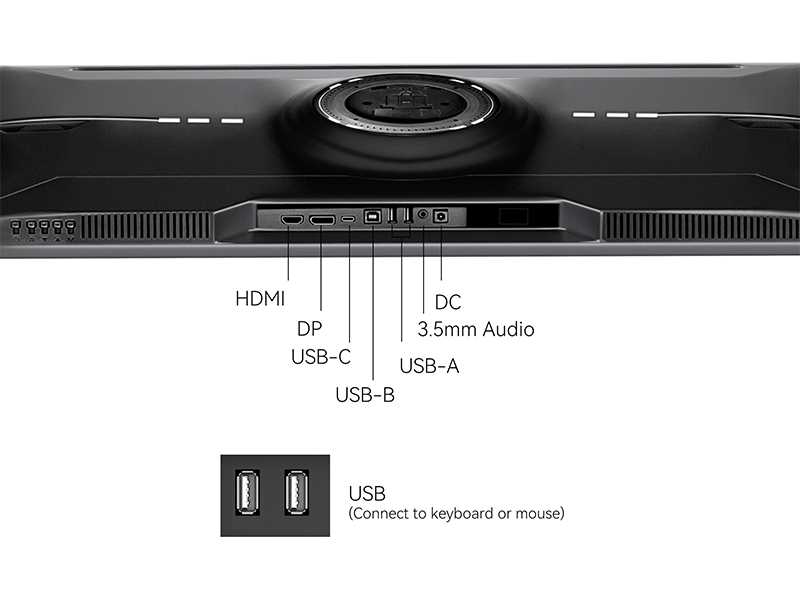
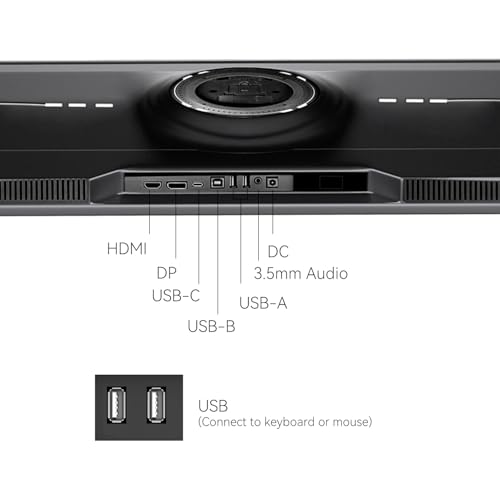
2x USB-A Ports For Connecting Keyboard And Mouse
The 34 inch touch monitor features two USB-A ports, which can be used to connect a keyboard and mouse for more convenience and efficiency.
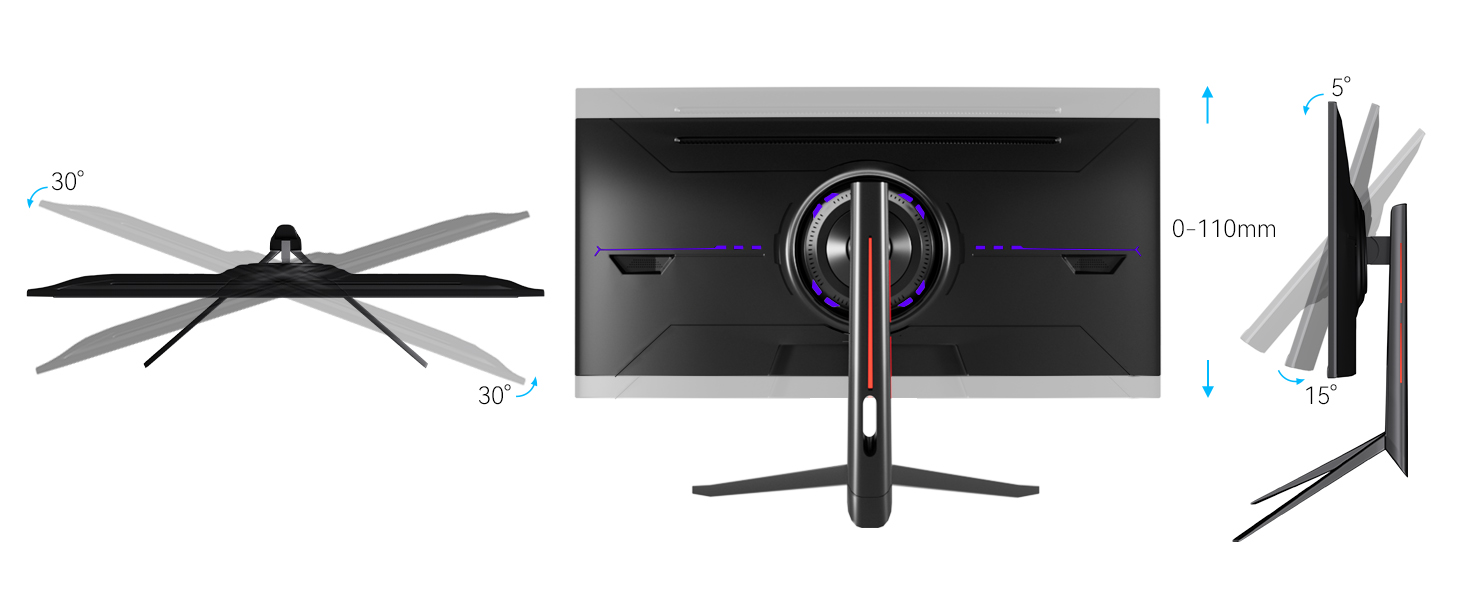
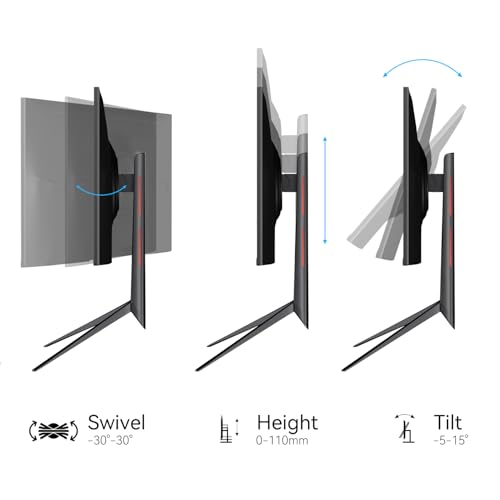
Height/Swivle/Tilt Adjustable
2x USB-A Ports For Connecting Keyboard And Mouse
Can touch function be obtained by connecting the USB-C port of the monitor via a USB-A to USB-C cable?
No. There are only two connection methods to obtain the touch function of the monitor: 1. Connecting to the USB-C port of the monitor via a USB-C to USB-C cable. 2. Connecting to the USB-B port of the monitor via a USB-A to USB-B cable.
What should I do if the deviece without USB-C port but has USB-A port?
1. Please use the power adapter to provide stable power for the touch monitor first.
2. Connecting the HDMI/DP port via a HDMI/DP cable to achieve video output
3. Connecting the USB-B port via a USB-A to USB-B cable to achieve touch functionality
The device with USB-C port, but can't use the touch function after connecting it to the 34 inch monitor.
1. Please make sure the USB-C port on your device is a full-featured USB-C (USB-C 3.1).
2. Touch function is not available when the monitor is connected to devices such as Apple devices, PS3/4/5, Switch, X-box, Steam-Deck, Fire TV stick/ cube, etc
How to use the two USB-A ports on the monitor?
The two USB-A ports on the 34 inch touch monitor can be used to connect a keyboard and mouse for more convenience and efficiency.
Why is the 34 inch touchscreen monitor not working on my smartphone?
1. Please make sure your smartphone has a full-featured USB-C(USB-C 3.1) port.
2. Due to system limitation, the touch functionality of this 34 inch large touchscreen monitor is not supported on iOS, iPadOS and MacOS.
- Two Connection Methods: 1. With full-featured USB-C (USB-C 3.1) port: Please use the power adapter to power the monitor first, and then connect your device to the monitor's USB-C port via a USB-C to USB-C cable to achieve video output and touch functionality. 2. With HDMI/DP and USB-A ports: Please use the power adapter to power the monitor first. Then connect your device to the monitor via a HDMI/DP cable and a USB-A to USB-B cable to achieve signal transmission and touch functionality.
- How to Use The Touch Functionality of The Monitor: Firstly, if your device has a full-featured USB-C port, simply connect it to the monitor's USB-C port via a USB-C to USB-C cable to achieve touch functionality. Secondly, if your device does not have a USB-C port but has a USB-A port, you need to use a USB-A to USB-B cable to connect to the USB-B interface of the monitor to achieve the touch functionality. Please Note: The touch functionallity of this 34 inch touchscreen monitor is not available when the monitor is connected to devices such as Apple devices, PS3/4/5, Switch, X-box, Steam-Deck, Fire TV stick/ cube, etc
- Full-Featured USB-C Port for Convenient Connection to Smartphones: This 34 inch large touch display has a full-featured USB-C port, which can be easily connected to smartphones via a USB-C to USB-C cable for signal transmission and touch functionality. It can support screen mirroring mode and computer mode after connecting the smartphone to the monitor. Please Note: The touch functionality of this 34 inch touch monitor does not supports on Apple devices.
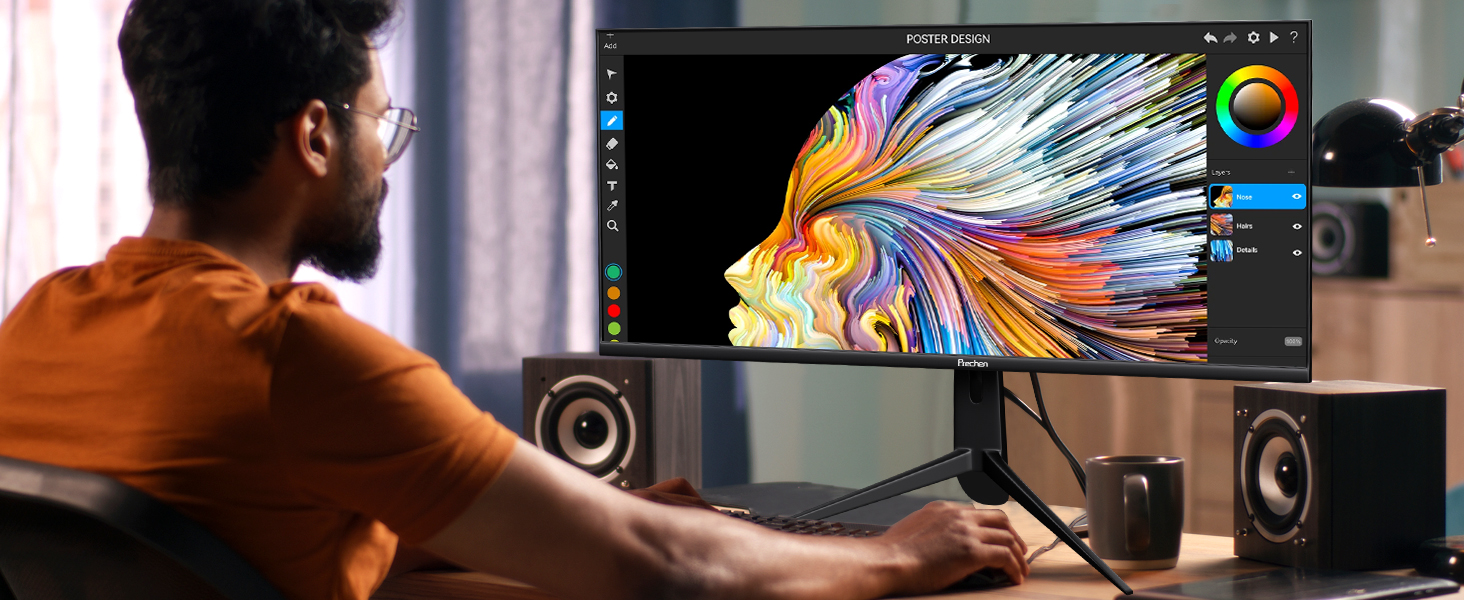
- Touchscreen Capability for Interactive Use: The 34 inch WQHD 3440x1440P touchscreen monitor is equipped with advanced multi-touch functionality, providing a responsive and intuitive user experience. Perfect for creative professionals, designers, and anyone who needs precise touch input for presentations or workflow efficiency, this monitor adds an extra layer of interactivity, making it a versatile tool for both work and play. Contrast Ratio: 3000:1 | Brightness: 350cd/m²
- Ergonomic Height/Swivel/Tilt Adjustable Stand for Comfort: Achieve the perfect viewing angle with the height, swivel, and tilt adjustable stand. Whether you're working long hours or enjoying an extended gaming session, the ergonomic design ensures optimal comfort and reduces strain. This flexible stand allows you to customize the monitor's position, improving posture and creating a more comfortable and productive workspace.
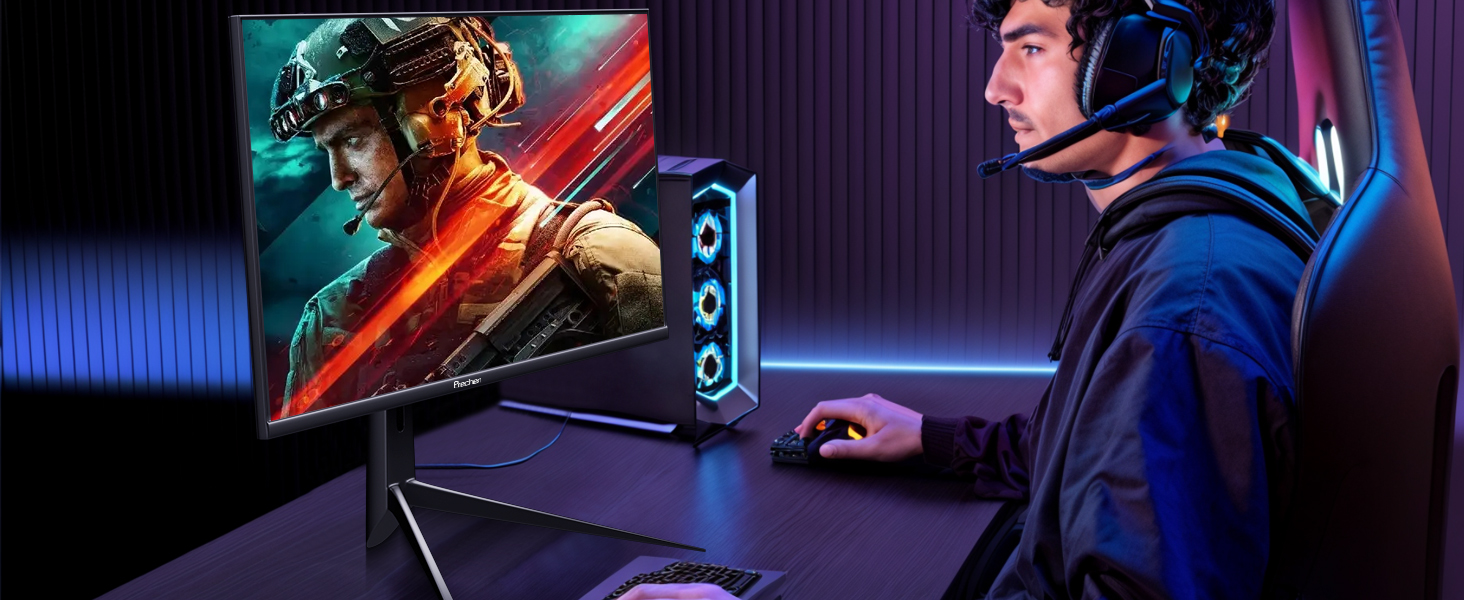
- Immersive WQHD Touch Display for Exceptional Visuals:Experience stunning visuals on a 34-inch WQHD 3440x1440P touchscreen monitor. With a 100Hz refresh rate and 2ms response time, this touch monitor delivers ultra-smooth and responsive performance for gaming, video editing, and multitasking. The high-resolution 3440x1440P screen provides clear, crisp images with vibrant colors, making it the perfect choice for anyone looking for an immersive and high-performance display.
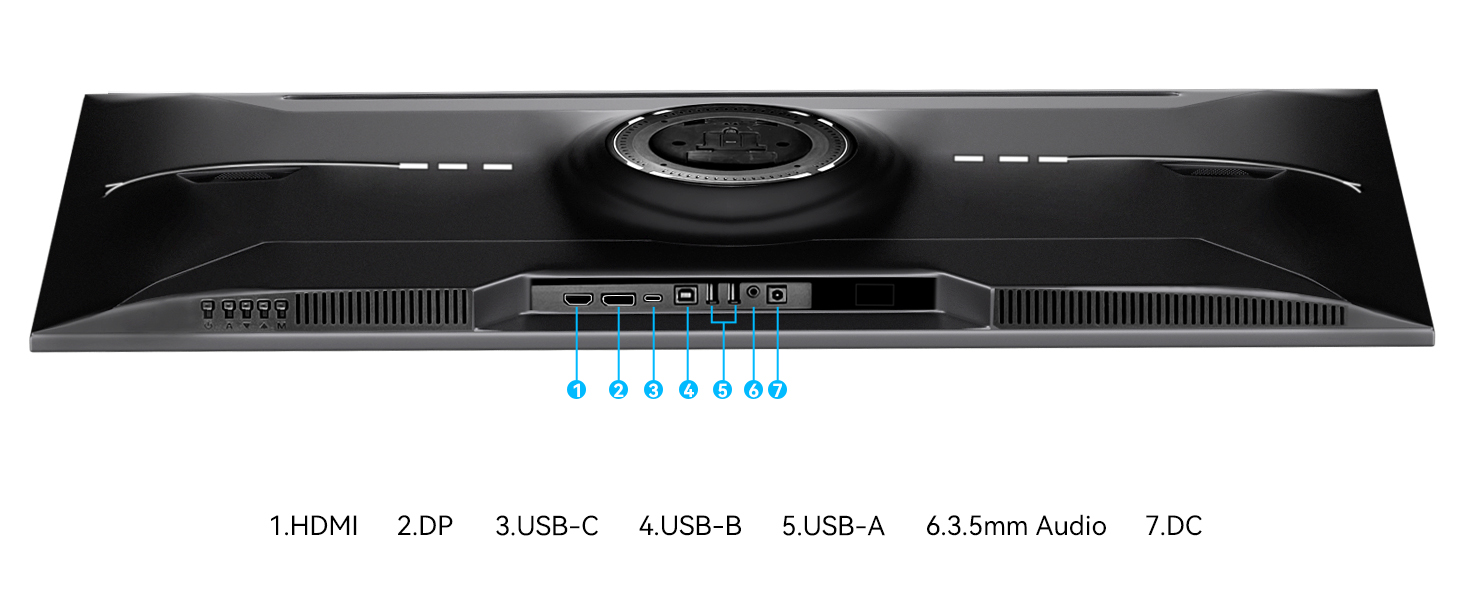
- Wide Connectivity Options with USB-C, USB-B, USB-A, DP, and HDMI Ports: Stay connected with USB-C, USB-B, USB-A, DisplayPort (DP), and HDMI inputs, allowing you to easily connect a variety of devices including laptops, desktops, and gaming consoles. Please Note: The two USB-A ports on the monitor are used to connect the keyboard and mouse. If you want to use the touch function of the monitor, you need to connect the monitor's USB-C port through a USB-C to USB-C cable, or connect the monitor's USB-B port through a USB-a to USB-B cable.
| SKU: | B0FXWF7Y4D |
| Weight: | 8.78 kg |
| Dimensions: | 5 x 82 x 42 cm; 8.78 kg |
| Brand: | Prechen |
| Model: | HD-340 |
| Colour: | Black |
| Manufacture: | Shenzhen Kenowa Electronics Co., LTD |
| Colour: | Black |
Product Description
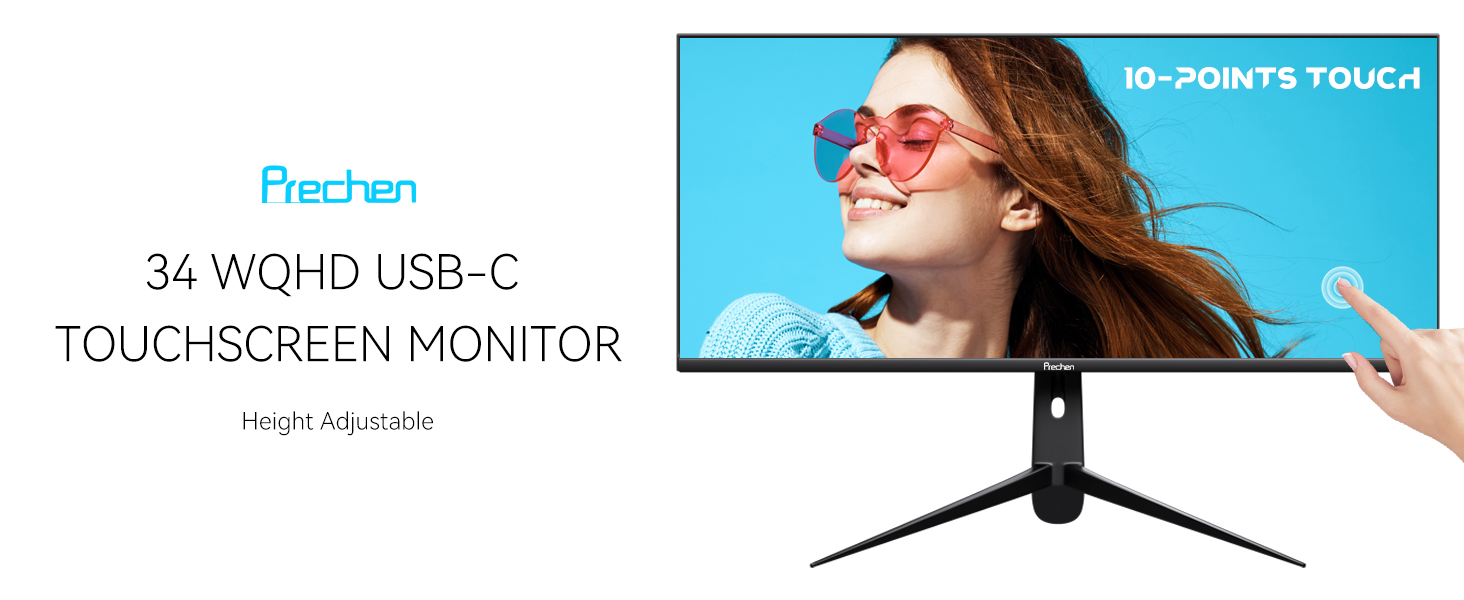
34 Inch WQHD 3440X1440P Touch Screen Monitor
10-Points Touch Monitor
Experience seamless interaction with the multi-touch capability of this 34 inch touchscreen monitor. Easily swipe, zoom, and navigate through applications, enhancing productivity for professionals who require an intuitive interface for presentations and creative work. PLEASE NOTE: The touch functionallity of this 34 inch large touch monitor is not available when the monitor is connected to devices such as Apple devices, PS3/4/5, Switch, X-box, Steam-Deck, Fire TV stick/ cube, etc

100Hz Refresh Rate
With 100hz refresh rate of this 34 inch WQHD touch screen, which effectively eliminate screen tearing and latency by the faster frame rendering.
WQHD 3440x1440P
The large touch monitor with WQHD 3440×1440 high resolution for more details, which offers sharp, brillant and stunning images. With 21:9 aspect ratio and 3-sided frameless design of the 34 inch touchscreen monitor provides you with bigger screen space for expend your productivity.
3000:1 Contrast
3000:1 contrast ratio of the WQHD touch display for outstanding stereoscopic pictures, which delivers more vivid and realistic viewing experience.
Dual Built-in Speakers
Enjoy clear audio with the 2x built-in speakers of this 34 inch touch screen, eliminating the need for external sound systems. Perfect for video calls and streaming movies without the hassle of additional equipment and saving desk space.
How To Use The 34 Inch Touchscreen Monitor
1. With Full-featured USB-C(USB-C 3.1) Port: USB-C to USB-C Cable + Power Adapter(required)
2. With USB-A And HDMI/DP Ports: USB-B to USB-A Cable + HDMI/DP Cable + Power Adapter(required)
Connect With Smartphone
Connecting the monitor to the smartphone via a USB-C to USB-C cable to achieve video and touch signal output. Please note: The smartphone must have a full-featured USB-C (USB-C 3.1) port. Touch signal does not supports on iPhone.
2x USB-A Ports For Connecting Keyboard And Mouse
The 34 inch touch monitor features two USB-A ports, which can be used to connect a keyboard and mouse for more convenience and efficiency.
2x USB-A Ports For Connecting Keyboard And Mouse
Can touch function be obtained by connecting the USB-C port of the monitor via a USB-A to USB-C cable?
No. There are only two connection methods to obtain the touch function of the monitor: 1. Connecting to the USB-C port of the monitor via a USB-C to USB-C cable. 2. Connecting to the USB-B port of the monitor via a USB-A to USB-B cable.
What should I do if the deviece without USB-C port but has USB-A port?
1. Please use the power adapter to provide stable power for the touch monitor first.
2. Connecting the HDMI/DP port via a HDMI/DP cable to achieve video output
3. Connecting the USB-B port via a USB-A to USB-B cable to achieve touch functionality
The device with USB-C port, but can't use the touch function after connecting it to the 34 inch monitor.
1. Please make sure the USB-C port on your device is a full-featured USB-C (USB-C 3.1).
2. Touch function is not available when the monitor is connected to devices such as Apple devices, PS3/4/5, Switch, X-box, Steam-Deck, Fire TV stick/ cube, etc
How to use the two USB-A ports on the monitor?
The two USB-A ports on the 34 inch touch monitor can be used to connect a keyboard and mouse for more convenience and efficiency.
Why is the 34 inch touchscreen monitor not working on my smartphone?
1. Please make sure your smartphone has a full-featured USB-C(USB-C 3.1) port.
2. Due to system limitation, the touch functionality of this 34 inch large touchscreen monitor is not supported on iOS, iPadOS and MacOS.