Triple Laptop Screen Extender 14 Inch 1200P FHD 3 Monitor
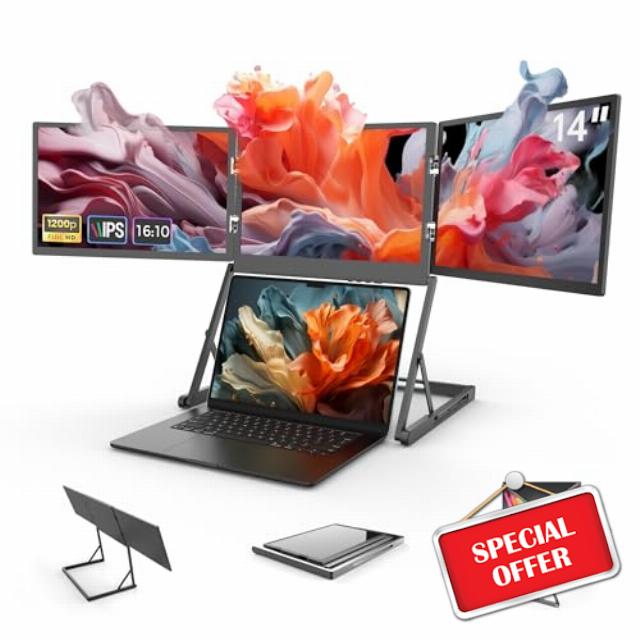
Triple Laptop Screen Extender 14 Inch 1200P FHD 3 Monitor Quad Portable Screen Extender for Laptops Compatible with Windows/Mac (M1 M2 M3)
Why Choose GFORIT Foldable Triple Monitor?
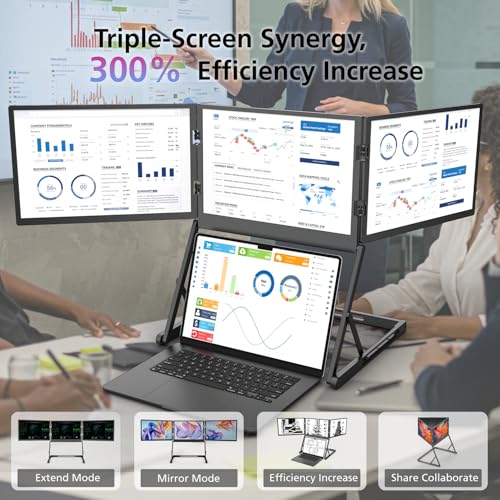
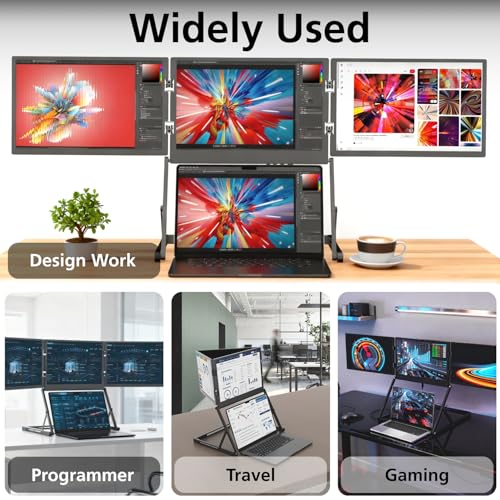
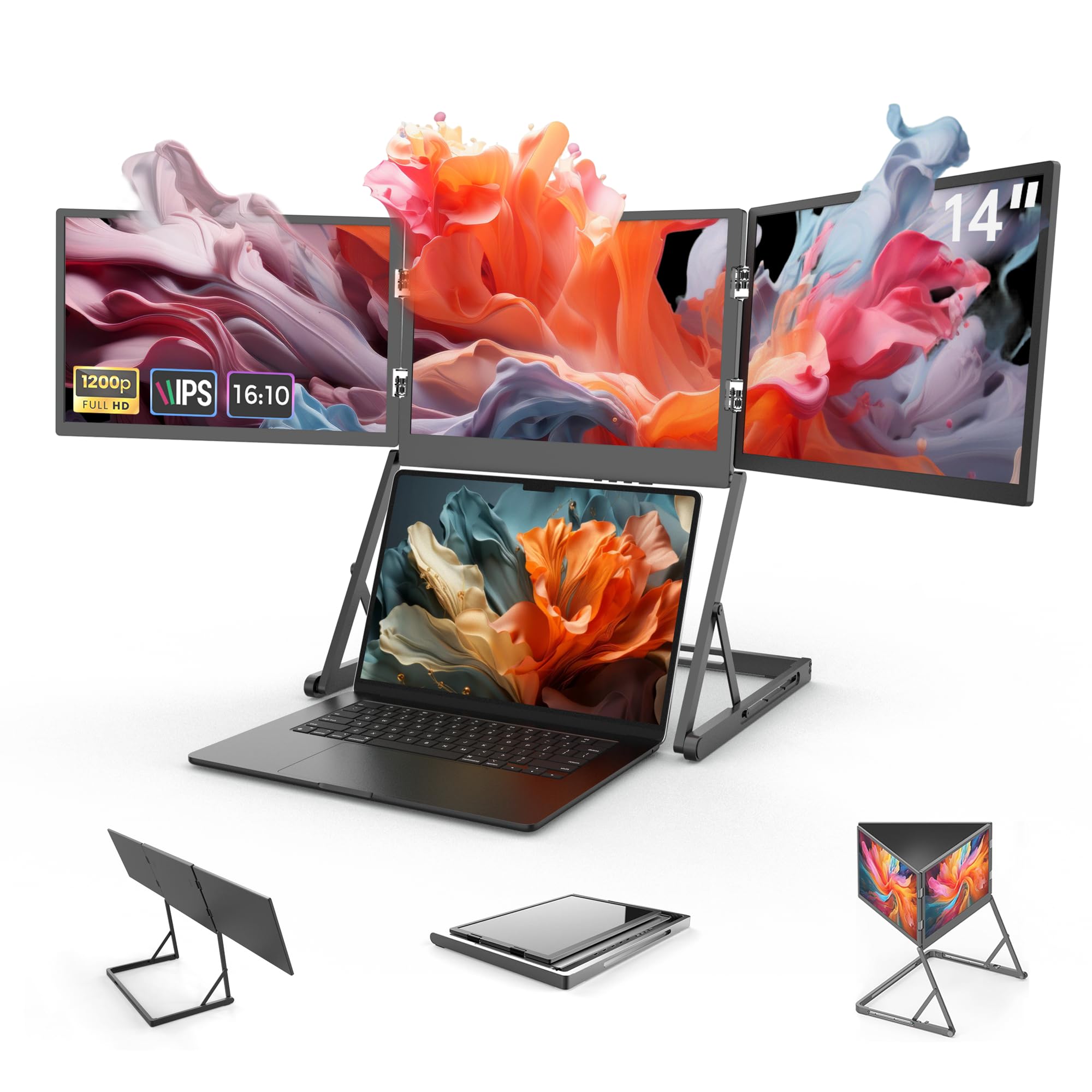
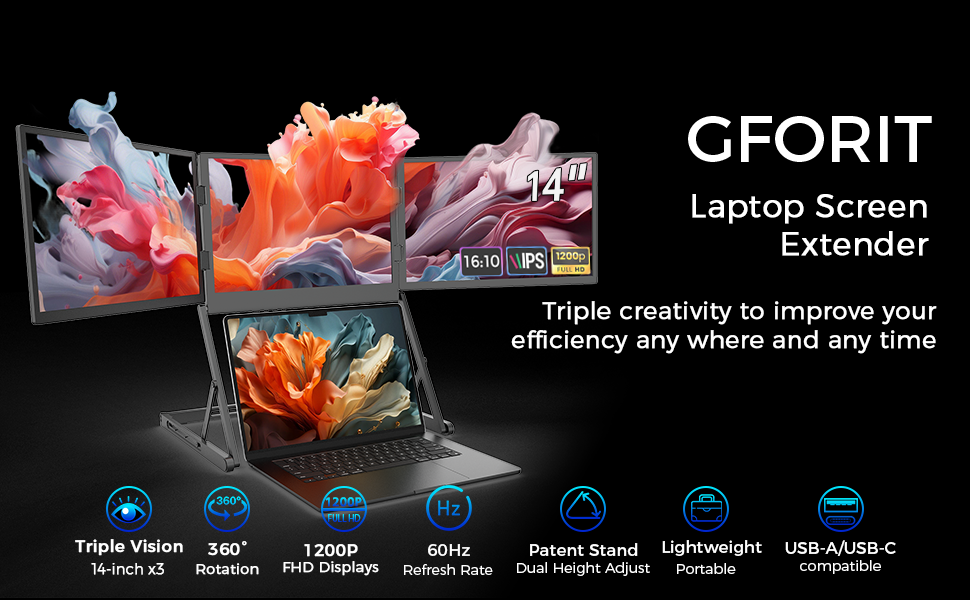
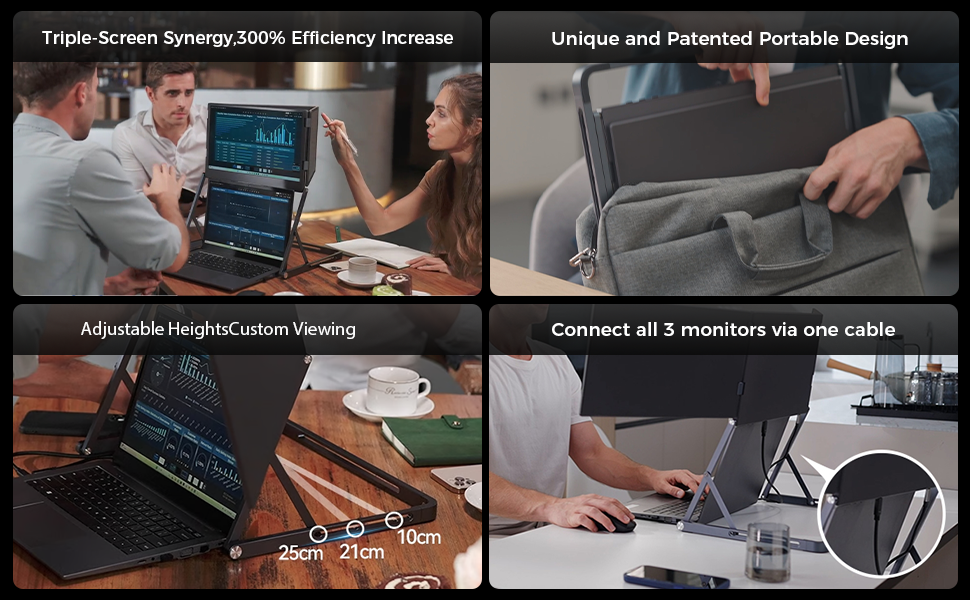
Triple Screens, 300% Efficiency Boost Engineered for multitasking mastery! Three 14-inch Full HD IPS screens (1200P resolution) let you simultaneously open work, meetings, study, or entertainment windows—no more tedious single-screen switching. Whether you’re a gamer, business professional, financial analyst, programmer, triple-screen synergy streamlines complex tasks and immediately enhances efficiency.
Universal Compatibility, One-Cable Triple Display Seamlessly adapts to Windows, Mac, Linux, Android, and more. Equipped with dual USB-A/USB-C ports, a single cable powers all three external screens! Eliminate tangled wires—use the included Type-C/HDMI cable for plug-and-play setup, instantly expanding your visual workspace.
Cinematic Visual Experience 72% NTSC color gamut + HDR technology delivers vivid, true-to-life colors. Ultra-slim bezels and 178° wide viewing angles create seamless edge-to-edge visuals. Adjust brightness, contrast, and settings with one-touch controls, perfect for professional workflows or immersive entertainment.
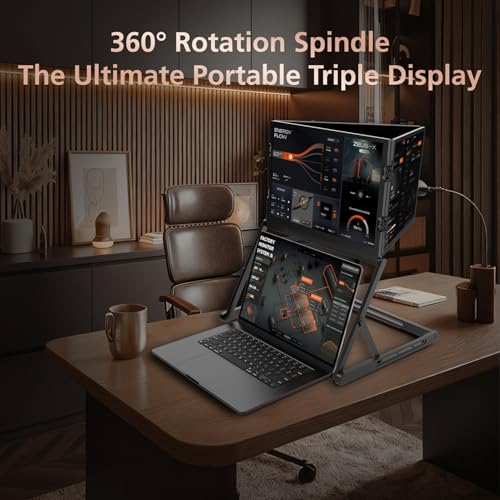
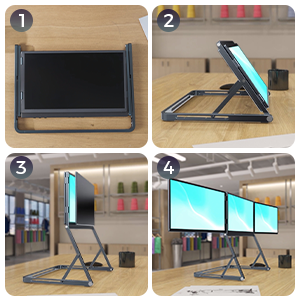
Patented Foldable Design, Ultra-Portable Featuring an innovative lightweight foldable frame, A quick-release mechanism lets you deploy a full workstation in seconds—ideal for business trips, remote work, or client presentations. Supports 360° rotation and adjustable orientations (landscape/portrait), enabling solo productivity or collaborative screen-sharing with ease.
Pre-Purchase Notes
Single-Cable 3-Screen Connection:To use the USB-C single-cable connection for three screens normally, please ensure that the USB-C port of your device is a full-function port that supports USB protocol data transmission and DisplayPort Alt Mode video output. Otherwise, only 2 screens may be displayed. If only 2 screens are displayed, you can use the included HDMI cable to connect the remaining screen and use it through a hybrid connection method.
Driver Installation:A USB flash drive with the installation program is included in the package. The driver must be correctly installed on your device before use; failure to install the driver may cause the screen to not display properly.
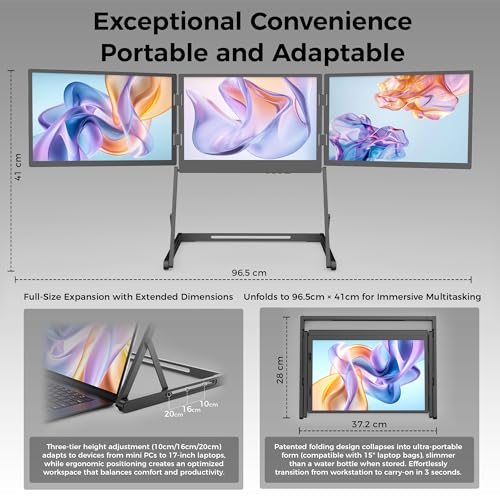
Product Dimensions:To avoid poor user experience due to mismatched dimensions, it is recommended to confirm your storage space (such as storage bags, desktop areas) and carrying needs before purchasing to ensure the dimensions match your usage scenario. Relevant product dimensions: The folded width of the extended screen is approximately 14.6 inches, the depth is approximately 11 inches, and the thickness is approximately 1.2 inches; the horizontal expanded length of the extended screen is approximately 38 inches.
Driver Installation for MacBook Pro/MacBook: Since MacBook Pro/MacBook does not have a traditional USB port, the USB driver flash drive included with the product cannot be used directly. You need to refer to section 2.a "Driver download and installation" in the product user manual to download the corresponding driver program. After installing the driver correctly, you can connect and use the device normally.
Triple Screens On-the-Go, Boundless Efficiency – Your Ultimate Productivity Powerhouse for Remote Work & Travel
Drivers & System Compatibility FAQs
Q1: What's the key information I must confirm before purchasing?
A: Verify if your device’s Type-C port is a full-featured Type-C port.
Triple-screen expansion relies on a full-featured Type-C port (supporting DisplayPort mode). Non-full-featured ports may cause failure to sync three screens.
Action suggestion:Before ordering, check your computer device manual and search for "Type-C" labeled as "Full-Featured" or "DP Alt Mode".
Q2: How to determine if my computer's port supports triple-screen expansion?
A: Search the user manual of the device model to confirm whether the Type-C port supports "video output" or "external monitor".
Q3: Is driver installation required to use this triple-screen monitor?
A: Yes, driver installation is mandatory; otherwise, the monitor may not work properly. Specifically, without installing the driver, issues such as failure to recognize all three screens, only 1 or 2 screens being displayed, or no display at all after connection may occur.
A USB driver disk is included in the package. Simply insert it into your computer and install the driver for your corresponding system to ensure the triple-screen expansion function works correctly.
Q4: Is this product compatible with my operating system?
A: Yes, it is compatible with major operating systems (e.g., Windows, Mac, Linux). Install the corresponding drivers via the included USB driver disk. If your system version is outdated and not updated to the latest, the product may fail to function properly. Please ensure your system version is updated.
Q5: What connection methods does this triple-screen extender support?
A: The TriCreate triple-screen extender offers three flexible connection methods, adaptable to different devices and usage scenarios: Single USB-C Output (with DisplayPort Alt Mode) If your Windows laptop supports DisplayPort Alt Mode over the USB-C port, you can connect all three screens with just one USB-C cable, enabling seamless multi-screen output from a single port.
Three Separate HDMI Inputs The extender supports three independent HDMI inputs. You can connect it to three different video sources or three HDMI ports on a device, allowing full individual control over each screen.
Hybrid Input: One USB-C + One HDMI Additionally, you can drive all three screens via one USB-C and one HDMI input — ideal for devices with limited ports that still require extended display functionality.
Ergonomic Height Adjustment – 3-Level Flexibility for Seamless Workflow
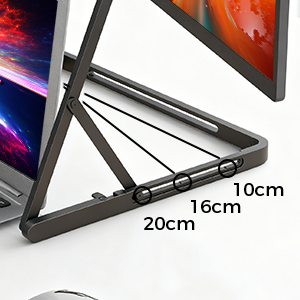
The built-in triple-height adjustable stand offers 10cm (low-profile desk mode), 21cm (ergonomic eye-level for seated tasks), and 25cm (elevated presentation mode) settings. Whether you’re deep in focused work, collaborating with teammates, or showcasing ideas to clients, effortlessly adjust the stand to match your needs—no tools required.
Lighteight & On-the-Go, Effortless Efficiency
Engineered with a lightweight chassis and patented foldable structure, allowing it to be effortlessly lifted with one arm. Whether you’re navigating airports, rushing to client meetings, or switching workspaces to a café, no extra bag is needed—grab it and go, anytime, anywhere.
Triple Screen Expansion, Simplified Like Never Before
From setup to storage, no tools or effort required. fold them back when done. The patented latch design ensures rock-solid stability when expanded. Whether transitioning between travel destinations or switching scenarios in the office, shift from portable mode to a high-efficiency triple-screen workstation in under 10 seconds—handle complex tasks with ease.
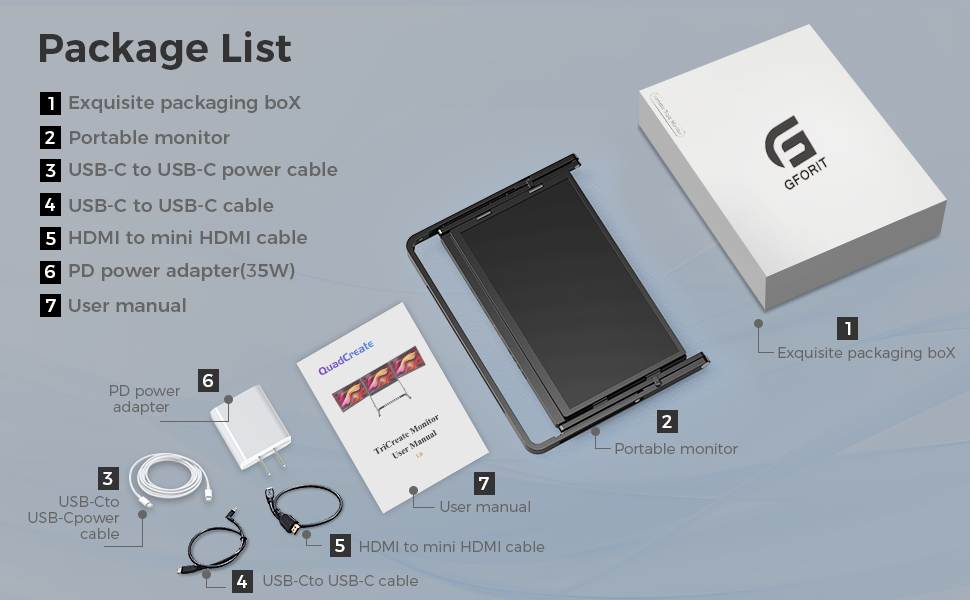
Package List
1:Exquisite packaging box*1
2:Portable monitor*1
3:USB-C to USB-C power cable*1
4:USB-C to USB-C cable*1
5:HDMI to mini HDMI cable*1
6:PD power adapter(35W)*1
7:User manual*1
8:felt protective sleeve*1
Compatibility Verification
Confirm that your laptop or docking station is equipped with USB-C/HDMI ports and matches the corresponding interfaces on the portable monitor.
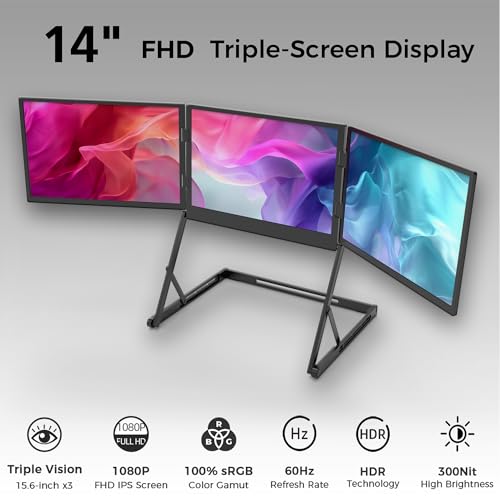
- Triple-Screen Productivity Hub : Experience seamless multitasking with three 14" FHD IPS monitors (1920×1200, 16:10) that fold into a space-saving workstation. The 178° wide viewing angle ensures consistent clarity from any position, while 72%sNSTC color accuracy deliver vibrant visuals for design, editing, or gaming. The 300-nit brightness and low blue light mode reduce eye strain during long sessions, making it ideal for professionals and students alike.
- Portable & Versatile All-in-One Display : Perfect for on-the-go professionals and students, this foldable triple-monitor system combines portability with performance. The three 14" FHD IPS panels fold into a compact form, making it easy to carry in a bag or set up in tight spaces. Whether you're traveling, working in a coffee shop, or setting up a temporary workstation, this foldable design adapts to your lifestyle, offering a versatile and space-saving solution for anyone who needs a powerful display on the move.
- Broad System Compatibility for Seamless Multi-Screen Productivity : Experience effortless connectivity with universal support for Windows, macOS, Linux, Android, and most laptops. The innovative dual USB-A/USB-C ports enable a single-cable solution to power three monitors simultaneously, eliminating cable clutter for a sleek, organized workspace. Plug-and-play simplicity with included Type-C/HDMI cables ensures instant screen expansion—whether you're streamlining workflows, gaming with high-refresh-rate displays, or editing content across multiple screens.
- Ergonomic Comfort Redefined : Designed for productivity and all-day comfort, our laptop monitor extender attaches to your laptop in seconds—no tools, magnets, or adhesives needed. The adjustable stand lets you effortlessly customize the viewing angle to reduce neck and eye strain, whether you're working at a desk or on the go. All-aluminum alloy material & foldable design ensures durability, while the tool-free design adapts seamlessly to any workspace. Say goodbye to discomfort and hello to a ergonomic setup that keeps you focused, wherever you work.
- Professional and Reliable Support : GFORIT triple monitor for laptops have always emphasized customer satisfaction. If you have any questions about the compatibility of the monitor extension for laptop, please feel free to contact us and we will get back to you within 24 hours. Our dedicated customer support team is always here to help you make sure your triple monitor continues to work or entertain at its best.
| SKU: | B0G2XM11MK |
| Weight: | 2.7 kg |
| Dimensions: | 29 x 38 x 5 cm; 2.7 kg |
| Brand: | Generic |
| Model: | TriCreate Lite DT (D) |
| Colour: | black |
| Batteries Included: | No |
| Manufacture: | GFORIT |
| Colour: | black |
Product Description
Package List
1:Exquisite packaging box*1
2:Portable monitor*1
3:USB-C to USB-C power cable*1
4:USB-C to USB-C cable*1
5:HDMI to mini HDMI cable*1
6:PD power adapter(35W)*1
7:User manual*1
8:felt protective sleeve*1
Compatibility Verification
Confirm that your laptop or docking station is equipped with USB-C/HDMI ports and matches the corresponding interfaces on the portable monitor.