4G+64G Android Car Stereo for Vauxhall Opel Corsa Zafira
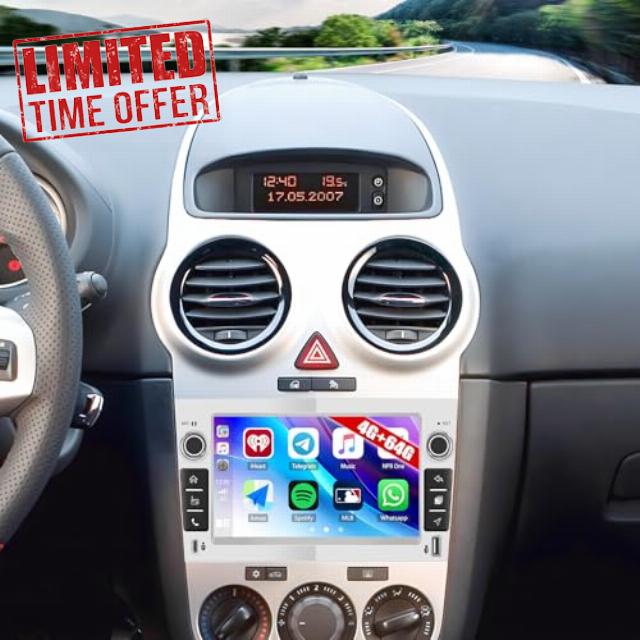
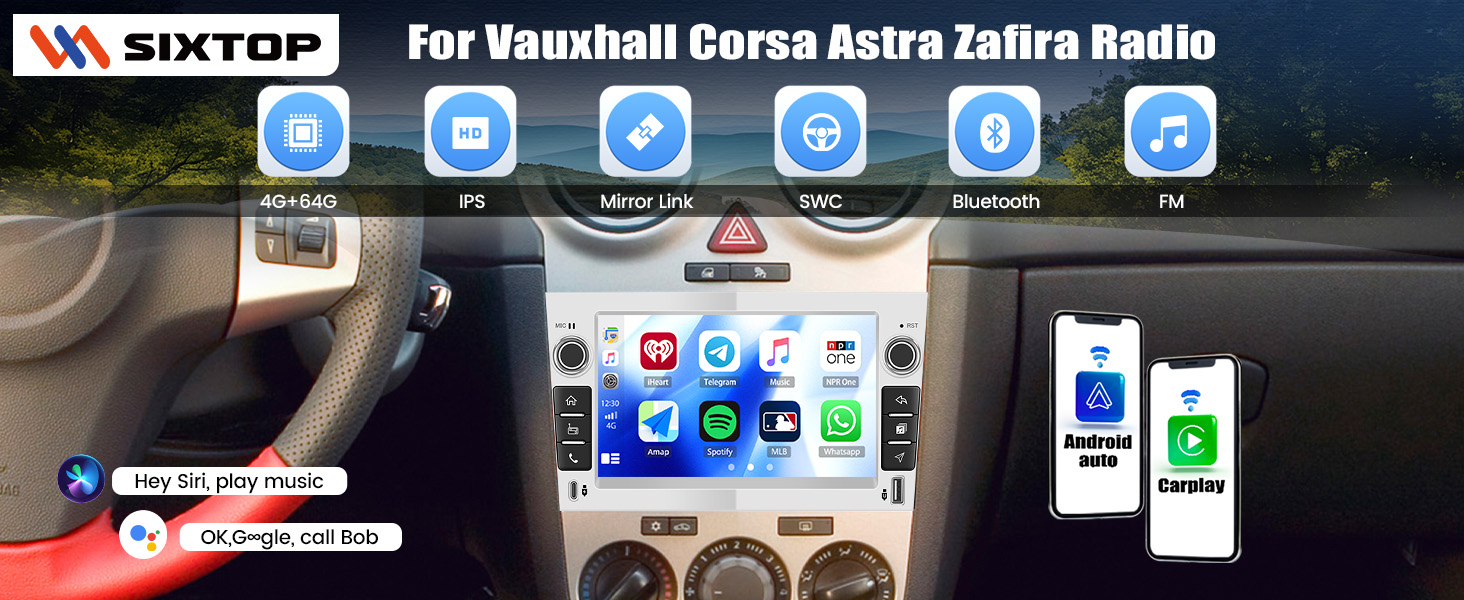
4G+64G Android Car Stereo for Vauxhall Opel Corsa Zafira Astra Combo Antara with Wireless Carplay Android Auto, 7″ IPS Touchscreen Bluetooth Car Radio with FM GPS Typc-C/USB Backup Camera
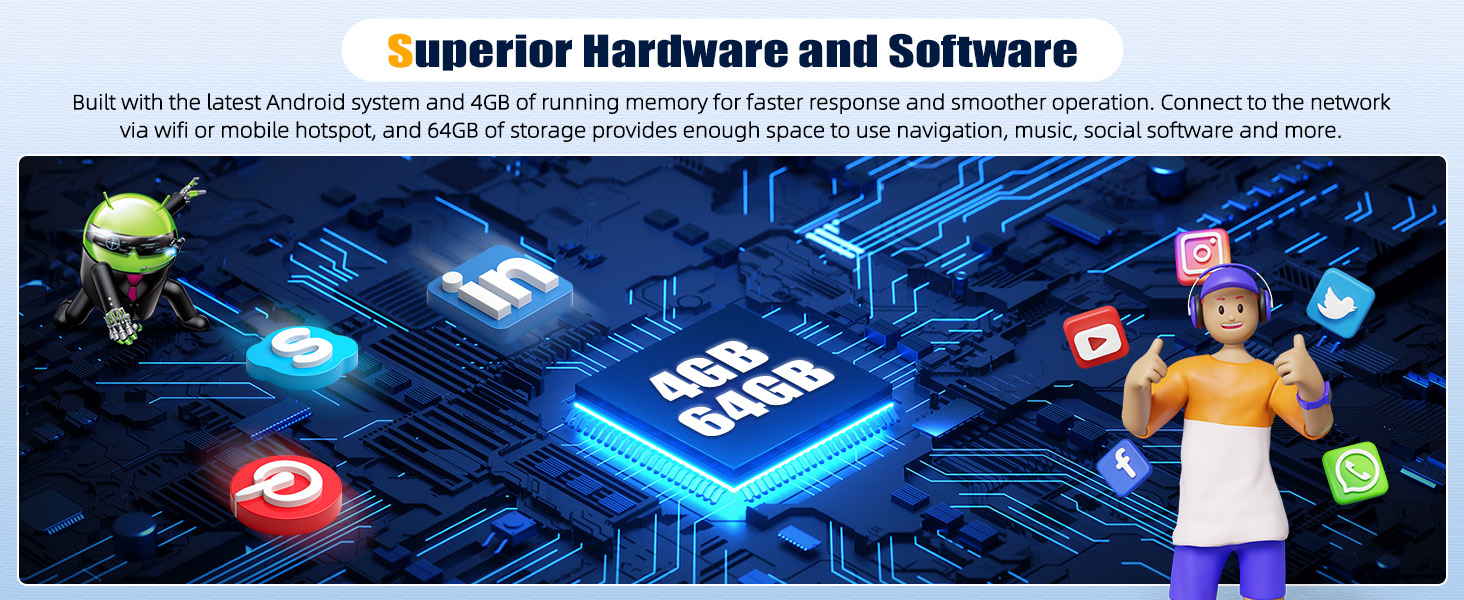
Get a sleek tech upgrade for your car — 4GB RAM+64GB ROM, 7” Android 15 car stereo with wireless CarPlay Android Auto, GPS and WIFI, Bluetooth hands-free and FM RDS radio, mirror link, original steering controls, Type-C fast charging, HD backup camera, is designed for
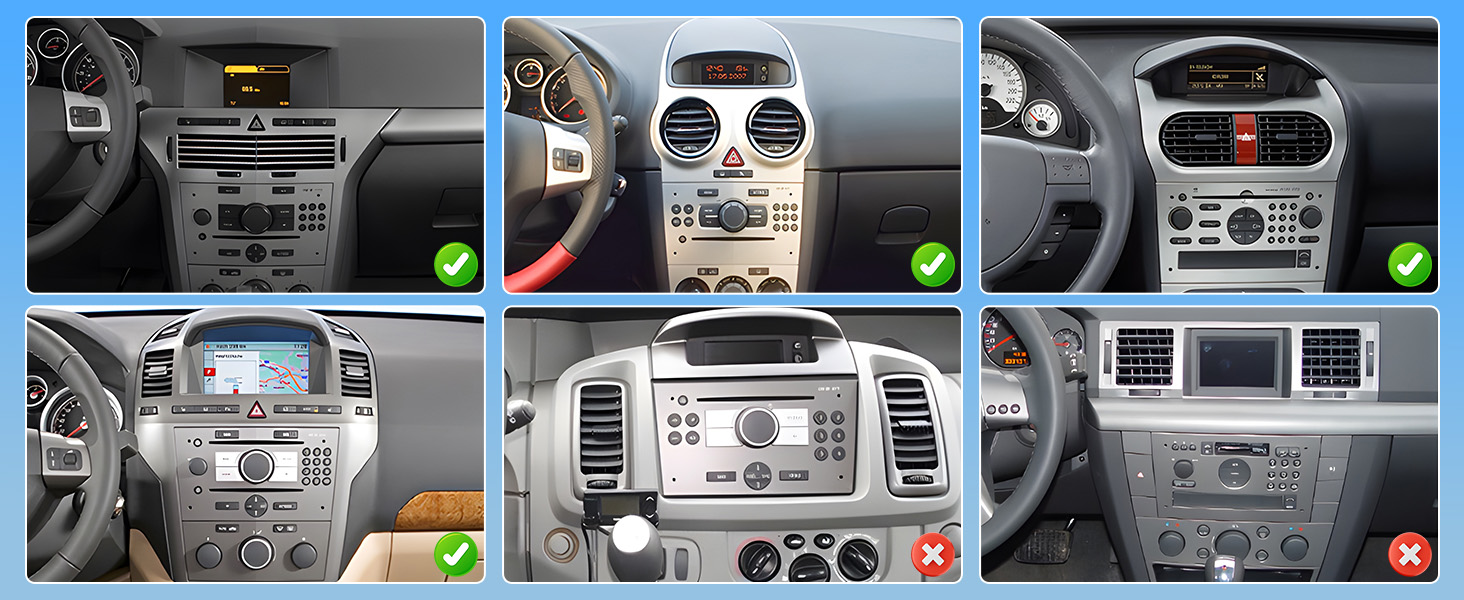
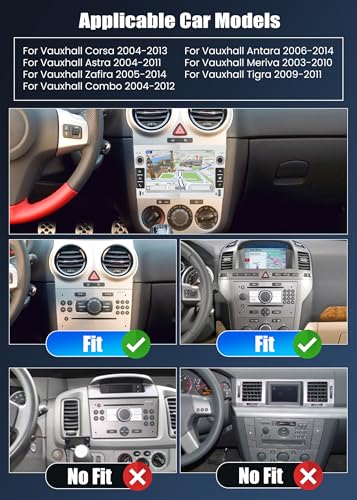
Opel Vauxhall Corsa 2004-2013
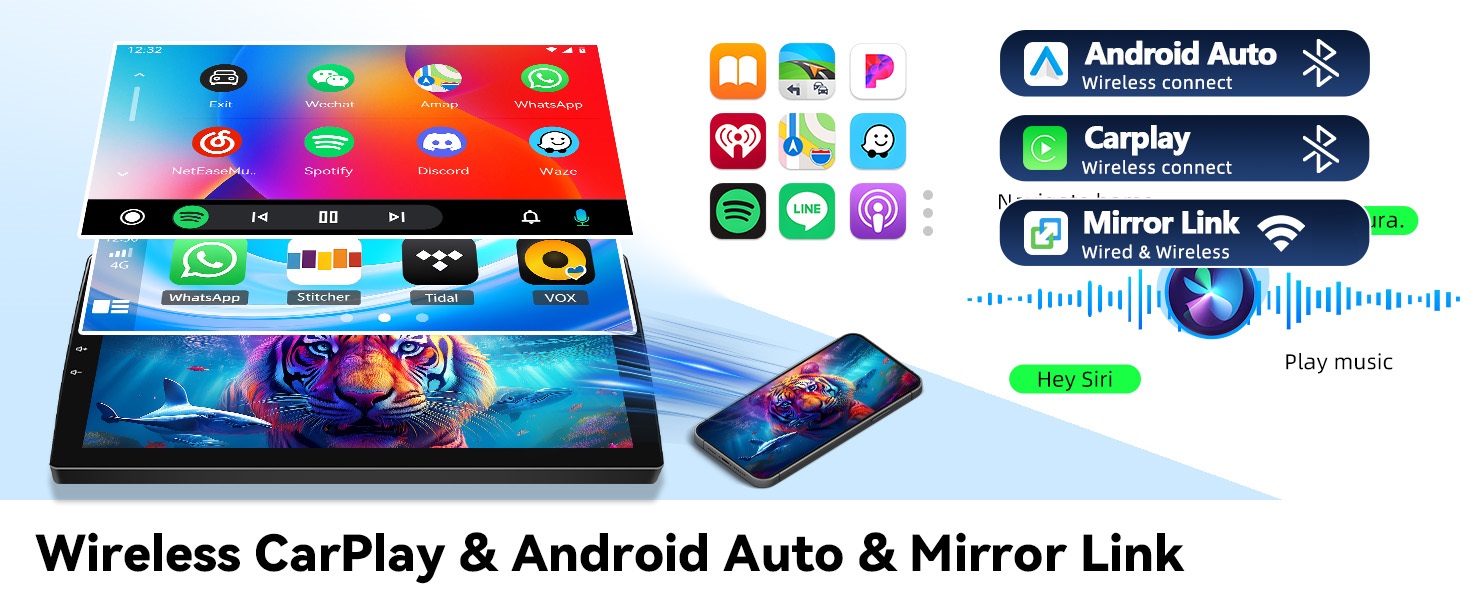
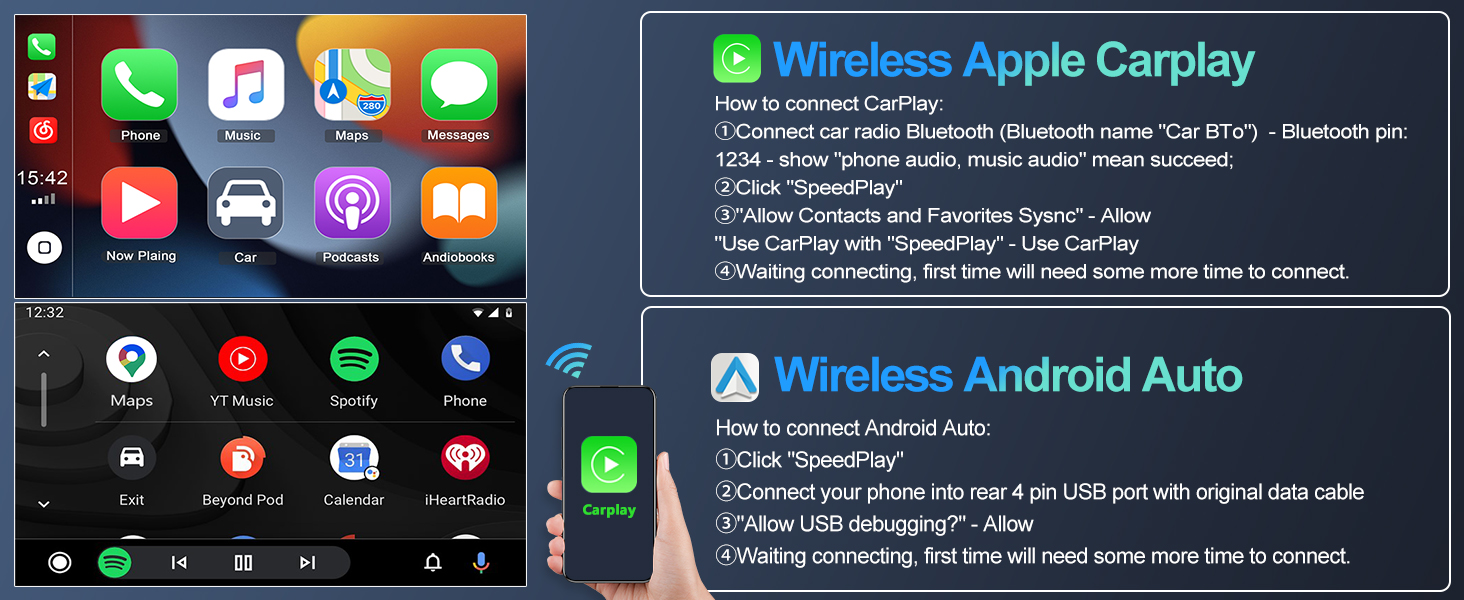
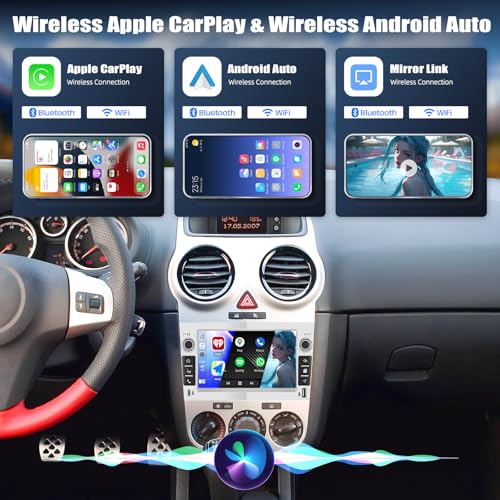
Wireless Freedom Meets Smart Control – Wireless CarPlay & Android Auto – seamlessly sync your phone’s contacts, navigation (Google/Waze), calls, and music
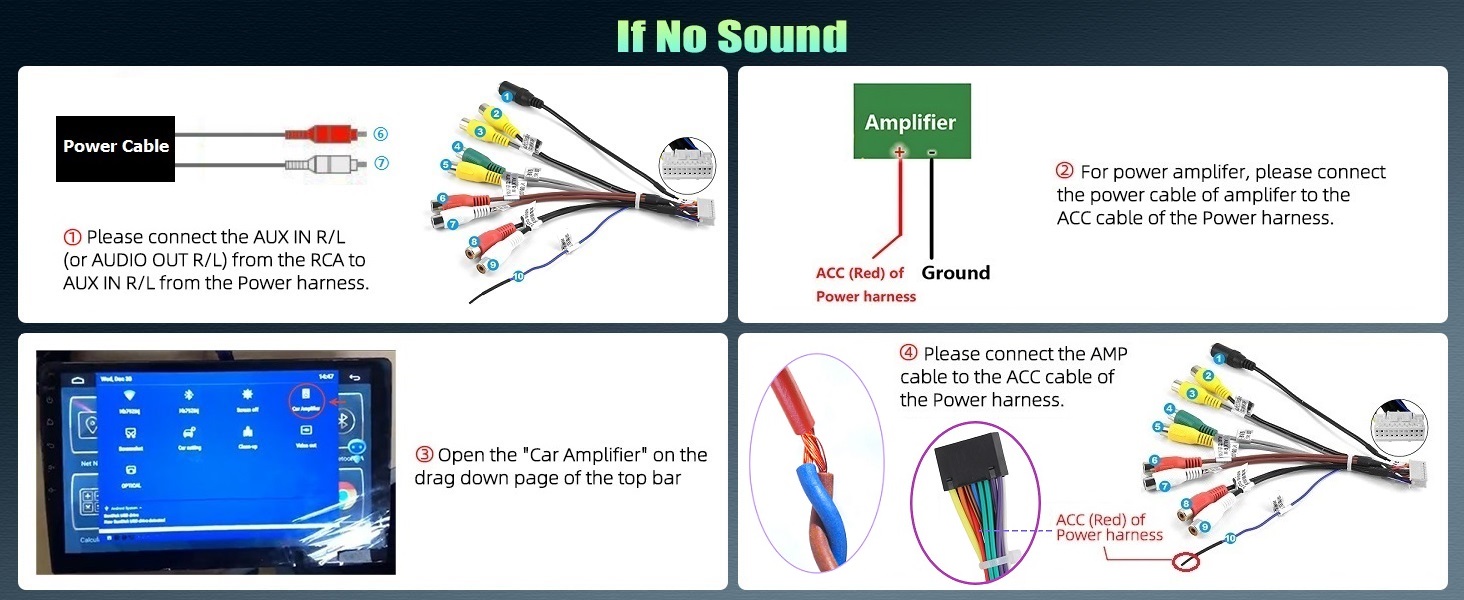
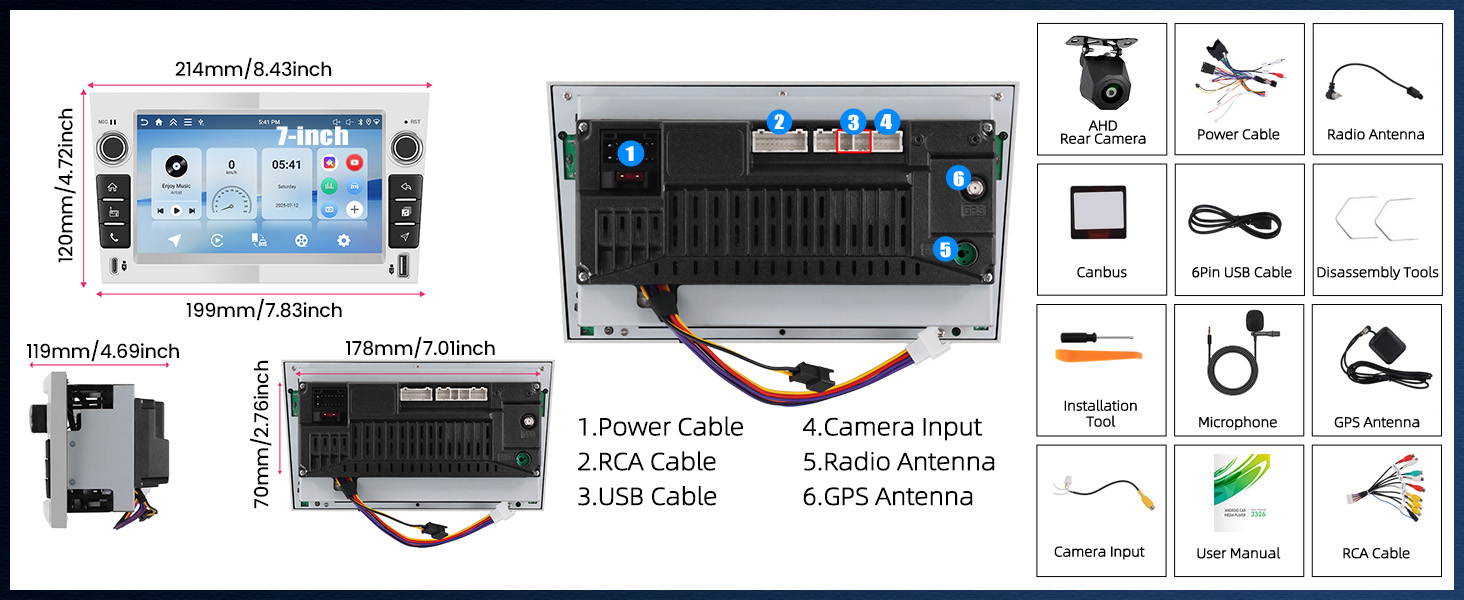
If no audio, please connect theAUX R/Lof Power toAUX R/L IN(or Audio OUT L/R) of RCA cable (Red to Red, White to White)
Note: If the car stereo falls out, please check if the slot on the side is in the correct position. You can see the slot of the original car radio, align the car stereo as it
Specification
| Work voltage | 9V–16V |
| System | Android 15 |
| Chipset | RK3326 |
| MCU | G0001ALT |
| Memory | 4GB (RAM)+64GB (ROM) |
| Operating speed | 1.5GHZ |
| Screen material | IPS |
| Screen size | 7'' |
| Screen resolution | 1024*600 |
| Sound processor | TM2313 |
| Reversing input | AHD/CVBS |
| Radio chip | UMW2652 |
| Radio Band | FM/RDS |
| Power output | 4*45W |
| Power amplifier chip | YD7388 |
| Factory setting keyword | 1234 |
Wireless Apple Carplay
Enjoy Wireless Appe CarPlay & Android Auto – Seamlessly sync your phone’s contacts, navigation (Google/Waze), calls, and music to your car stereo’s HD display.
The video showcases the product in use.The video guides you through product setup.The video compares multiple products.The video shows the product being unpacked.Wireless Apple Carplay
Merchant videoWireless Android Auto
Voice Command Ready – Use Siri or Google Assistant hands-free to navigate, skip tracks, or make calls.
The video showcases the product in use.The video guides you through product setup.The video compares multiple products.The video shows the product being unpacked.Wireless Android Auto
Merchant videoProtocol Box Settings
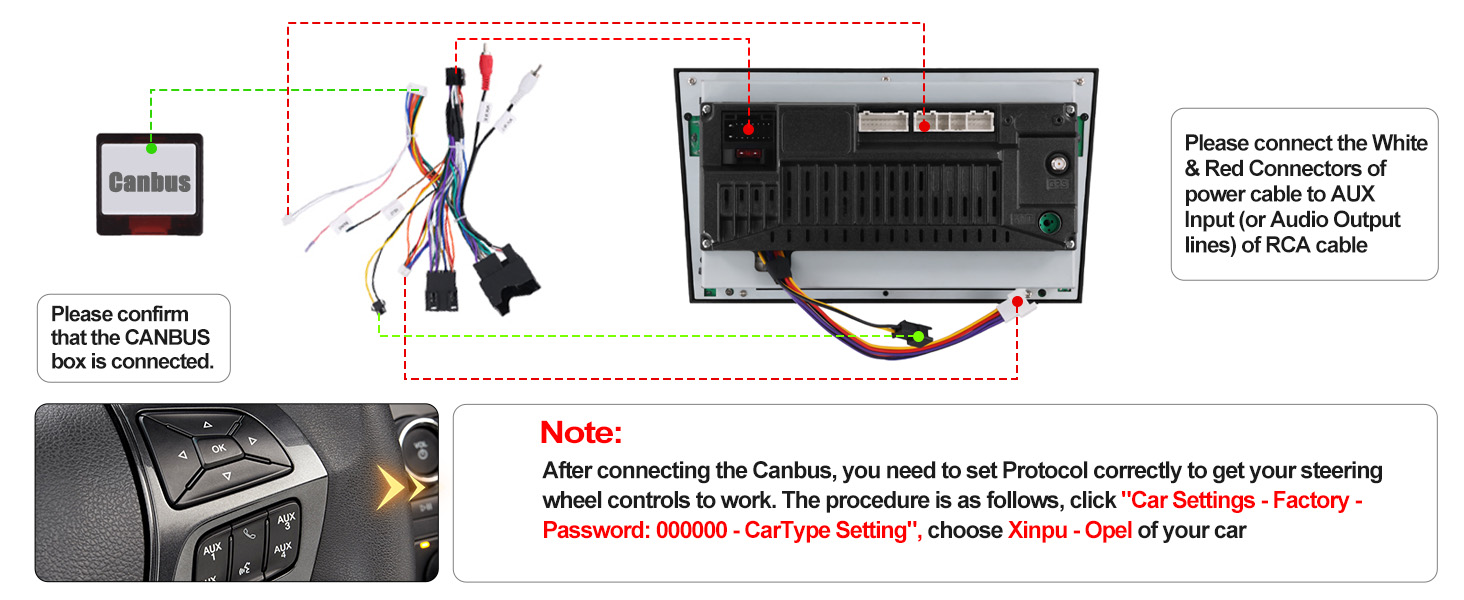
Canbus Settings – Realize the original vehicle's steering wheel control functionality and synchronize original vehicle information
The video showcases the product in use.The video guides you through product setup.The video compares multiple products.The video shows the product being unpacked.Protocol Box Settings
Merchant videoBackup Camera Resolution
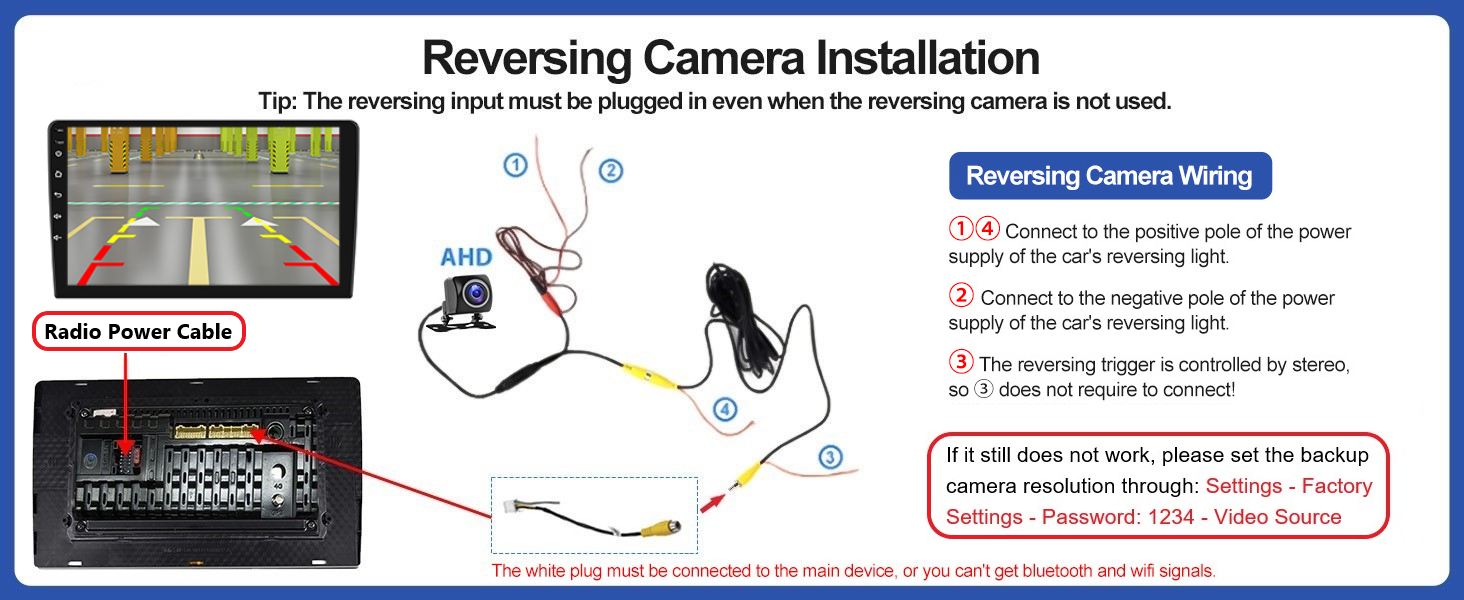
Camera Resolution – If the reversing image is Black or blurring, banding, please select the resolution of the reverse camera
The video showcases the product in use.The video guides you through product setup.The video compares multiple products.The video shows the product being unpacked.Backup Camera Resolution
Merchant videoTouch Screen Calibration
Screen Calibration – Reactivate the unresponsive touchscreen, recalibrate inaccurate positioning touchscreen
The video showcases the product in use.The video guides you through product setup.The video compares multiple products.The video shows the product being unpacked.Touch Screen Calibration
Merchant videoPhysical Button Learning
Physical Button Learning – If the physical button does not work or function is not correct
The video showcases the product in use.The video guides you through product setup.The video compares multiple products.The video shows the product being unpacked.Physical Button Learning
Merchant video
Why the radio does not turn off and keeps draining my battery?
1. If your car wiring has been modified before, please find you car real ACC wire and connect to the red wire of car radio power cable
2. Use a multimeter to check for leaks when car is off. If Canbus is leaking, please remove it and reach us
Why no Audio? / Why FM Radio has audio but Bluetooth and Carplay does not get audio?
1. Please connect "AUX L/R" of power cable to "AUX OUT L/R" of RCA cable
2. Connect "AMP" to ACC of power cable
3. For power amplifier – connect the power cable of Amplifier to the 12V ACC wire of product
4. NOT compatible with Premium Audio System
Why steering wheel control does not work?
1. Please select Protocol through: Settings – Factory Setup (Password: 1234) – CAN Settings – Xinpu – Opel. Then restart your car
2. Or change it into other canbus brands or car models until you get it to work
Why Bluetooth or WiFi signal is weak? / Why is there no network even though WiFi is connected?
1. There is a sepearetely backup camera input cable, please insert it to the rear of car radio. It will enhance Bluetooth and WiFi signal
2. The android car stereo only supports 3G Internet, please confirm the Internet is 2.4Ghz
Why no image or black screen when reversing?
1. Please check camera connection, do not insert RCA cable, please use the Camera Input
2. Select camera resolution via: Settings – Factory Setup (Password: 1234) – Backcar Source Settings
– "NTSC/PAL" for CVBS
– "AHD/25" for AHD
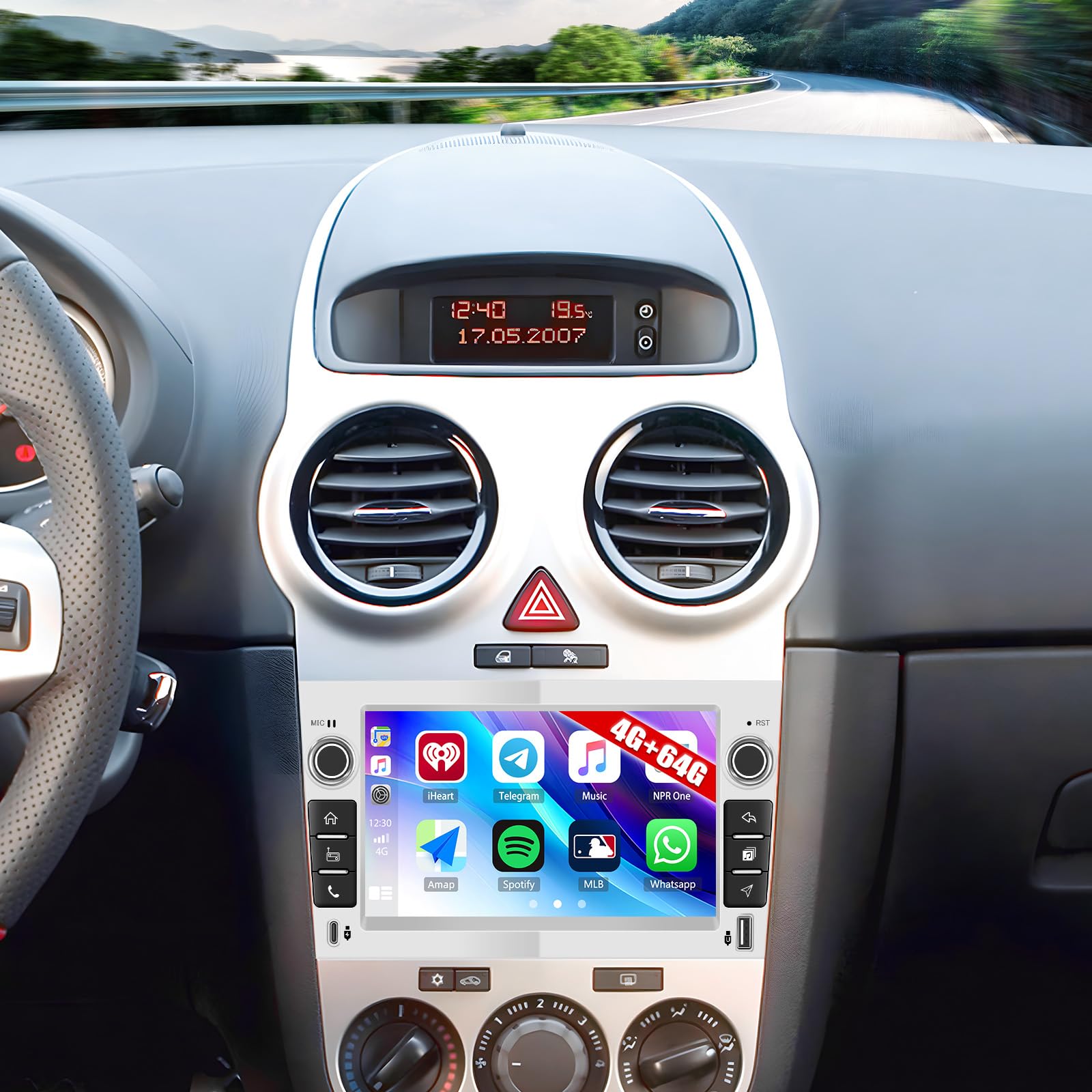
- [VEHICLE MODELS COMPATIBILITY] – 7-inch IPS touchscreen, 1024*600 resolution, wider viewing angles. Android 15 system, 4GB + 64GB memory, latest compatibility, fast performance, smooth interface, access to millions of applications. Suitable for 2004 2005 2006 2007 2008 2009 2010 2011 2012 2013 Opel Vauxhall Corsa Radio, CANBUS integration (Please verify the original vehicle's dashboard before order)
- [WIRELESS CARPLAY & ANDROID AUTO] – Android car stereo can sync phonebook, emails, notifications, map navigation apps, music apps on the phone, supports Siri/Google voice assistant for voice commands to keep you focused, connected and entertained
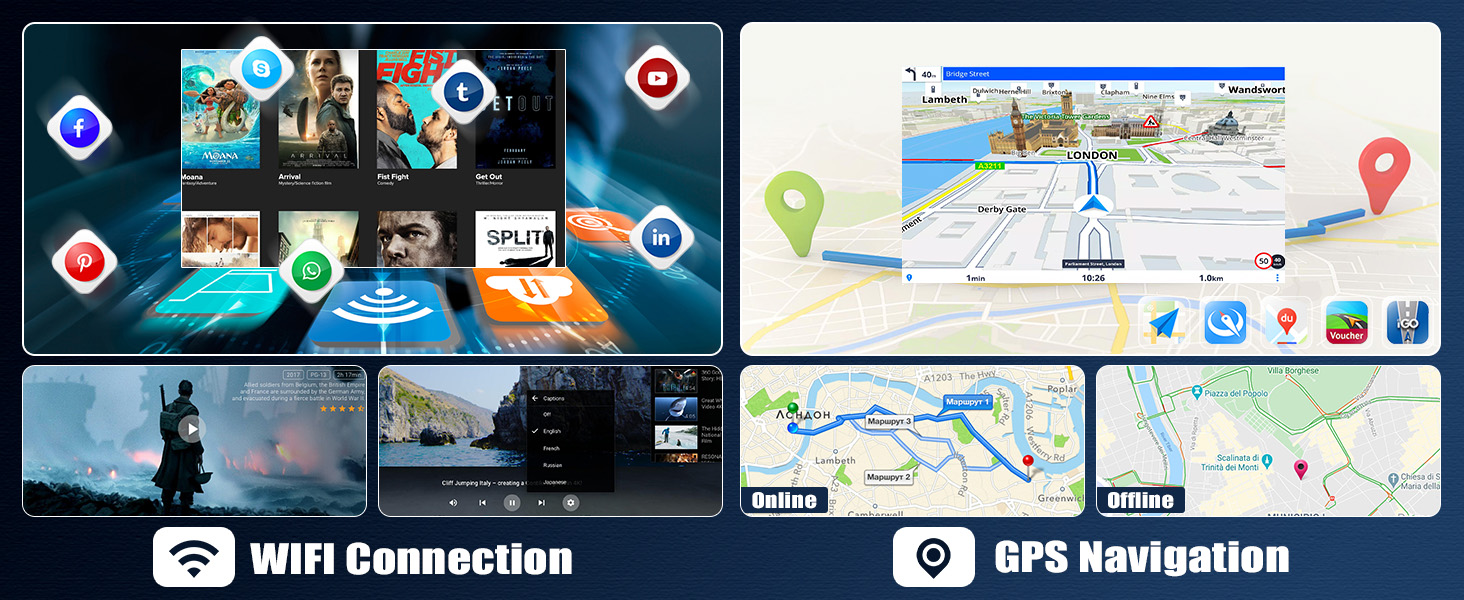
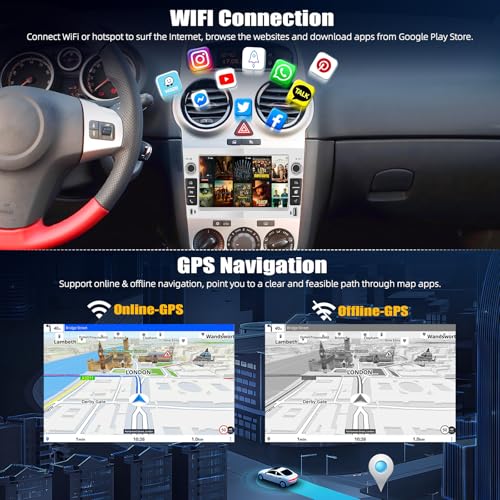
- [GPS NAVIGATION & WIFI FUNCTION] – This car radio is built-in GPS and WIFI module, after connecting to a WIFI or hotspot, you can download offline maps or use Google maps online perfectly, browse the web, stream online content, download apps and much more to your head unit
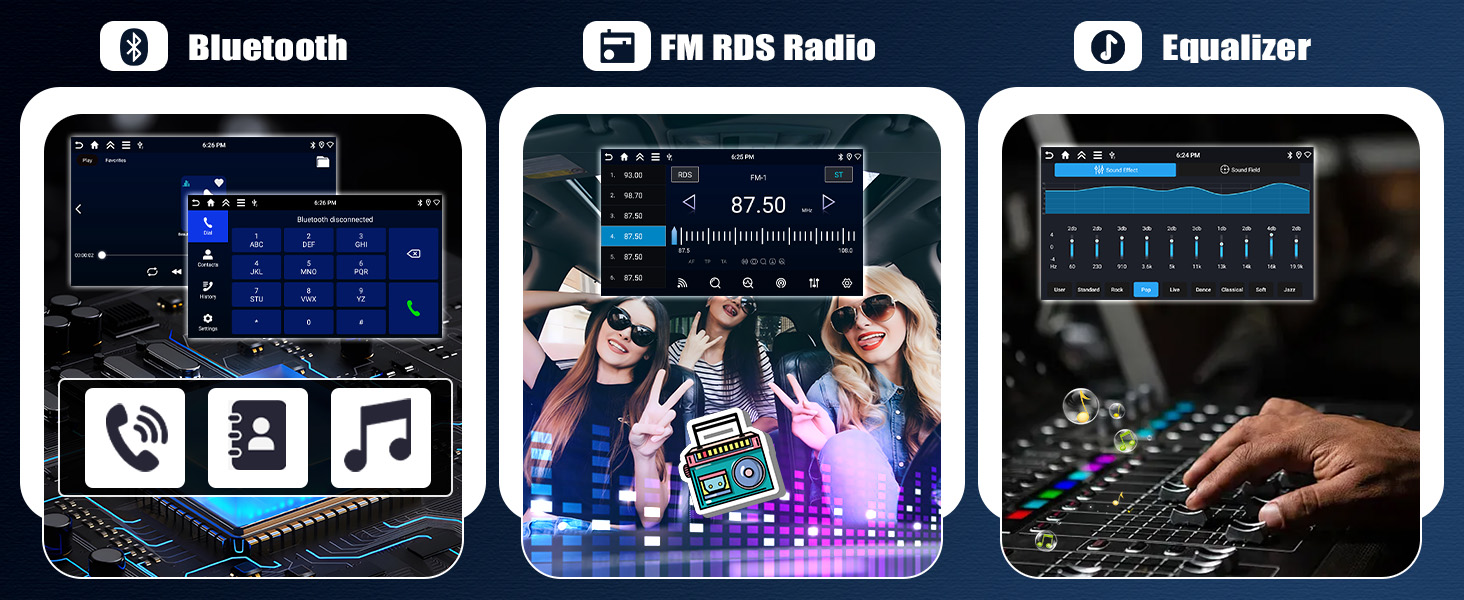
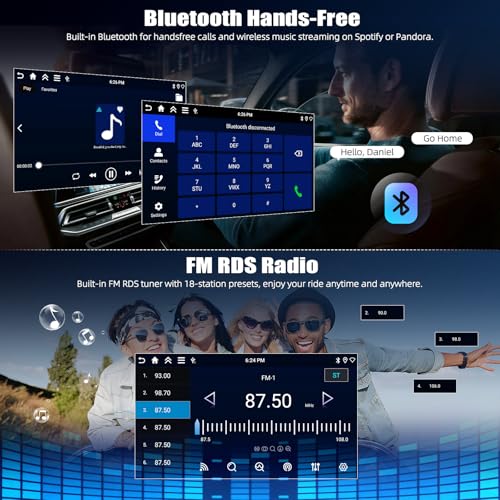
- [BLUETOOTH 5.0 & MIRROR LINK] – The car radio supports mobile phone Bluetooth connection, support mobile phone contacts downloading, Bluetooth music, Bluetooth hands-free function. Supports IOS or Android MirrorLink. Perfect for viewing videos from your mobile phone and snyc to the car radio
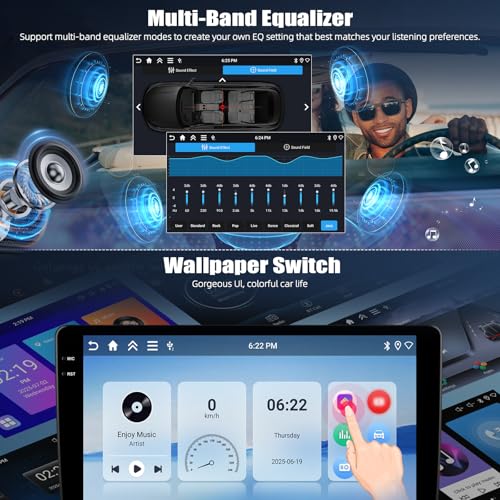
- [FM RDS RADIO & EQUALIZER] – You can listen to news, music, weather forecasts and traffic information. FM/RDS radio stations are available and make boring car journeys entertaining. Built-in multi-band EQ options for automotive environments and provide different sound experience
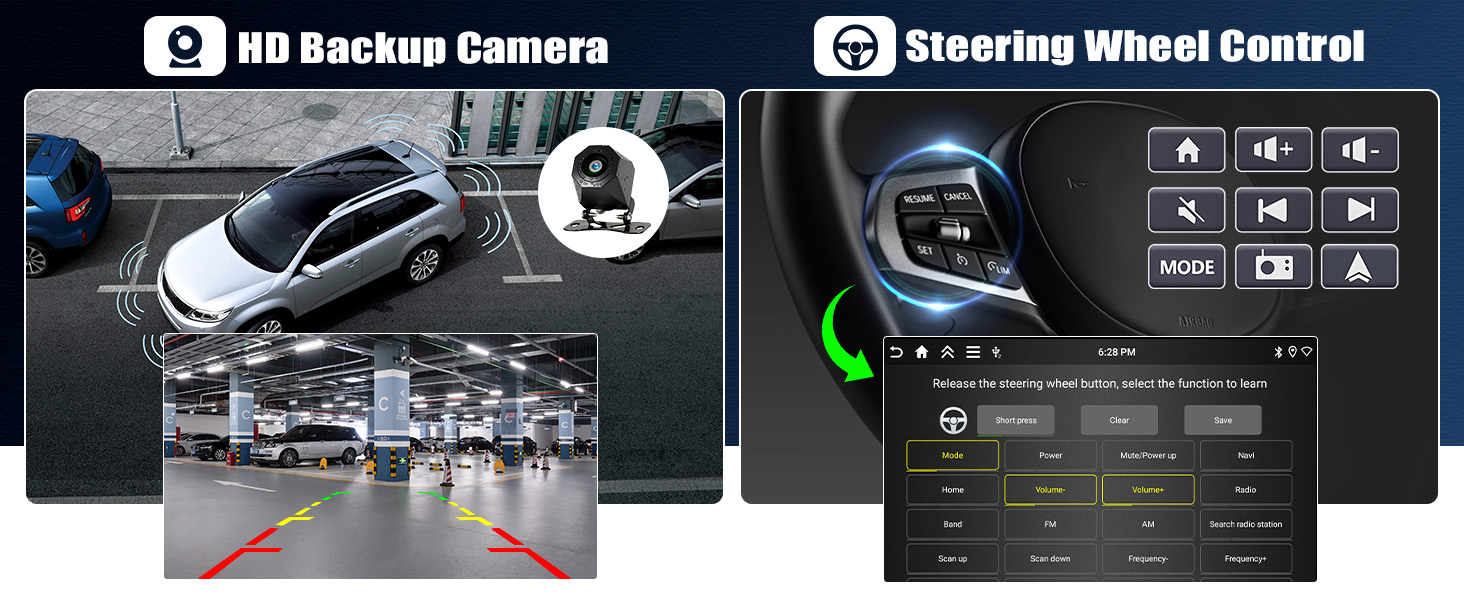
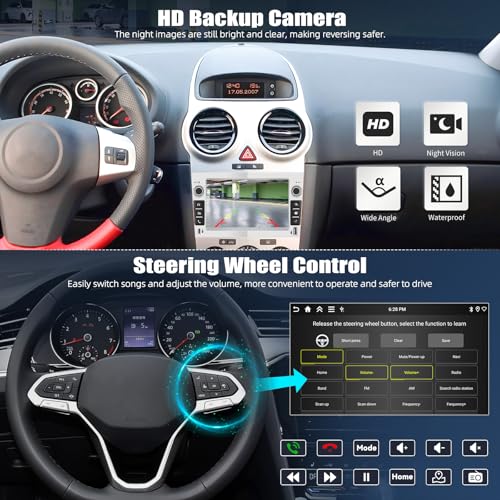
- [HD Night Vision Backup Camera] – IP68 waterproof AHD rear view camera (included!) enhances confidence in reversing. Helps you park in tight spots or avoid wheelie bins in the dark. Works in drizzle, downpours, and that weird mist that’s definitely not fog
- [CAR MULTIMEDIA PLAYER] – Includes various UI desktop themes with optional home page APP. Supports original steering controls, USB playback and phone charging. Split-screen Spotify and Waze while hunting for parking
| SKU: | B0GH5PF38K |
| Dimensions: | 21.4L x 11.9W x 12H centimetres |
| Brand: | SIXTOP |
| Manufacture: | SIXTOP |
| Origin: | China |
Product Description
If no audio, please connect the AUX R/L of Power to AUX R/L IN (or Audio OUT L/R) of RCA cable (Red to Red, White to White)
Note: If the car stereo falls out, please check if the slot on the side is in the correct position. You can see the slot of the original car radio, align the car stereo as it
Specification
| Work voltage | 9V–16V |
| System | Android 15 |
| Chipset | RK3326 |
| MCU | G0001ALT |
| Memory | 4GB (RAM)+64GB (ROM) |
| Operating speed | 1.5GHZ |
| Screen material | IPS |
| Screen size | 7'' |
| Screen resolution | 1024*600 |
| Sound processor | TM2313 |
| Reversing input | AHD/CVBS |
| Radio chip | UMW2652 |
| Radio Band | FM/RDS |
| Power output | 4*45W |
| Power amplifier chip | YD7388 |
| Factory setting keyword | 1234 |
-
Wireless Apple Carplay
Enjoy Wireless Appe CarPlay & Android Auto – Seamlessly sync your phone’s contacts, navigation (Google/Waze), calls, and music to your car stereo’s HD display.
The video showcases the product in use.The video guides you through product setup.The video compares multiple products.The video shows the product being unpacked.Wireless Apple Carplay
Merchant video -
Wireless Android Auto
Voice Command Ready – Use Siri or Google Assistant hands-free to navigate, skip tracks, or make calls.
The video showcases the product in use.The video guides you through product setup.The video compares multiple products.The video shows the product being unpacked.Wireless Android Auto
Merchant video -
Protocol Box Settings
Canbus Settings – Realize the original vehicle's steering wheel control functionality and synchronize original vehicle information
The video showcases the product in use.The video guides you through product setup.The video compares multiple products.The video shows the product being unpacked.Protocol Box Settings
Merchant video -
Backup Camera Resolution
Camera Resolution – If the reversing image is Black or blurring, banding, please select the resolution of the reverse camera
The video showcases the product in use.The video guides you through product setup.The video compares multiple products.The video shows the product being unpacked.Backup Camera Resolution
Merchant video -
Touch Screen Calibration
Screen Calibration – Reactivate the unresponsive touchscreen, recalibrate inaccurate positioning touchscreen
The video showcases the product in use.The video guides you through product setup.The video compares multiple products.The video shows the product being unpacked.Touch Screen Calibration
Merchant video -
Physical Button Learning
Physical Button Learning – If the physical button does not work or function is not correct
The video showcases the product in use.The video guides you through product setup.The video compares multiple products.The video shows the product being unpacked.Physical Button Learning
Merchant video
-
Why the radio does not turn off and keeps draining my battery?
1. If your car wiring has been modified before, please find you car real ACC wire and connect to the red wire of car radio power cable
2. Use a multimeter to check for leaks when car is off. If Canbus is leaking, please remove it and reach us
-
Why no Audio? / Why FM Radio has audio but Bluetooth and Carplay does not get audio?
1. Please connect “AUX L/R” of power cable to “AUX OUT L/R” of RCA cable
2. Connect “AMP” to ACC of power cable
3. For power amplifier – connect the power cable of Amplifier to the 12V ACC wire of product
4. NOT compatible with Premium Audio System
-
Why steering wheel control does not work?
1. Please select Protocol through: Settings – Factory Setup (Password: 1234) – CAN Settings – Xinpu – Opel. Then restart your car
2. Or change it into other canbus brands or car models until you get it to work
-
Why Bluetooth or WiFi signal is weak? / Why is there no network even though WiFi is connected?
1. There is a sepearetely backup camera input cable, please insert it to the rear of car radio. It will enhance Bluetooth and WiFi signal
2. The android car stereo only supports 3G Internet, please confirm the Internet is 2.4Ghz
-
Why no image or black screen when reversing?
1. Please check camera connection, do not insert RCA cable, please use the Camera Input
2. Select camera resolution via: Settings – Factory Setup (Password: 1234) – Backcar Source Settings
– “NTSC/PAL” for CVBS
– “AHD/25” for AHD