EPOMAKER AULA S102 PRO Membrane Gaming Keyboard with TFT

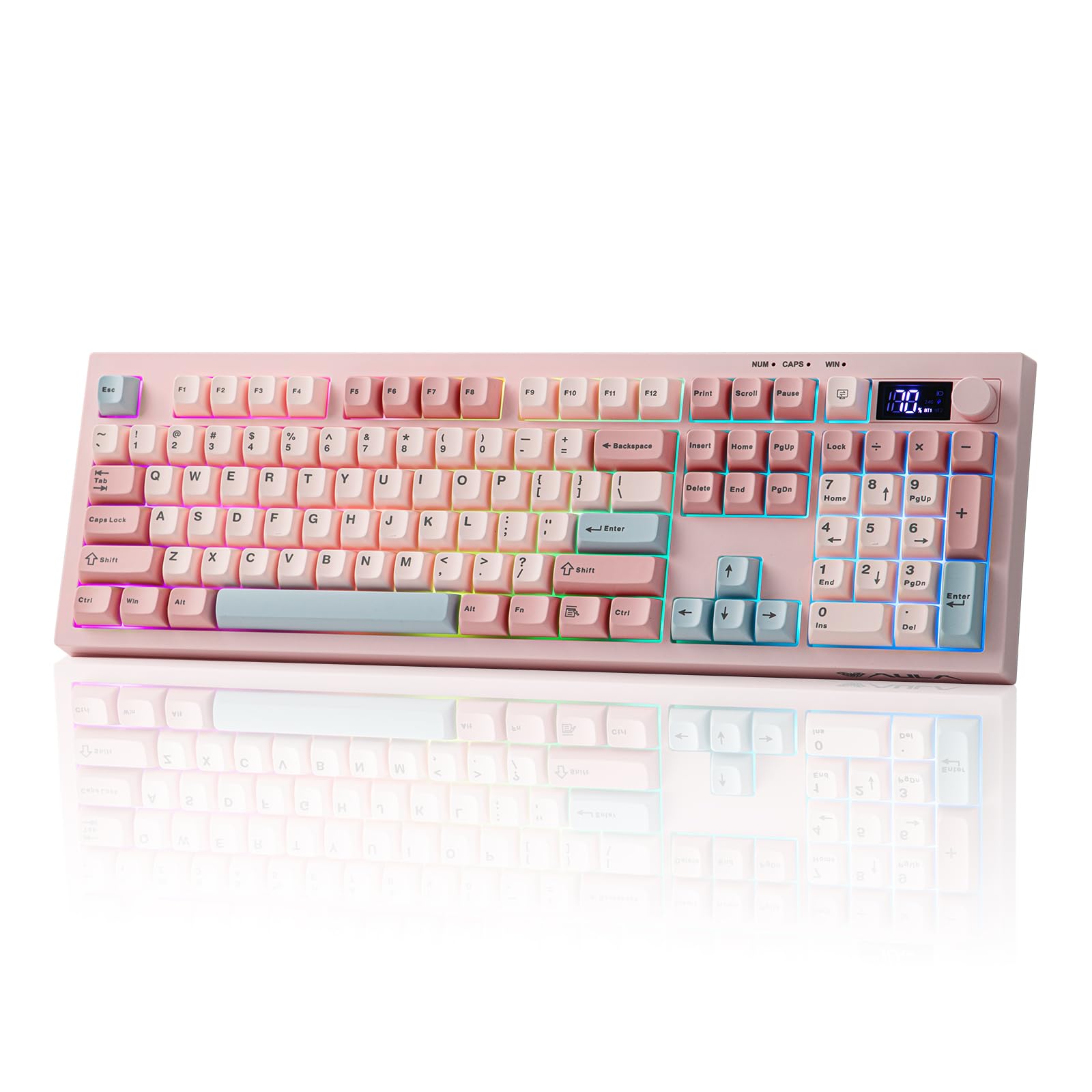
EPOMAKER AULA S102 PRO Membrane Gaming Keyboard with TFT Screen, Volume Knob & Number Pad, BT/2.4G/USB, RGB Backlit, Creamy Silicone Structure, Silent Keyboard for PC Game/Office (Pink)
←Tri-Mode Connection – Battery – PC/MAC Compatible – Size & Weight→
- The video showcases the product in use.The video guides you through product setup.The video compares multiple products.The video shows the product being unpacked.
S102PRO Gaming Keyboard
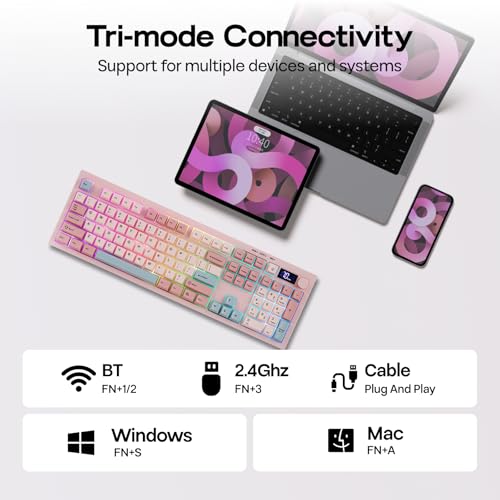
Merchant videoTri-mode Connection
USB-C Wired/2.4Ghz Wireless/BT1/BT2
The S102 PRO gaming keyboard supports Mac/Win (FN+A/S) and 3 connection modes: 2.4Ghz wireless (FN+3) for late-night PC gaming, BT (FN+1/2) for seamless switching between 2 paired devices, and USB A-to-C for instant out-of-the-box plug-and-play.
- Tips: If WIN Key stopped working, use FN+WIN to en/disable it. If WIN/Alt swapped places, use the WIN/Mac switch besides USB port to swap OS Mode.
Large 2000mAh Battery
Rechargeable battery with 150H playtime
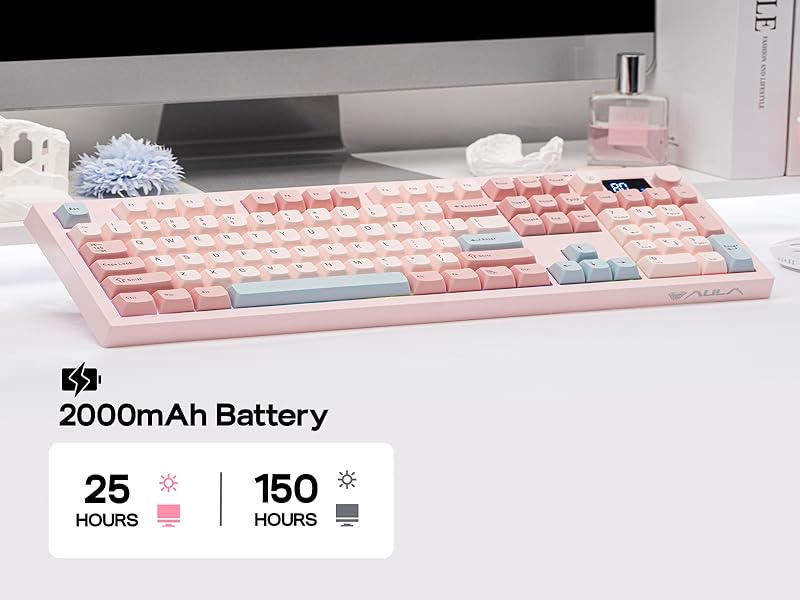
The S102 PRO rechargeable keyboard features a 2000mAh high-capacity battery with low power consumption and extended endurance, delivering up to 150 hours of use (backlight off) and 25 hours (backlight on) on a single charge.
Tips: This keyboard charges when plugged in – always use a computer USB port for charging; direct power adapter use may damage the battery.
100% Full Size Layout
105 Keys + Screen + Knob
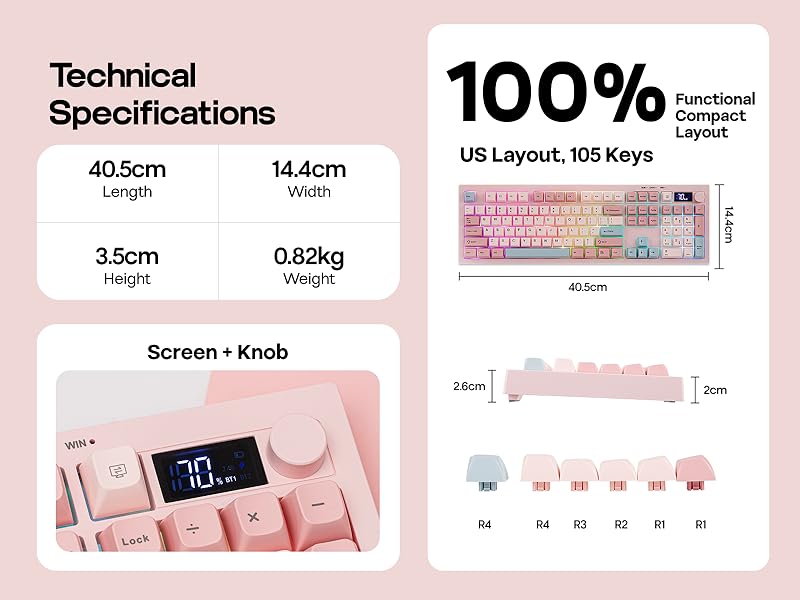
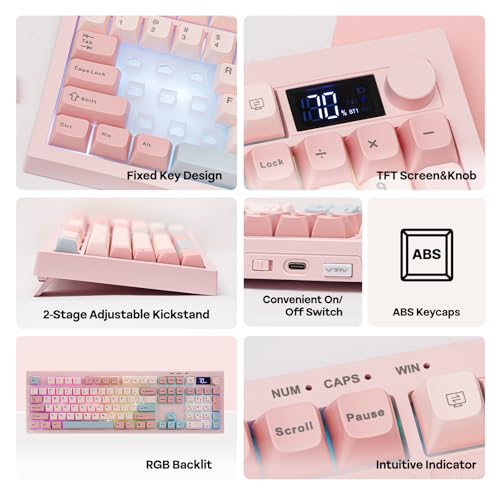
The S102 PRO full-size keyboard comes with an integrated numeric keypad, intuitive display and dual-function rotary knobs. The numeric keypad boosts efficiency for financial tasks, the display clearly shows battery level, charging status and keyboard connection mode, and the dual knobs offer easy control of volume, multimedia playback and backlight settings.
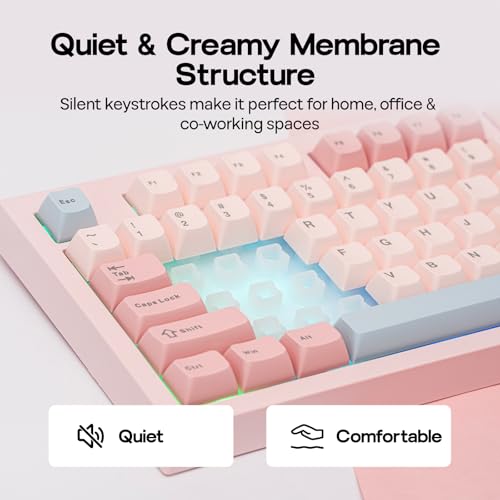
Experience Whisper-Quiet Typing with Silent Membrane Keyboard
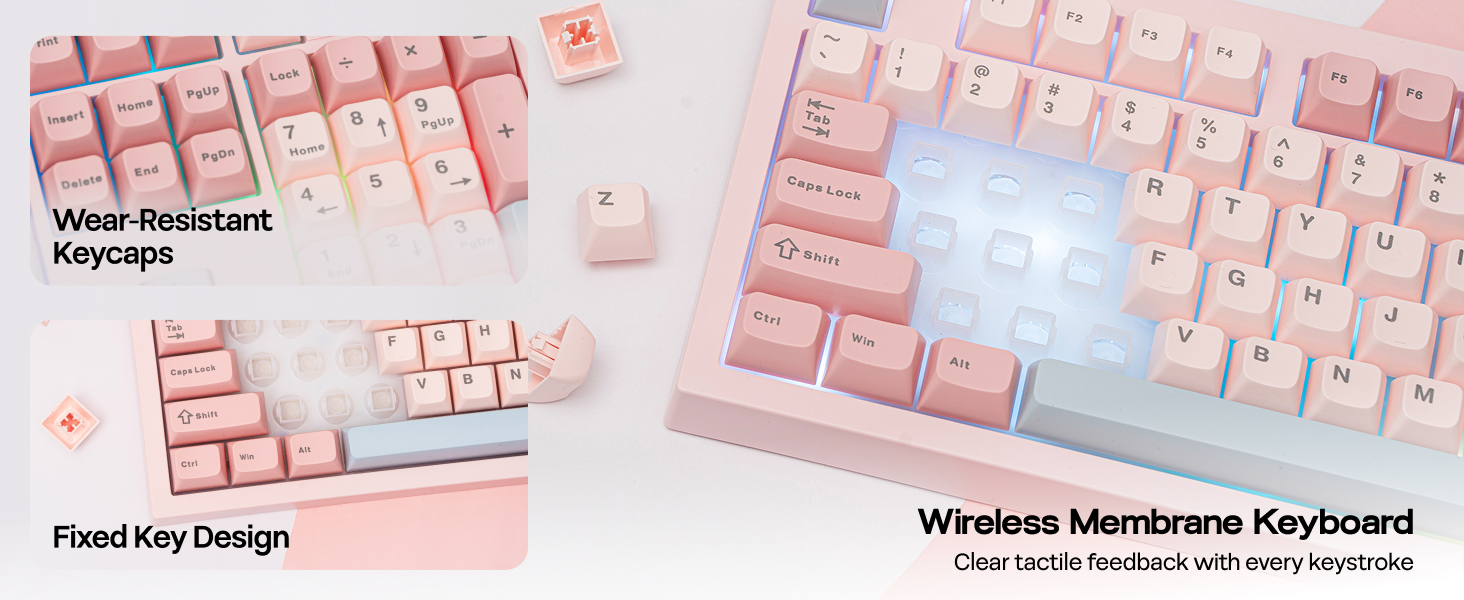
Enjoy a peaceful typing experience with the S102 PRO silent membrane keyboard. Perfect for shared workspaces or late-night productivity sessions, this feature ensures your keystrokes won't disturb those around you. Combine comfort and consideration in one sleek design.
←Dynamic Lights – Dual Function Knob→
Backlight & Indicator Light
Dynamic RGB Backlight
Upgrade to the S102 PRO Creamy Keyboard and effortlessly boost your office productivity. It boasts a rich selection of pre-set dynamic RGB lighting effects, from gentle breathing modes to eye-catching flowing gradients—each carefully calibrated. Brightness can be freely adjusted via the top knob or key combinations.
- Turn On/Off Backlit: FN+Backspace.
- Toggle Backlight Effect: FN+Enter. Backlight Color: FN+|
- Backlight Brightness/Speed: FN+↑↓←→
S102PRO Gaming Keyboard
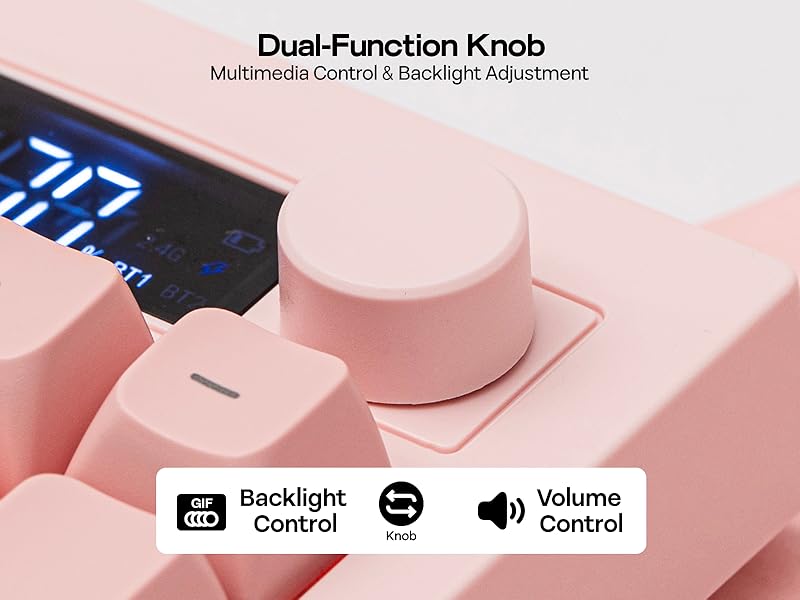
Merchant videoDual-Function Knob
Multimedia Control & Backlight Adjustment
S102 PRO full-size keyboard with a built-in screen and control knob comes with an integrated numeric keypad, greatly boosting office efficiency. The dual-function volume knob supports volume adjustment, mute control, and backlight switching, while the screen displays key information in real time, including battery level and keyboard connection status.
- Knob Function: Volume & Backlight Control(Knob to Swap)
Does it have programmable keys?
The S102 PRO keyboard is not equipped with dedicated software, so custom key functions, macro settings, and personalized backlight customization are not supported.
Is this keyboard noisy while typing?
The S102 PRO membrane keyboard offers an ultra-quiet, comfortable typing experience, perfect for offices and shared working spaces.
Does the backlight remain on continuously?
No. In wireless mode, the backlight will automatically turn off after 6 minutes of inactivity, and the keyboard will enter power-saving mode (light sleep after 6 minutes, deep sleep after 30 minutes). Press any key to wake the keyboard.
How is the battery level displayed?
The battery level is shown in 10% increments. Please note that the displayed percentage is not fully accurate, with a typical deviation of around 10%.
How to wake up the keyboard from sleep mode?
Please press any key twice in succession to wake the keyboard.
- Tri-Mode Wireless for Mac/WIN: The S102 PRO gaming keyboard features mac/win compatibility (FN+A/S) and three connection modes, for dominating a late-night match on PC via 2.4Ghz wireless (FN+3), easy switching between 2 paired devices via BT (FN+1/2) or worry-free plug-and-play with the USB A-to-C cable right out of the box
- Intuitive Control with Volume Knob, Display & Shortcut: Mid-game and needing a vibe change? Attending online meeting and needing to turn up volume? Simply dial up the volume with the rotary knob or use FN shortcut to cycle through RGB settings, without ever alt-tabbing or breaking your focus. The TFT screen, also an intuitive helper, let you monitor the essentials such as keyboard connection status or battery percentage in a glance
- Silent Keyboard in Full Size Layout: With a dedicated number pad and full set of function keys, the S102 PRO offers the familiar spacious layout with dedicated number pad and all function keys, making office tasks and document work a breeze. With silicone structure, this membrane keyboard offers a whisper-quiet typing experience, perfect for late-night study in shared dorm or professional work in open-concept office
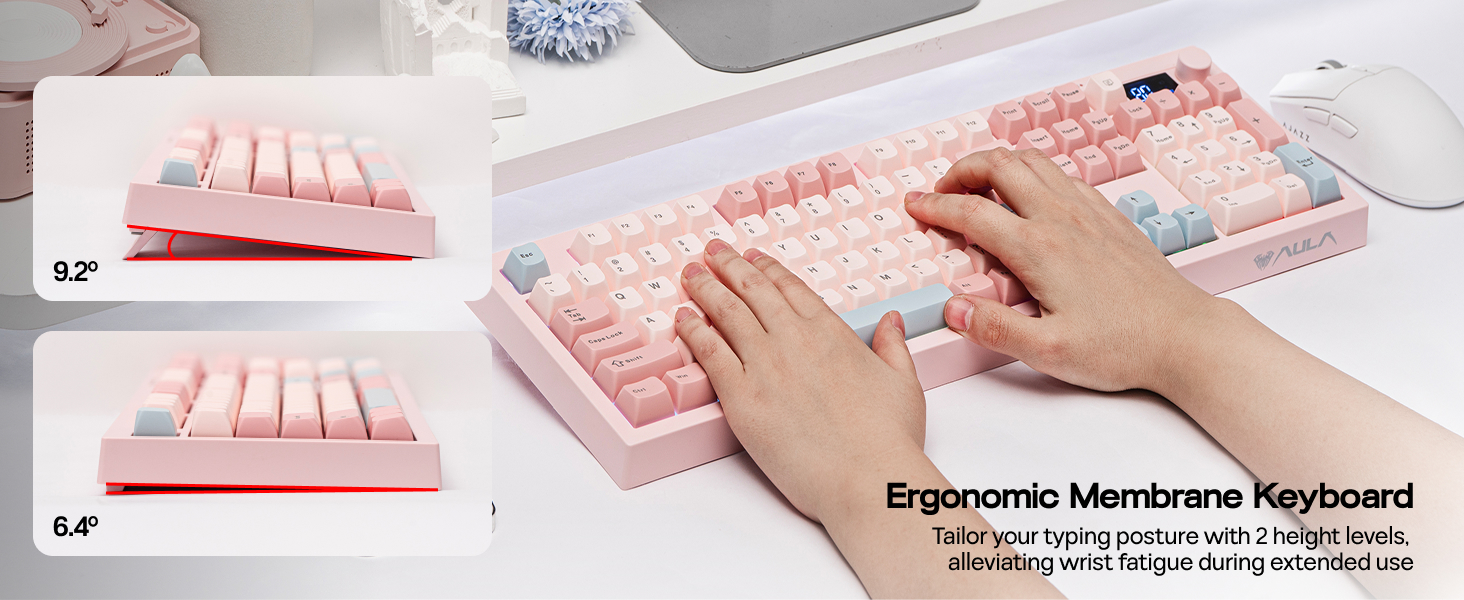
- Creamy Keyboard with Adjustable Height: With a 2cm mid-height front designed to keep your hand in a natural, neutral position for all-day coding or gaming marathon, the S102 PRO ergonomic keyboard features the sculpted, tiered Cherry profile that mirrors the natural curve of finger movement for strain-free comfort. The adjustable kickstands, offering 3 typing angles, allows you to find the perfect incline for your specific desk height or setup
- RGB Backlit Gaming Keyboard: With stunning dynamic RGB backlight, the S102 PRO gaming keyboard provides the perfect "vibe" for midnight gaming sessions. The smooth transitions and rhythmic RGB effects of S102 PRO, adjustable in brightness and colors, turns a simple desk into a professional battle station, while the gaming mode (FN+W) turns the ASDW keys into arrow keys for convenient left-hand control


| SKU: | B0GGRR6ZB4 |
| Dimensions: | 40L x 14.5W x 2H centimetres |
| Brand: | EPOMAKER |
| Model: | S102 PRO |
| Colour: | Pink |
| Manufacture: | EPOMAKER |
| Colour: | Pink |
| Origin: | China |
Product Description
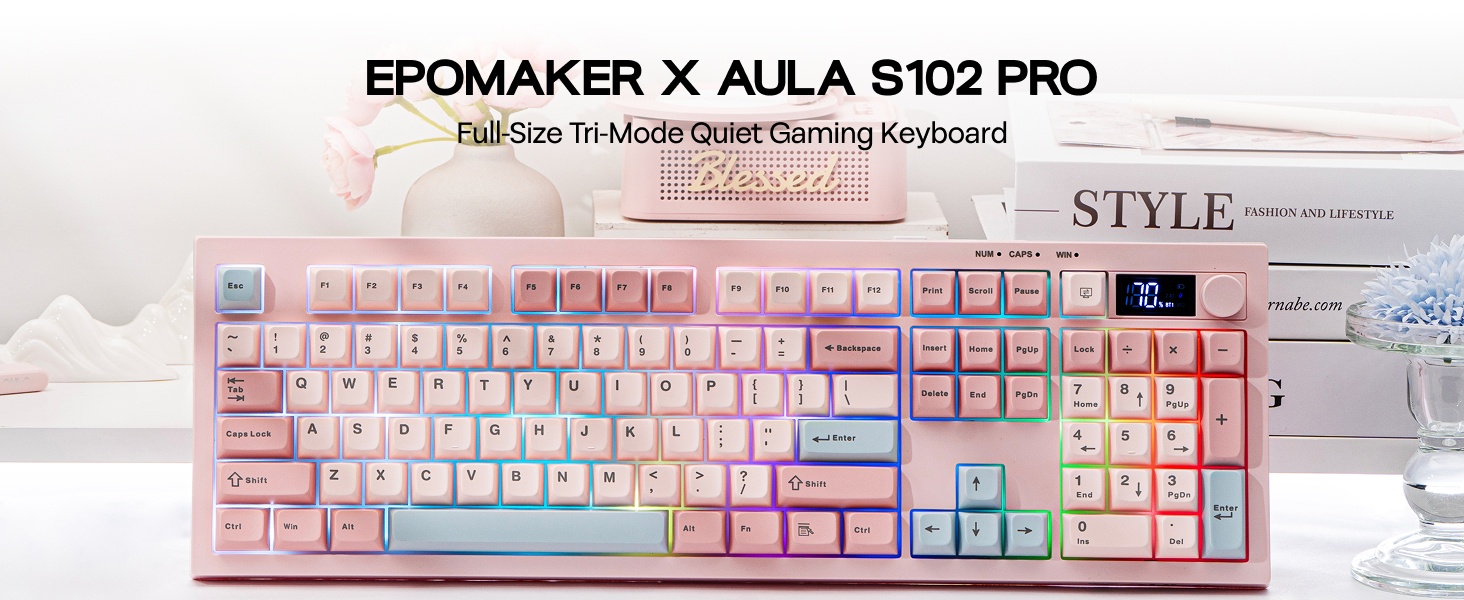
←Tri-Mode Connection – Battery – PC/MAC Compatible – Size & Weight→
- The video showcases the product in use.The video guides you through product setup.The video compares multiple products.The video shows the product being unpacked.
S102PRO Gaming Keyboard
Merchant videoTri-mode Connection
USB-C Wired/2.4Ghz Wireless/BT1/BT2
The S102 PRO gaming keyboard supports Mac/Win (FN+A/S) and 3 connection modes: 2.4Ghz wireless (FN+3) for late-night PC gaming, BT (FN+1/2) for seamless switching between 2 paired devices, and USB A-to-C for instant out-of-the-box plug-and-play.
- Tips: If WIN Key stopped working, use FN+WIN to en/disable it. If WIN/Alt swapped places, use the WIN/Mac switch besides USB port to swap OS Mode.

Large 2000mAh Battery
Rechargeable battery with 150H playtime
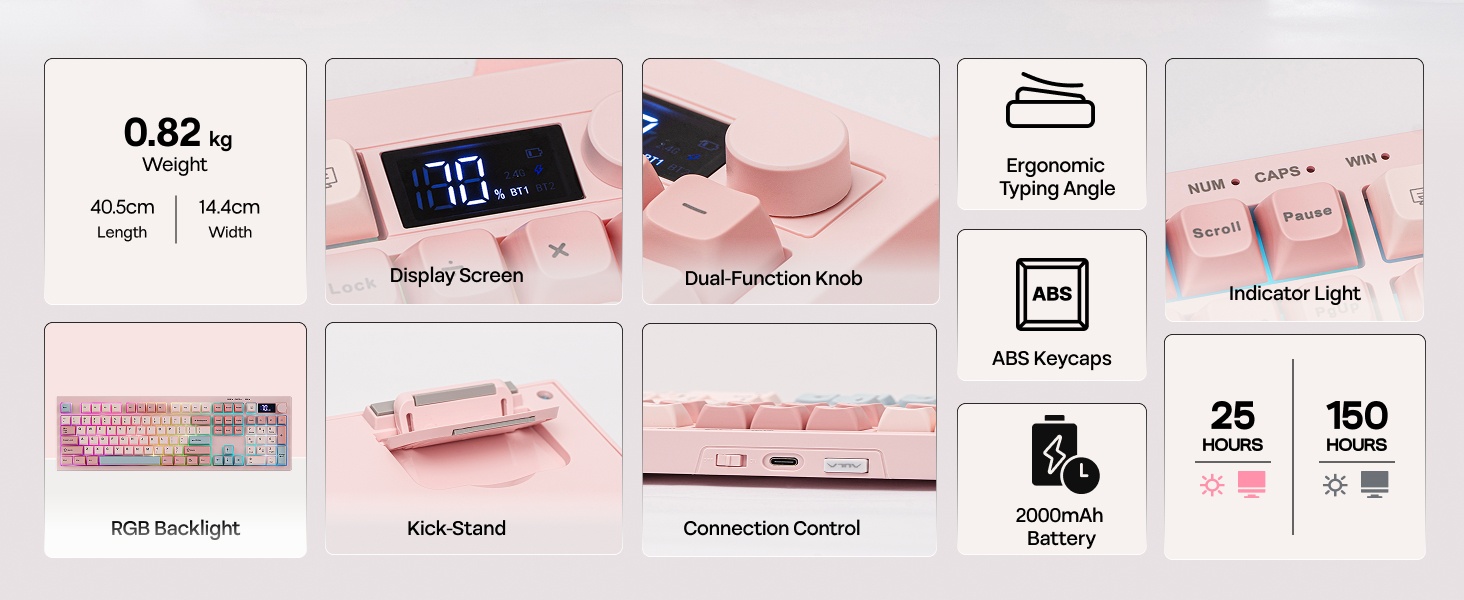
The S102 PRO rechargeable keyboard features a 2000mAh high-capacity battery with low power consumption and extended endurance, delivering up to 150 hours of use (backlight off) and 25 hours (backlight on) on a single charge.
Tips: This keyboard charges when plugged in – always use a computer USB port for charging; direct power adapter use may damage the battery.
100% Full Size Layout
105 Keys + Screen + Knob
The S102 PRO full-size keyboard comes with an integrated numeric keypad, intuitive display and dual-function rotary knobs. The numeric keypad boosts efficiency for financial tasks, the display clearly shows battery level, charging status and keyboard connection mode, and the dual knobs offer easy control of volume, multimedia playback and backlight settings.
Experience Whisper-Quiet Typing with Silent Membrane Keyboard
Enjoy a peaceful typing experience with the S102 PRO silent membrane keyboard. Perfect for shared workspaces or late-night productivity sessions, this feature ensures your keystrokes won't disturb those around you. Combine comfort and consideration in one sleek design.
←Dynamic Lights – Dual Function Knob→
Backlight & Indicator Light
Dynamic RGB Backlight
Upgrade to the S102 PRO Creamy Keyboard and effortlessly boost your office productivity. It boasts a rich selection of pre-set dynamic RGB lighting effects, from gentle breathing modes to eye-catching flowing gradients—each carefully calibrated. Brightness can be freely adjusted via the top knob or key combinations.
- Turn On/Off Backlit: FN+Backspace.
- Toggle Backlight Effect: FN+Enter. Backlight Color: FN+|
- Backlight Brightness/Speed: FN+↑↓←→
S102PRO Gaming Keyboard
Merchant videoDual-Function Knob
Multimedia Control & Backlight Adjustment
S102 PRO full-size keyboard with a built-in screen and control knob comes with an integrated numeric keypad, greatly boosting office efficiency. The dual-function volume knob supports volume adjustment, mute control, and backlight switching, while the screen displays key information in real time, including battery level and keyboard connection status.
- Knob Function: Volume & Backlight Control (Knob to Swap)
Does it have programmable keys?
The S102 PRO keyboard is not equipped with dedicated software, so custom key functions, macro settings, and personalized backlight customization are not supported.
Is this keyboard noisy while typing?
The S102 PRO membrane keyboard offers an ultra-quiet, comfortable typing experience, perfect for offices and shared working spaces.
Does the backlight remain on continuously?
No. In wireless mode, the backlight will automatically turn off after 6 minutes of inactivity, and the keyboard will enter power-saving mode (light sleep after 6 minutes, deep sleep after 30 minutes). Press any key to wake the keyboard.
How is the battery level displayed?
The battery level is shown in 10% increments. Please note that the displayed percentage is not fully accurate, with a typical deviation of around 10%.
How to wake up the keyboard from sleep mode?
Please press any key twice in succession to wake the keyboard.