AURSINC MMDVM Duplex Hotspot Spot Radio Station WiFi Digital
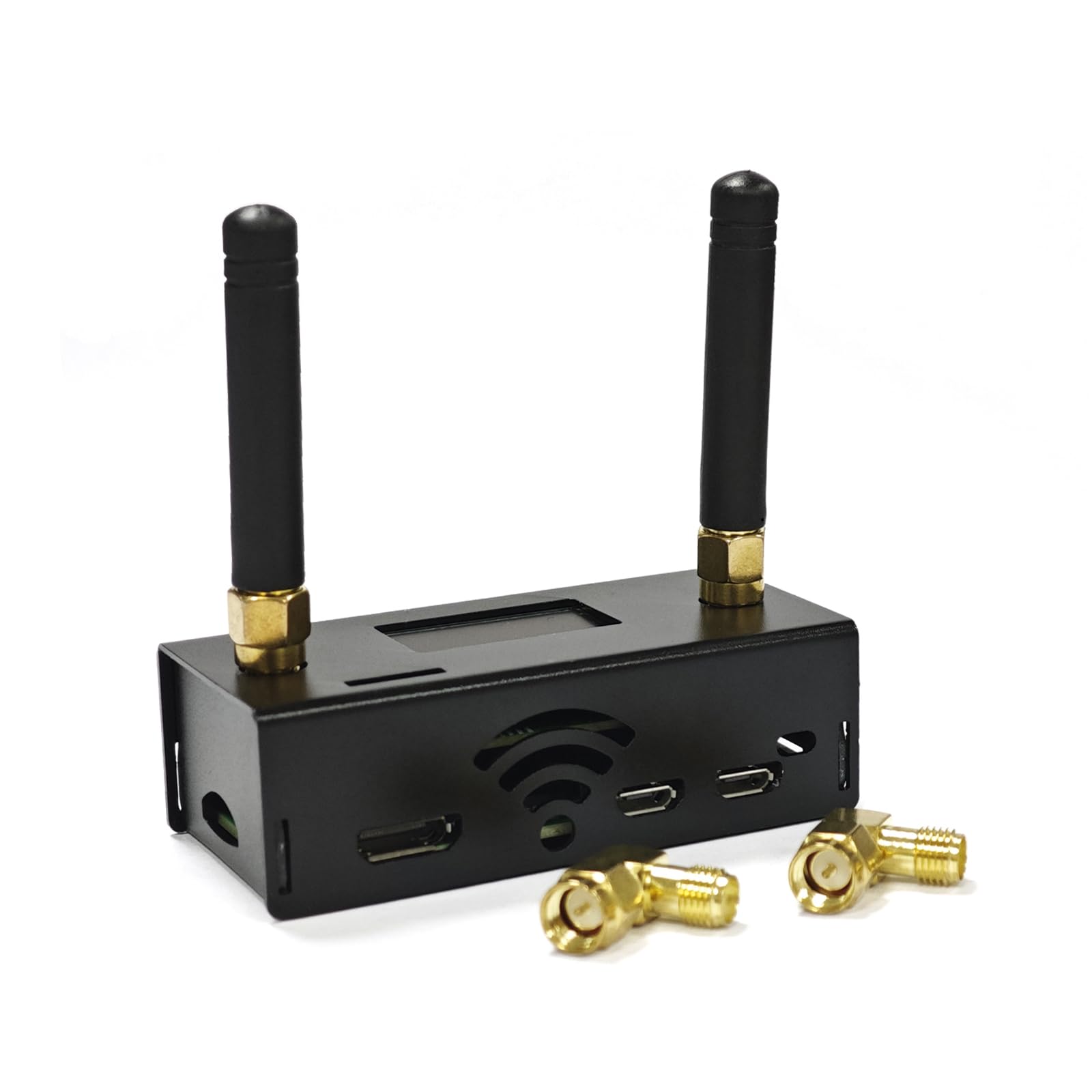
AURSINC MMDVM Duplex Hotspot Spot Radio Station WiFi Digital Voice Modem Work Contained with Raspberry Pi Zero 2W, Supports C4FM YSF POCSAG NXDN DSTAR P25 DMR, Pi-Star/WPSD, 2025 Upgraded
AURSINC MMDVM Duplex Hotspot Radio Stationa – for stable, high-performance amateur radio digital voice communication!
Built with the Raspberry Pi Zero 2W, this upgraded duplex model delivers faster data processing, lag-free WiFi connectivity, and unmatched operational stability, outperforming single-band alternatives.
Designed for both beginners and seasoned hams, setup is a breeze. We’ve pre-loaded the Pi-Star software on the included TF card, so you can skip tedious downloads and get started in minutes.
Dual-band support : it covers UHF (433-900MHz) and VHF (144-146MHz) bands, including key frequencies like 144-148MHz, 420-475MHz, and 842-950MHz, with the 430-440MHz amateur band optimized for the best signal quality. The upgraded duplex design simplifies configuration too—TX and RX offsets are default 0, eliminating complex parameter adjustments.
Versatility: This hotspot works seamlessly with 6 major digital voice protocols (C4FM, YSF, NXDN, D-STAR, P25, DMR), adapting to your specific communication needs. Whether you’re communicating locally or linking to global networks, it’s got you covered. Please note it’s not compatible with Baofeng UV/BF series radios.
The WiFi connection is tailored for reliability: just ensure you’re on a 2.4GHz network (WPA password required), power on, and wait 2 minutes for auto-connection—then access the intuitive web configuration page at pi-star/admin/configure.php to customize settings.
Onboard LED indicators let you quickly check transmit/receive status, PTT activation, and operating mode at a glance. The pre-loaded firmware supports one-click software upgrades, and the dual Pi-Star control modes (Duplex/Simple) let you switch based on your skill level.
Upgrade the firmware: Press and hold the BOOT button to power on the device. Or press and hold the BOOT button at any time, then press the RST button briefly and release it. When the SVC light goes off, the device enters the upgrade mode (Access path: pi-star / Expert / SSH Access; Username: pi-star; Password: radpberry). You can execute the upgrade command directly without setting jumpers. (Execute in the Pi-star terminal): sudo pistar-mmdvmhshatflash hs_dual_hat.
Quality you can trust: every unit undergoes comprehensive testing, featuring a 32-bit ARM processor and reliable RF performance. To verify signal transmission/reception, visit m7spi.co. uk/mmdvmcal/ for testing tools. If you encounter network connection issues or have any questions, our support team is ready to assist—your satisfaction is our top priority.
- Dual-Band Support: Upgraded duplex design: TX (Transmit) and RX (Receive) are default 0, no need to set offsets. Covers UHF band 433-900MHz and VHF band 144-146MHz (including 144-148, 219-225, 420-475, 842-950MHz), ideal for 430-440MHz amateur band. Supports Pi-Star control modes: Duplex/Simple
- Effortless Setup: Note: Equipped with Raspberry Pi Zero 2W for faster processing, smoother WiFi, and enhanced stability. Pi-Star software is preloaded on TF card—no repeated downloads. Onboard LED indicators show real-time status (Tx/Rx/PTT/operating mode). For continuous screen display, select "OLED Type 3" in Pi-Star "Display Type" and set port to "Modem"
- Compatibility: Supports C4FM, YSF, NXDN, D-STAR, P25, and DMR protocols, defaulting to UHF work. Please note: Not compatible with Baofeng UV series (UV-5R, 5R+, 5R Plus) and BF series (RD-5R, 5X). Our test was done in DMR mode; adjust working mode parameters as needed for other modes.
- WiFi Connection: Pi Zero 2W only supports 2.4GHz WiFi SSID (5.8GHz not supported). Ensure WiFi password type is WPA (not WEP). Power on the hotspot for 2 minutes to auto-connect to your router. After power-on, access the configuration page via pi-star/admin/configure.php
- Upgrade Mode Operation: Press and hold the BOOT button to power on the device. Or press and hold the BOOT button at any time, then press the RST button briefly and release it. When the SVC light goes off, the device enters the upgrade mode (Access path: pi-star / Expert / SSH Access; Username: pi-star; Password: radpberry). You can execute the upgrade command directly without setting jumpers. (Execute in the Pi-star terminal): sudo pistar-mmdvmhshatflash hs_dual_hat
| SKU: | B0GJSF35DJ |
| Brand: | AURSINC |
| Manufacture: | AURSINC |
| Origin: | China |