FPCBP424 Laptop Battery Compatible with Fujitsu LifeBook
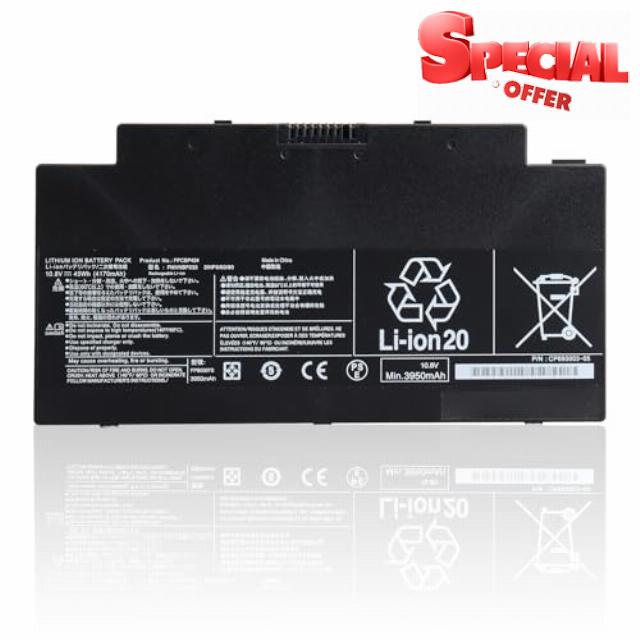
FPCBP424 Laptop Battery Compatible with Fujitsu LifeBook A3510 A3511 A556 A556/G AH556 AH77/S AH77/M U536 Series, Laptop Battery for FPB0307S FMVNBP233 FMVWMA2B77 FMVA77MB
Welcome to OPAHUTER Laptop Battery Store!
OPAHUTER are a manufacturer specializing invarious high-quality laptop batteriesandtablet batteries. We aim to supplyhigher qualityandlonger lasting time batteries, which would simplify our life from complicacy. This is our value serves for everyone.
And our team has strict product quality standards, and each battery will be strictly tested before we send. We aim to provide products of great value for our customers and give you a longer life battery.
| Battery type: | Rechargeable lithium-ion battery. 100% new from the manufacturer. |
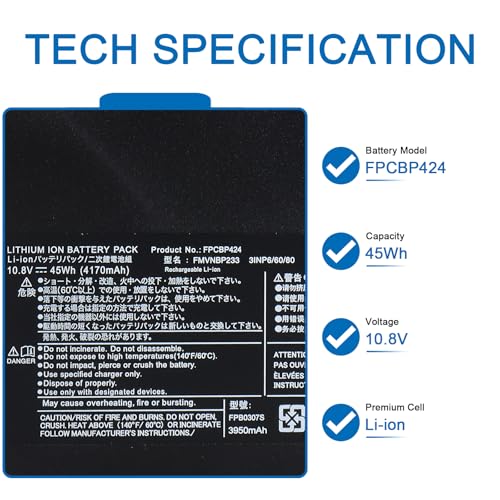
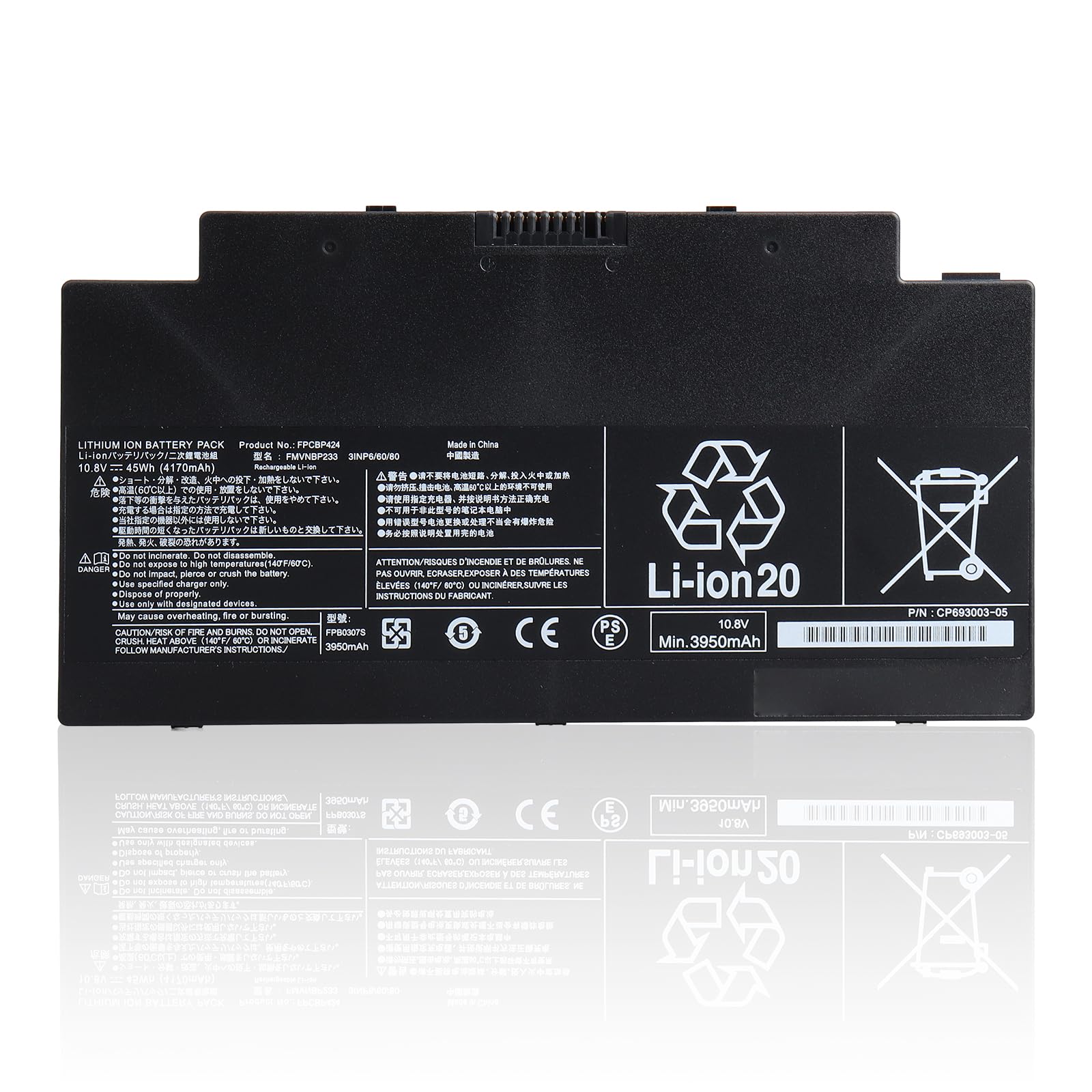
| Battery model: | FPCBP424 |
| Voltage: | 10.8V |
| Capacity: | 45Wh |
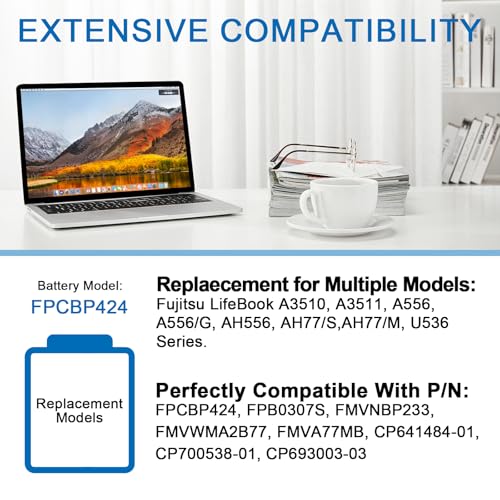
| Compatible with P/N: | FPCBP424, FPB0307S, FMVNBP233, FMVWMA2B77, FMVA77MB, CP641484-01, CP700538-01, CP693003-03 |
Compatible with multiple models
- Compatible with Fujitsu LifeBook A3510 Serie;
- Compatible with Fujitsu LifeBook A3511 Serie;
- Compatible with Fujitsu LifeBook A556 Serie;
- Compatible with Fujitsu LifeBook A556/G Serie;
- Compatible with Fujitsu LifeBook AH556, AH77/S,AH77/M, U536 Serie.
Safety and Durability
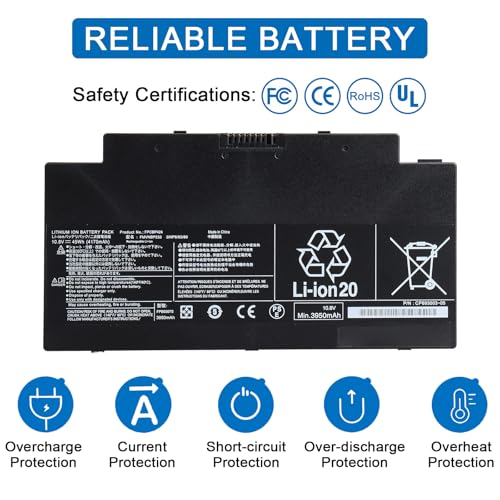
All OPAHUTER products are certified by UL / CE / FCC / RoHS for safety. Every one of our replacement notebook batteries are tested to meet or exeed OEM specifications.
Incorporated Grade A OPAHUTER battery cells to ensure longer battery life, durability, and lower power consumption. All of our batteries offer 500+ recharge cycles over life of batter.
How to get the right battery?
Find the rightlaptopmodel:
Step 1: Press the key,‘windows’ + ‘R’
Step 2: Type‘msinfo32’, then click the button ‘ok’
Step 3: Check ‘System Model’ in the pop up window
Find the rightbatterymodel:
Step 1: Switch off the laptop and unplug the power cable.
Step 2: Remove the back panel with the screwdriver. You should do this careful avoiding any harm to the laptop components.
Step 3: Disconnect the cable connected to the battery. Then you can check the part number or the model name on battery.
How to use battery for the first time?
1. Discharge the new battery use to 5%(not to 0%) and then charge to 95%, and cycle 3-7 times.
2. Do not disassemble, crush or puncture. Do not dispose of in fire or water.
3. If you remove the battery for a long time, charge more than 80% at least one time within one month.
4. Don't connect the adapter for a long time while using the battery. It may damage the battery.
5. When using the battery, should be taken to prevent exposure and moisture.
- 【Advanced lithium-ion battery】Battery voltage: 10.8V; Capacity: 45Wh; Battery type: Lithium-ion. Please fully charge and discharge this battery at least three times to maximize battery performance.
- 【Compatible with multiple models】Compatible with Fujitsu LifeBook A3510, A3511, A556, A556/G, AH556, AH77/S,AH77/M, U536 Series.
- 【Perfectly compatible with P/N】FPCBP424, FPB0307S, FMVNBP233, FMVWMA2B77, FMVA77MB, CP641484-01, CP700538-01, CP693003-03
- 【Reliable and certified】Class A batteries can be recharged up to 500 times during their lifetime. Ensure low power consumption and fast charging. Rest assured with our CE-certified, FCC-certified, and ROHS-certified replacement batteries, which feature advanced lithium electronic technology for safer and more comprehensive protection. Strict compatibility guidelines and quality control standards.
- 【High customer service】We offer friendly customer service around the clock. If you have any questions, please contact us via Amazon message, and we'll offer you a 30-day refund or exchange.
| SKU: | B0GVYJNX6Z |
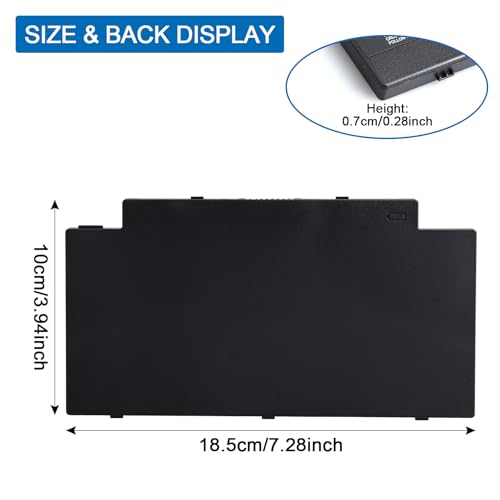
| Dimensions: | 18.5 x 10 x 0.7 centimetres |
| Brand: | OPAHUTER |
| Model: | FPCBP424 |
| Batteries Included: | Lithium Ion |
| Manufacture: | OPAHUTER |
| Origin: | China |
Product Description

How to use battery for the first time?
1. Discharge the new battery use to 5%(not to 0%) and then charge to 95%, and cycle 3-7 times.
2. Do not disassemble, crush or puncture. Do not dispose of in fire or water.
3. If you remove the battery for a long time, charge more than 80% at least one time within one month.
4. Don't connect the adapter for a long time while using the battery. It may damage the battery.
5. When using the battery, should be taken to prevent exposure and moisture.