Foldable Keyboard and Mouse Combo,Portable Folding Keyboard
Foldable Keyboard and Mouse Combo,Portable Folding Keyboard for Laptop iPad | 2.4G+Dual Bluetooth, Full-Size QWERTY UK Layout, Travel-Ready Kit, Wireless Mouse, Storage Case, USB-C Rechargeable
The video showcases the product in use.The video guides you through product setup.The video compares multiple products.The video shows the product being unpacked.Portable Folding Keyboard & Mouse Set
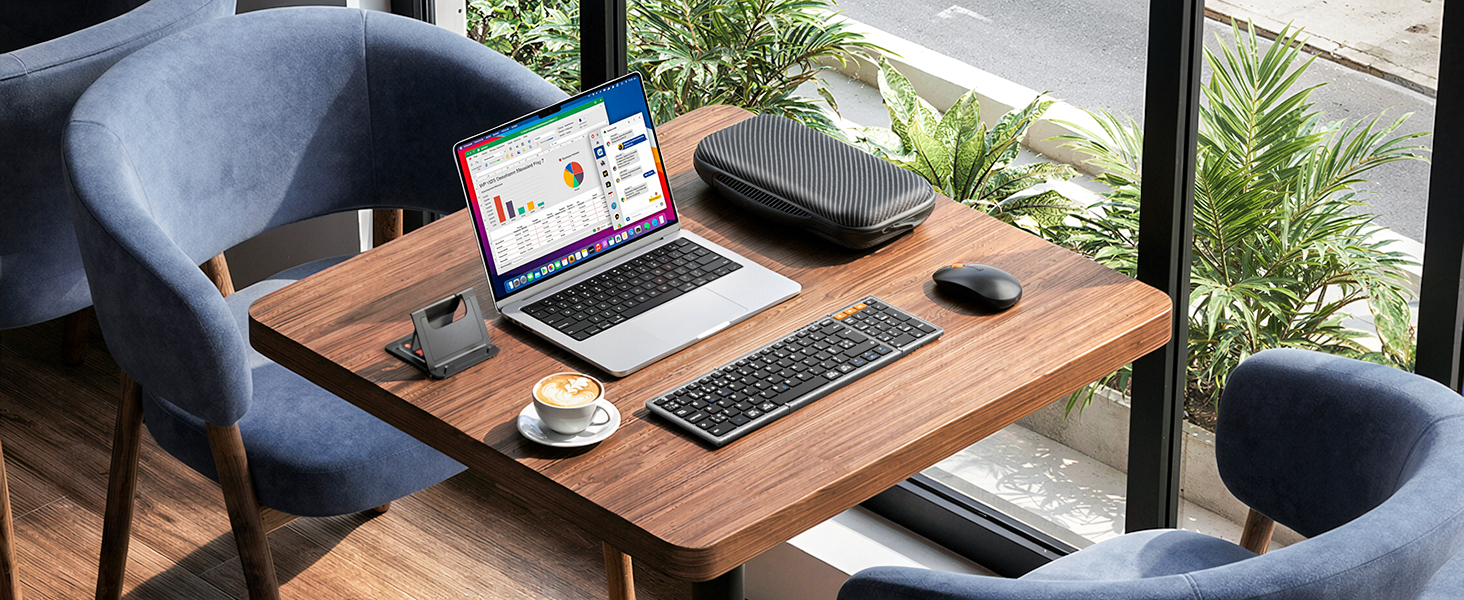
Cafe
Take our foldable keyboard and mouse kit with you, go to your favorite coffee shop, and start working more efficiently!
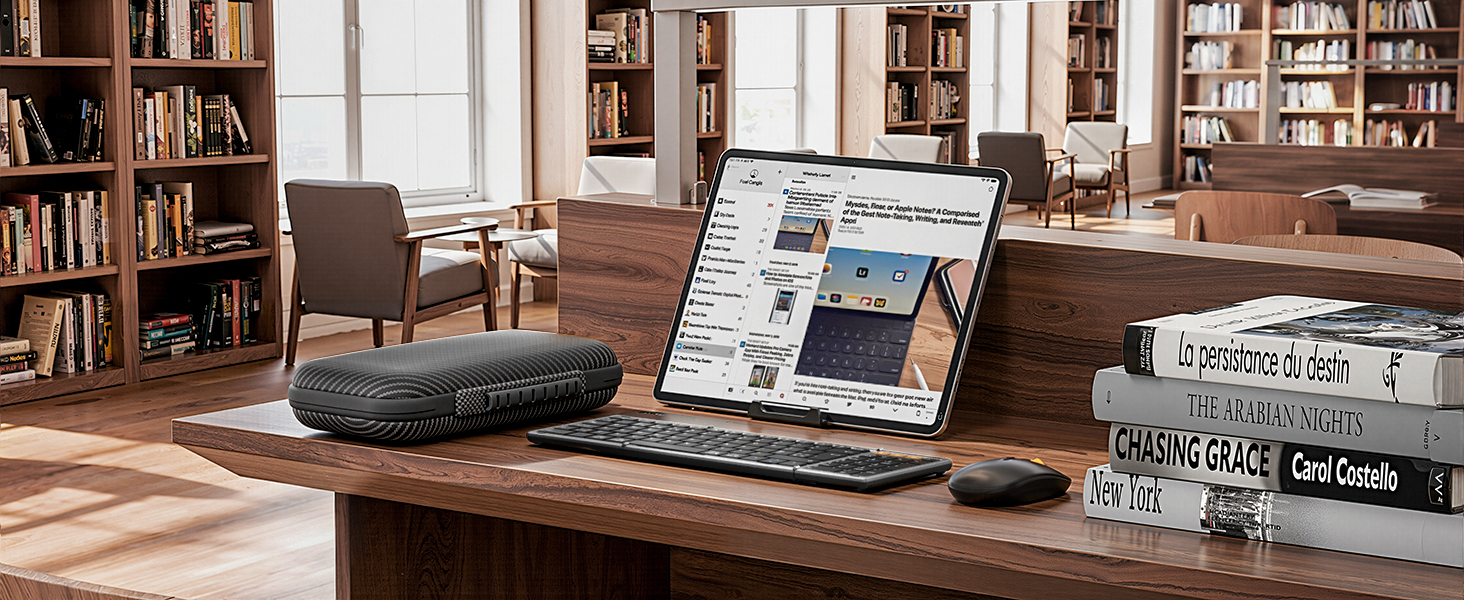
Library
Learn in the quiet corners of the library with our noise-free keyboard and mouse set. Stay focused and never disturb others.
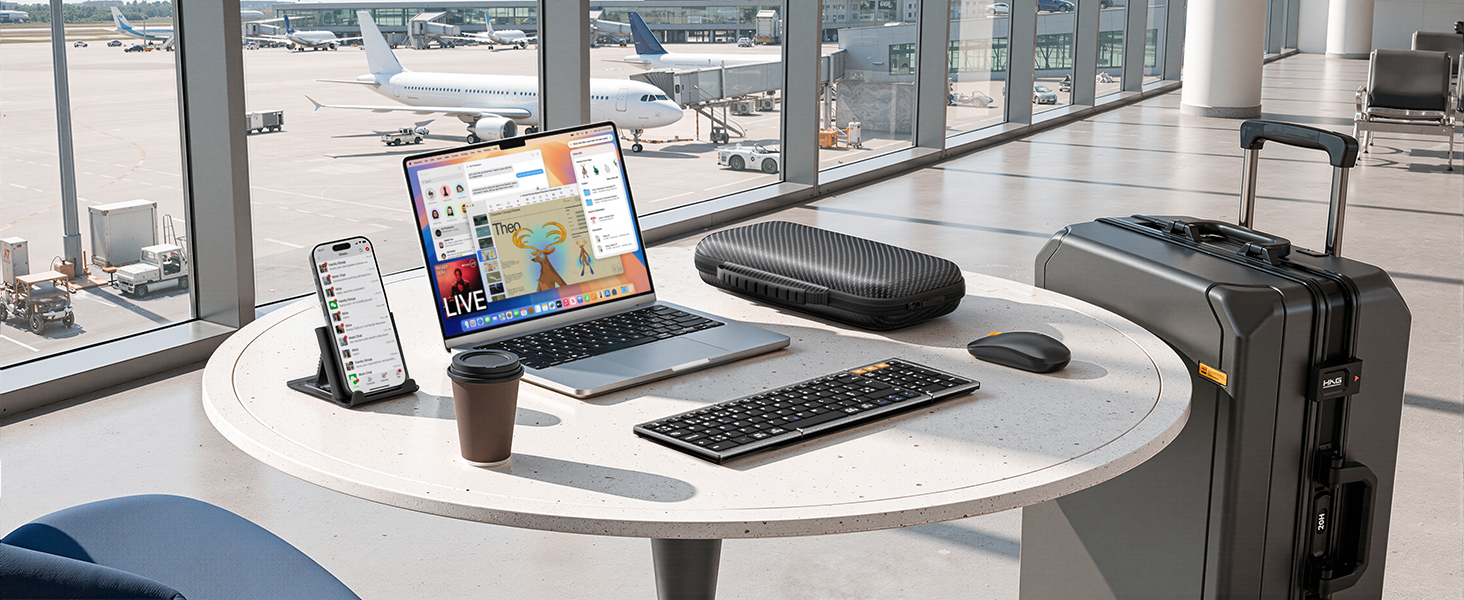
Airport
Never miss any important works when waiting at the airport with our keyboard and mouse combo. Satisfy your on-the-fly productivity needs.
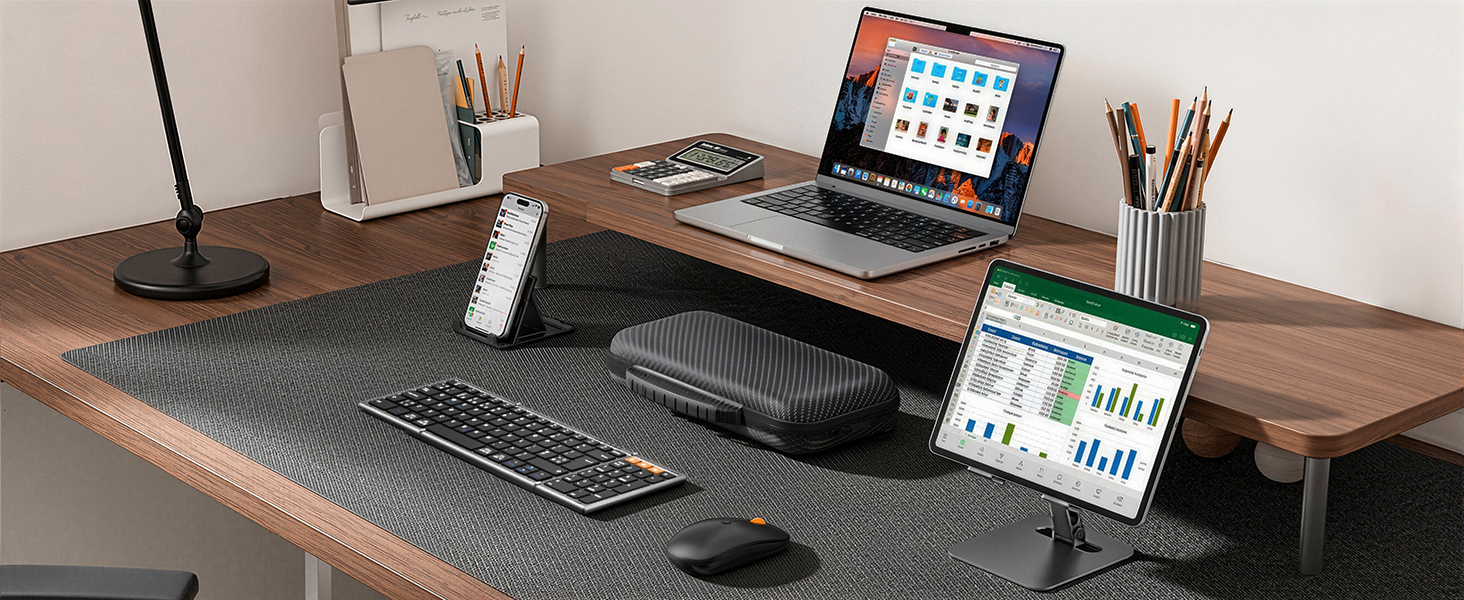
Home
Enhance your work-from-home efficiency in a comfy and stylish way. Fold it up and pack it up easily when you want to enjoy your time.
What should I do if the product has an issue that I can’t solve?
Please check the manual and reach out to MoKo support right away. We're here to help with all our products and customers.
Connection issues? Certain keys not working, typing lag, or keys repeating?
Turn it off and back on. Recharge it if battery is low. Move closer to your device. Check for debris under the keys.
2.4G receive: unplug it and try another USB port. Bluetooth: clear pairing history and pair again. (Bluetooth 5.3 or newer required)
Why can't I connect to my computer using the USB cable?
The included USB cable is for charging only – It doesn’t support data transfer. To connect the keyboard to your computer, use the 2.4G receiver or Bluetooth instead.
Do the keyboard and mouse switch devices at the same time?
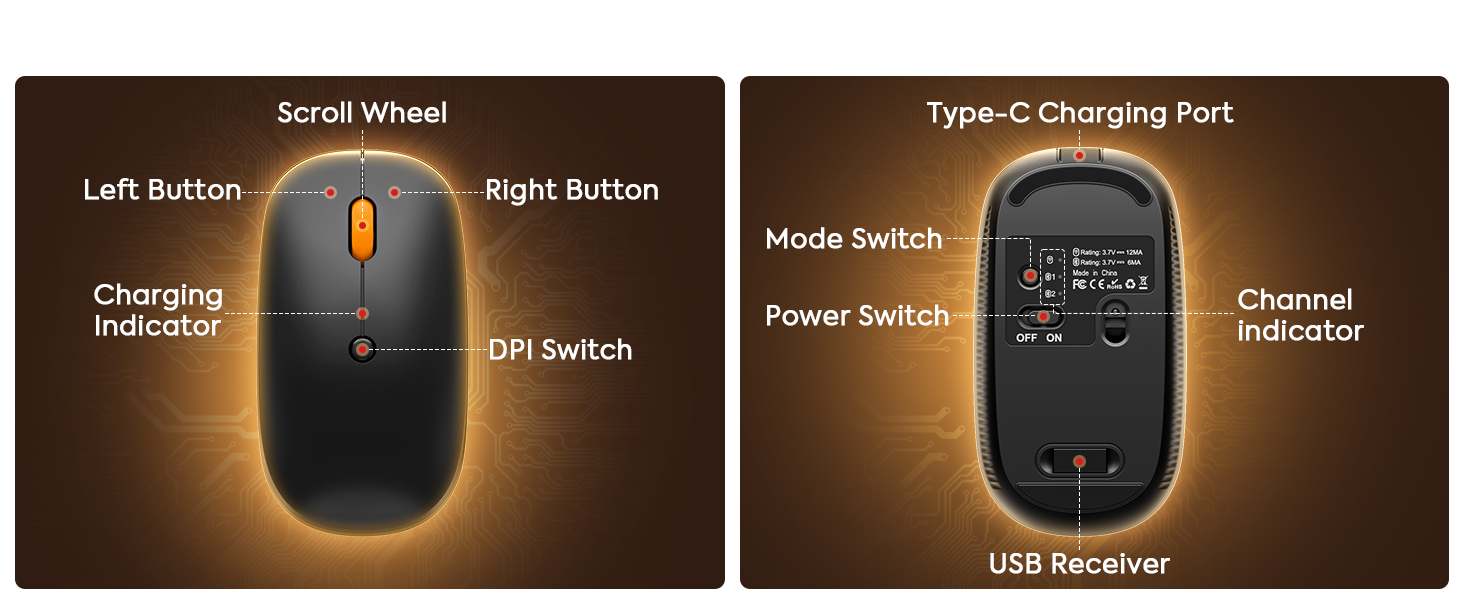
No. The mouse does not switch together with the keyboard. You’ll need to press the mode switch button on the mouse to change it to the desired device.
How do I switch languages on the keyboard?
Press the key combination for the typing language you want to use:
Windows system: Alt + Shift
iOS system: Ctrl + Space
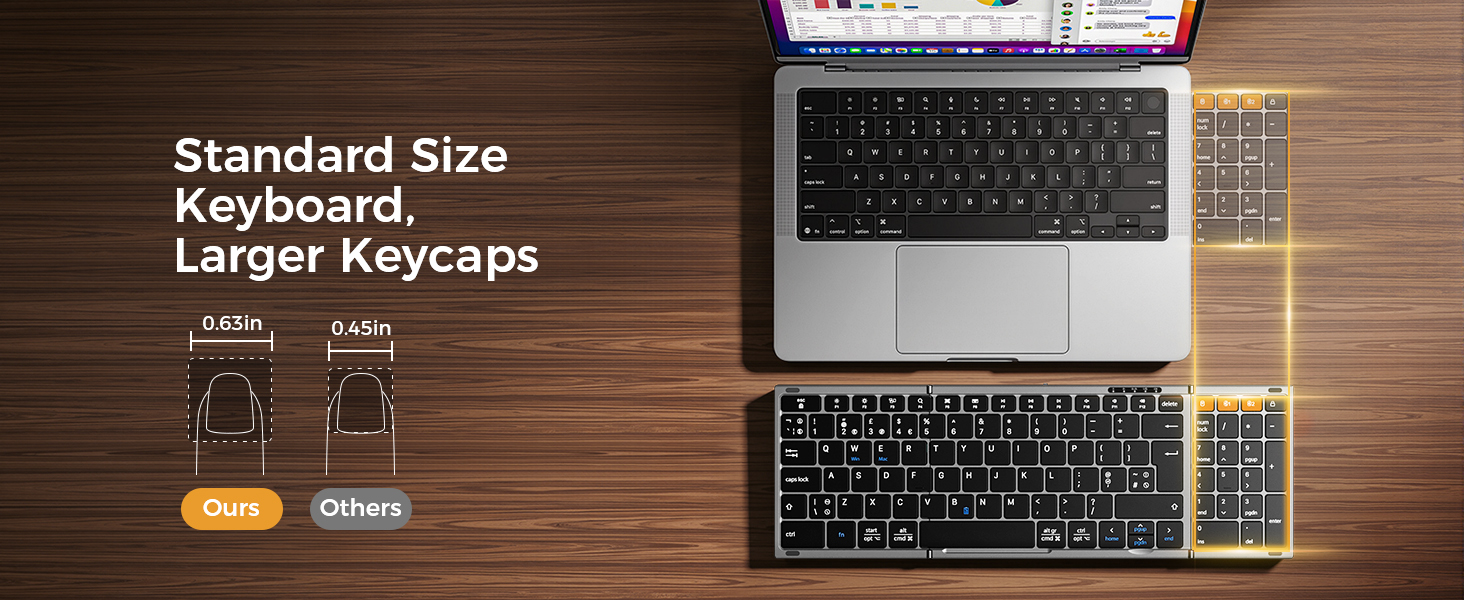
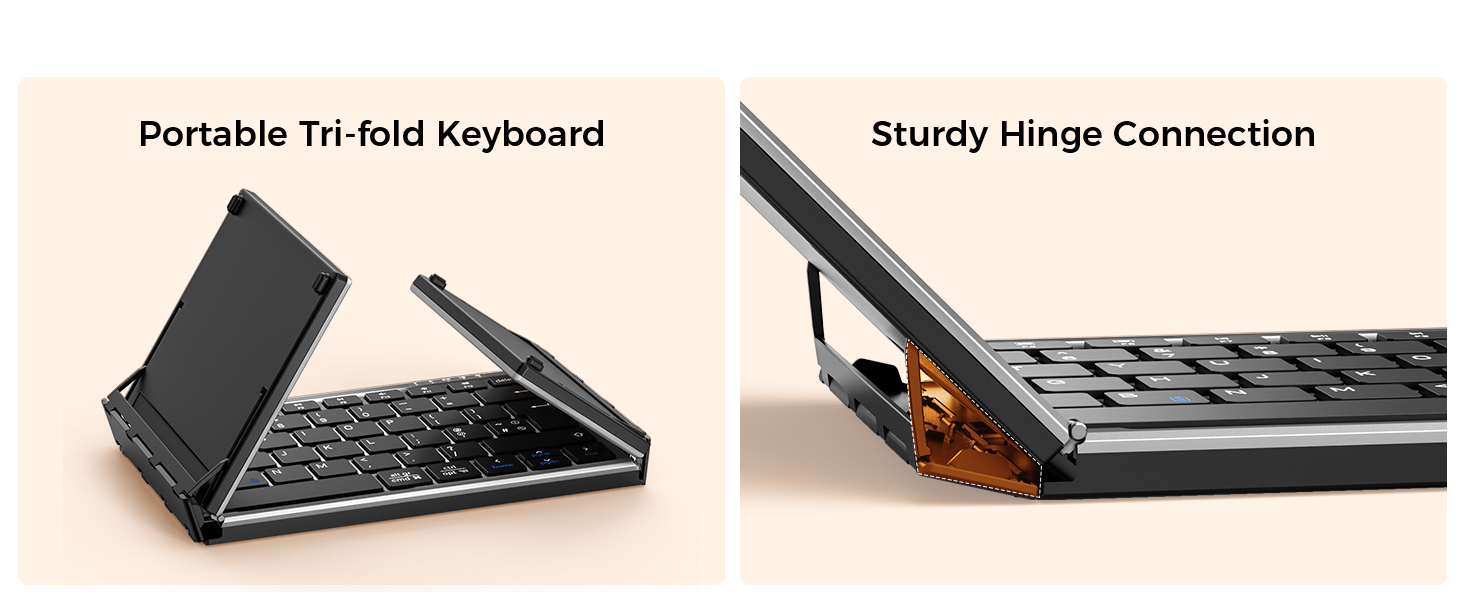
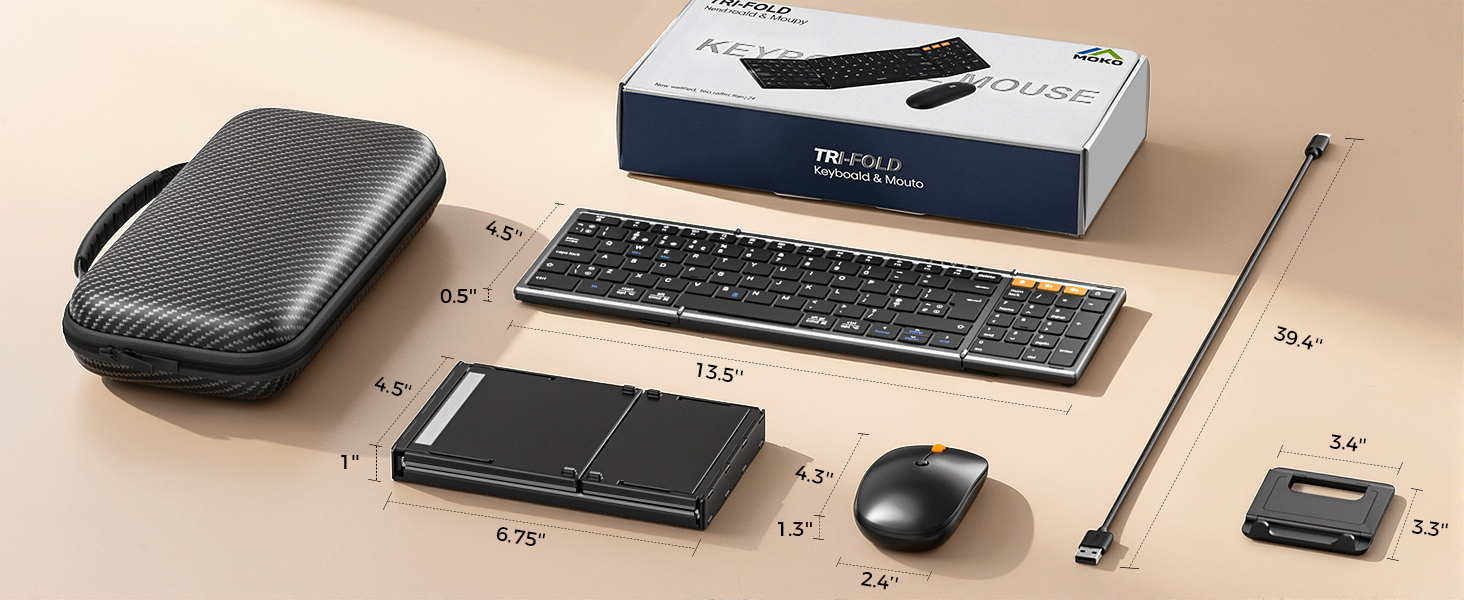
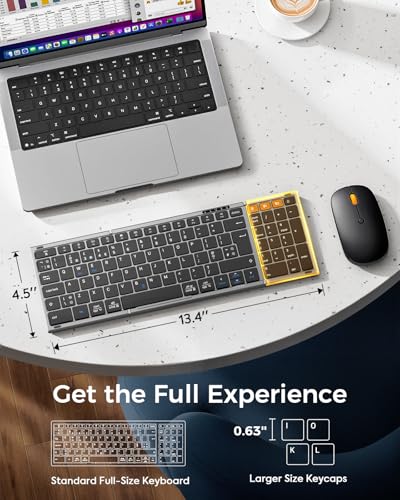
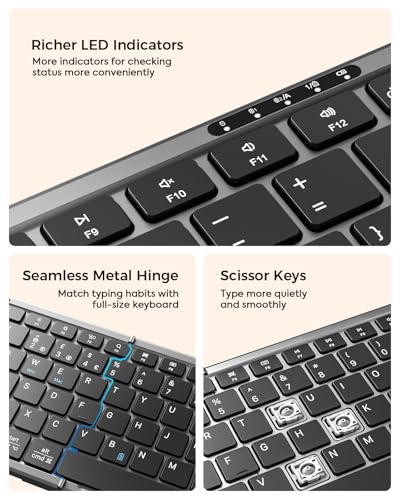
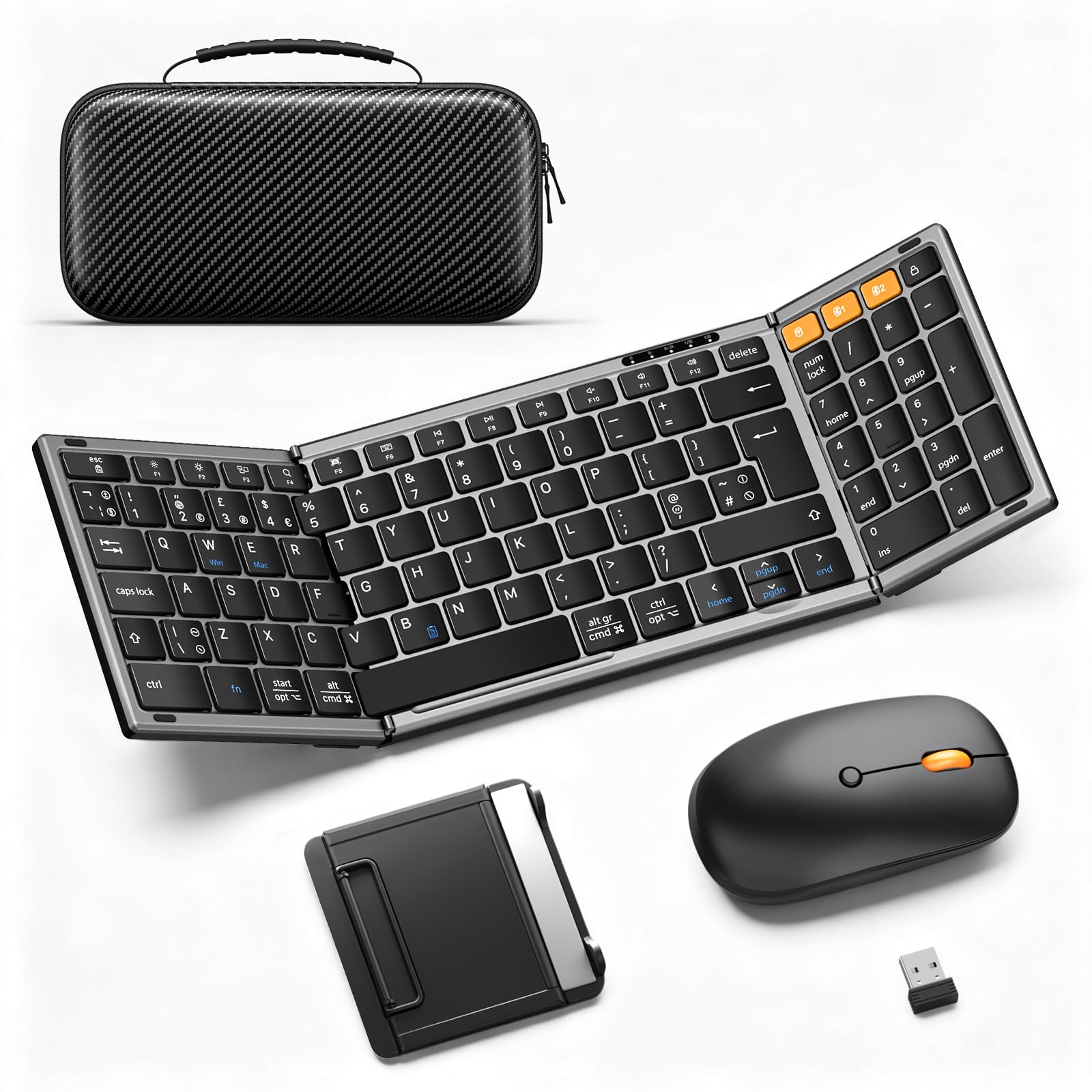
- UK Layout, Full-Size Efficiency: A standard full-size folding keyboard (13.5 x 4.5 in) delivers a true desktop experience with dedicated shortcut keys and a number pad—ideal for effortless data entry and navigation. Designed specifically for UK layout users, so you can settle in and start working right away. The ultra-slim profile and flat, tilt-free surface make it easy to pack, while the fold-and-go design with no locking clips lets you set up or stow it in seconds.
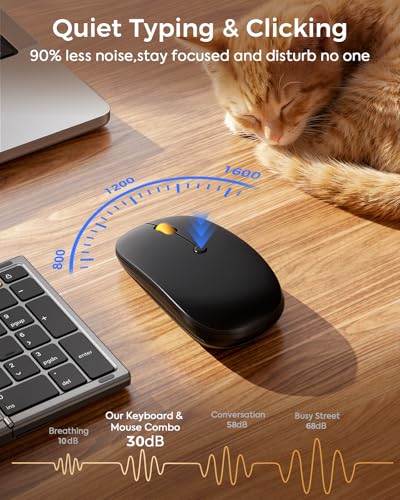
- Palm-Fitting Precise Wireless Mouse: Designed for professionals on the go, this portable mouse fits comfortably in your palm with a contoured shape that feels natural during long work sessions. Three adjustable DPI modes deliver pro-grade precision for any task. Its slim profile slips easily into laptop sleeves or pockets, while 23dB micro-switches keep clicks quiet—so you can stay productive in shared spaces without disturbing others.
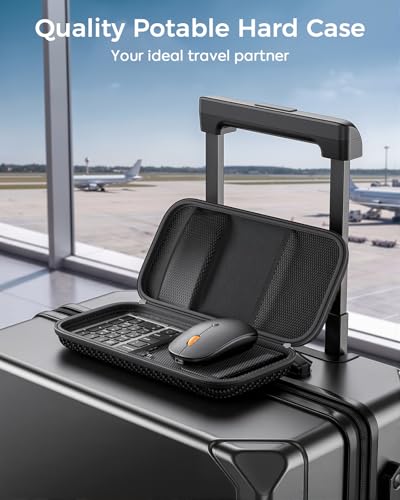
- Portable Case for Great Convenience: MoKo foldable keyboard and mouse kit comes with a hard carrying case (just 21 oz), a foldable stand for 4-11'' iPads/tablets and a charging cable! Everything stays neatly organized, giving you maximum convenience in a compact, lightweight package. Not just a keyboard set—it’s a complete travel solution.
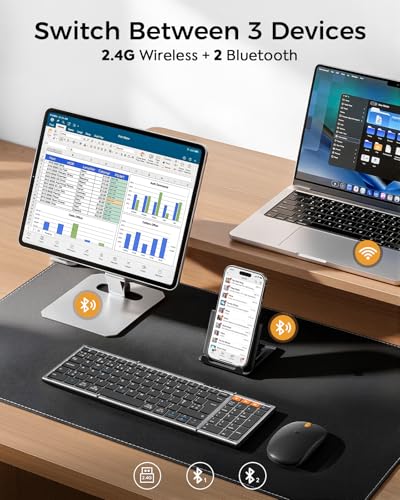
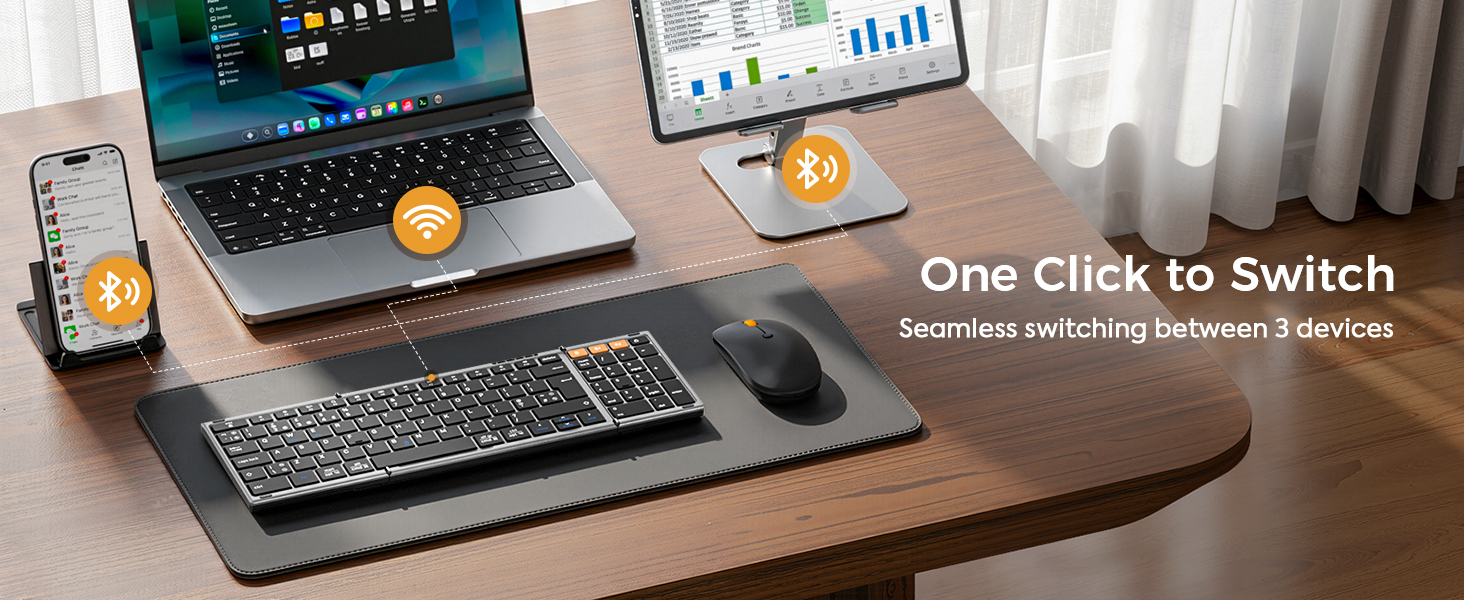
- Seamless 3-Device Connectivity: MoKo folding Bluetooth keyboard combo seamlessly connects up to three devices at once using dual Bluetooth 5.0 and a 2.4G USB receiver. Switch between your laptop, tablet, and phone with a single click—no re-pairing, no delays. Compatible with Windows, MacOS, iOS or Android, it's built for hybrid workflows where you need to stay productive across devices without missing a beat. Note: The mouse comes with a Type A USB dongle, not a Type C.
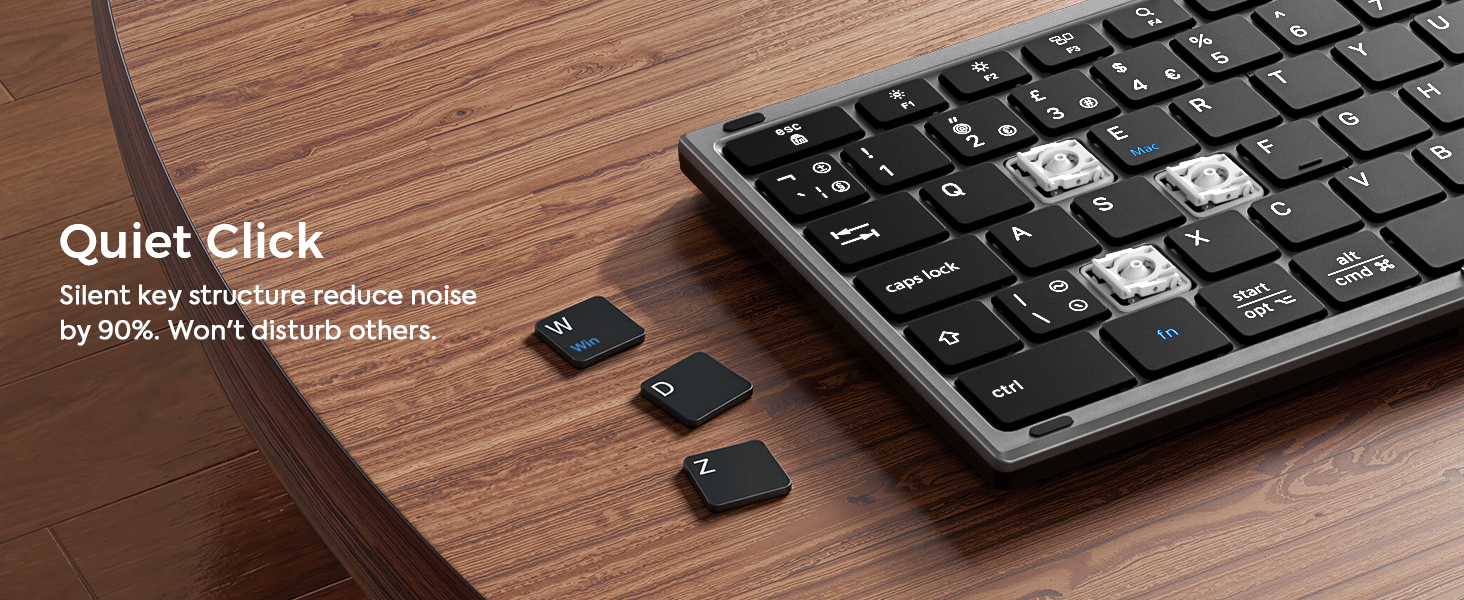
- Quiet Typing and Click: This travel Bluetooth keyboard features whisper-quiet scissor switches and low-profile keys, paired with a noise-reducing mouse that ensures every keystroke and click stays quiet. The non-slip PU leather base stays put, and the seamless metal hinge gives you a full-size layout that feels just like home. Whether you're at a café, in a shared office or on the go, you get up to 50% better focus—and no one nearby will even know you're working.
- Rechargeable & Power Saving: The portable keyboard has a built-in rechargeable lithium battery that can be recharged repeatedly. It takes just 2–3 hours to fully charge, and the standby time lasts up to 90–120 days. The keyboard enters sleep mode after 10 minutes of inactivity to conserve power. (Please don't use a fast charger to protect the battery.)


| SKU: | B0GV3PNQ8F |
| Brand: | MoKo |
| Colour: | Gray |
| Manufacture: | MoKo |
| Colour: | Gray |
| Origin: | China |
Product Description
Portable Folding Keyboard & Mouse Set
-

Cafe
Take our foldable keyboard and mouse kit with you, go to your favorite coffee shop, and start working more efficiently!
-
Library
Learn in the quiet corners of the library with our noise-free keyboard and mouse set. Stay focused and never disturb others.
-
Airport
Never miss any important works when waiting at the airport with our keyboard and mouse combo. Satisfy your on-the-fly productivity needs.
-
Home
Enhance your work-from-home efficiency in a comfy and stylish way. Fold it up and pack it up easily when you want to enjoy your time.
-
What should I do if the product has an issue that I can’t solve?
Please check the manual and reach out to MoKo support right away. We're here to help with all our products and customers.
-
Connection issues? Certain keys not working, typing lag, or keys repeating?
Turn it off and back on. Recharge it if battery is low. Move closer to your device. Check for debris under the keys.
2.4G receive: unplug it and try another USB port. Bluetooth: clear pairing history and pair again. (Bluetooth 5.3 or newer required)
-
Why can't I connect to my computer using the USB cable?
The included USB cable is for charging only – It doesn’t support data transfer. To connect the keyboard to your computer, use the 2.4G receiver or Bluetooth instead.
-
Do the keyboard and mouse switch devices at the same time?
No. The mouse does not switch together with the keyboard. You’ll need to press the mode switch button on the mouse to change it to the desired device.
-
How do I switch languages on the keyboard?
Press the key combination for the typing language you want to use:
Windows system: Alt + Shift
iOS system: Ctrl + Space