TESmart DisplayPort KVM Switch 4 Computers 2 Monitors
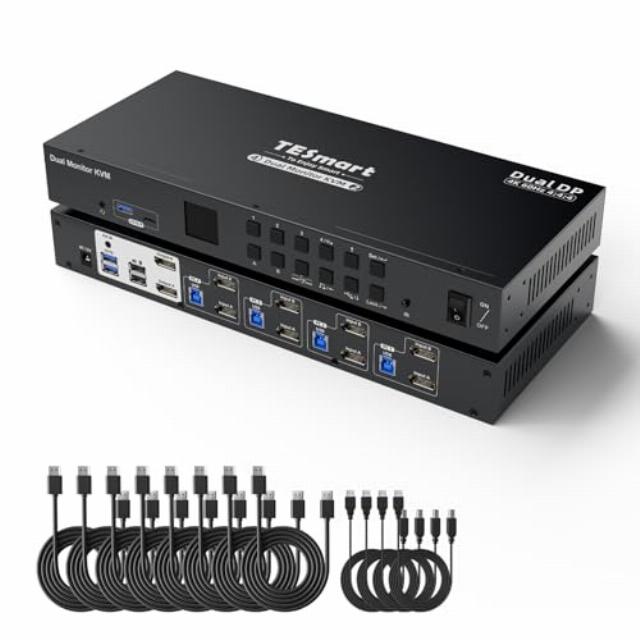
TESmart DisplayPort KVM Switch 4 Computers 2 Monitors 4K@60Hz, Dual Monitor KVM Switch for Home Office&Gaming, Support USB 3.0 | EDID emulators | Audio Output, Hotkey Switch, with All Input Cables
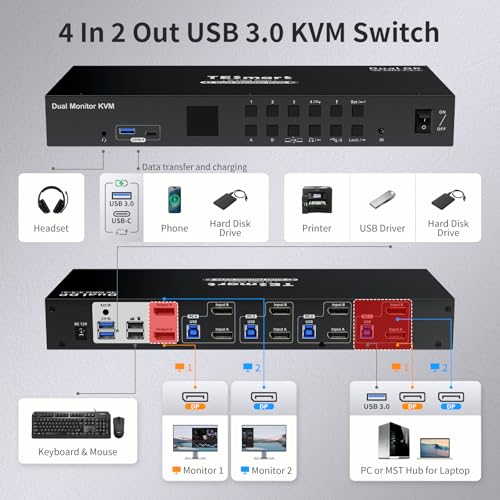
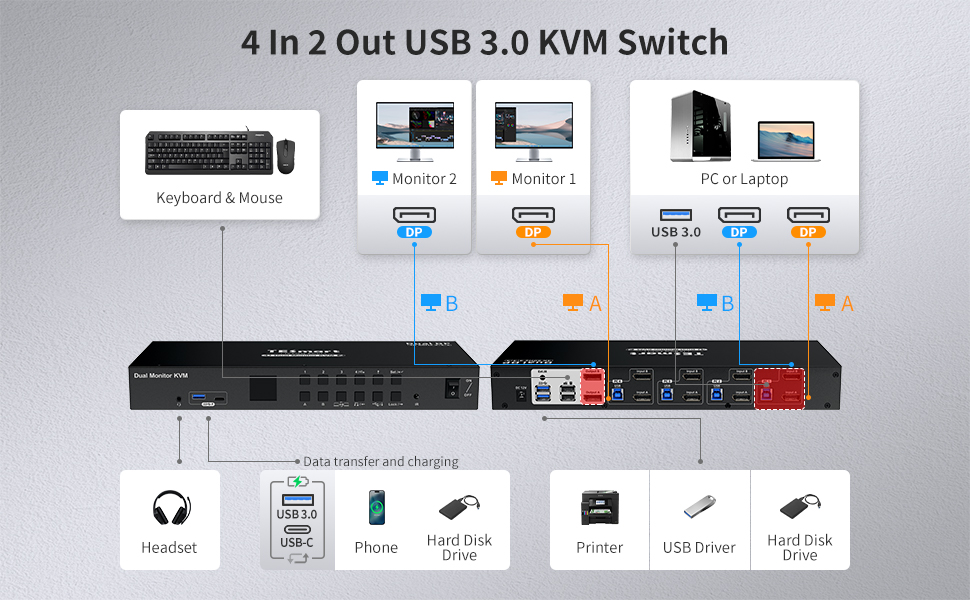
USB3.0 2 Monitors 4 Computers KVM Switch
USB3.0 Port
The integrated USB 3.0 ports allow you to share USB peripherals like printer, scanner, webcam and hard disk between 4 computers with data transfer rate up to 5Gbp/s (10 times faster than USB 2.0)
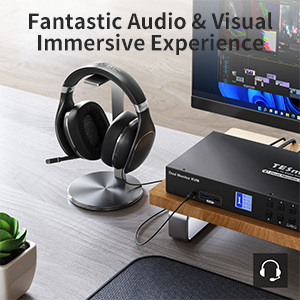
Headset Port
Comes with L/R port and supports microphone.Provides an amazing audio & visual immersive experience.
Charge whenever you need
Users can connect other peripherals, transfer data, and quickly charge their devices.
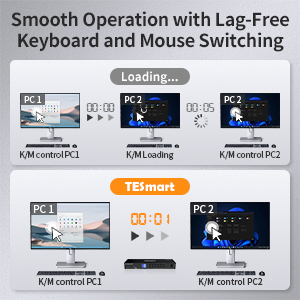
Keyboard and Mouse Seamless Switching
Available to use keyboard and mouse without any delay after switching input sources. No delay, zero delay, no need to reinstall the driver. Use it smoothly and improve your work efficiency or gaming experience.
Pass-Through Mode
High Compatibility with Your Keyboard and Mice, including wired, wireless, mechanical, multimedia, and gaming K&M (Not support wireless bluetooth K&M)
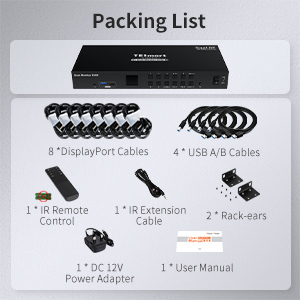
Packing List
1 * 4×2 DisplayPort KVM Switch
8 * DisplayPort Cables
4 * USB Type-A to Type-B Cables
1 * IR Extension Cable
1 * IR Remote Control(AAA batteries not included)
1 * DC 12V Power Adapter
1 * User Manual
2 * Rack-ears
USB Focus Function
USB and audio channels can be locked. Users are free to connect selected peripherals to different computers. You can listen to audio from one computer while working on the other, or scan documents and save them to another computer.
Port information
What are the unique features of the latest TESmart dual-monitor KVM switch with pure DP ports?
1.Upgrade to USB3.0, which is 10 times faster than USB2.0
2.Support charging the devices like mobile phones and tablets connected to front panel
USB ports
3.support enable or disable EDID emulators.
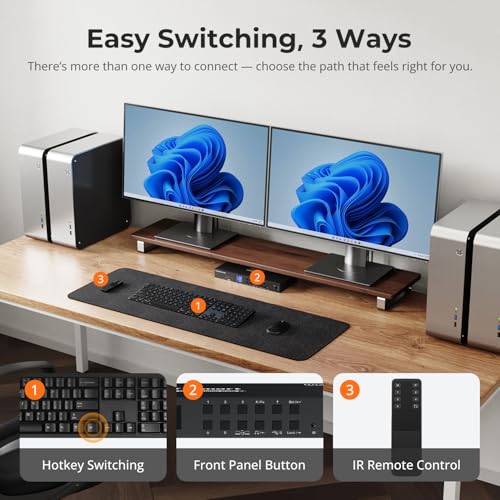
4.Supports one-click switching of keyboard and mouse focus
How do I look for support?
If you have any questions or encounter issues, there is downloadable user manual and troubleshooting at the bottom of the detail page, which will help you find the way to look for support. Our team will help you within 24 hours.
What is the best KVM Switch for me and what factors do I need to take into account when choosing?
1.Existing PC Setup – Purchase a KVM switch that supports the number of computers in your setup.
2.Type of Ports – Consider the types of ports your computers or servers have. Ensure the switch you choose matches your device interfaces.
3.Multiple monitor support? Ensure every computer can support the number of monitors you are looking to use in your setup. Single monitor, dual monitor or triple monitor?
4.Other preferences -Hotkey or Push-Button Control,Audio Support,Rack-Mountable,Privacy Protection,USB Charing,USB sharing.
How can I get the audio work?
1. Please confirm what output interface is the computer equipped with? (DVI? HDMI?) If your computer is equipped with DVI output, normally that the DVI output does not carry audio signals, so the audio signal cannot be output to the speaker.
2. After you connect the headset, you need to switch to the computer ith the audio device turned on. Only the computer that controls the audio playback will output audio.
3. If you have controlled the computer to turn on the audio device, select the correct audio output channel. (Right-click the speaker, open the sound settings, select the correct HDMI output device, and set it as default.)
Upgrade
Support
Choice
Audio
| Add To Basket | Add To Basket | Add To Basket | |||
| 2.0 out of 5 stars1 | 4.2 out of 5 stars91 | 5.0 out of 5 stars4 | 4.2 out of 5 stars91 | 5.0 out of 5 stars2 | |
| — no data | — no data | £599.99£599.99 | £181.99£181.99 | £269.99£269.99 | |
| 4 | 4 | 4 | 2 | 2 | |
| 4*(DP+DP) | 4*(HDMI+HDMI) | 4*(HDMI+HDMI+HDMI) | 2*(HDMI+HDMI) | 4*(HDMI+DP) | |
| 2 | 2 | 3 | 2 | 2 | |
| 2*DP | 2*HDMI | 3*HDMI | 2*HDMI | 2*HDMI | |
| 4K@60Hz | 4K@60Hz | 4K@60Hz | 4K@60Hz | 4K@60Hz | |
| 4x USB 3.0 (3xUSB A+1xUSB C) | 4x USB 3.0 (3xUSB A+1xUSB C) | 3x USB 3.0 (2xUSB A+1xUSB C) | 2*USB3.0 | 2*USB3.0 | |
| ✓ | ✓ | ✓ | ✓ | ✓ | |
| Headset(Audio&Microphone) | Headset(Audio&Microphone) | Headset(Audio&Microphone) | Headset(Audio&Microphone) | Headset(Audio&Microphone) | |
| ✓ | ✓ | ✓ | ✓ | ✓ | |
| Customize on or off | ✓(in display mode 1) | ✓(in display mode 1) | ✓(in display mode 1) | ✓(in display mode 1) |
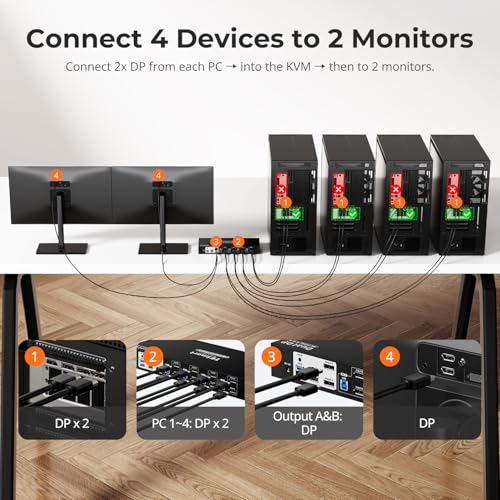
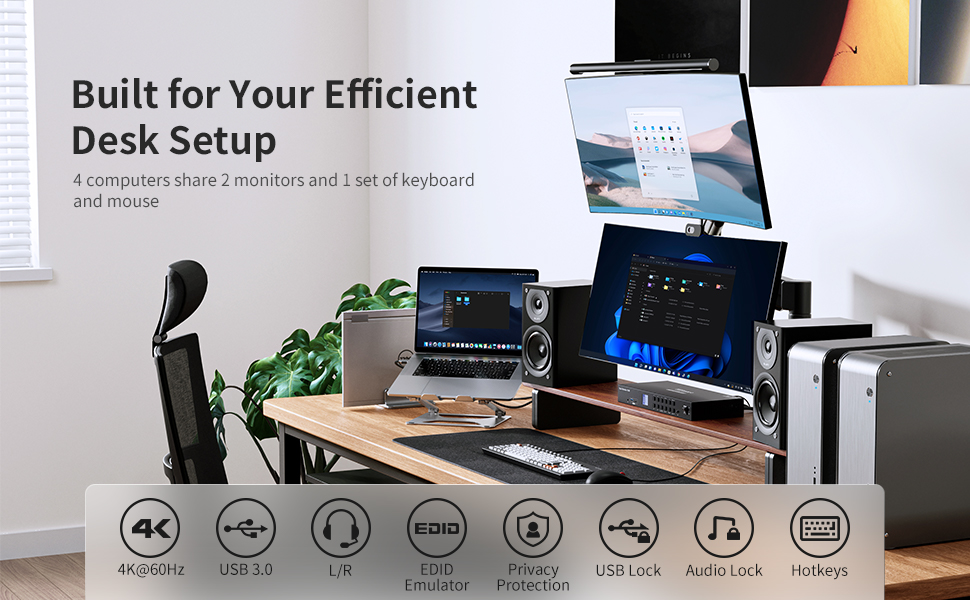
- DisplayPort KVM Switch 4 Computer 2 Monitor: This 4 Port KVM Switch connects 4 desktops/laptops to share one keyboard/mouse and two monitors. Perfect for home office, gaming consoles, and streaming setups – reduce clutter by eliminating extra peripherals while managing multiple systems efficiently
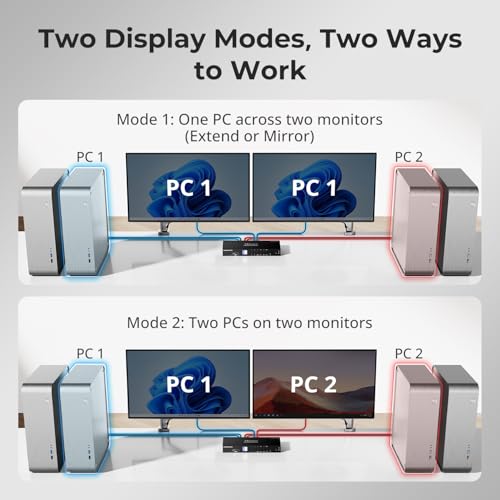
- Advanced Dual Display Modes: Configure your Dual Monitor KVM Switch in two ways: 1. Extended/Copy Mode: Connect dual video outputs from one PC to achieve true dual-screen workflows. 2. Multi-PC Mode: Display different computers on each monitor. Identical to direct connections with enhanced flexibility
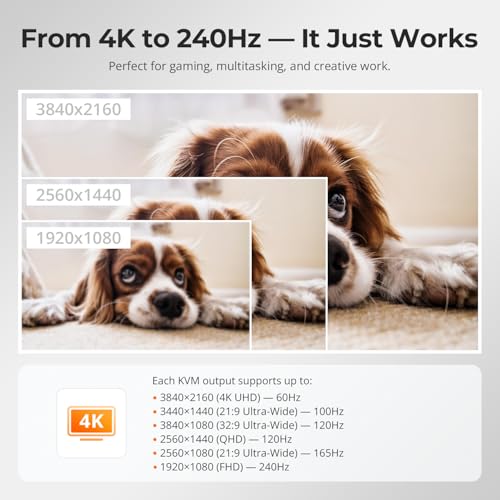
- Ultra HD 4K Visual: The KVM Switch 4 Computer 2 Monitor delivers: Professional&Gaming resolution 3840×2160 (4K) @60hz,3840×2160@144Hz(DSC),5120×1440@60Hz,3440×1440@100hz,(3840×1080)@120hz,3440×1440@120hz,2560×1440@165hz,1920×1080@240hz and downward compatible. Support 3D, HDR, HDCP, and Dolby Vision delivering more exquisite and authentic video on your screen
- EDID Emulators: 1.There is EDID emulator in each DisplayPort port on this Dual monitor KVM switch. 2.On-demand EDID emulation (enable/disable via front panel). 3.ensure your computers always receive the correct display information and preventing displays setting change while switching inputs
- 4 USB 3.0 Ports&Charging: 4 Port KVM Switch includes 4 x USB 3.0 ports (5Gbps data transfer); The USB 3.0 port on front-panel 7.5W fast charging; Share printers/scanners/webcam/hard disk/etc across all systems
- Seamless Switching: Dual Monitor KVM Switch delivers Instant keyboard/mouse switching (no delay), makes your use smooth and enhance your work efficiency or gaming experience; Pass-through mode makes broad peripheral compatibility (wired/wireless/mechanical), Note: Bluetooth devices not supported
| SKU: | B0GX9VK1ZK |
| Dimensions: | 35 x 15 x 4.5 centimetres |
| Brand: | TESmart |
| Model: | DKS402-P23-UKBK |
| Pack Quantity: | 1 |
| Manufacture: | TESmart |
| Origin: | China |
| Quantity: | 1 |
Product Description


Audio
 PKS0402A20 PKS0402A20 | 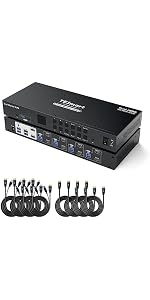 HKS0402A2U HKS0402A2U | 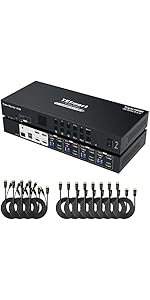 HKS0403A1U HKS0403A1U | 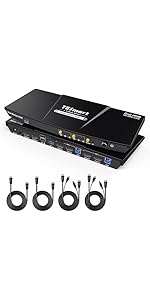 HKS0202A2U HKS0202A2U | 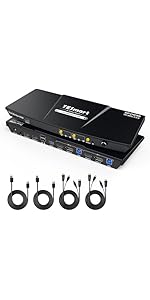 HDK0202A2U HDK0202A2U | |
|---|---|---|---|---|---|
| Customer Reviews | 2.0 out of 5 stars1 | 4.2 out of 5 stars91 | 5.0 out of 5 stars4 | 4.2 out of 5 stars91 | 5.0 out of 5 stars2 |
| Price | — no data | — no data | £599.99 | £181.99 | £269.99 |
| Amount of Computers | 4 | 4 | 4 | 2 | 2 |
| Input Port | 4*(DP+DP) | 4*(HDMI+HDMI) | 4*(HDMI+HDMI+HDMI) | 2*(HDMI+HDMI) | 4*(HDMI+DP) |
| Amount of Monitors | 2 | 2 | 3 | 2 | 2 |
| Output Port | 2*DP | 2*HDMI | 3*HDMI | 2*HDMI | 2*HDMI |
| Max Resolution | 4K@60Hz | 4K@60Hz | 4K@60Hz | 4K@60Hz | 4K@60Hz |
| USB Sharing | 4x USB 3.0 (3xUSB A+1xUSB C) | 4x USB 3.0 (3xUSB A+1xUSB C) | 3x USB 3.0 (2xUSB A+1xUSB C) | 2*USB3.0 | 2*USB3.0 |
| USB charging | ✓ | ✓ | ✓ | ✓ | ✓ |
| Audio Output | Headset(Audio&Microphone) | Headset(Audio&Microphone) | Headset(Audio&Microphone) | Headset(Audio&Microphone) | Headset(Audio&Microphone) |
| Hotkey Switching | ✓ | ✓ | ✓ | ✓ | ✓ |
| EDID | Customize on or off | ✓(in display mode 1) | ✓(in display mode 1) | ✓(in display mode 1) | ✓(in display mode 1) |