USB 3.0 HDMI KVM Switch 1 Monitors 2 Computers 4K@60Hz, 4
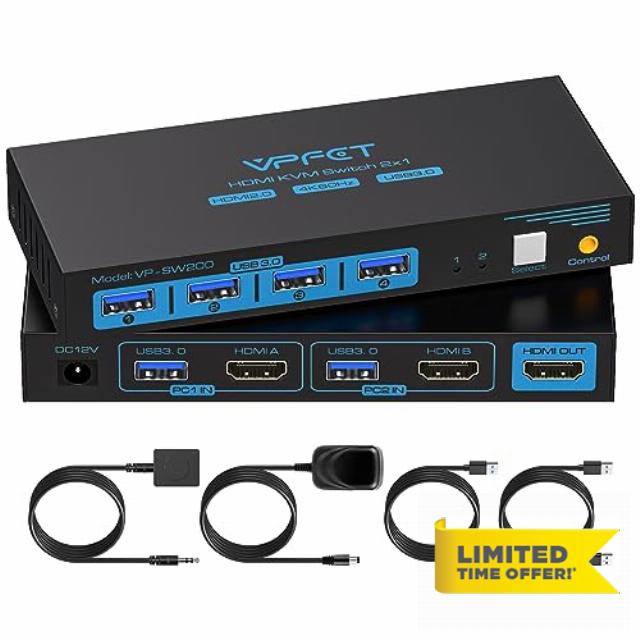
USB 3.0 HDMI KVM Switch 1 Monitors 2 Computers 4K@60Hz, 4 Port USB KVM Switches for 2 PC Share Keyboard/Mouse/Hard Drives/Printer and 1 Monitor, with Desktop Controller and 2 USB 3.0 Cables
The video showcases the product in use.The video guides you through product setup.The video compares multiple products.The video shows the product being unpacked.KVM Switch 2 computer 1 moniter
Can KVM switches support up to 4K@60Hz?
Our KVM can support up to 4K@60Hz, but the prerequisite is that the cable and monitor you use must support 4K@60Hz.
Can the USB switch and HDMI switch functions be used independently?
Yes, you can think of the KVM switch as a USB+HDMI Switch. These two functions not only support simultaneous use, but can also be used separately.
What is the maximum power of peripheral devices it can drive?
To drive peripherals with a maximum power of 10W, we use a 12V/1A power adapter, which provides a more powerful and stable drive. Other KVM switches only support 5V/1A adapters. Our KVM will be more stable when using high power peripherals.
Is it true that new products can be replaced within two years?
Yes, if there is any problem with the product within two years, we will take care of it for you, including replacing the KVM with a new one.
Do I have to connect the 12V/1A power adapter to use it?
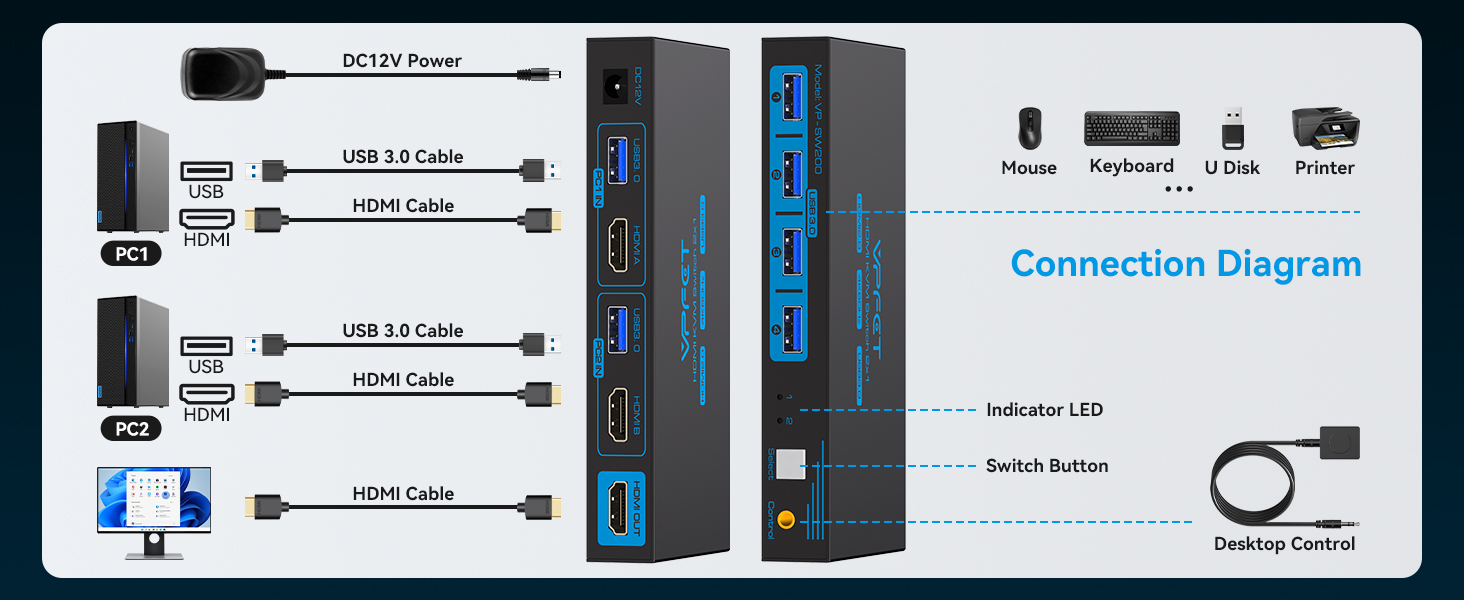
The KVM switch must be connected to a DC 12V adapter to function properly.
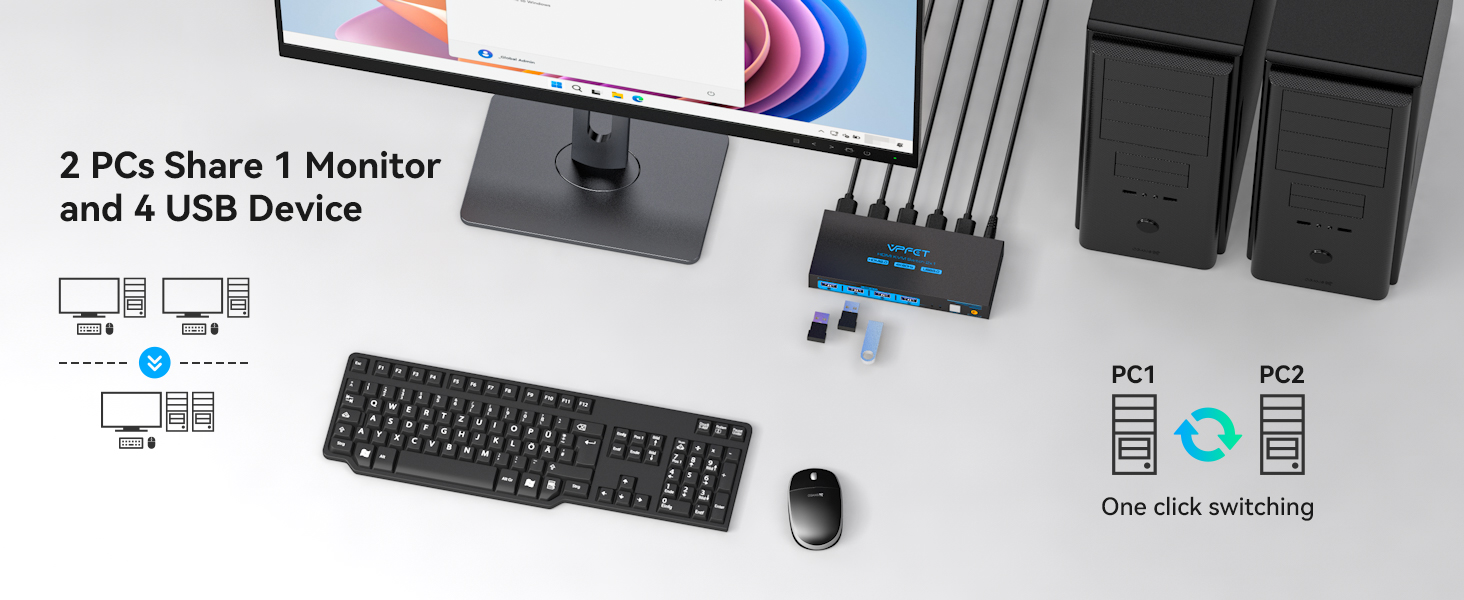
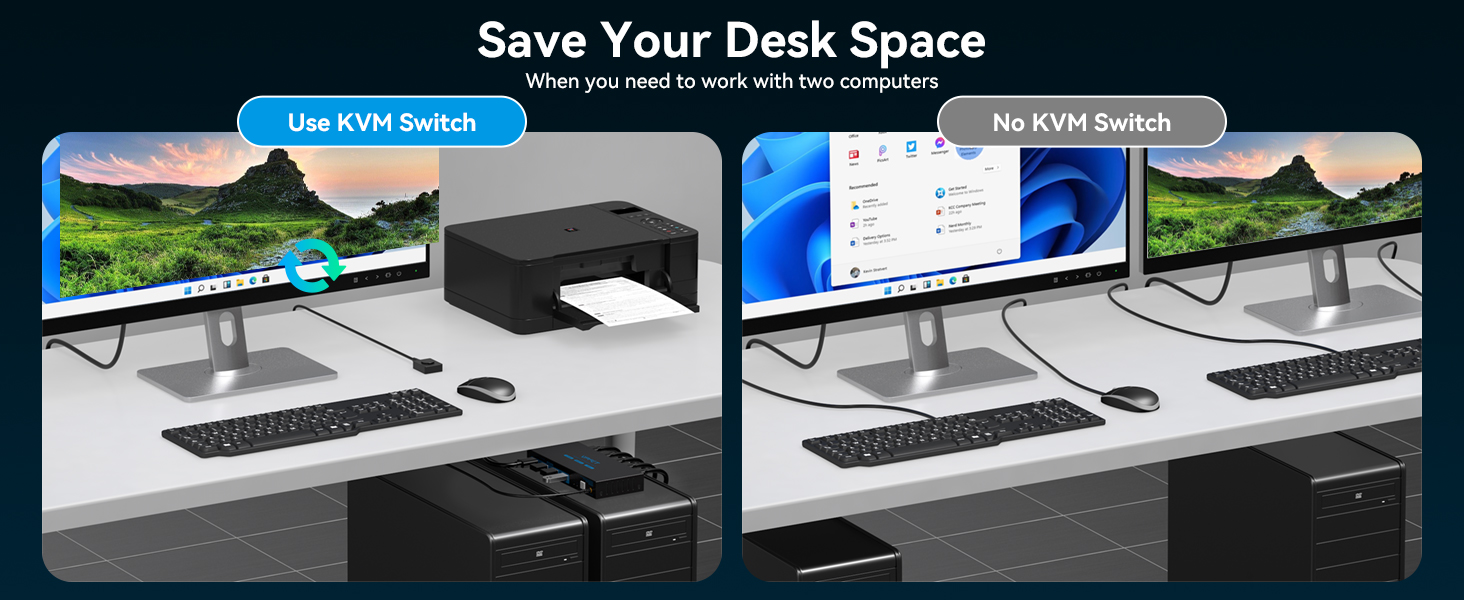
- HDMI KVM Switch: This HDMI KVM switch with 4 USB 3.0 ports, allowing you to control two computers on a single monitor using just one set of USB peripherals (such as a keyboard, mouse, printer, or hard drive). You can easily switch between the two computers using the desktop controller, keeping your workspace tidy and enhancing both your productivity and gaming experience.
- Ultra HD 4K@60Hz: This KVM switch with HDMI port support resolution up to 4K@60Hz, also support 4K@30Hz, 2560*1440@120Hz or lower resolution. This HDMI KVM switcher also supports HDMI 2.0, HDCP2.2/1.4, USB 2.0, 3D and HDR, which makes image display more exquisite and realistic, color is more bright and moving, If you want to achieve the highest effect, please ensure that both your input device, HDMI cable and output device support 4K@60Hz
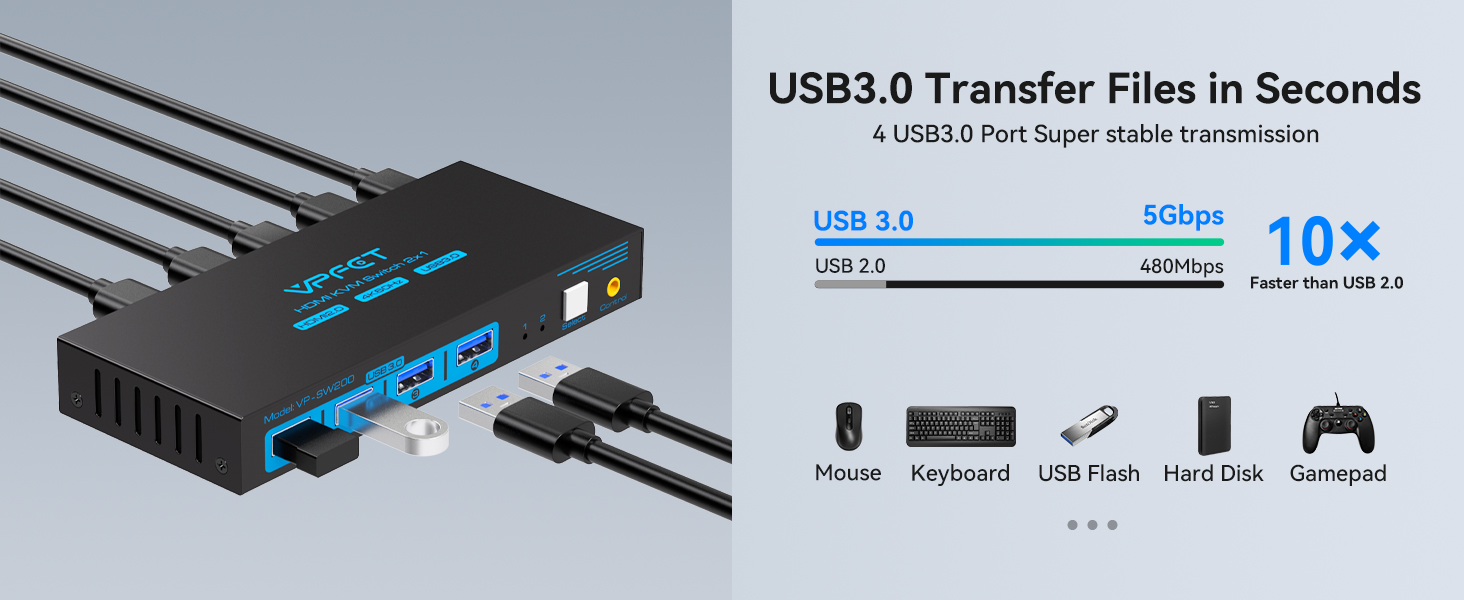
- USB 3.0 KVM Switcher: This USB KVM Switch comes with 4 USB 3.0 ports with transfer rates up to 5Gbps for connecting peripherals such as mice, keyboards, printers, webcams, and USB sticks with backward compatibility with USB 2.0, 1.1, and 1.0.Note: It doesn't support USB devices with more than 10W power
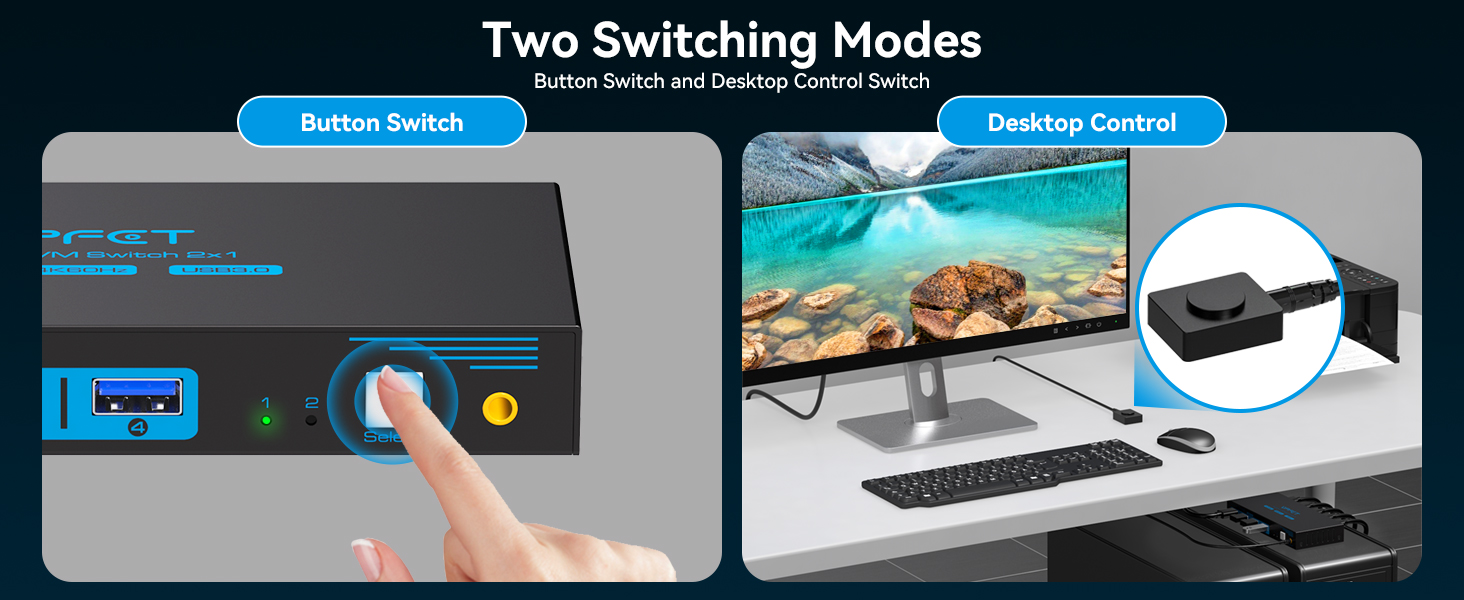
- Two switching methods: Solution 1: The device's main panel features a built-in switch button, simply press it gently to switch between the two computers. Solution 2: It comes with a wired controller that allows you to hide the KVM switch and extend the controller to the desktop. With just a gentle touch, you can quickly switch. It saves you more space, keeps your desktop tidy, and improves work efficiency
- More stable work:The KVM switch is compatible with all major computer and monitor brands and supports computer systems such as Windows/XP/Linux. The 12V1A power adapter provides stronger driving force for the KVM, ensuring stable performance. Note: The after-sales service team can provide technical support and new replacement service if there is any problem within 24 months after purchase
| SKU: | B0H1M98J9N |
| Dimensions: | 15 x 6.5 x 2.2 centimetres |
| Brand: | TIGKTING |
| Model: | HHUK-SW200-Deep Blue |
| Colour: | Deep Blue |
| Pack Quantity: | 1 |
| Manufacture: | TIGKTING |
| Colour: | Deep Blue |
| Origin: | China |
| Quantity: | 1 |
Product Description
The video showcases the product in use.The video guides you through product setup.The video compares multiple products.The video shows the product being unpacked.KVM Switch 2 computer 1 moniter
Can KVM switches support up to 4K@60Hz?
Our KVM can support up to 4K@60Hz, but the prerequisite is that the cable and monitor you use must support 4K@60Hz.
Can the USB switch and HDMI switch functions be used independently?
Yes, you can think of the KVM switch as a USB+HDMI Switch. These two functions not only support simultaneous use, but can also be used separately.
What is the maximum power of peripheral devices it can drive?
To drive peripherals with a maximum power of 10W, we use a 12V/1A power adapter, which provides a more powerful and stable drive. Other KVM switches only support 5V/1A adapters. Our KVM will be more stable when using high power peripherals.
Is it true that new products can be replaced within two years?
Yes, if there is any problem with the product within two years, we will take care of it for you, including replacing the KVM with a new one.
Do I have to connect the 12V/1A power adapter to use it?
The KVM switch must be connected to a DC 12V adapter to function properly.