Keyboard and Mouse Converter for Switch/Switch 2, Xbox
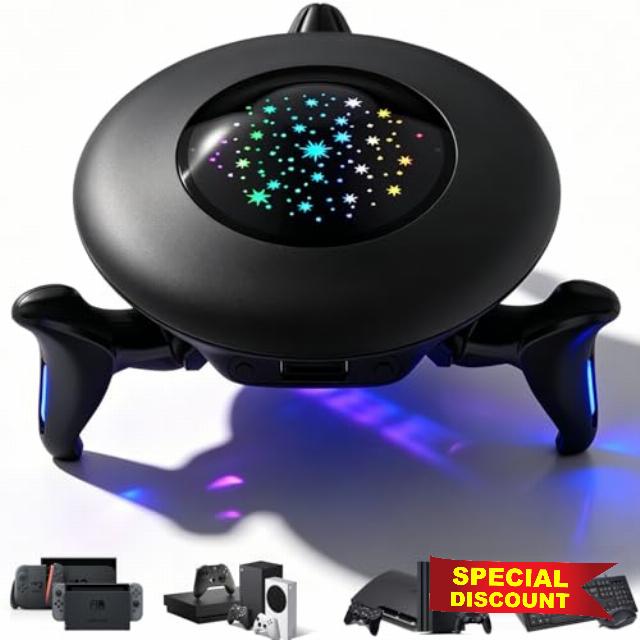
Keyboard and Mouse Converter for Switch/Switch 2, Xbox Series X|S/Xbox One, PS4/PS3, Gaming Adapter for FPS, TPS and RPG Games, Custom Key Mapping, Adjustable Mouse Sensitivity, RGB Lighting
Enhance the Gaming Experience
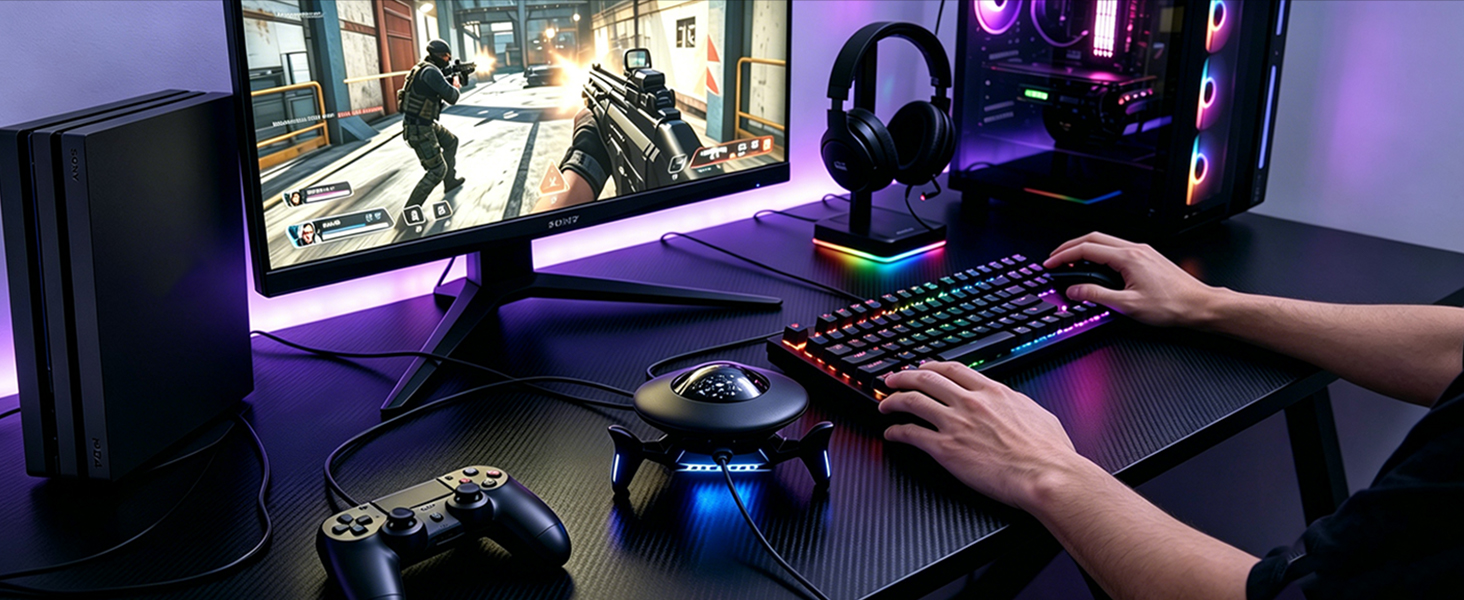
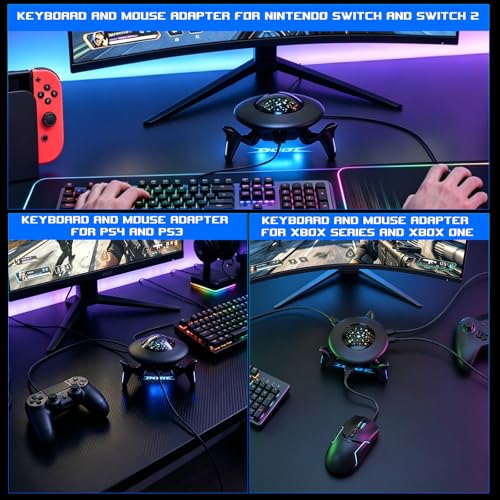
This keyboard mouse converter allows players to use a keyboard & mouse instead of a game controller to enjoy games on for PS4/PS3/Xbox/Switch.
Best Gaming Accessories for Shooting Games
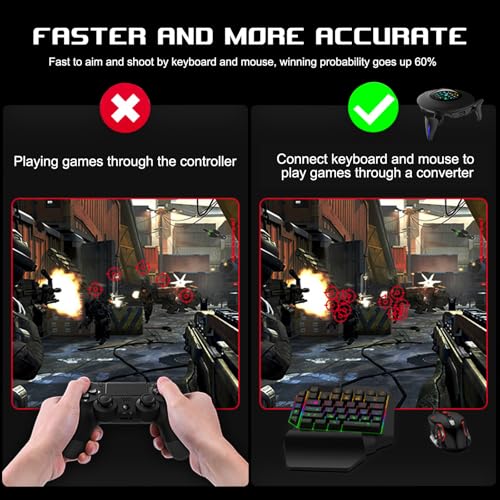
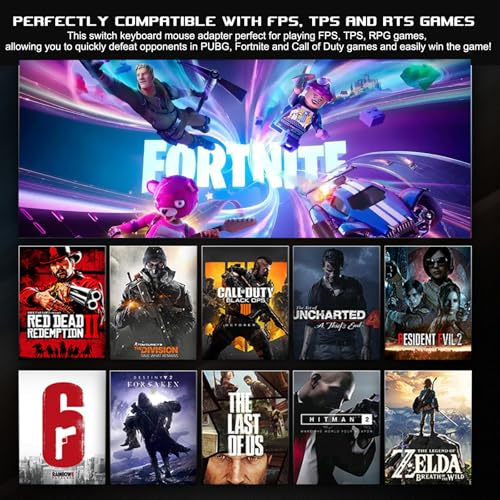
The mouse keyboard adapter for switch perfect for playing FPS, TPS, RPG games, allowing you to quickly defeat opponents in Fortnte or Call of Duty games and easily win the game!
Cool RGB Lighting
Offers a variety of lighting effects to set the mood for your gaming experience
Package Contents:
1x Game Console Adapter Converter ;3x Converter Stands; 1x USB-C Cable; 1x USB-C to Type-C Adapter; 1x User Manual
Product Parameters丨Compatible Devices丨Functions
| Name | Keyboard and Mouse Converter |
| Material | ABS |
| Converter Interface | USB Port x3 ; Type C Port x1 |
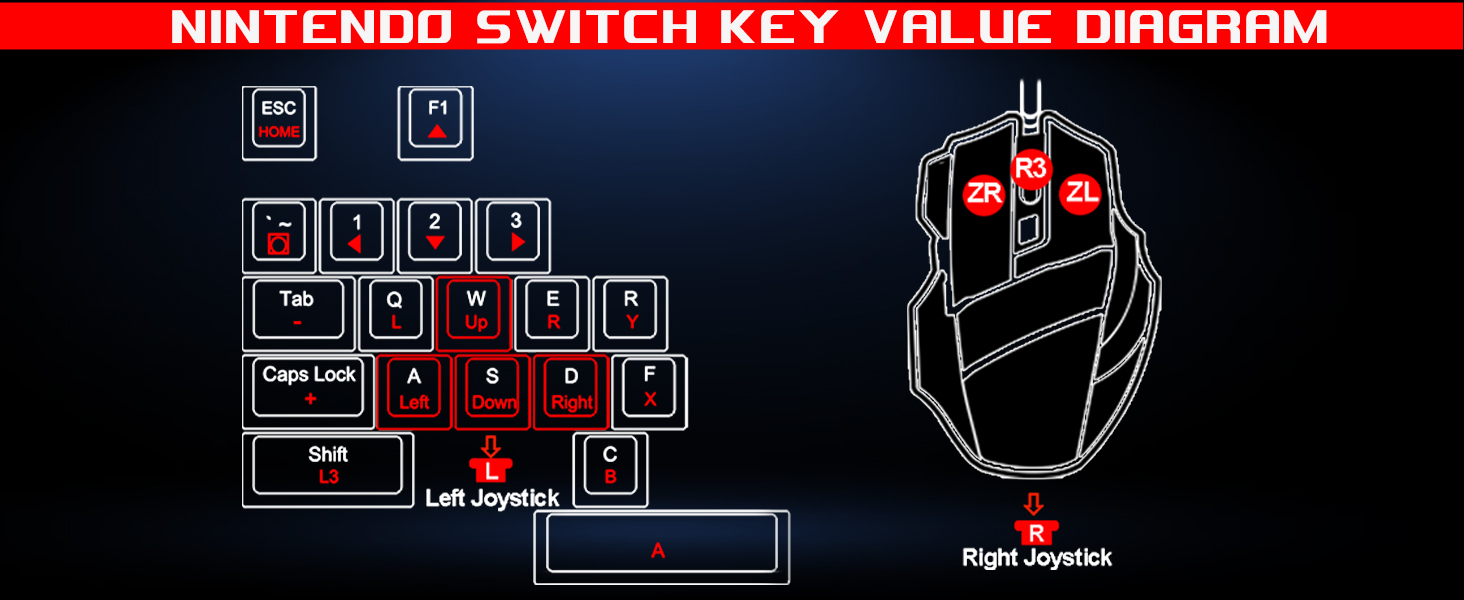
| For Nintendo Switch | Keyboard and mouse adapter for Switch, Switch Oled, Switch 2 |
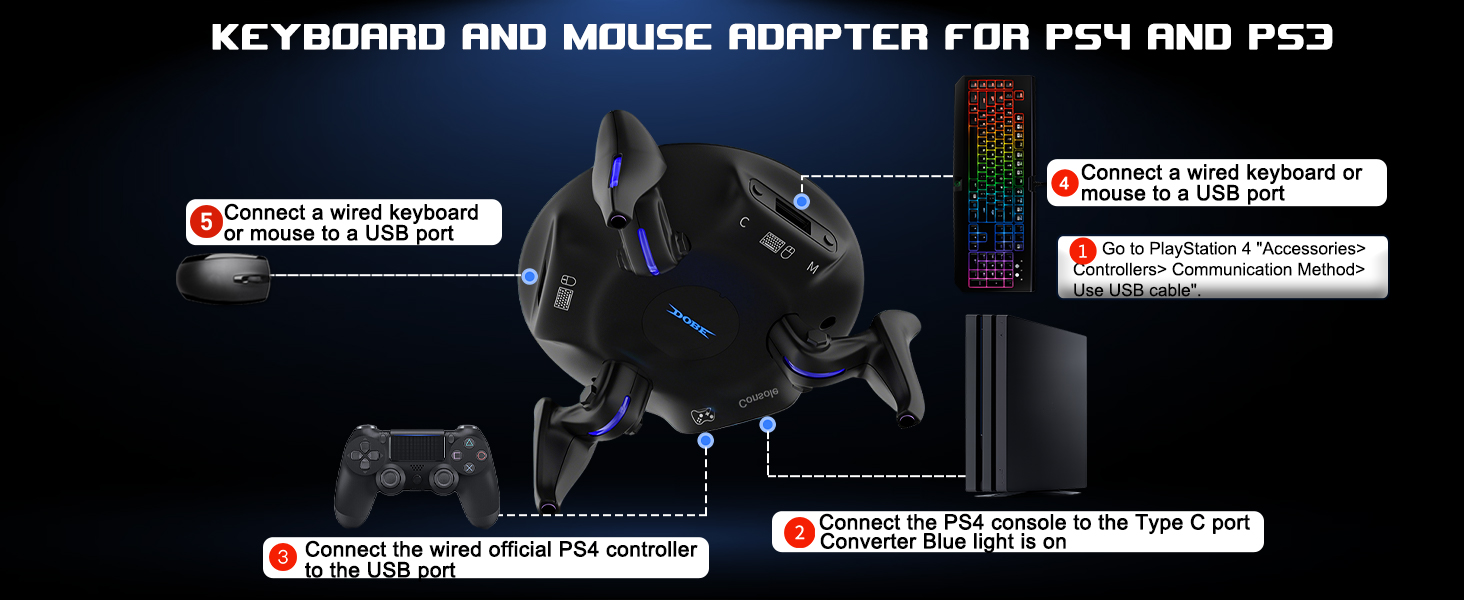
| For PlayStation | Keyboard and mouse adapter for PS4, PS4 Slim, PS4 Pro, PS3 [NOT for PS5] |
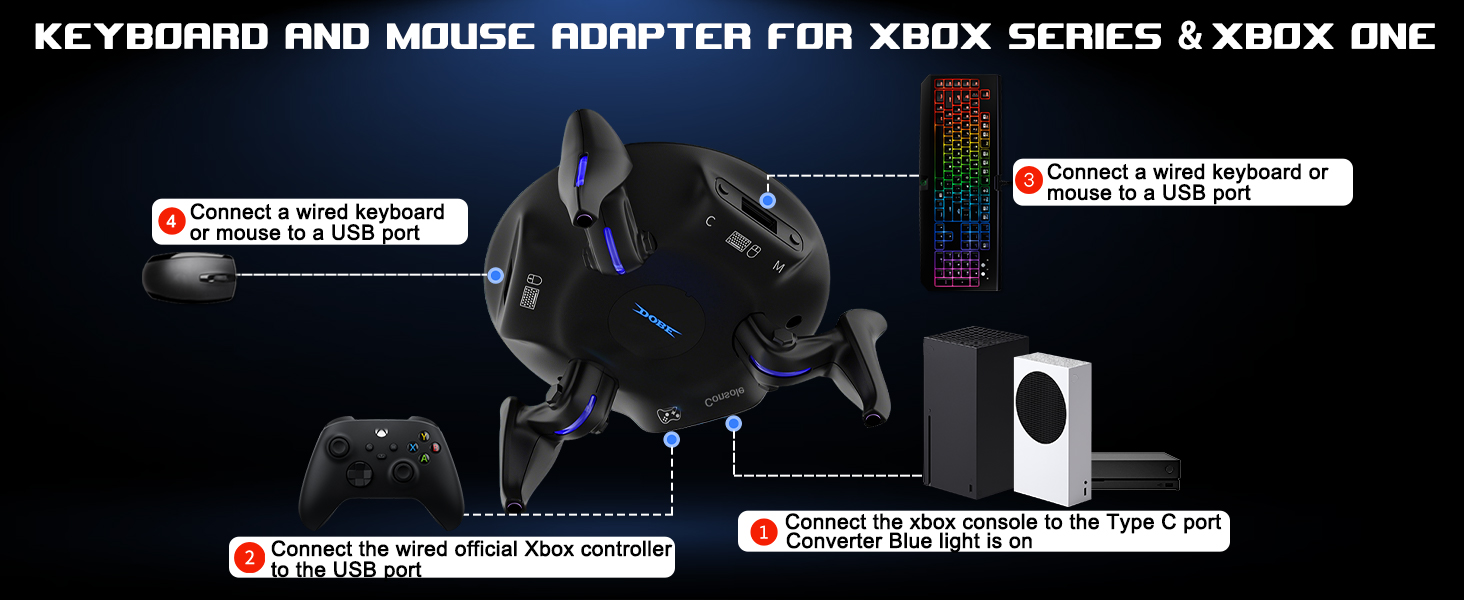
| For Xbox | Keyboard mouse adapter for Xbox One, Xbox One S, Xbox One X, Xbox Series S, Xbox Series X |
| Support Keyboard & Mouse Types | Support wired keyboard and mouse; Support 2.4G Wireless keyboard and mouse [Not support Bluetooth Wireless keyboard and mouse] |
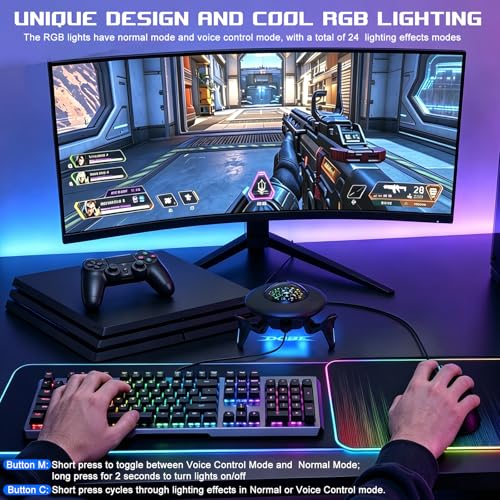
| RGB Light Adjustment | [Button M] Light Switch/Lighting Mode Switch Button; [Button C] Lighting Effect Switch Button |
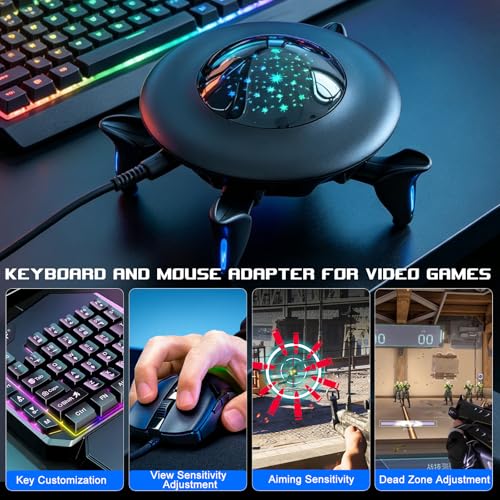
| View Sensitivity Adjustment: | [CTRL+ALT+Z] decreases sensitivity; [CTRL+ALT+X] increases look sensitivity. Default is level 5, with 10 levels total. |
| Aiming Sensitivity | Hold [Mouse Left Button + CTRL+ALT+Z] decreases aiming sensitivity, Hold [Mouse Left Button + CTRL+ALT+X] increases aiming sensitivity. Default is level 5, with 10 levels total. |
| Dead Zone Adjustment | [CTRL+ALT+F3] decreases dead zone, [CTRL+ALT+F4] increases dead zone. Default is level 7, with 13 levels total. |
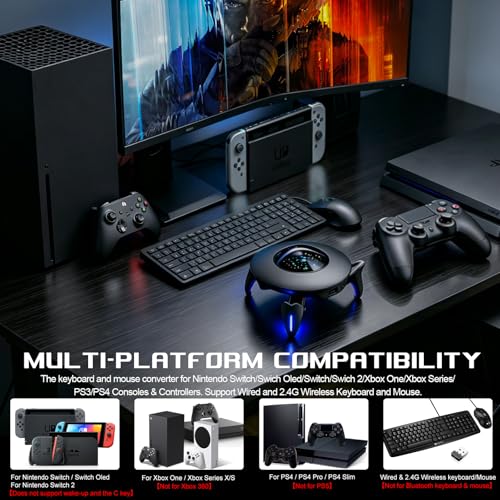
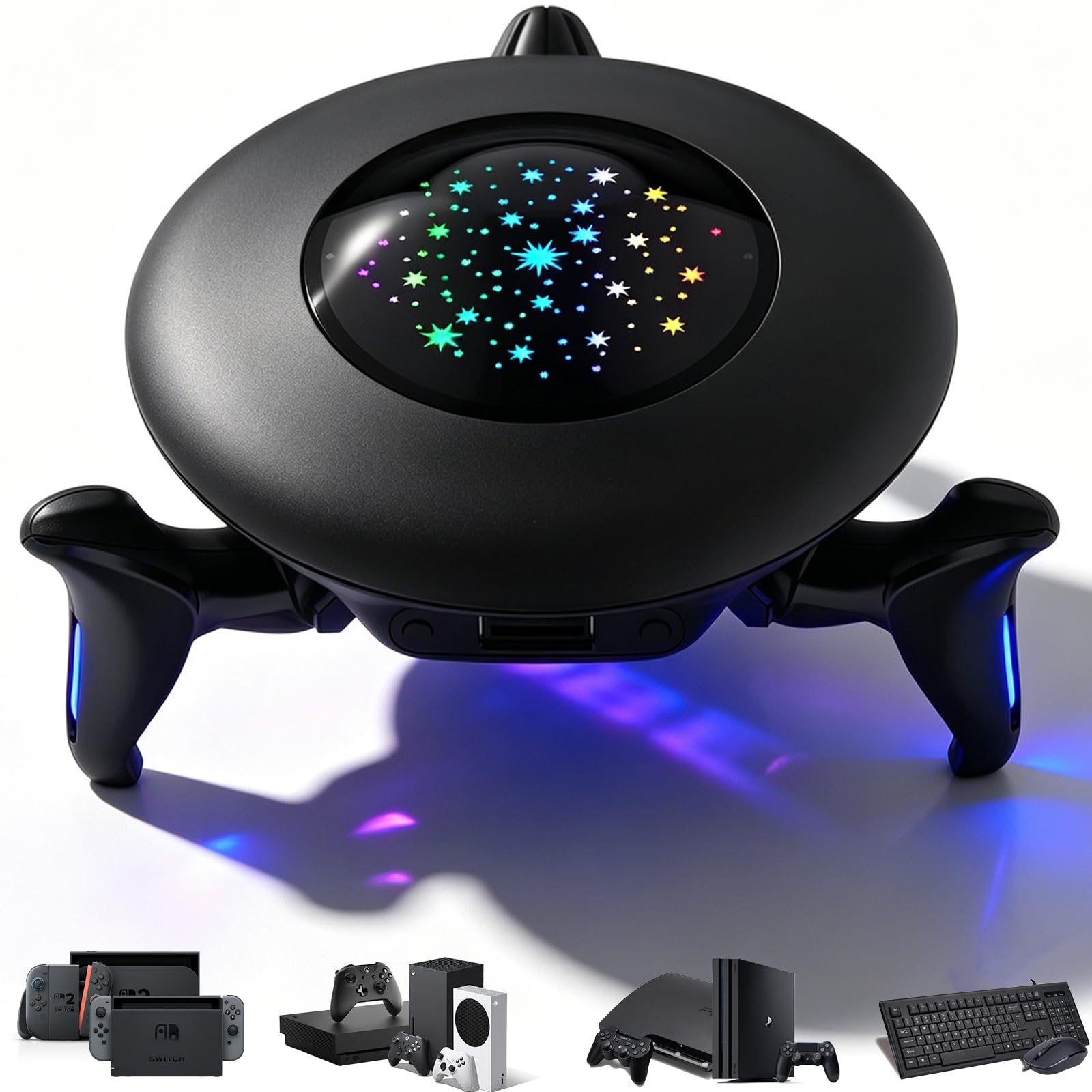
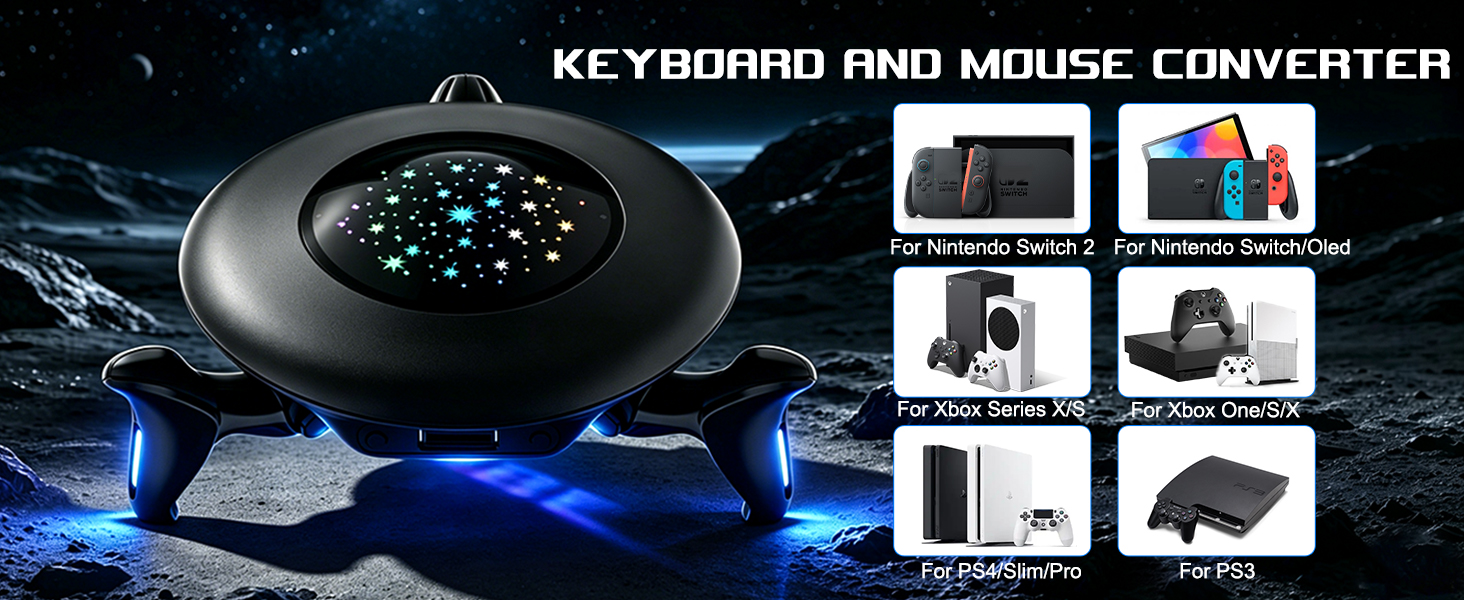
- MULTI-PLATFORM COMPATIBILITY:This mouse and keyboard adapter is compatible with the Switch, Xbox, and PlayStation platforms, including the Nintendo Switch, Switch OLED, Nintendo Switch 2; for PS4/PS4 Slim/PS4 Pro/PS3; for Xbox One/Xbox Series s/Xbox Series x; supports wired & 2.4G wireless keyboard & mouse. [ **NOT for PS5/Bluetooth wireless keyboard & mouse]
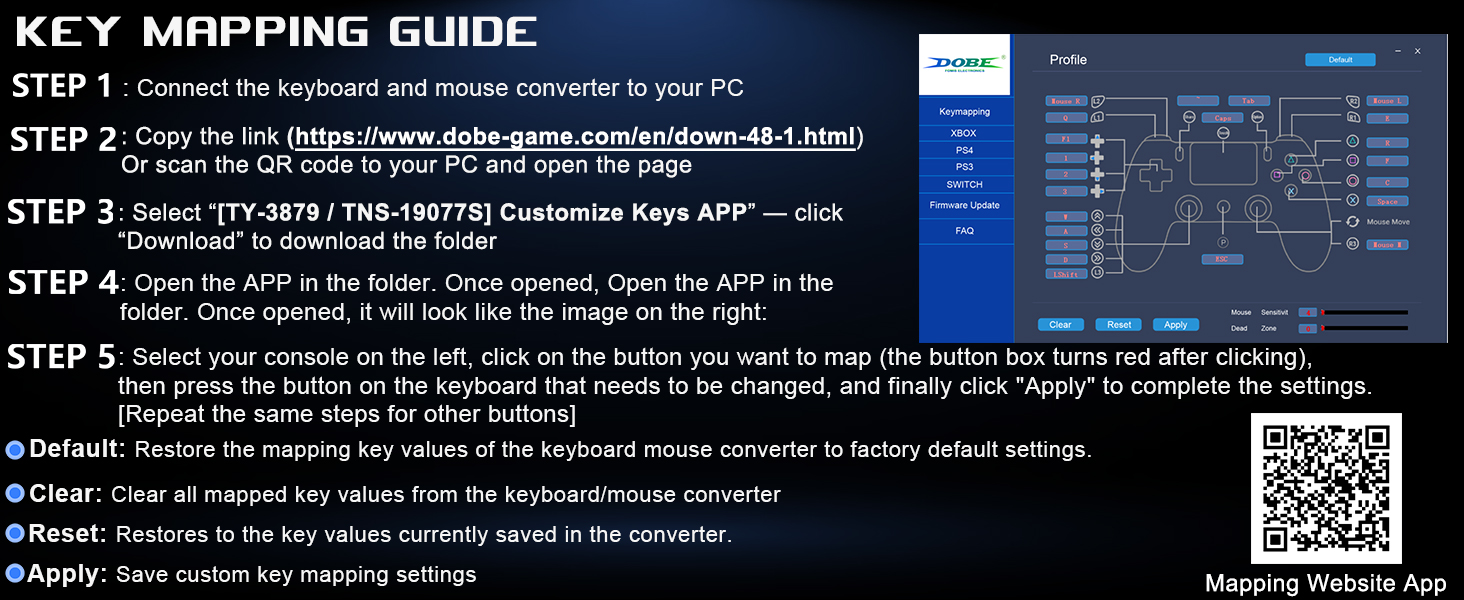
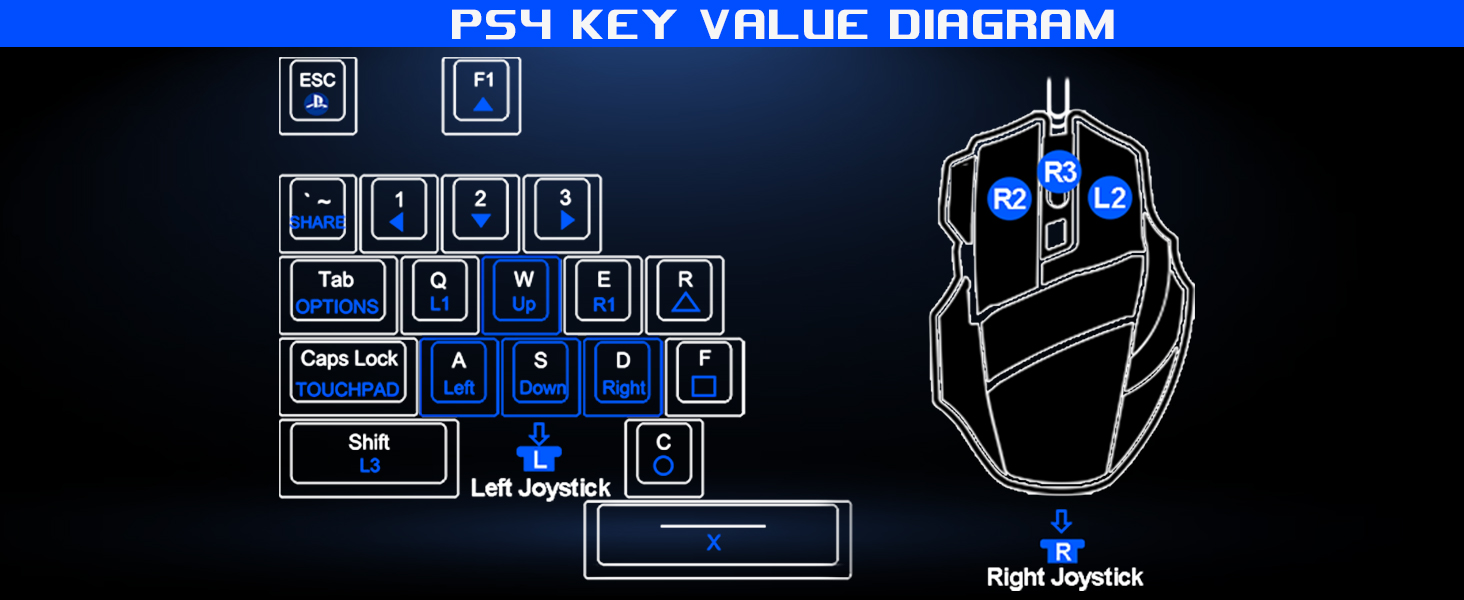
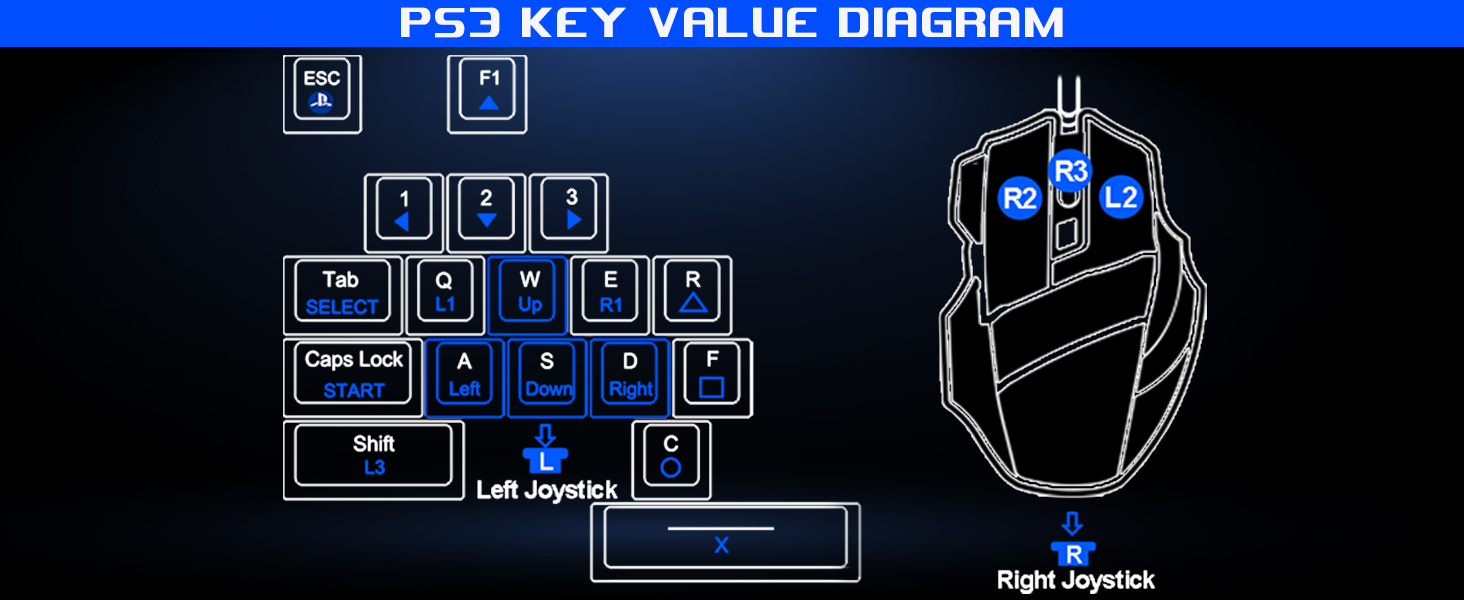
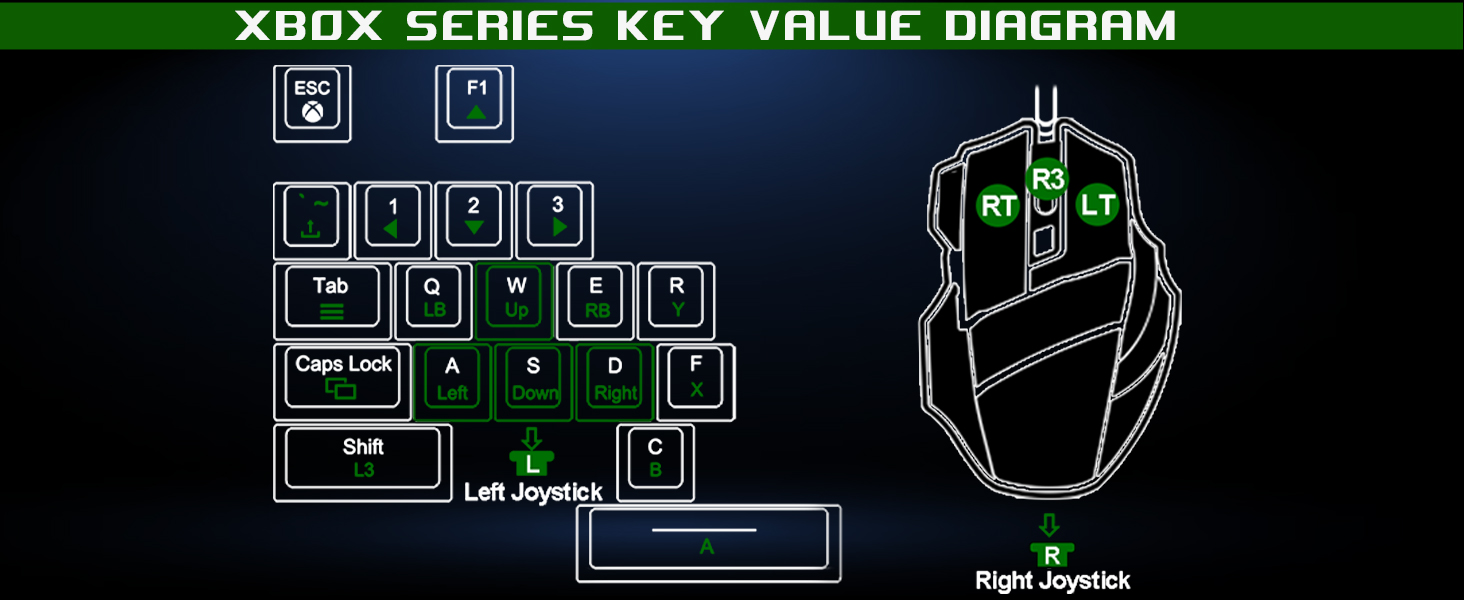
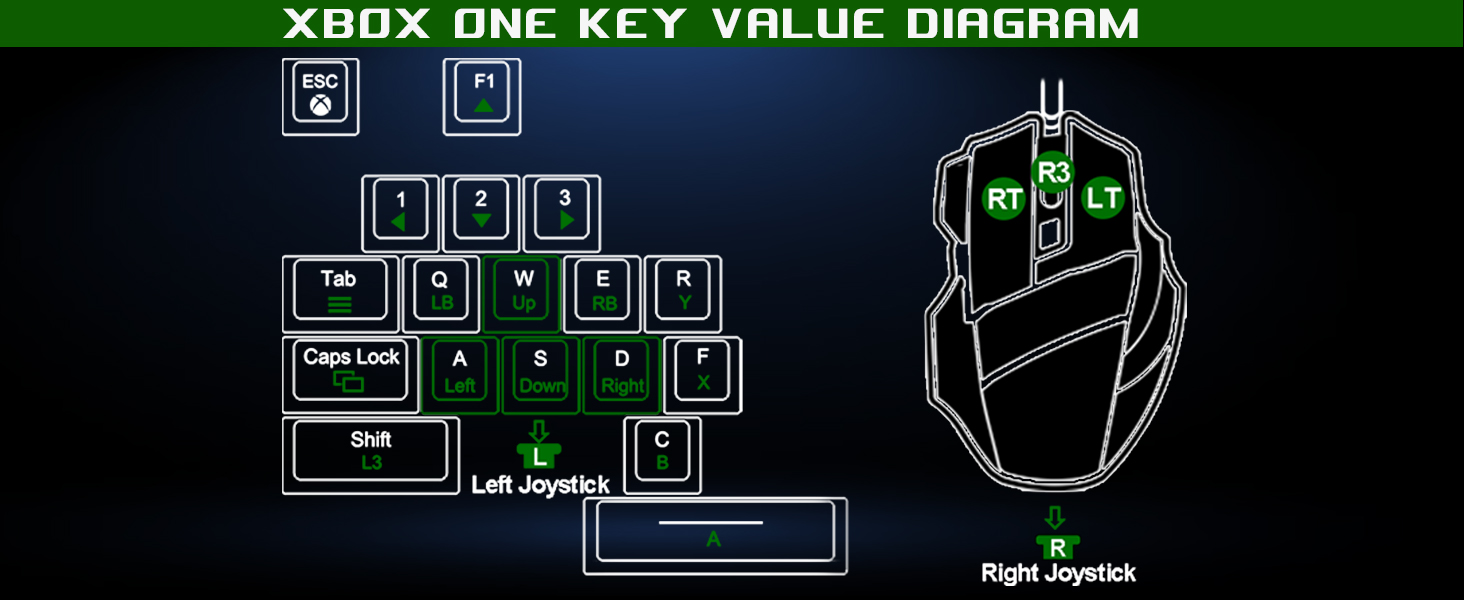
- SUPPORTS CUSTOM KEY REMAPPING: This keyboard and mouse for ps4/ps3 supports custom keyboard key mapping, mouse sensitivity adjustment, scope sensitivity adjustment, and deadzone adjustment.
- UNIQUE DESIGN AND COOL RGB LIGHTING: This keyboard‑mouse converter features a unique "alien spaceship‑inspired" design with an eye‑catching look. Three support posts on the bottom ensure stable placement on your desktop. Equipped with cool adjustable RGB lights (sound‑activated mode and standard mode), the lighting shifts in sync with the rhythm of in‑game audio, boosting your gaming atmosphere and fully immersing you in the game world.
- ENHANCE THE GAMING EXPERIENCE: Our keyboard and mouse adapter for switch 2 can help you play games with wired or 2.4G wireless keyboard and mouse, replacing your original wireless controller, provide you with precise control without delay and enhancing game fun! This switch adapter perfect for FPS, TPS, RPG and RTS games. For Call of duty (COD), PUBG, Fortnte and more
- High Quality:Our switch adapter with 3x usb ports, 1x type c ports, Beautiful appearance, made of hard ABS material, it is very durable and can withstand multiple insertions and withdrawals, making it a must-have for professional gamers. Stable cable connection ensures a perfect gaming experience
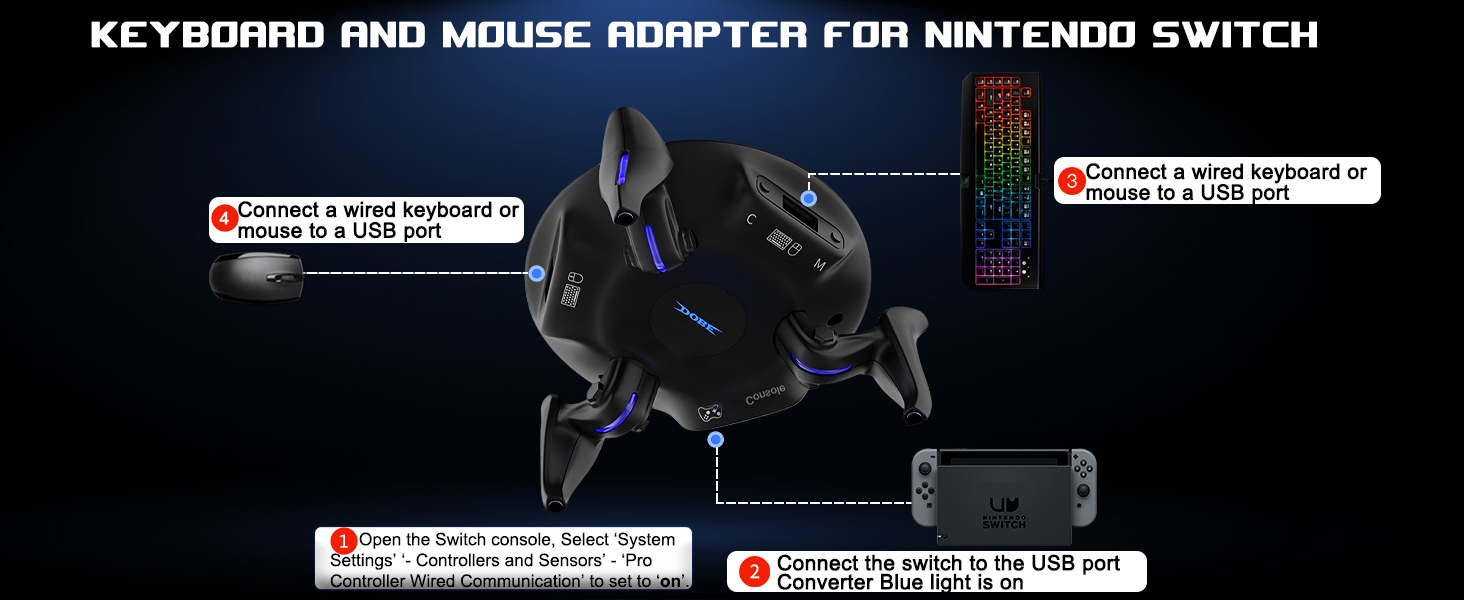
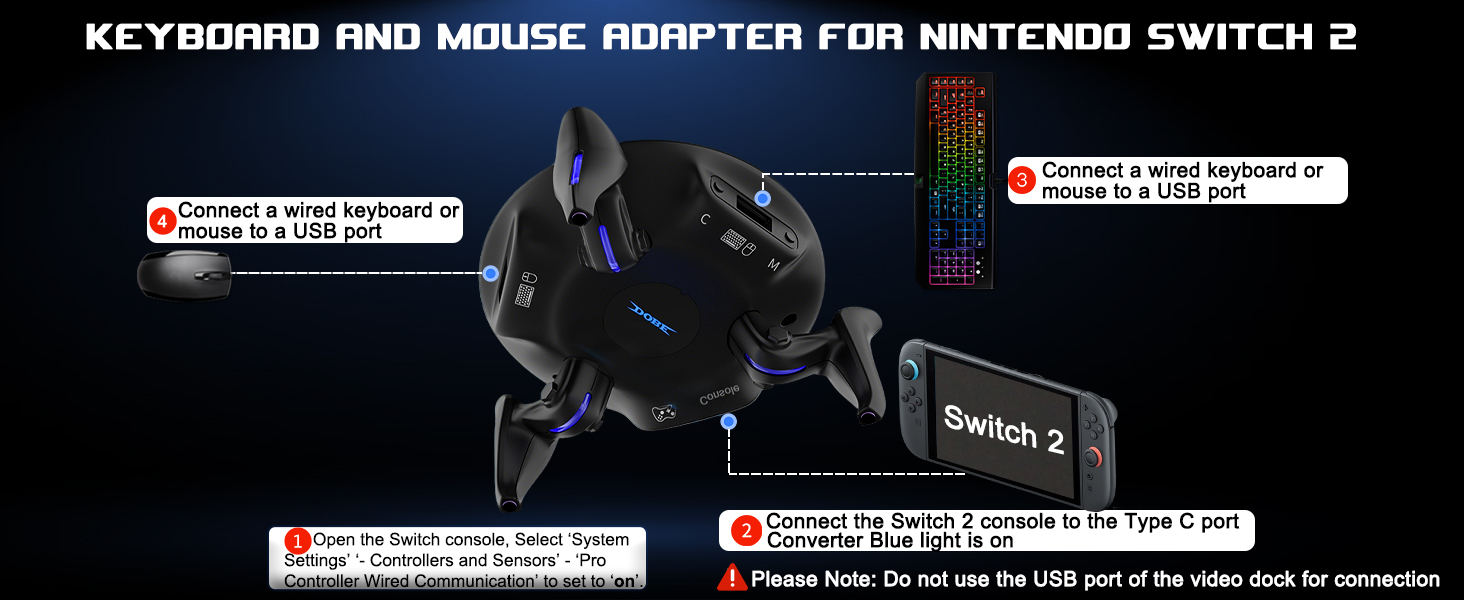
- SPECIAL NOTICE: (1).Original controller is required for key mapping.(2).If the connection is unsuccessful or not working, please unplug all devices from the converter and reconnect them. About switch: (3). You must opene “Pro Controller Wired Connection” before connecting. (4). Switch 2 only supports connection through console Type-C interface and does not support USB port connection. (5). Does not support Switch 2 C key and wake-up function.

| SKU: | B0H2HG21T3 |
| Brand: | Koiiko |
| Colour: | Black |
| Manufacture: | koiiko |
| Colour: | Black |
| Origin: | China |
Product Description

Enhance the Gaming Experience
This keyboard mouse converter allows players to use a keyboard & mouse instead of a game controller to enjoy games on for PS4/PS3/Xbox/Switch.
Best Gaming Accessories for Shooting Games
The mouse keyboard adapter for switch perfect for playing FPS, TPS, RPG games, allowing you to quickly defeat opponents in Fortnte or Call of Duty games and easily win the game!
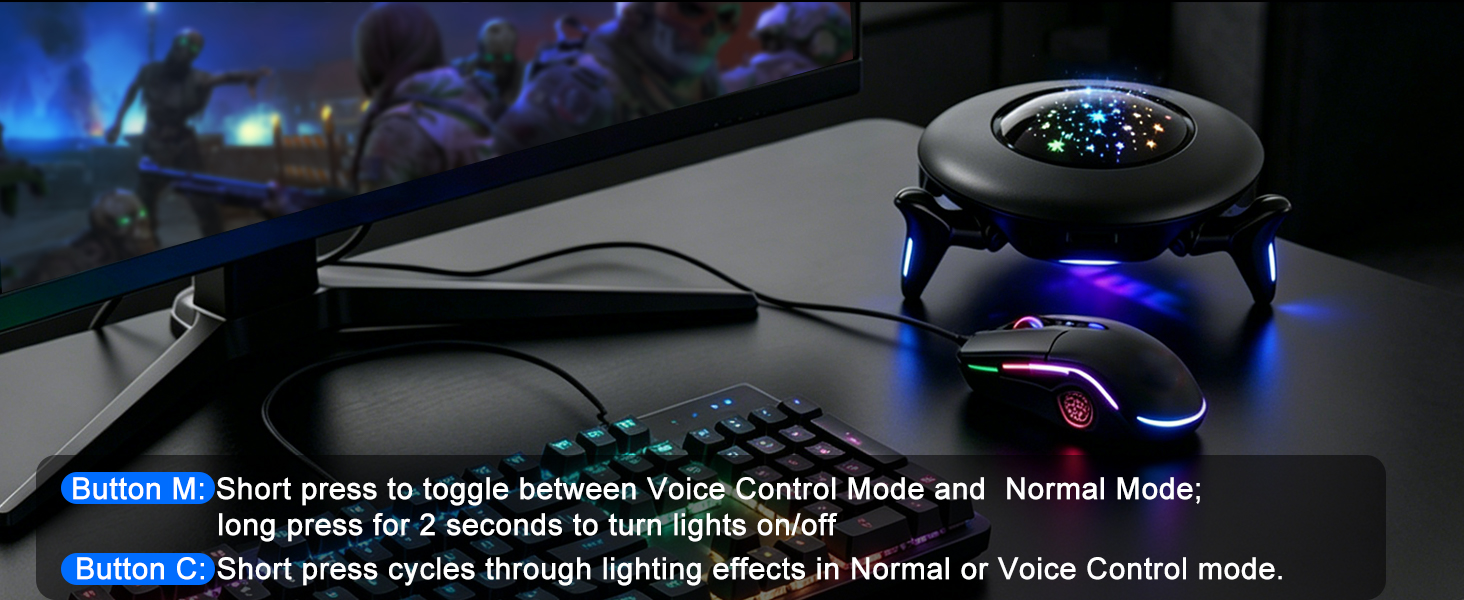
Cool RGB Lighting
Offers a variety of lighting effects to set the mood for your gaming experience
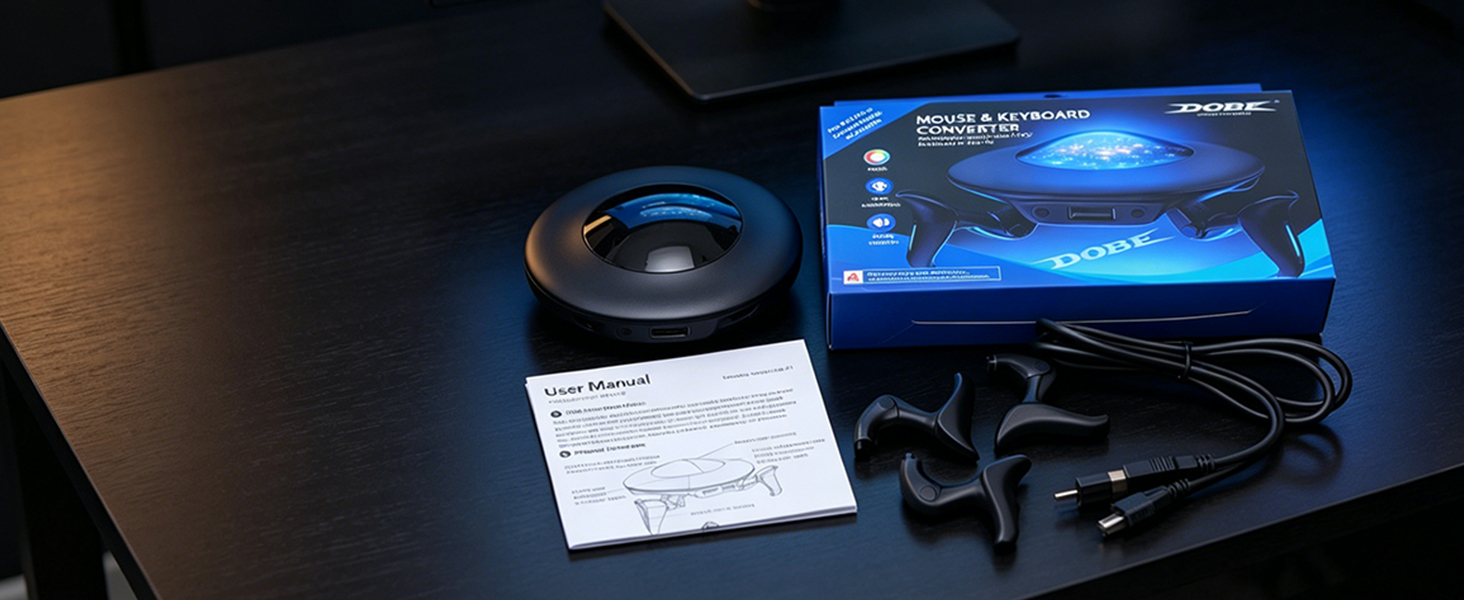
Package Contents:
1x Game Console Adapter Converter ;3x Converter Stands; 1x USB-C Cable; 1x USB-C to Type-C Adapter; 1x User Manual
Product Parameters丨Compatible Devices丨Functions
| Name | Keyboard and Mouse Converter |
| Material | ABS |
| Converter Interface | USB Port x3 ; Type C Port x1 |
| For Nintendo Switch | Keyboard and mouse adapter for Switch, Switch Oled, Switch 2 |
| For PlayStation | Keyboard and mouse adapter for PS4, PS4 Slim, PS4 Pro, PS3 [NOT for PS5] |
| For Xbox | Keyboard mouse adapter for Xbox One, Xbox One S, Xbox One X, Xbox Series S, Xbox Series X |
| Support Keyboard & Mouse Types | Support wired keyboard and mouse; Support 2.4G Wireless keyboard and mouse [Not support Bluetooth Wireless keyboard and mouse] |
| RGB Light Adjustment | [Button M] Light Switch/Lighting Mode Switch Button; [Button C] Lighting Effect Switch Button |
| View Sensitivity Adjustment: | [CTRL+ALT+Z] decreases sensitivity; [CTRL+ALT+X] increases look sensitivity. Default is level 5, with 10 levels total. |
| Aiming Sensitivity | Hold [Mouse Left Button + CTRL+ALT+Z] decreases aiming sensitivity, Hold [Mouse Left Button + CTRL+ALT+X] increases aiming sensitivity. Default is level 5, with 10 levels total. |
| Dead Zone Adjustment | [CTRL+ALT+F3] decreases dead zone, [CTRL+ALT+F4] increases dead zone. Default is level 7, with 13 levels total. |