VHS to DVD Recorder and Converter with AV & HDMI Inputs
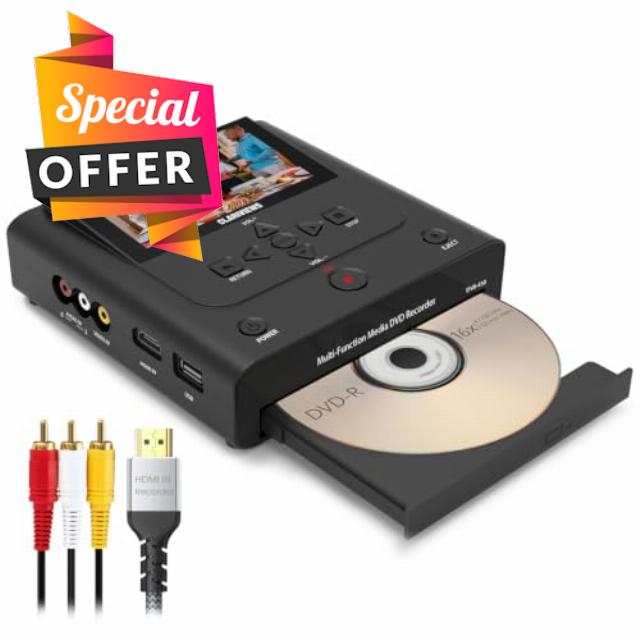
VHS to DVD Recorder and Converter with AV & HDMI Inputs, Record Old Home Movies from VCRs, VHS Players, and Hi8 Camcorders to DVD, USB Drive, SD Card or External HDD, No PC Needed, 4.3″ LCD Preview
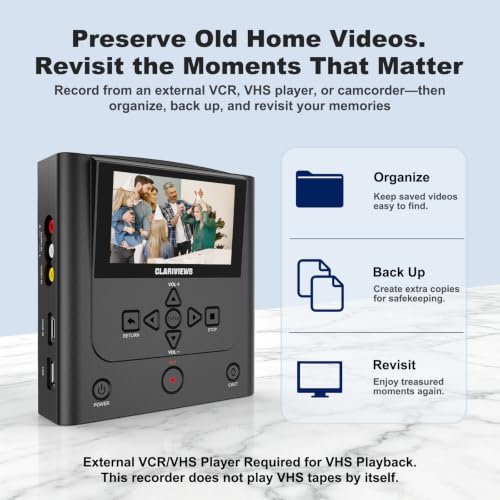
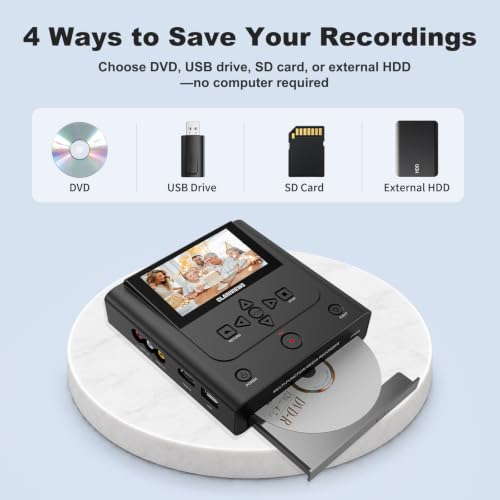
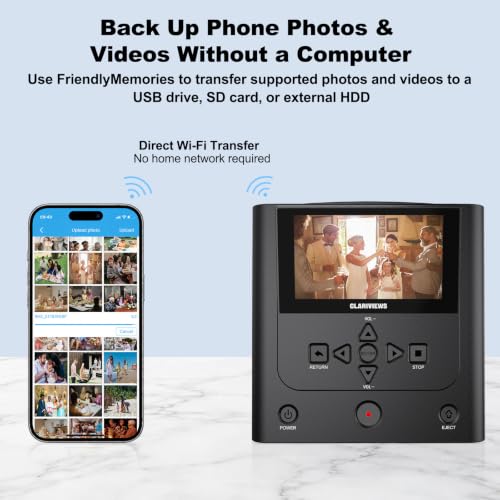
Convert and save old videos without a computer. Connect a working VHS player, VCR, camcorder, DVD player, or other external video source through AV or HDMI input, then record to DVD, USB drive, SD card, or external hard drive. The built-in 4.3″ LCD screen lets you preview video while recording, and HDMI output makes it easy to watch saved videos on a TV. Use the Friendly Memory app on iOS or Android to transfer supported photos and videos from your phone to DVD, USB drive, SD card, or external hard drive. It is a simple way to free up phone storage and create an extra backup of everyday memories without using a computer. Important before you buy: This unit records and converts video, but it does not play VHS tapes by itself. A separate playback device is required. Recording quality depends on the condition of the original tape and the playback device. Helpful notes: USB drives and SD cards must be formatted as FAT32 or NTFS. exFAT is not supported. For best results, confirm that your storage device is recognized before recording, press REC before starting playback, and allow processing to finish completely before turning the unit off or unplugging it.
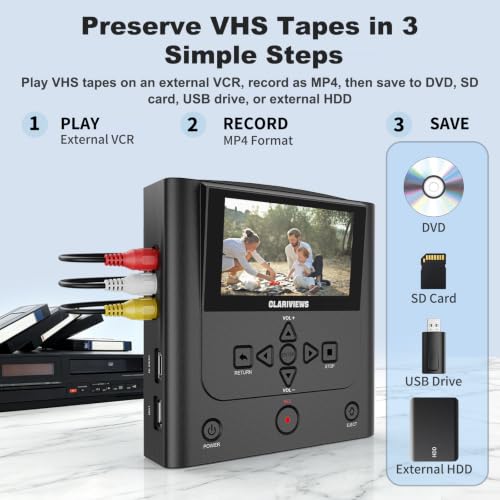
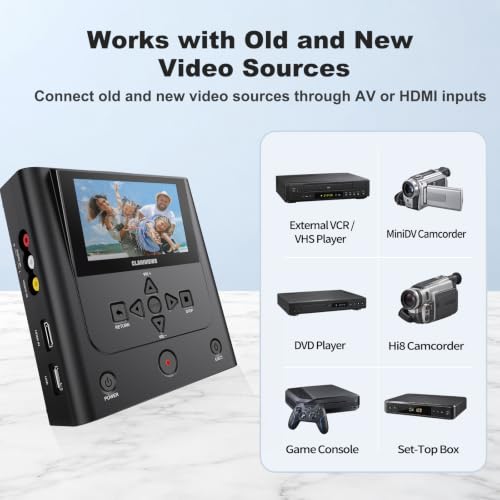
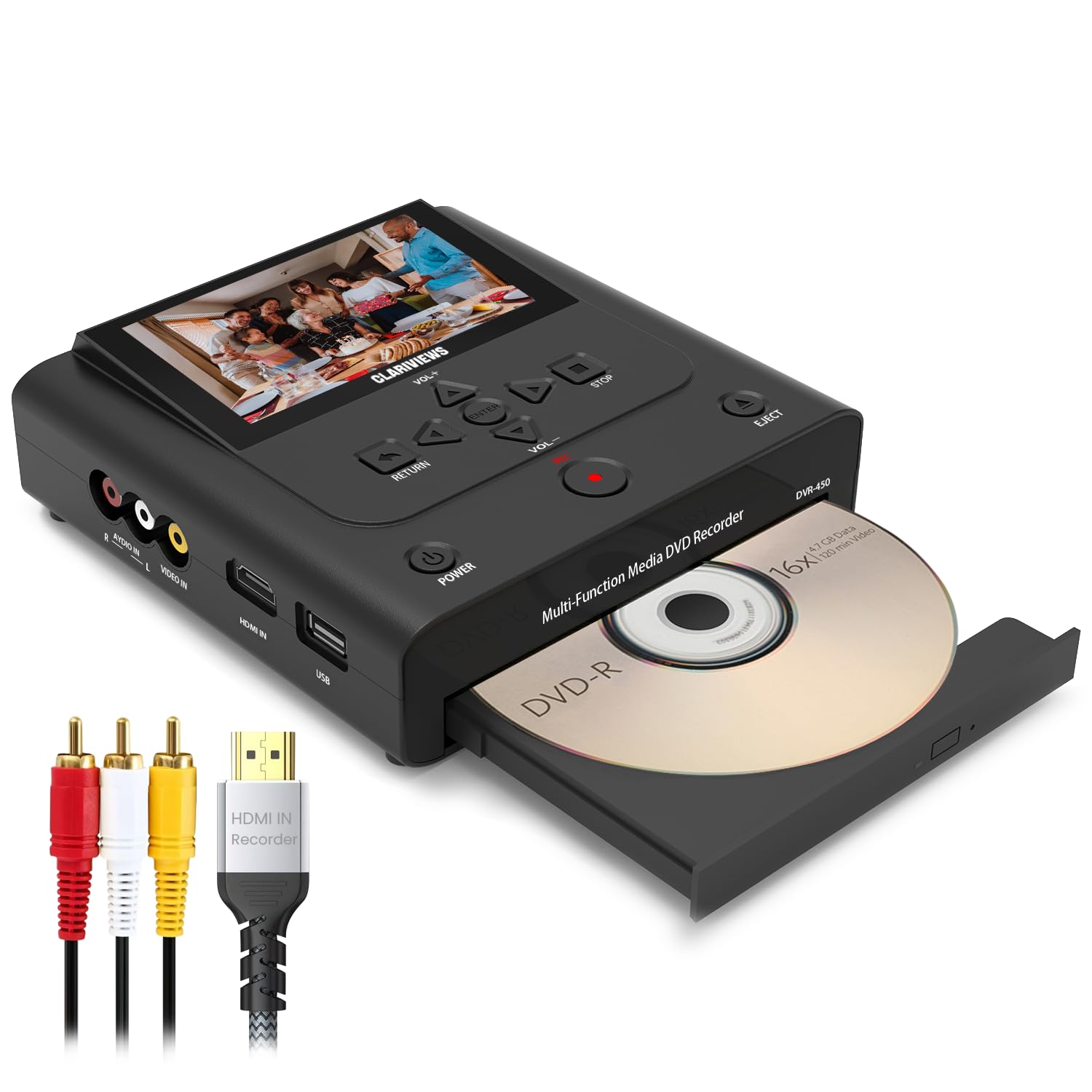
- Preserve Old Home Movies Without a Computer: Connect a working VCR, VHS player, Hi8 camcorder, DVD player, or other compatible external video source through a compatible AV or HDMI connection, then record to DVD, USB drive, SD card, or external hard drive. This unit records and converts video, but it does not play VHS tapes on its own.
- Save Recordings to DVD or Digital Storage: Create a DVD copy for backup and sharing, or save your recordings to a USB drive, SD card, or external hard drive for flexible digital storage. Videos are recorded in MP4 format. Recording quality depends on the original source and playback device; the quality settings cannot restore or enhance the original footage.
- Preview While Recording and Watch on a TV: Use AV input for VCRs, VHS players, and camcorders, or HDMI input for compatible video sources. The built-in 4.3-inch LCD screen lets you monitor video while recording, and HDMI output lets you watch saved videos on a TV or monitor.
- Transfer Phone Photos and Videos via FriendlyMemories: Connect your iOS or Android device directly to the recorder’s Wi-Fi hotspot, then use the FriendlyMemories app to transfer supported photos and videos from your phone to DVD, USB storage, or an SD card. Create an additional physical backup without relying on a computer or cloud storage.
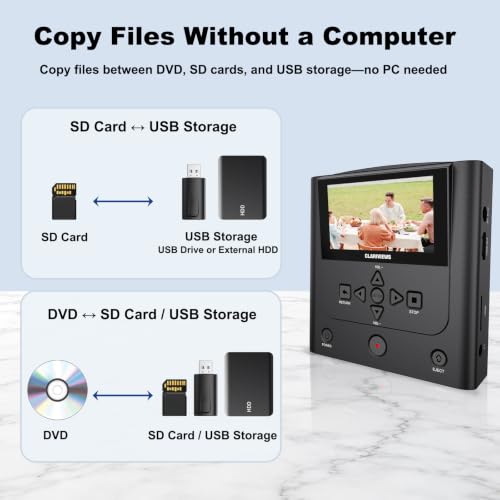
- Copy Files Directly Between Supported Media: Copy supported files from USB storage or an SD card to DVD, copy DVD files back to USB storage or an SD card, or transfer files between USB storage and an SD card—all directly through the recorder. USB storage includes a USB drive or compatible external hard drive. USB and SD storage must be formatted as FAT32 or NTFS; exFAT is not supported.
| SKU: | B0H5C47SL4 |
| Dimensions: | 15.5L x 15.5W x 4.8H centimetres |
| Brand: | Clariviews |
| Colour: | Black |
| Manufacture: | Clariviews |
| Colour: | Black |