iFLYTEK AINOTE 2, 10.65″ E Ink Tablet Bundle with Pogo Pin
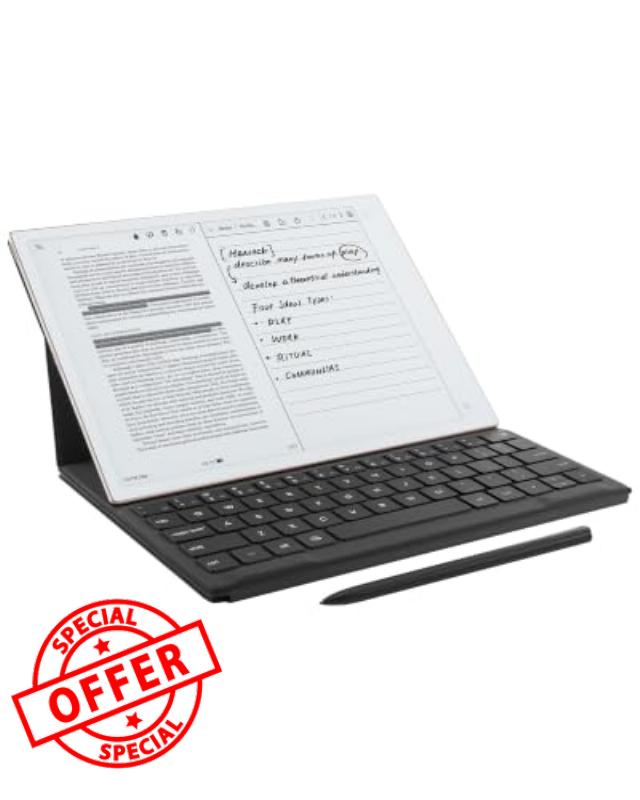
iFLYTEK AINOTE 2, 10.65″ E Ink Tablet Bundle with Pogo Pin Keyboard Case Ultra-Thin 4.2mm Digital Notebook with Pen: AI Note Taking, AI Meeting Summaries, Multilingual Transcription & Translatio
The video showcases the product in use.The video guides you through product setup.The video compares multiple products.The video shows the product being unpacked.iFLYTEK AINOTE 2
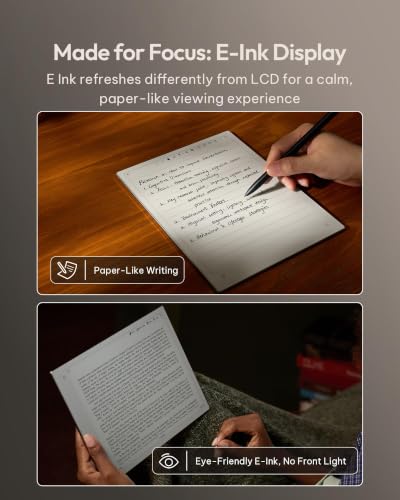
Does AINOTE 2 have a built-in front light?
AINOTE 2 has no built-in front light, and its 10.65-inch flexible E Ink screen relies on ambient light.
It is comfortable to read in offices, meeting rooms, and natural light, but an external light is needed in complete darkness.
Is there a difference in response speed between AINOTE 2 and a regular LCD tablet?
AINOTE 2's 8-core processor delivers fast pen response and a smooth writing experience for notes, reading.
However, due to the E Ink screen's inherent refresh limits, fast scrolling, video, and complex apps are less fluid than on LCD/OLED screens.
What should I know about using Google Play apps on AINOTE 2?
AINOTE 2 supports most Android apps via Google Play or APK files, but not all are optimized for E Ink.
Some may run slowly, show ghosting, or display incorrectly. Videos, games, and dynamic apps may feel different from LCD tablets.
What types of handwriting can AINOTE 2 convert into editable text?
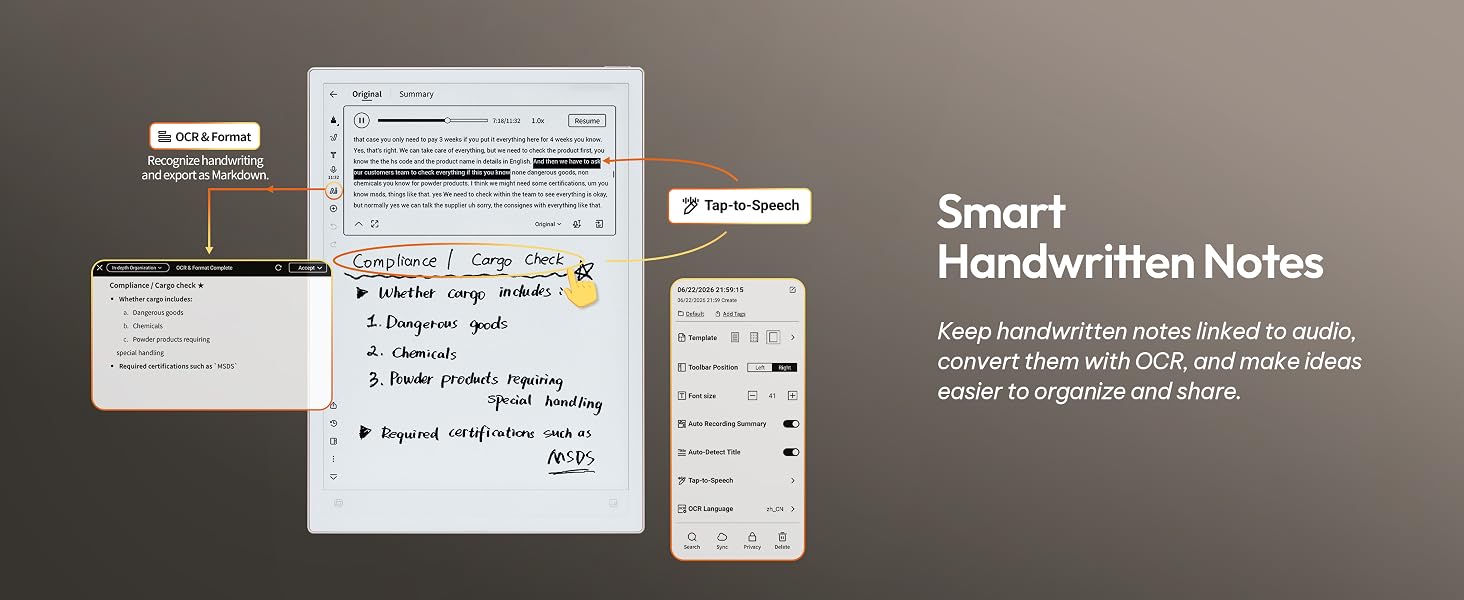
AINOTE 2 can convert print-style handwriting, standard cursive, headings, and paragraphs in your notes into text you can copy, search, edit, and export.
Please note: clarity, slant, spacing, mixed languages, and page layout may affect recognition.
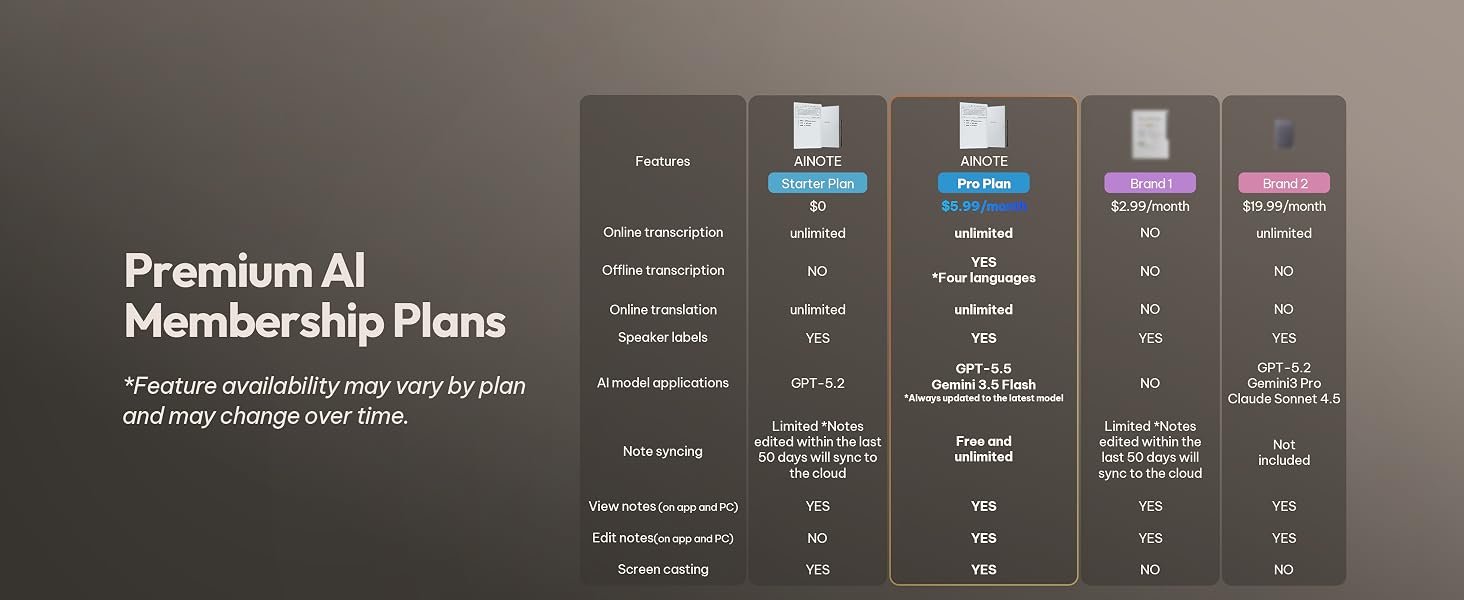
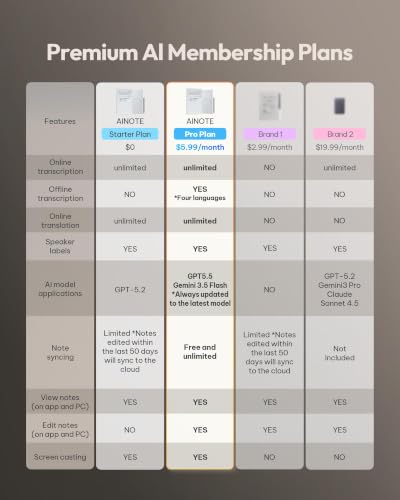
Which features are included at no additional cost, and which require Wi-Fi or a paid membership?
Free offline: Notes/Editing, Reading/Markup, Handwriting-to-Text, Export.
Free online: Transcription, Translation, Al Features, Cloud sync/Access.
Paid: Offline Transcription, Extra AI Models, Cross-Device Editing.
See Member Center for details.
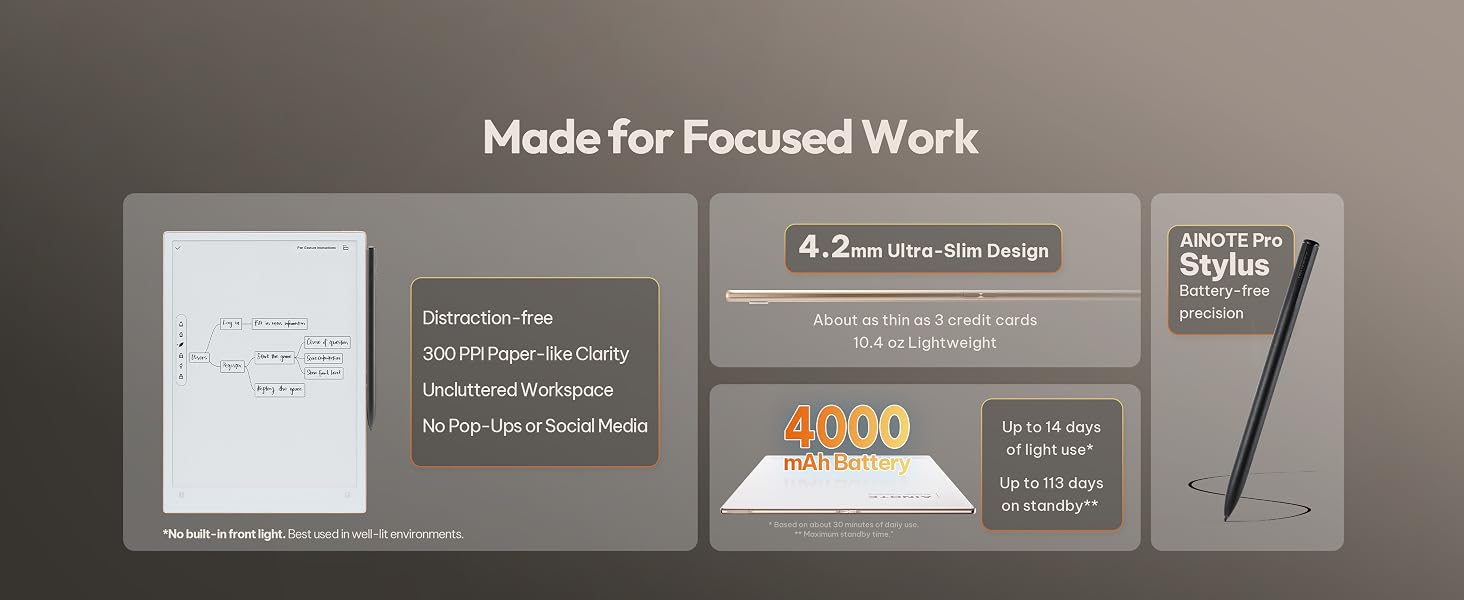
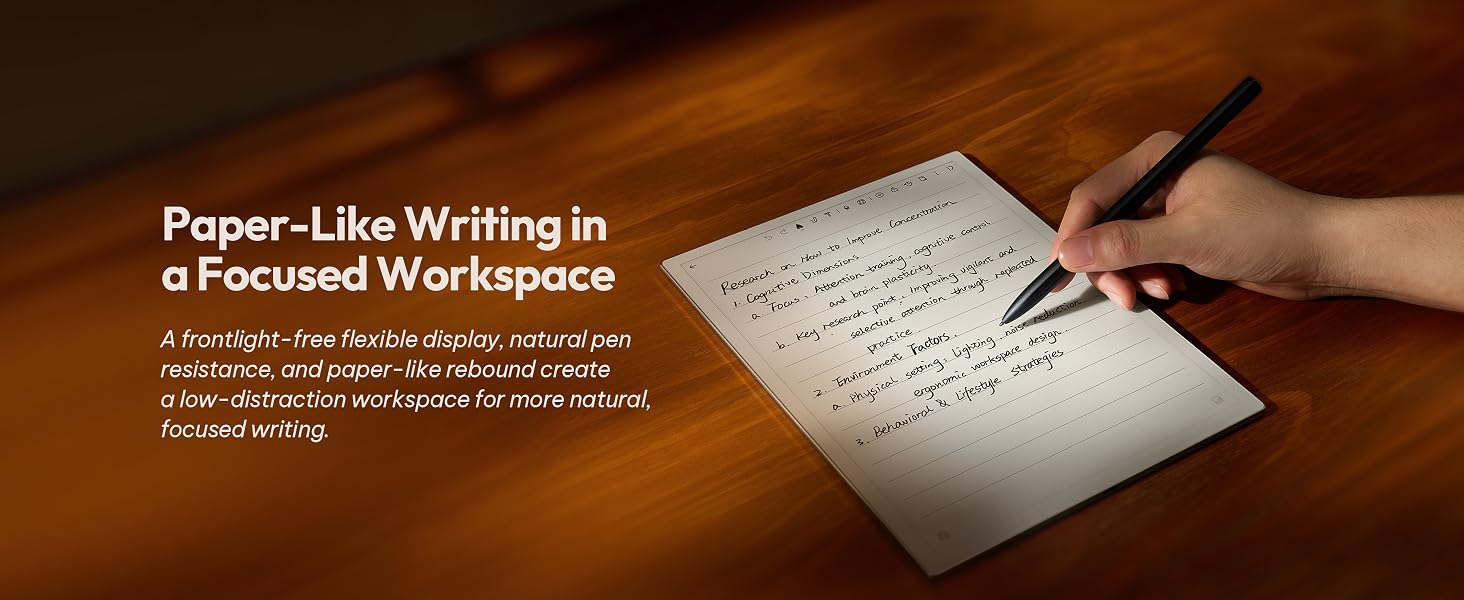
- Paper-Like Writing Experience (Frontlight-Free E-Ink Device):With 8 brush styles and low-latency handwriting performance, AINOTE 2 offers a writing feel similar to pen on paper. The frontlight-free E-ink display provides comfortable viewing under normal indoor and outdoor lighting. Note: Not intended for low-light or dark-room writing without external lighting.
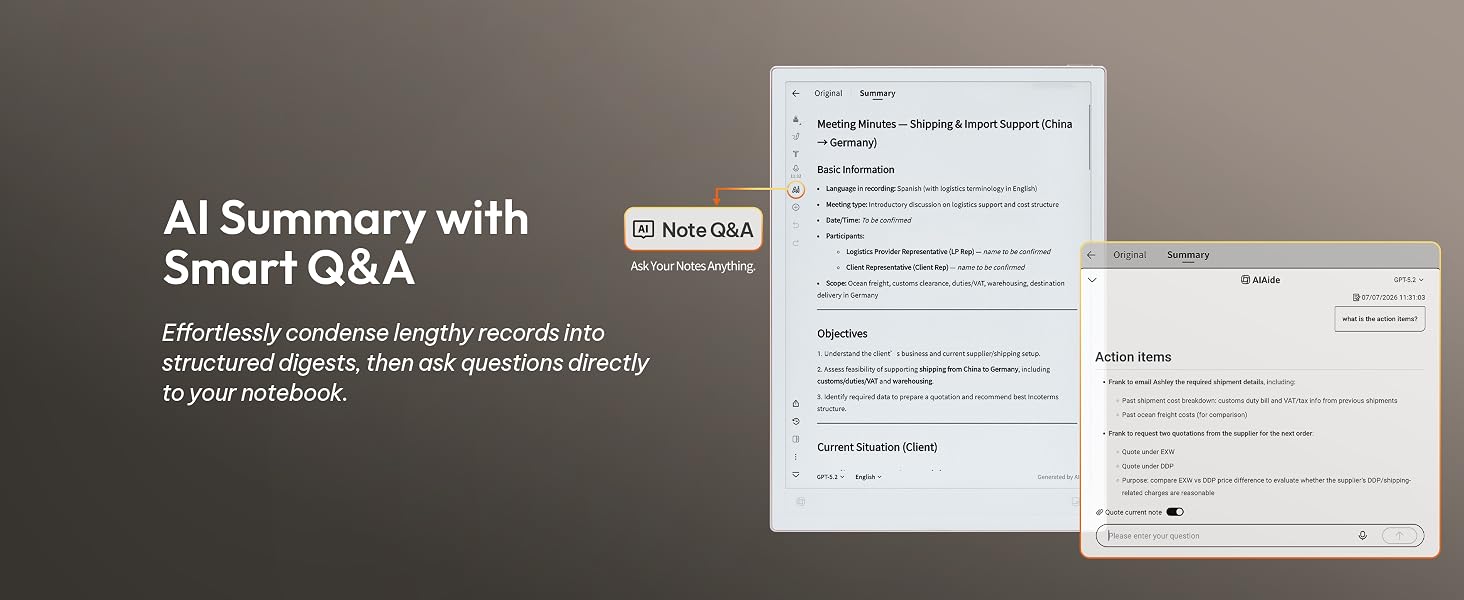
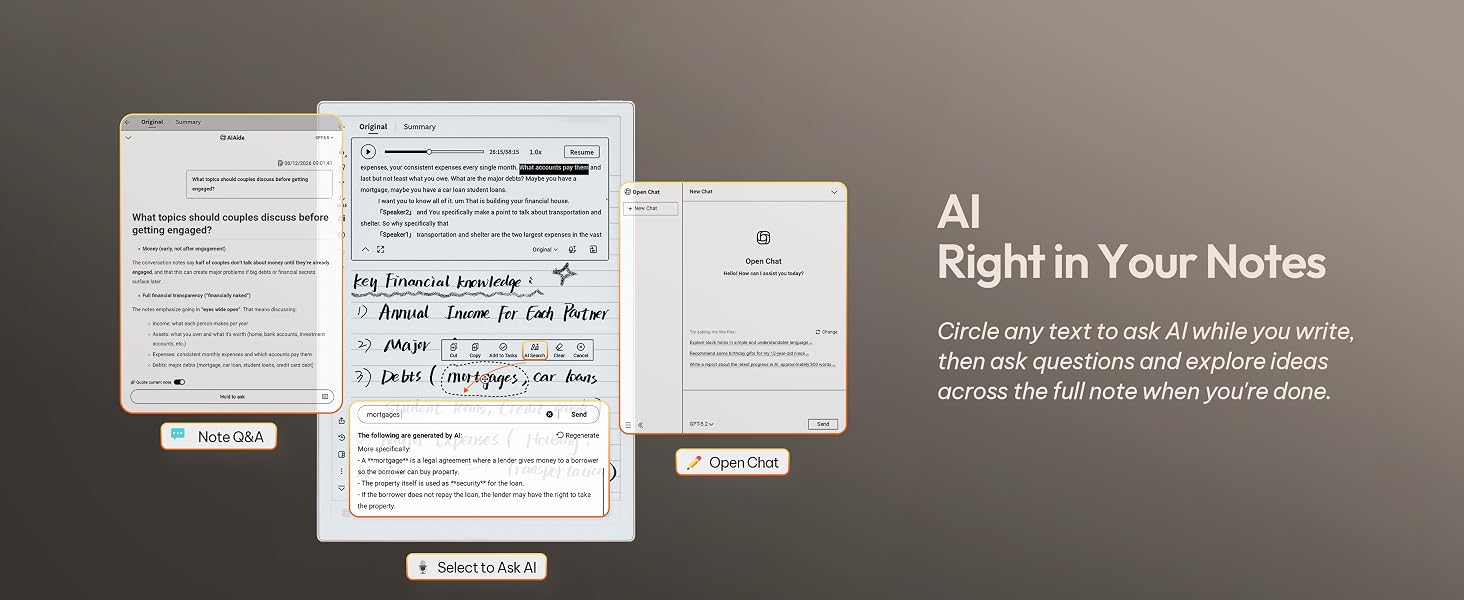
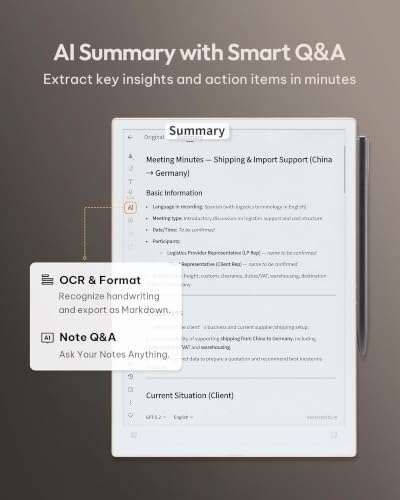
- Smart AI Assistance for Efficient Note-Taking (Requires Wi-Fi): AINOTE 2 includes AI-powered assistance that allows you to interact with selected text and access helpful suggestions for study, summarization, and organization. This feature supports a smoother workflow while keeping the writing experience simple and natural. Please note: This advanced AI feature may not be suitable for fully offline or confidential meetings.
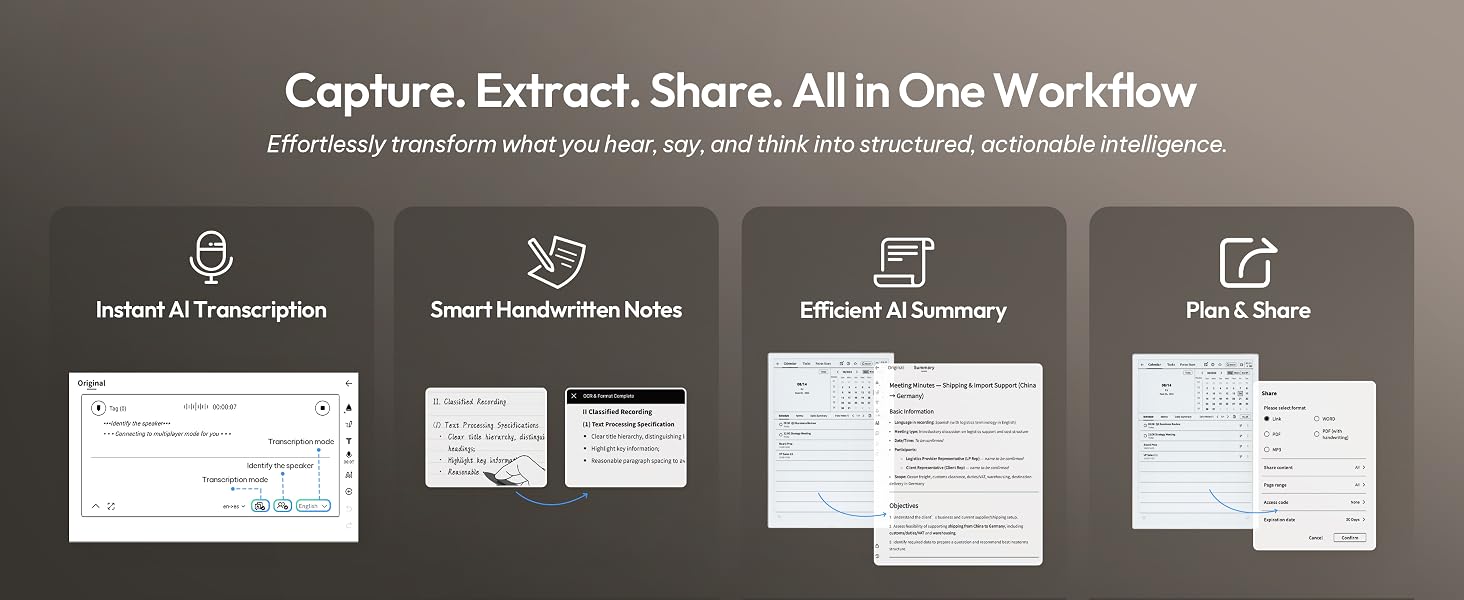
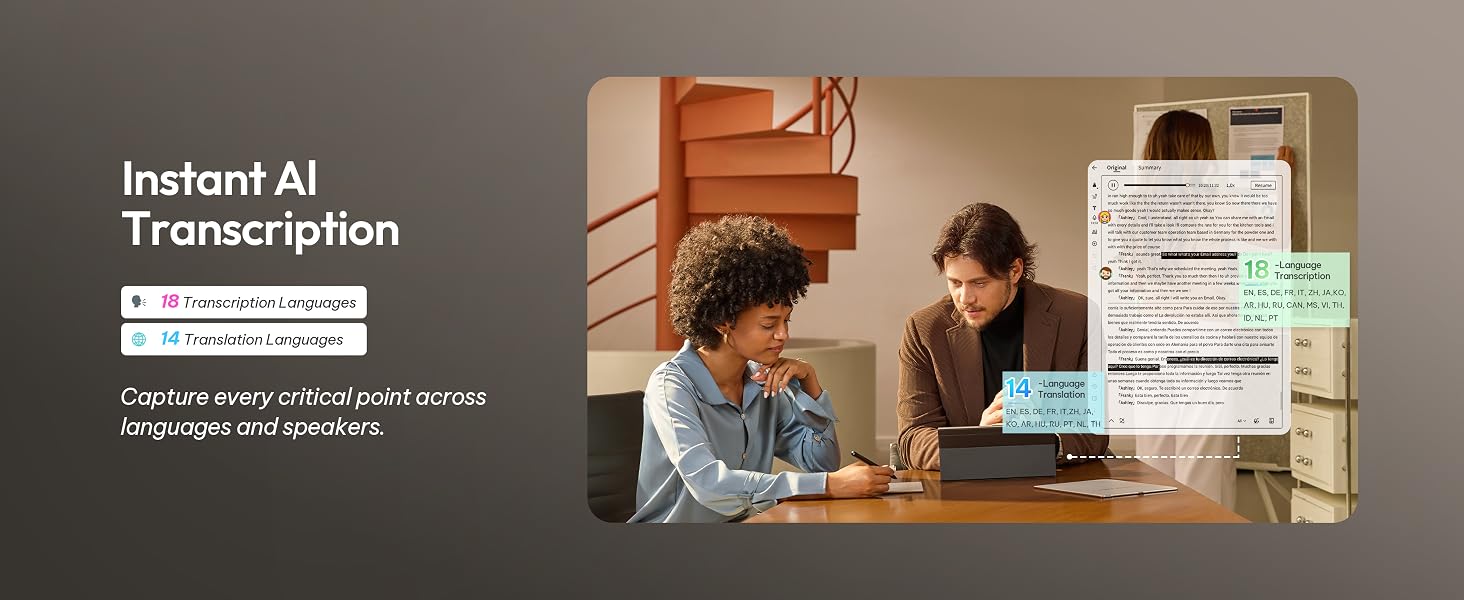
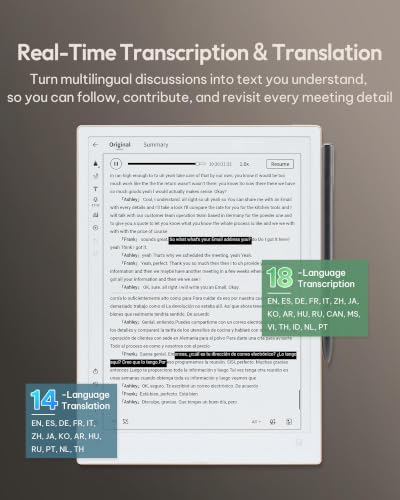
- 18-Language Transcription Support:AINOTE 2 supports multi-language transcription designed for meetings, lectures, and interviews. This feature helps capture spoken content and convert it into text for easier review and organization. Requires an active internet connection for transcription services. Accuracy depends on audio quality, speaker accent, and environment. Designed to assist note review, not for word-for-word professional transcription.
- Ultra-Thin & Portable Design: At approximately 4.2 mm in thickness, AINOTE 2 is designed for lightweight portability. Its streamlined structure makes it easy to carry for daily work, travel, or study, while supporting extended use under typical operating conditions. The device offers up to 14 days of usage time when used for about 30 minutes per day with the remaining time in standby or powered off, and up to 113 days of standby time. Important: The device is not designed for use in extreme temperatures or harsh environmental conditions, which may affect performance or battery life.
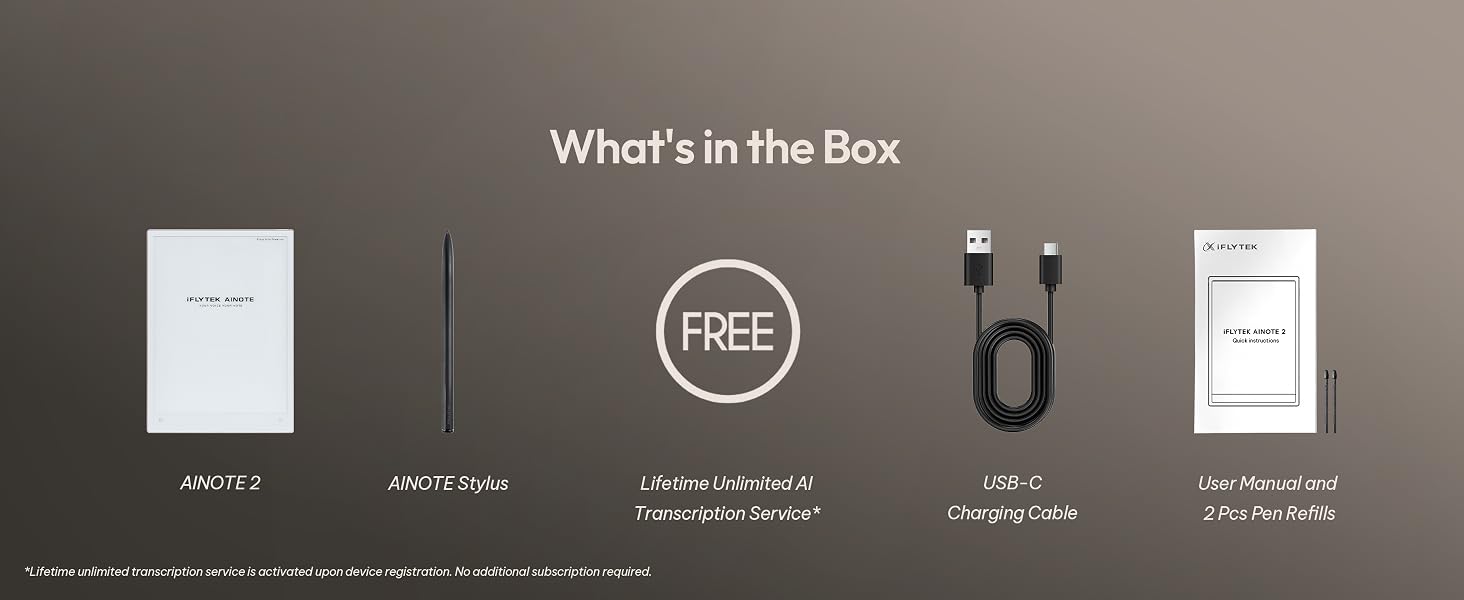
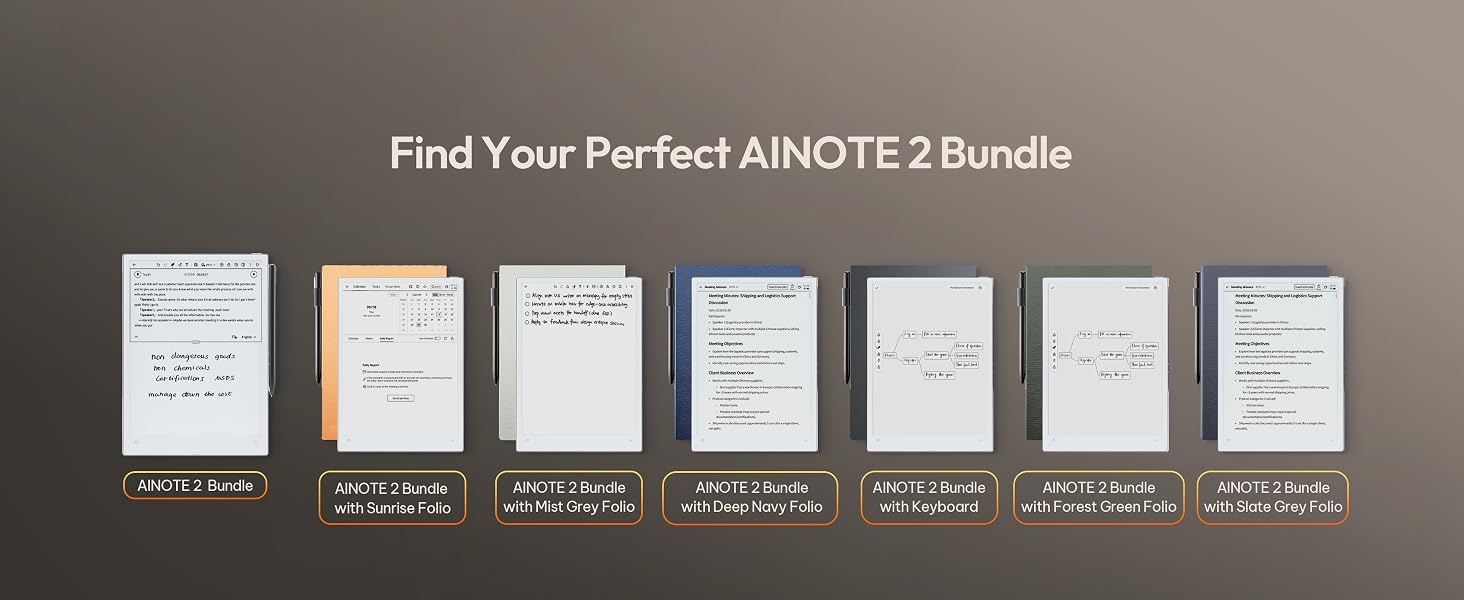
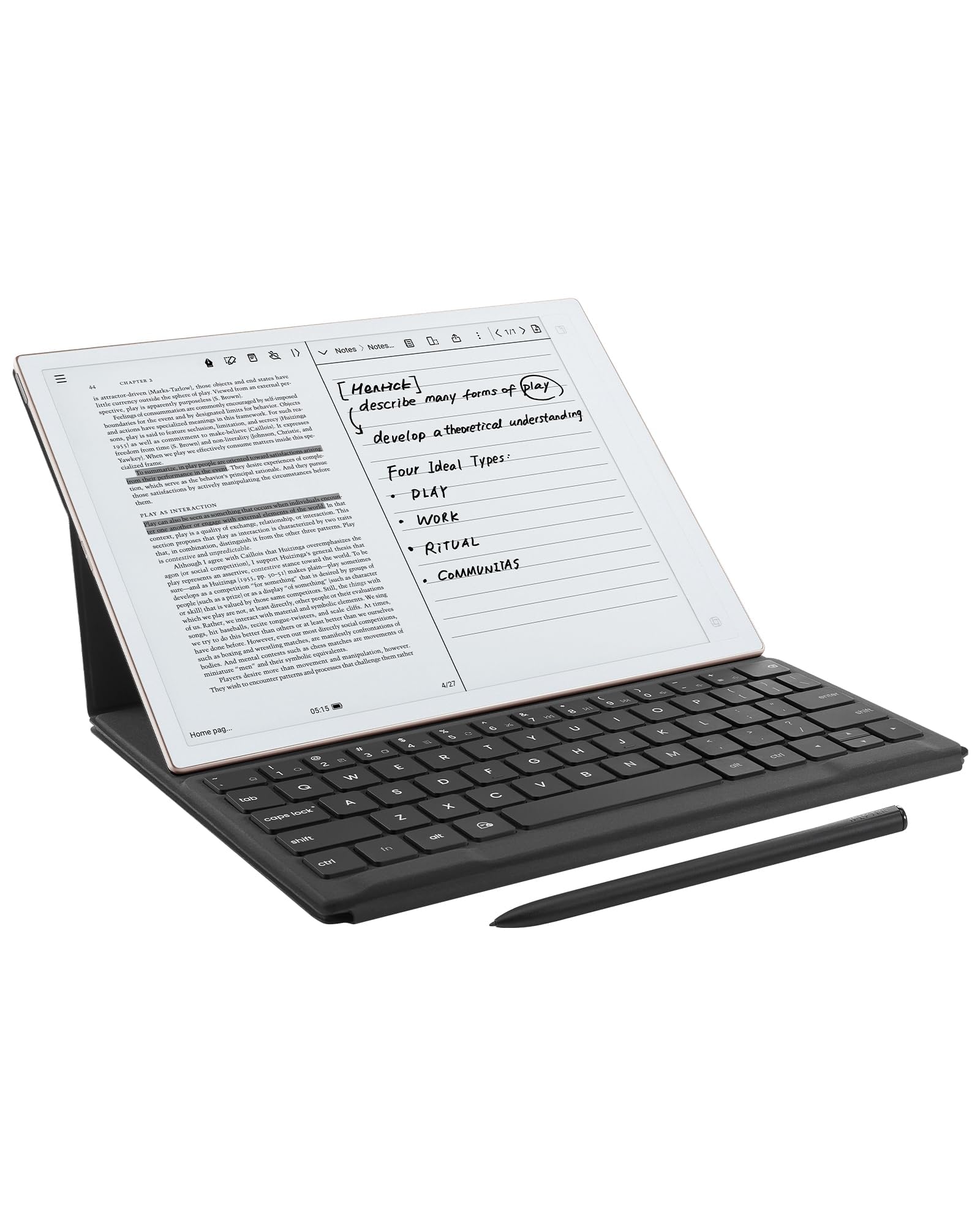
- Complete Package Inside the Box:Includes the AINOTE 2 tablet, Keyboard Case, stylus pen, USB cable, and user manual. The slim magnetic folio case helps protect your e-ink tablet from everyday scratches while keeping everything ready for work, study, and meetings.
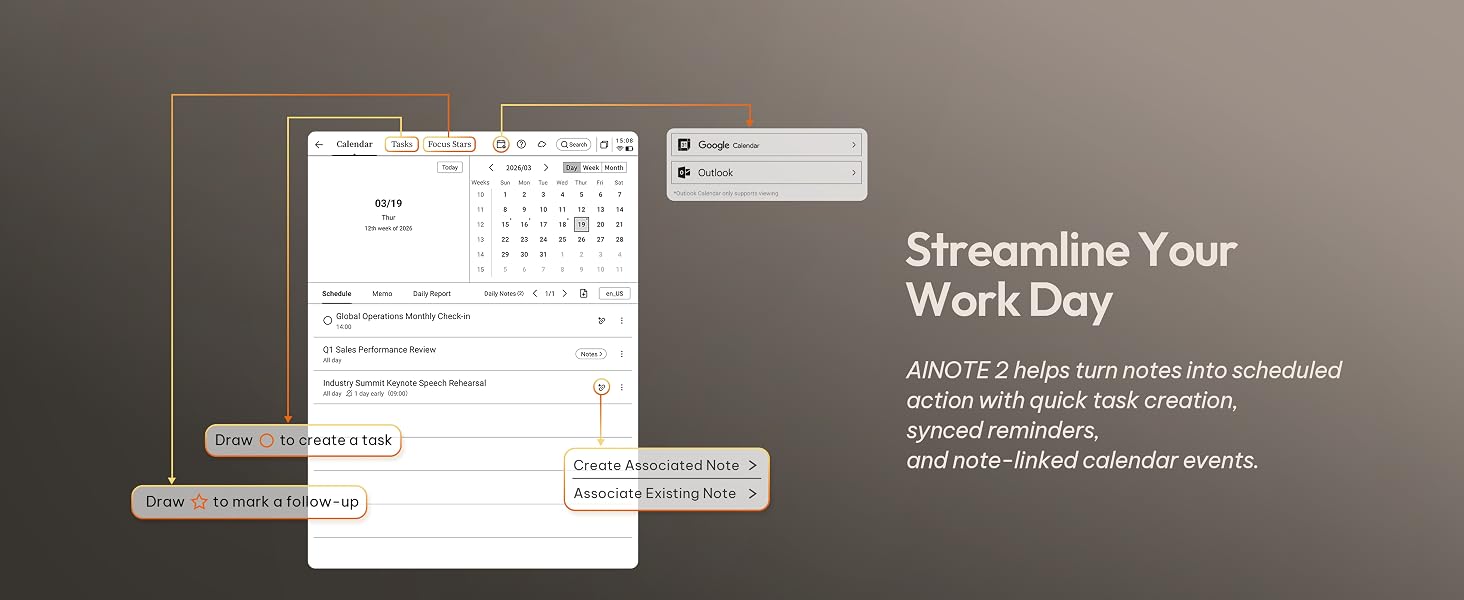
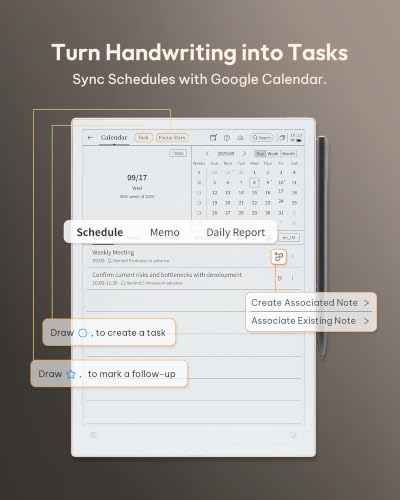
- Schedule & Note Management:Manage schedules via supported calendar services, including Google Calendar. Notes can be marked with stars, triangles, or circles for task tracking and synced across AINOTE Mobile and PC apps. This allows cross-device note access and organization. Note: AI features and schedule sync require internet; offline access is limited to basic note-taking.
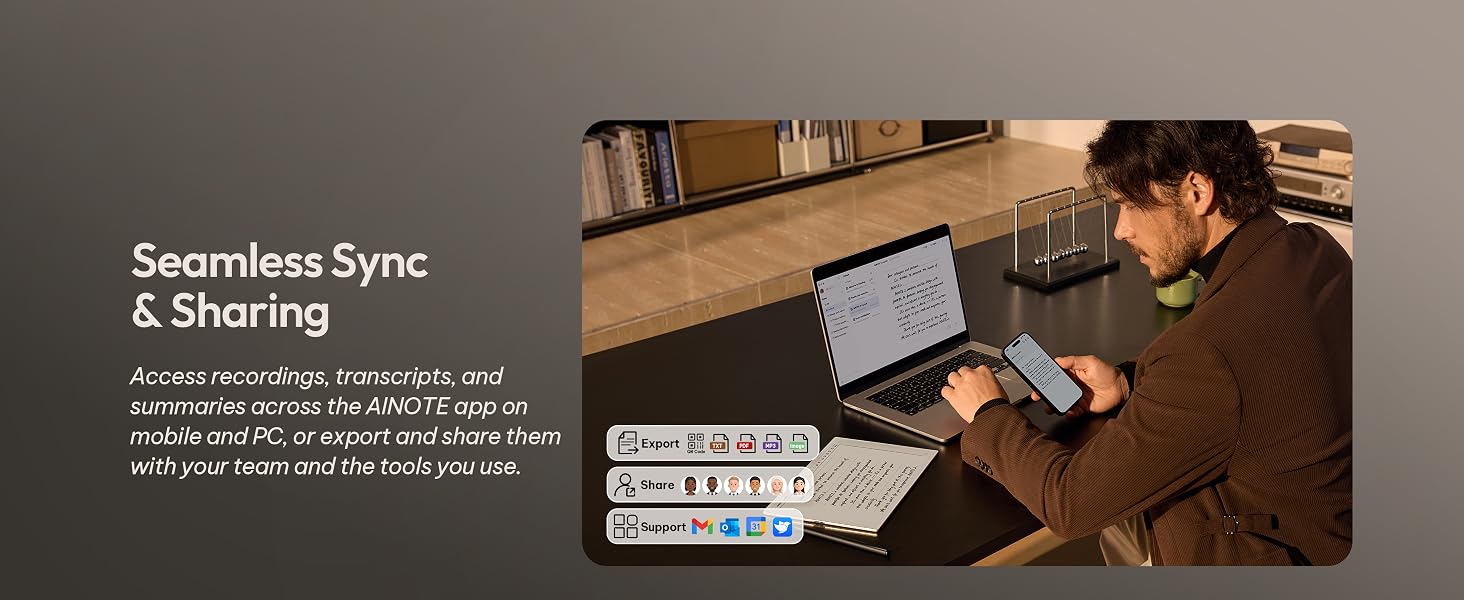
- Multi-Device Note Access Notes can be accessed on AINOTE Mobile and AINOTE PC apps, enabling cross-device viewing and editing. This helps maintain continuity whether you're working on your tablet or desktop.
- All-in-One Digital Notebook:AINOTE 2 combines handwriting, reading, transcription, and planning tools into one streamlined device. It centralizes your daily work and study tasks in a single digital notebook with pen setup.
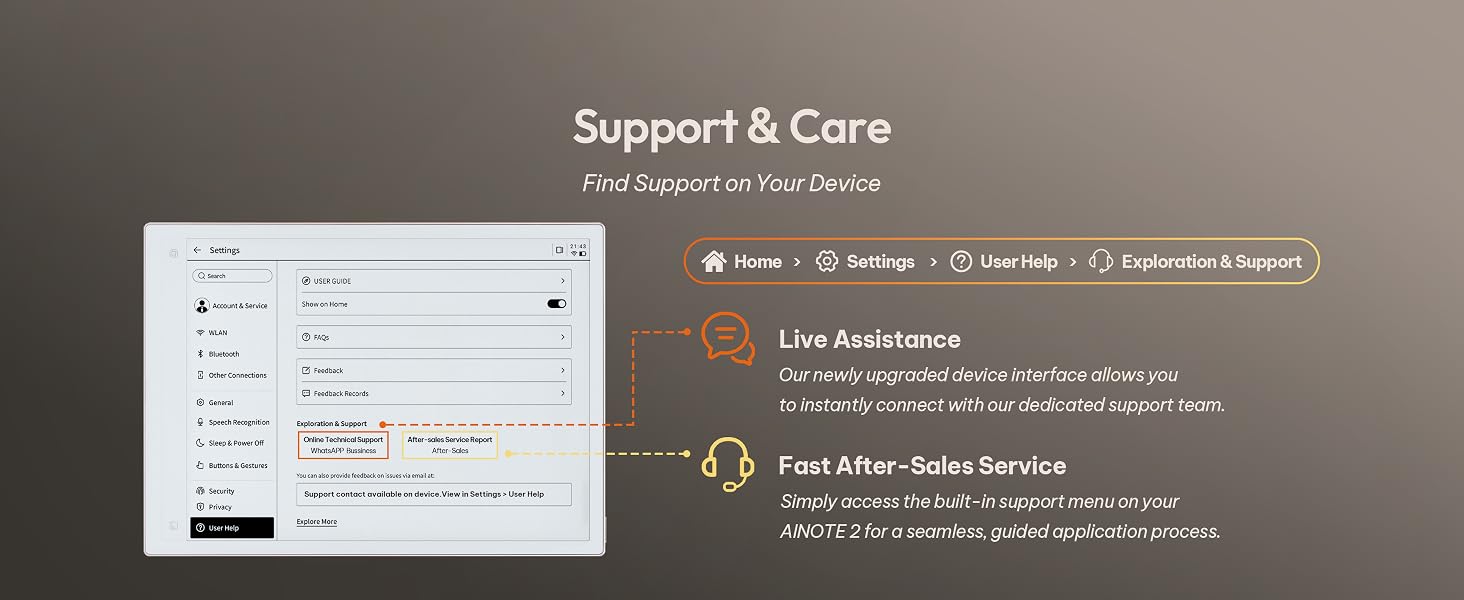
- Quick Start & Warranty:Quick-start instructions are included in the package for easy setup. AINOTE 2 provides a 1-year warranty along with standard Amazon return and exchange policies.











| SKU: | B0HJ4M7JDG |
| Brand: | iFLYTEK |
| Manufacture: | iFLYTEK |
Product Description
iFLYTEK AINOTE 2
-
Does AINOTE 2 have a built-in front light?
AINOTE 2 has no built-in front light, and its 10.65-inch flexible E Ink screen relies on ambient light.
It is comfortable to read in offices, meeting rooms, and natural light, but an external light is needed in complete darkness.
-
Is there a difference in response speed between AINOTE 2 and a regular LCD tablet?
AINOTE 2’s 8-core processor delivers fast pen response and a smooth writing experience for notes, reading.
However, due to the E Ink screen’s inherent refresh limits, fast scrolling, video, and complex apps are less fluid than on LCD/OLED screens.
-
What should I know about using Google Play apps on AINOTE 2?
AINOTE 2 supports most Android apps via Google Play or APK files, but not all are optimized for E Ink.
Some may run slowly, show ghosting, or display incorrectly. Videos, games, and dynamic apps may feel different from LCD tablets.
-
What types of handwriting can AINOTE 2 convert into editable text?
AINOTE 2 can convert print-style handwriting, standard cursive, headings, and paragraphs in your notes into text you can copy, search, edit, and export.
Please note: clarity, slant, spacing, mixed languages, and page layout may affect recognition.
-
Which features are included at no additional cost, and which require Wi-Fi or a paid membership?
Free offline: Notes/Editing, Reading/Markup, Handwriting-to-Text, Export.
Free online: Transcription, Translation, Al Features, Cloud sync/Access.
Paid: Offline Transcription, Extra AI Models, Cross-Device Editing.
See Member Center for details.