KEMOVE K94 Wireless Mechanical Keyboard, QMK/VIA , w/LCD

KEMOVE K94 Wireless Mechanical Keyboard, QMK/VIA , w/LCD Display&Knob,Brown Gasket Mount, BT/2.4G/USB-C, Hot Swappable, Creamy Switches, South-Facing RGB, PBT Keycaps, 8000mAh, for Win/Mac
How do I get the link for the web-based driver?
You can directly copy this link to download the driver: "bit.ly/4z8fmXp"
What should I do if the time on my screen is inaccurate?
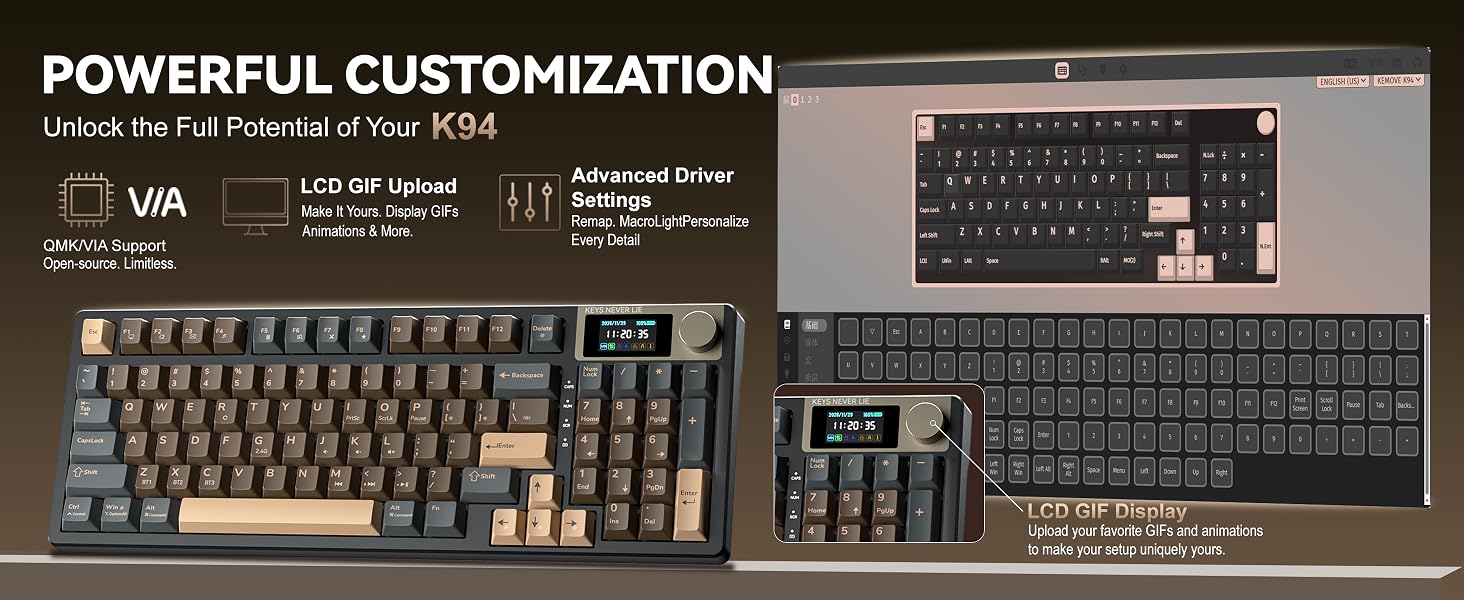
If your screen time is incorrect, you need to download the driver first, and then use the web tool to sync the time. (Uploading GIF files is also supported.)
How do I download the files needed to use VIA with the K94?
Visit the KEMOVE official website and go to the K94 Hub to download the required VIA files. You can also contact KEMOVE AI support for help locating the correct files.
Why can't I use the web-based driver/configurator?
VIA setup is available in USB wired mode.
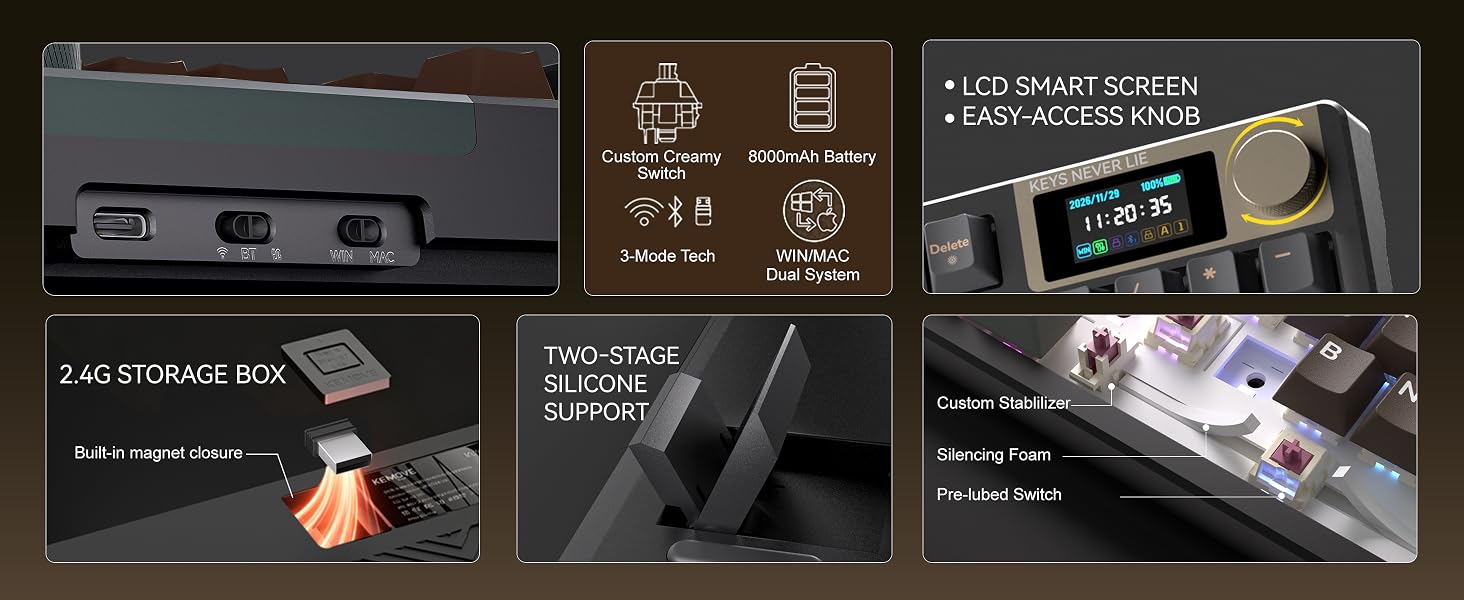
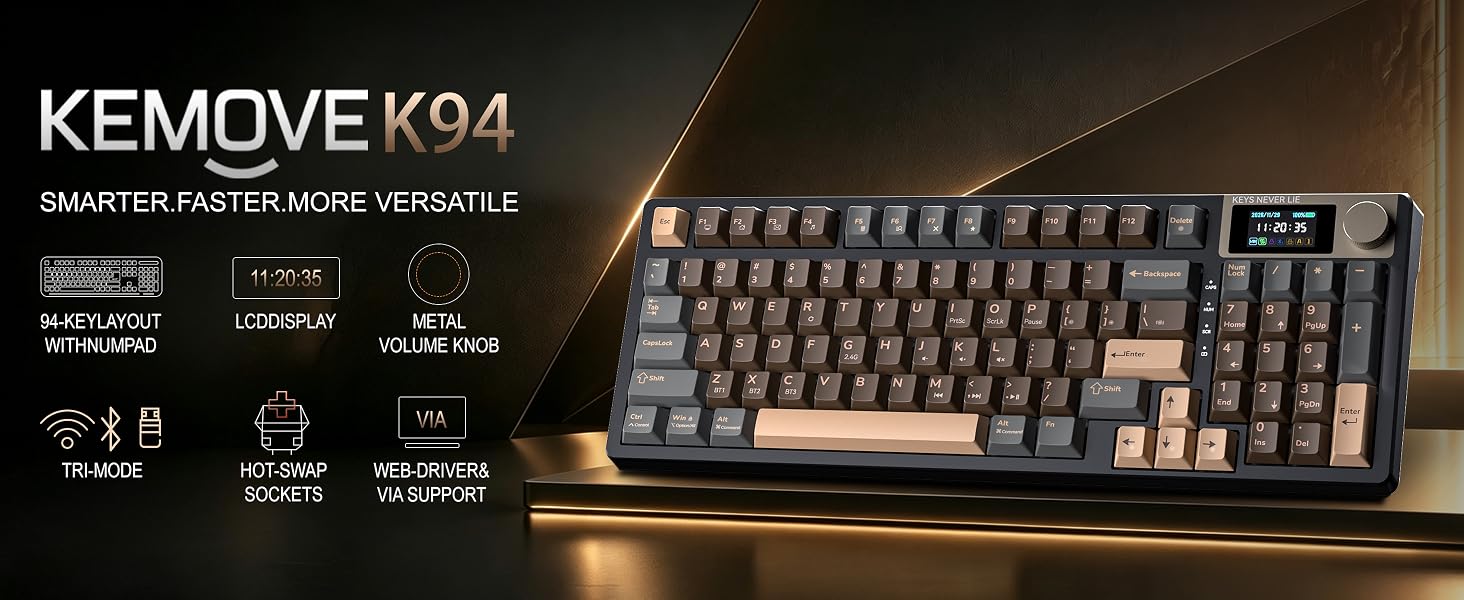
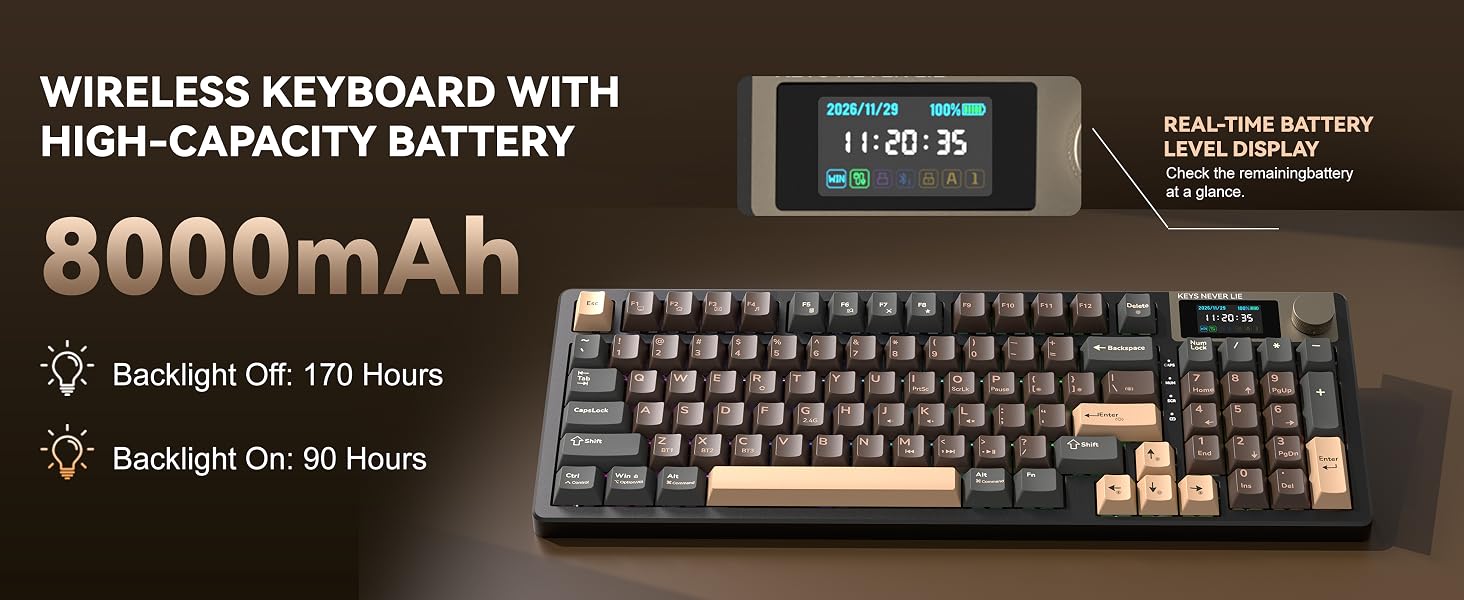
- Three-mode connection & 8000mAh battery: This K94 mechanical keyboard can operate stably in Bluetooth, 2.4GHz wireless and wired modes, and can be switched with one click through the physical switch on the back. Built-in 8000mAh large-capacity battery, it can be used continuously for about 666 hours when the lights are turned off, and it can also support 12 hours in RGB mode with the lights on. It also supports USB-C fast charging.
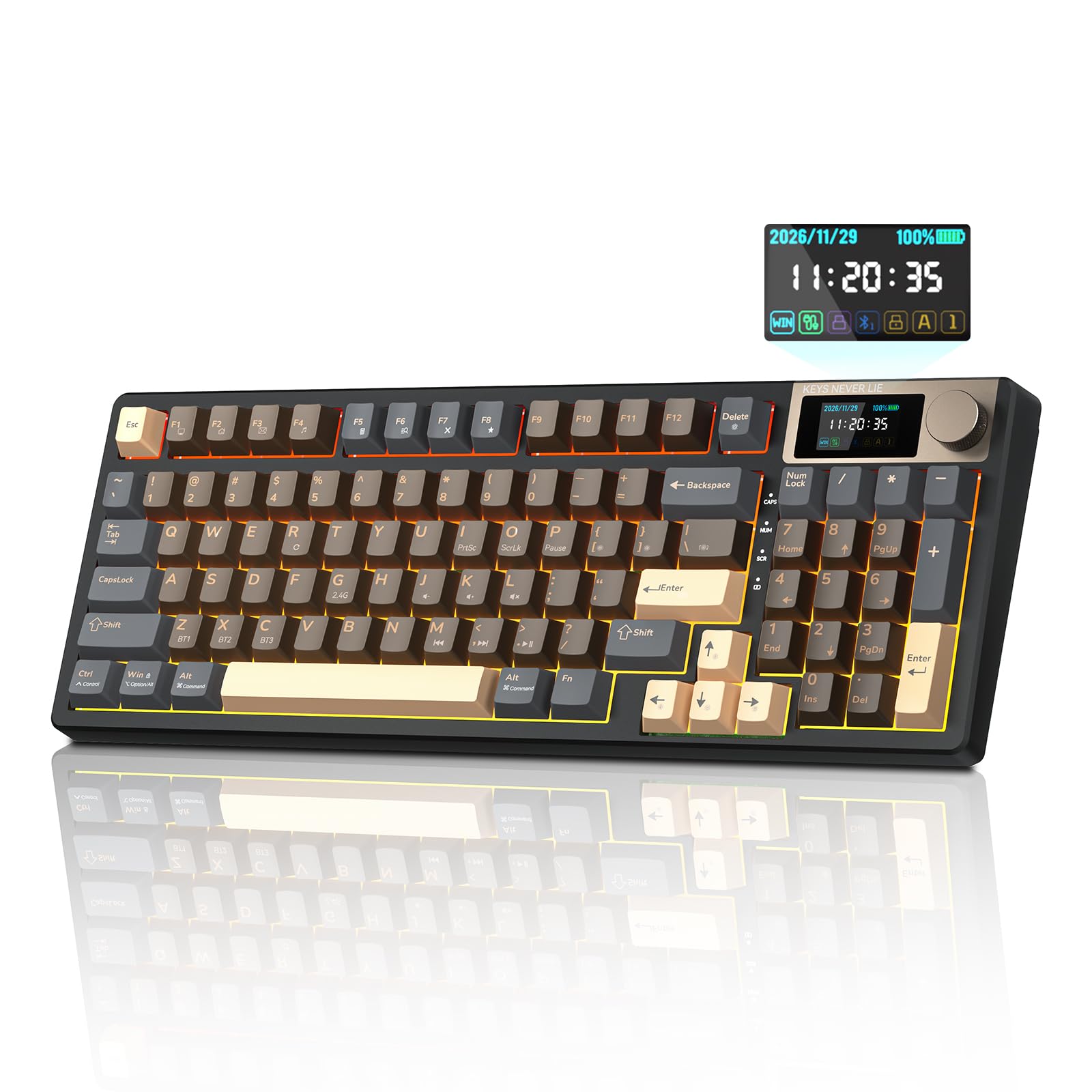
- TFT color screen & metal knobs: The KEMOVE K94 keyboard is equipped with a TFT color screen. The boot animation, connection status, battery percentage, time and date, system mode and other information are clear at a glance. With the metal multi-function knob, you can adjust RGB brightness, lighting effect speed, color saturation, and even switch menu languages with one click. The knob can also directly control the system volume, making it convenient for gaming and office work.
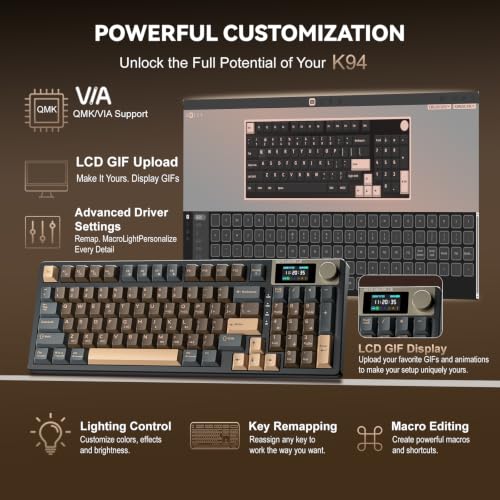
- QMK Open Source Firmware & Web-based Driver: The KEMOVE K94 mechanical keyboard comes with QMK open-source firmware and a web-based driver (VIA setup is available in USB wired mode), eliminating the need for any software downloads. Simply open your browser to access advanced features such as key remapping, macro editing, and 46 RGB lighting effects. Note: If the time on your keyboard screen is inaccurate, use the web tool to synchronize the time. GIF uploads are also available.
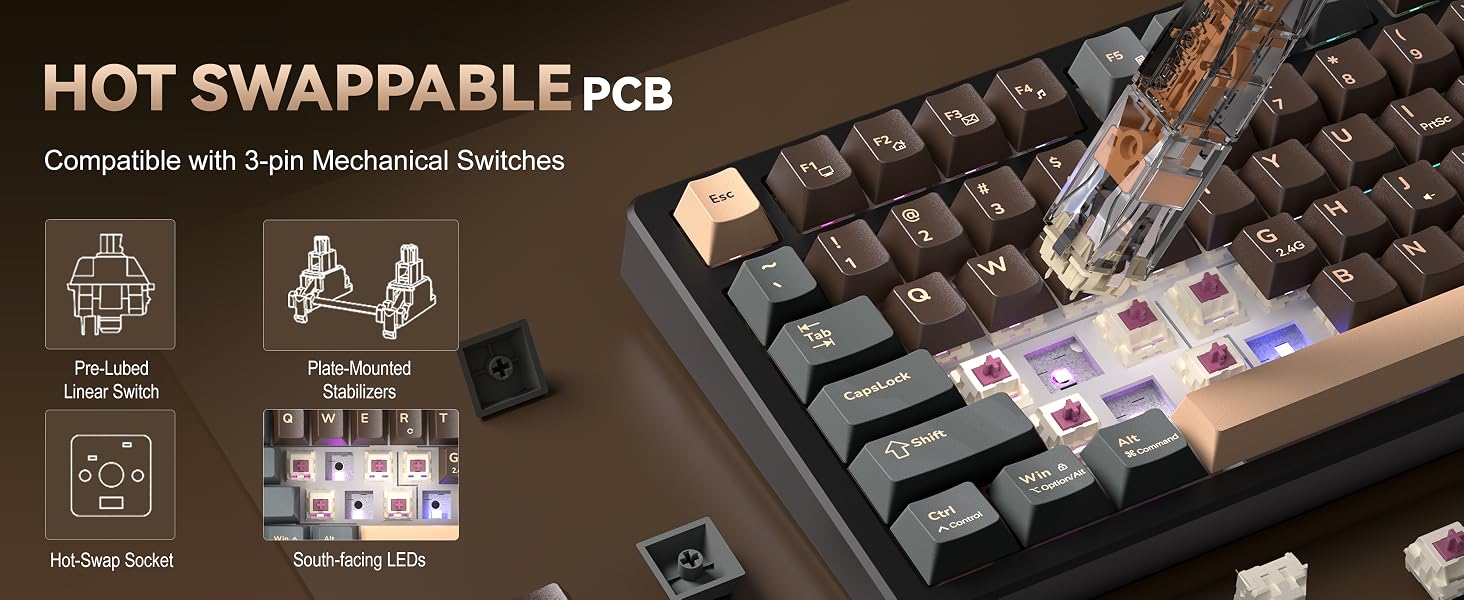
- Customized keyboard with strong compatibility: K94 supports hot swapping and is compatible with 99% of 3-pin mechanical switches and screw stabilizers on the market. Users can easily replace the switches according to their preferences and experience different typing feel and sounds. In addition, the supporting software also provides key remapping and macro editing functions to improve efficiency and ease of use. The South-facing RGB design is perfectly compatible with various thick-walled personalized keycaps such as Cherry height and SA, and the keycaps will not get stuck when changing the keycaps.
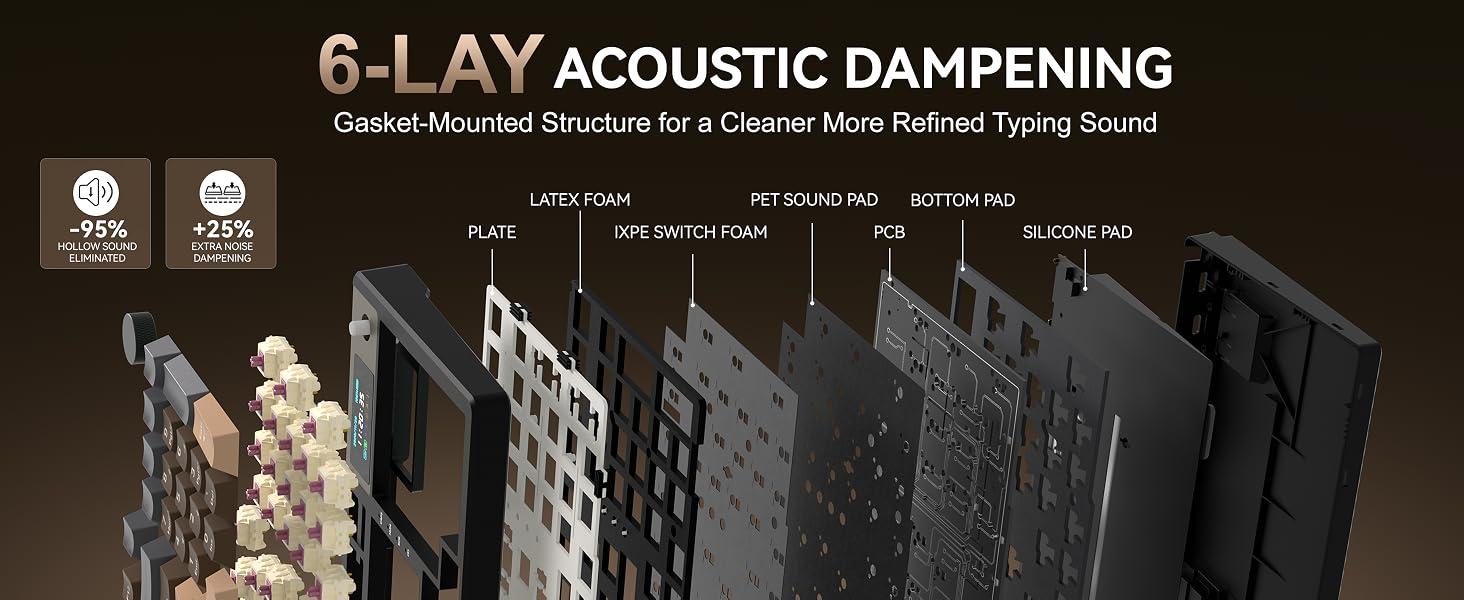
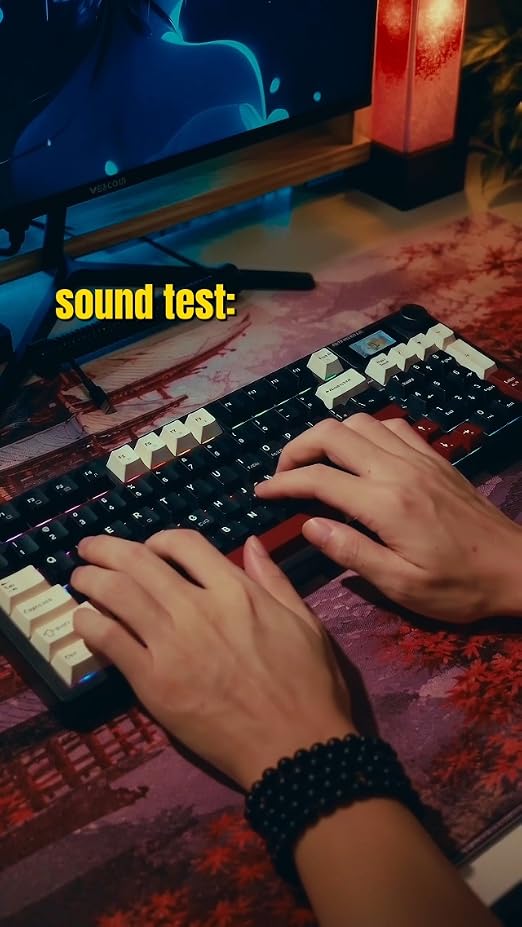
- Pleasant key sound: The gasket-type mounting structure of the KEMOVE K94 wireless keyboard separates the PCB from the casing, effectively eliminating cavity noise. The flexible-cut PC positioning plate gives the keyboard extra flexibility for a gentle and comfortable typing experience.
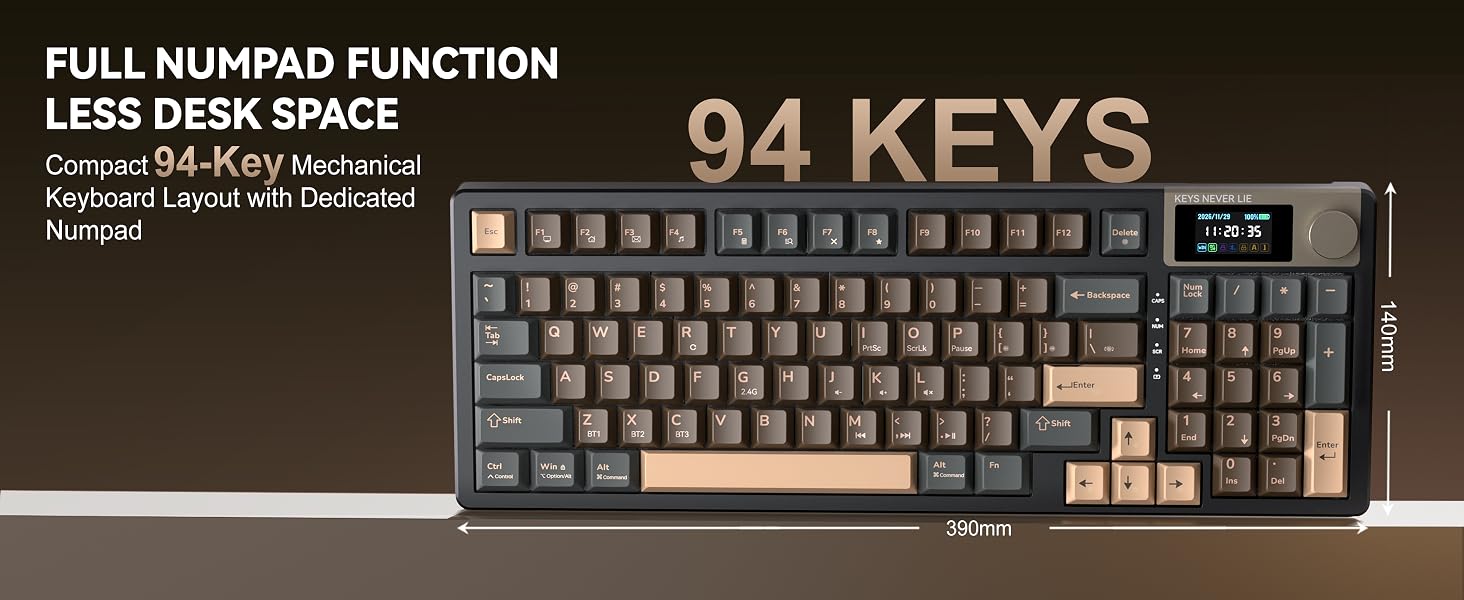
- 94-key layout + Win/Mac dual system: While retaining the complete numeric keypad and independent direction keys, it saves about 20% of desktop space than a standard 104-key full-size keyboard, taking into account digital input efficiency and compact desktop requirements. The physical switch on the back switches the Windows/Mac system layout with one click. In Mac mode, the F area fully maps native functions such as screen brightness, volume, and multi-screen display, eliminating the need to repeatedly fiddle with system settings.





| SKU: | B0HC6LJQKG |
| Brand: | KEMOVE |
| Colour: | Brown |
| Manufacture: | TMKB Tech |
| Colour: | Brown |
Product Description
How do I get the link for the web-based driver?
You can directly copy this link to download the driver: “bit.ly/4z8fmXp”
What should I do if the time on my screen is inaccurate?
If your screen time is incorrect, you need to download the driver first, and then use the web tool to sync the time.. (Uploading GIF files is also supported.)
How do I download the files needed to use VIA with the K94?
Visit the KEMOVE official website and go to the K94 Hub to download the required VIA files. You can also contact KEMOVE AI support for help locating the correct files.
Why can’t I use the web-based driver/configurator?
VIA setup is available in USB wired mode.