LENRUE

LENRUE PC Speakers for Desktop

LENRUE PC Speakers for Desktop,Computer Speakers

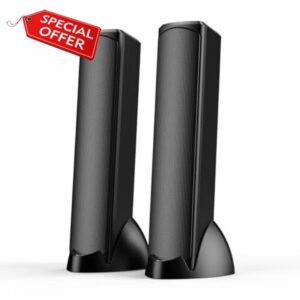
LENRUE PC Speakers for Desktop,Computer Speakers with Colorful Atmosphere Lighting, Plug and Play USB Powered Speakers for PC, Laptop, Desktop – Ideal for Movies, Music, Gaming (Black-Q4) Immersive Stereo Sound Experience-Equipped with dual speaker units and radiators, these desktop speakers deliver clear, balanced stereo audio that brings movies, music, and games to life, making every sound detail vivid and engaging. Vibrant Colorful Lighting for Teens & Customisable Ambiance-Features dynamic lighting with multiple modes (Colorful Flowing, Colorful Vibrate, Single Color Cycle, etc.), perfect for creating a fun, energetic gaming or entertainment atmosphere. The lights can be turned off for users who...

LENRUE PC Speakers for Desktop

LENRUE PC Speakers for Desktop,Computer Speakers,USB

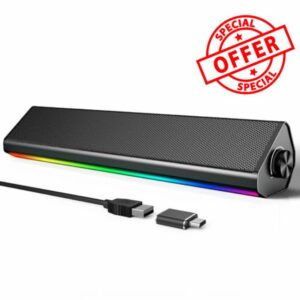
LENRUE PC Speakers for Desktop,Computer Speakers,USB Computer Speakers for PC Desktop Laptop Monitors,Gaming Speakers with Light and Dual Touch Tech (Type-C Adapter Included) Troubleshooting: No Sound or Low Volume in PC Mode 1. Check Windows Sound Settings: Click the speaker icon in your taskbar. Make sure the volume is up and the correct speaker "S2" is selected as the playback device. 2. Check Physical Connections: Ensure the USB cable is firmly plugged directly into a computer USB port (not a hub). 3. Test the Speaker: Turn the speaker knob clockwise to ensure its volume is turned up. 4. Try a...

LENRUE G11 PC Speakers for Desktop

LENRUE G11 PC Speakers for Desktop, Touch Lights Computer

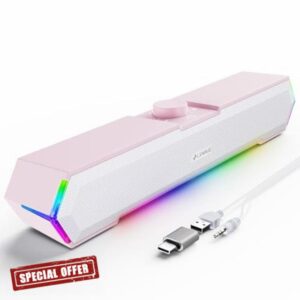
LENRUE G11 PC Speakers for Desktop, Touch Lights Computer Speakers with Surge Clear Sound, USB C/USB Powered for Computer Desktop PC Laptop Monitor (Light Pink) Power Crisp Clear Sound: High-quality multiple horns for increased volume without distortion. No Current Sound: Increase the shock absorber, even if the standby does not have any noise. Top Knob: Designed to be on top, easy to adjust the volume. Turn on/off the computer speaker. Touch Lights: Newly upgraded one touch to turn off/on the light to avoid the tedium of buttons. 1 – Click Speaker Icon in the taskbar. 2 – Select the "...